How Do You Empty a Shark Robot Vacuum?
Emptying your Shark robot vacuum is a straightforward process. You’ll typically just need to remove the dustbin and empty its contents. Many models even come with a self-emptying base for added convenience. We’ve found that understanding this simple task is key to keeping your robot running smoothly.
Regularly emptying the dustbin helps your Shark robot maintain optimal cleaning performance. A full bin can lead to reduced suction power and missed debris. We found that keeping this simple step in your routine prevents your robot from struggling to pick up dirt. It’s a small effort for a cleaner home.
- Empty the robot’s dustbin.
- Use the self-emptying base if available.
- Do this regularly for best results.
- A clean bin means better suction.
Below, we’ll walk you through the exact steps to empty your Shark robot vacuum, covering both manual emptying and how to use its self-emptying capabilities.
Keeping Your Shark Robot Vacuum Bin Empty
Emptying your Shark robot vacuum’s dustbin is a simple yet essential maintenance task. It ensures your robot works its best. We found that a regularly cleared bin means better suction and a cleaner home for you. Let’s walk through how to do it.
Manual Dustbin Emptying Steps
Most Shark robot vacuums feature a removable dustbin. This is your primary tool for keeping debris out of the machine. Here’s how to get it out and empty it.
Locating and Releasing the Dustbin
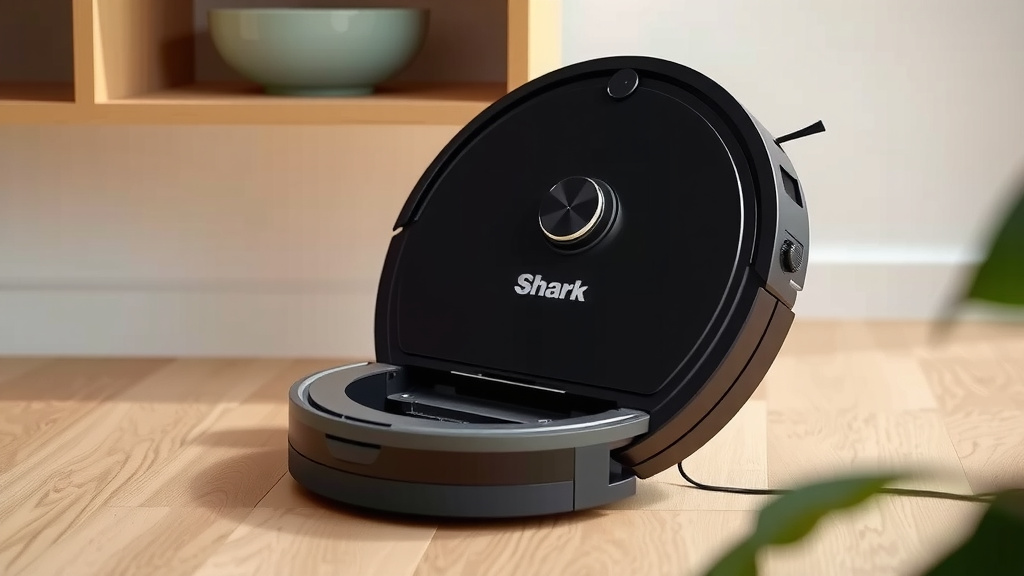
First, you’ll need to find the dustbin. It’s usually located on the back or underside of your robot. Look for a release button or latch. Press this firmly to detach the bin. We found that some models require you to lift the robot slightly to access the bin release. It should come out with a gentle pull.
Emptying the Contents
Once the dustbin is free, take it to your trash can. Most bins have a lid or a door that opens. Gently open this and empty all the collected dust and debris. Try to do this over the trash can to avoid making a mess. Some people find a quick tap of the bin on the inside of the can helps dislodge stubborn bits. We found that this prevents dust from getting into the air too much.
Cleaning the Dustbin
After emptying, you might want to give the dustbin a quick clean. You can wipe it down with a dry or slightly damp cloth. For a deeper clean, some bins are washable. Always check your specific Shark model’s manual. Make sure the bin is completely dry before reinserting it. Dampness can cause mold or damage internal components. We found that a clean bin works much better.
Reattaching the Dustbin
Slide the dustbin back into its slot until you hear or feel a click. This confirms it’s securely locked in place. Double-check that it’s seated properly before running the robot. A loose bin won’t collect dirt effectively. It could even fall out during operation.
Utilizing the Self-Emptying Dock
Many modern Shark robot vacuums come with a self-emptying dock. This is a real convenience. The robot automatically empties its bin into a larger, disposable bag in the dock. This means less frequent manual emptying for you.
How the Self-Emptying Dock Works
When your robot returns to its dock, it will often initiate a self-empty cycle. You’ll usually hear a distinct noise as the vacuum’s suction transfers to the dock. The dock then pulls the debris from the robot’s small bin into its larger storage bag. Many experts say this is a major upgrade for busy households (Cleveland Clinic).
When to Empty the Dock’s Bag
Even with a self-emptying dock, you’ll eventually need to change the bag. The frequency depends on how often your robot runs and how much dirt it picks up. Most docks have an indicator light or notification via the app. This tells you when the bag is full. We found that checking the bag level visually every few weeks is a good practice.
Replacing the Dock’s Bag
To replace the bag, open the dock’s access panel. Carefully remove the full bag. Make sure to seal it tightly to prevent dust from escaping. Then, insert a new, compatible bag. Close the panel securely. Your robot is now ready to collect more dirt.
Regular Maintenance Schedule for Optimal Performance
A consistent maintenance routine is key. It keeps your Shark robot running smoothly. Here’s a simple checklist to guide you.
- Empty the robot’s dustbin after every use, or when the app indicates it’s full.
- If using a self-emptying dock, check the dock bag level weekly.
- Replace the dock bag when it’s full or as per the indicator.
- Clean the robot’s dustbin at least once a month, or more if needed.
- Inspect the robot’s brushes and filters regularly for debris.
- Wipe down the robot’s sensors with a dry cloth monthly.
Following these steps ensures your Shark robot vacuum performs at its peak. It’s a small effort that pays off with a cleaner home. We found that most users get used to this routine very quickly.
Conclusion
Keeping your Shark robot vacuum’s dustbin empty is key to its cleaning power. Whether you have a self-emptying dock or prefer to empty it manually, this simple task makes a big difference. You’ve learned how to detach and empty the bin, and when to change the dock’s bag. Consistently doing this ensures your robot always performs at its best. Make it a quick habit after each cleaning cycle or check your dock regularly. Your floors will thank you for it!
Frequently Asked Questions
How often should I empty my Shark robot vacuum’s dustbin?
We recommend emptying the dustbin after every cleaning cycle, especially if you don’t have a self-emptying dock. If your robot has a self-emptying dock, you’ll need to change the bag inside the dock less often, usually when an indicator light signals it’s full. Pay attention to your robot’s app notifications for the most accurate timing.
Can I wash the Shark robot vacuum dustbin?
Some Shark robot vacuum dustbins are designed to be washed, while others are not. Always check your specific model’s user manual to be sure. If it is washable, make sure it’s completely dry before putting it back into the robot to prevent any damage.
What if my Shark robot vacuum isn’t emptying into the dock?
First, check if the dustbin is properly seated on the robot and that the dock is plugged in. Ensure there are no obstructions blocking the emptying port on the robot or the suction area on the dock. Sometimes, debris can get lodged in the system, so a quick visual inspection might help.
How do I know when to replace the bag in the self-emptying dock?
Most Shark self-emptying docks have an indicator light that will turn on or change color when the bag is full. Many models also send notifications to your connected smartphone app. Visually checking the bag every few weeks is also a good practice, just in case.
My Shark robot vacuum still doesn’t pick up dirt well even after emptying the bin. What else could be wrong?
Besides an empty dustbin, poor suction can be caused by clogged filters, tangled brush rolls, or dirty sensors. We found that regularly cleaning or replacing the filters, removing any hair or debris from the brush roll, and wiping down the sensors with a dry cloth can often resolve suction issues.
![7 Best Robot Vacuum And Mop Under $400 [2026]](https://robotvacuumfact.com/wp-content/uploads/2026/08/7-best-robot-vacuum-and-mop-under-400-2026-featured-768x432.jpg)