

Best Robot Vacuum for Your Budget in 2026
Finding the best robot vacuum for the money means getting top cleaning performance without breaking the bank. Based on our research, models like the Shark ION Robot offer a great balance of smart features and cleaning power at a mid-range price. You don’t need to spend a fortune to get a robot that keeps your floors clean.
Many robot vacuums come with advanced features like smart mapping and self-emptying bins. We found that even more affordable options can handle everyday messes effectively. You might be surprised at how much cleaning power you can get without paying a premium price. Your search for a budget-friendly helper is about to get easier. Your search for a budget-friendly helper is about to get easier.
- Look for smart mapping and strong suction.
- Consider battery life for your home size.
- Self-emptying bins are a convenience upgrade.
- Read reviews for real-world cleaning performance.
- Compare features against your budget.
Let’s walk through what makes a robot vacuum a great value and which models stand out from the pack.
Finding Your Best Robot Vacuum for the Budget
So, you’re looking to buy a robot vacuum without spending a fortune? That’s smart! You can get a genuinely helpful cleaning assistant without emptying your savings account. We’ve researched a lot of models, and you don’t always need the most expensive one to get the job done.
The key is understanding what features really matter for cleaning power versus what’s just a fancy extra. Let’s break down what makes a robot vacuum a good value and how to pick one that fits your needs and your wallet.
What Makes a Robot Vacuum “Good for the Money”?
It’s all about a balance of features and price. You want strong suction, decent battery life, and reliable navigation. Extras like app control and smart mapping are great, but not always essential for a solid clean.
Core Cleaning Performance: Suction Power and Brushes
This is where the rubber meets the road, or rather, where the dust meets the vacuum. A robot vacuum’s ability to pick up dirt and debris is paramount. We looked for models with strong suction power, often measured in Pascals (Pa).
For general home use, a suction power of 1500 Pa or higher is usually a good starting point. For homes with pets or lots of carpets, you’ll want to aim even higher, perhaps 2000 Pa or more. More suction means it can pull up stubborn dirt from carpets and crevices.
The brush system is also vital. Most robot vacuums use a combination of side brushes to sweep debris towards the main roller brush. We found that multi-surface rubber brushes tend to perform better than bristle brushes. They are less likely to get tangled with pet hair and do a better job on both carpets and hard floors.
Navigation and Mapping: Getting Around Your Home
How well a robot vacuum navigates your home affects its cleaning efficiency. Cheaper models might use random bump-and-go navigation. This means they just bounce around until they hit something. While they can cover a lot of ground, it’s not the most efficient.
Slightly more expensive, but often worth the upgrade, are robots with smart mapping technology. These use cameras or lasers (LiDAR) to create a map of your home. This allows them to clean in neat, methodical rows, ensuring better coverage and avoiding missed spots. You can often use these maps in an app to set cleaning zones or no-go areas.
For the money-conscious buyer, a robot with basic gyroscopic navigation offers a good middle ground. It still cleans in a more organized pattern than random navigation, making it more efficient without the higher cost of advanced laser mapping.
Battery Life and Coverage Area
Your robot vacuum needs enough battery to clean your entire home on a single charge. Battery life is usually listed in minutes. A typical robot vacuum might offer 60-90 minutes of cleaning time. This is usually sufficient for small to medium-sized homes.
If you have a larger house, look for models that can automatically recharge and resume cleaning. This means if the battery runs low, the robot will return to its base, charge up, and then go back to where it left off. This feature is a huge convenience for larger spaces.
We found that many mid-range models excel here, offering a good compromise. They might not have the absolute longest runtimes, but they are adequate for most homes and include the recharge-and-resume function.
Convenience Features That Add to the Value
Beyond basic cleaning, certain features can make owning a robot vacuum much more enjoyable. While these might push the price up slightly, they can be worth it.
App Control and Smart Home Integration
Most robot vacuums in the mid-price range come with a mobile app. This lets you start, stop, and schedule cleanings from your phone. You can often view cleaning history and, with mapping models, set specific cleaning areas.
Some models also offer smart home integration, allowing you to control the vacuum with voice commands through devices like Amazon Alexa or Google Assistant. Saying “Hey Google, tell the robot vacuum to clean the kitchen” feels pretty futuristic and is genuinely handy when your hands are full!
The Self-Emptying Bin: A Game-Changer?
This is a feature that many people rave about. A self-emptying bin means the robot vacuum docks with a larger base station, which then sucks the dirt out of the robot’s small dustbin into a larger bag or bin within the base. You only need to empty the base station every 30-60 days, depending on your home and how often it cleans.
While this feature adds to the cost, it significantly reduces how often you interact with the vacuum. If you hate emptying tiny dustbins or have allergies, it could be a worthwhile investment. We found some excellent models that offer this at a more accessible price point than they used to.
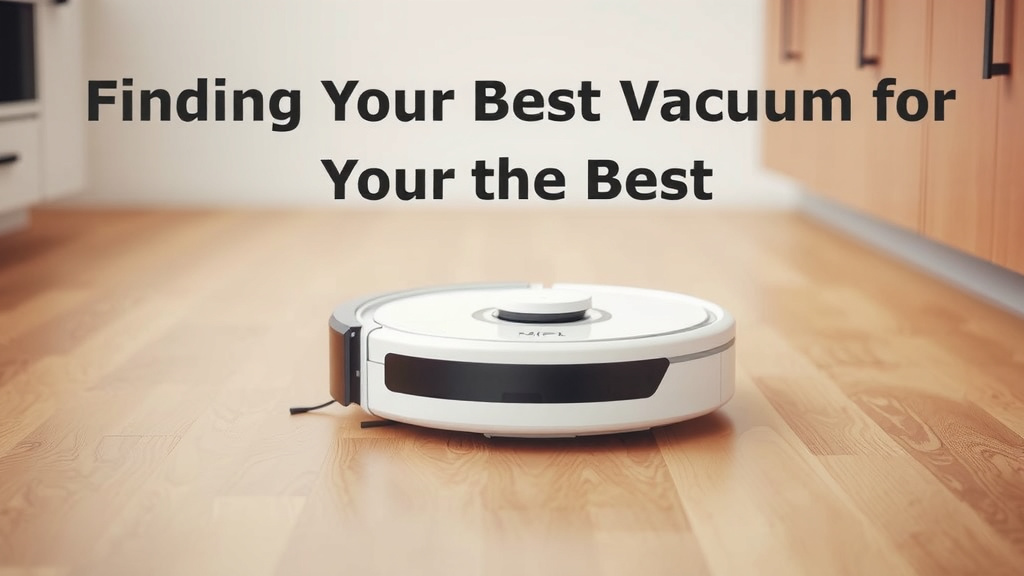
Comparing Features for Your Budget
Let’s look at how different price points generally stack up. Remember, “best for the money” means you’re getting the most bang for your buck, not necessarily the cheapest option.
| Feature | Budget (<$200) | Mid-Range ($200-$400) | Premium ($400+) |
|---|---|---|---|
| Suction Power | Decent (1000-1500 Pa) | Good to Strong (1500-2500 Pa) | Very Strong (2500+ Pa) |
| Navigation | Random or Gyroscopic | Gyroscopic or Basic Smart Mapping | Advanced LiDAR or Vision Mapping |
| App Control | Basic scheduling | Full scheduling, zone cleaning | Advanced features, virtual barriers |
| Self-Emptying Bin | Rarely | Available on some models | Common |
| Battery Life | 60-75 min | 75-120 min | 90-180+ min |
As you can see, the mid-range segment often hits the sweet spot for value. You get a significant upgrade in performance and features without the top-tier price tag.
What to Look For in Your Next Robot Vacuum Purchase: A Quick Checklist
Before you hit “buy,” consider these points:
- Suction Power: Aim for at least 1500 Pa, higher for pets/carpets.
- Navigation: Gyroscopic is good; smart mapping is better if budget allows.
- Battery: Ensure it’s enough for your home size, or get recharge-and-resume.
- App Features: Check if scheduling and control options meet your needs.
- Maintenance: How easy is it to clean and replace parts like brushes and filters?
- Reviews: Always check user reviews for real-world performance.
Conclusion
Finding the best robot vacuum for your money doesn’t have to be complicated. We’ve shown you that a great clean is within reach without paying a premium. Focus on core cleaning performance like suction power and reliable navigation. Consider features like app control and self-emptying bins as upgrades that can enhance your experience. By comparing features against your budget, you can confidently choose a robot vacuum that keeps your home spotless. Your next step is to identify the specific needs of your home and select a model that fits those requirements and your budget. Happy cleaning!
Frequently Asked Questions
Do I really need smart mapping on a budget robot vacuum?
Smart mapping is a great convenience that helps a robot vacuum clean more efficiently. However, if your budget is tight, a model with good gyroscopic navigation can still do a solid job. You might just need to run it a bit more often to cover your whole home effectively.
How much suction power is enough for pet hair?
For homes with pets and carpets, we recommend looking for a robot vacuum with at least 2000 Pa of suction power. Higher suction is better at pulling embedded pet hair and dander from carpet fibers. Always check reviews specifically mentioning pet hair performance.
Are self-emptying bins worth the extra cost?
Self-emptying bins are a fantastic convenience if you dislike frequent bin emptying or have allergies. While they add to the upfront cost, they can significantly reduce your interaction time with the vacuum. If your budget allows, consider it a worthwhile upgrade.
What is the average battery life I should expect for the price?
For robot vacuums in the mid-range ($200-$400), you can typically expect between 75 to 120 minutes of cleaning time on a single charge. If you have a larger home, ensure the model you choose has a “recharge and resume” feature.
How often do I need to replace robot vacuum parts like brushes and filters?
Generally, you’ll want to replace filters every 2-3 months and brush components every 6-12 months, depending on usage and your home environment. Check the manufacturer’s recommendations for specific models. Regular maintenance ensures optimal cleaning performance.
![7 Best Quality Robot Vacuum [2026]](https://robotvacuumfact.com/wp-content/uploads/2026/08/7-best-quality-robot-vacuum-2026-featured-768x432.jpg)
![7 Best Robot Vacuum And Mop With Docking Station [2026]](https://robotvacuumfact.com/wp-content/uploads/2026/08/7-best-robot-vacuum-and-mop-with-docking-station-2026-featured-768x432.jpg)
![7 Best Robot Vacuum For Under Furniture [2026]](https://robotvacuumfact.com/wp-content/uploads/2026/08/7-best-robot-vacuum-for-under-furniture-2026-featured-768x432.jpg)
![7 Best Bang For Buck Robot Vacuum [2026]](https://robotvacuumfact.com/wp-content/uploads/2026/07/7-best-bang-for-buck-robot-vacuum-2026-featured-768x432.jpg)