Shark Robot Vacuum Dust Cup: What It Is and How It Works
The dust cup on your Shark robot vacuum is the detachable container where it collects all the dirt and debris it picks up. Think of it as your robot’s tiny trash can. When it gets full, you’ll need to empty it to keep your robot cleaning effectively.
It’s a simple but essential part of your robot’s cleaning system. Without a functioning dust cup, your robot can’t actually store the mess it’s cleaning. Keeping this part clean ensures your robot doesn’t just push dirt around.
- The dust cup holds all the dirt your robot vacuum collects.
- It needs to be emptied regularly for optimal performance.
- A clean dust cup is key to your robot’s cleaning power.
- It’s an easy part of maintenance that makes a big difference.
Let’s break down exactly what the dust cup is and how to best care for it so your Shark robot keeps your floors spotless.
Understanding Your Shark Robot Vacuum’s Dirt Collection System
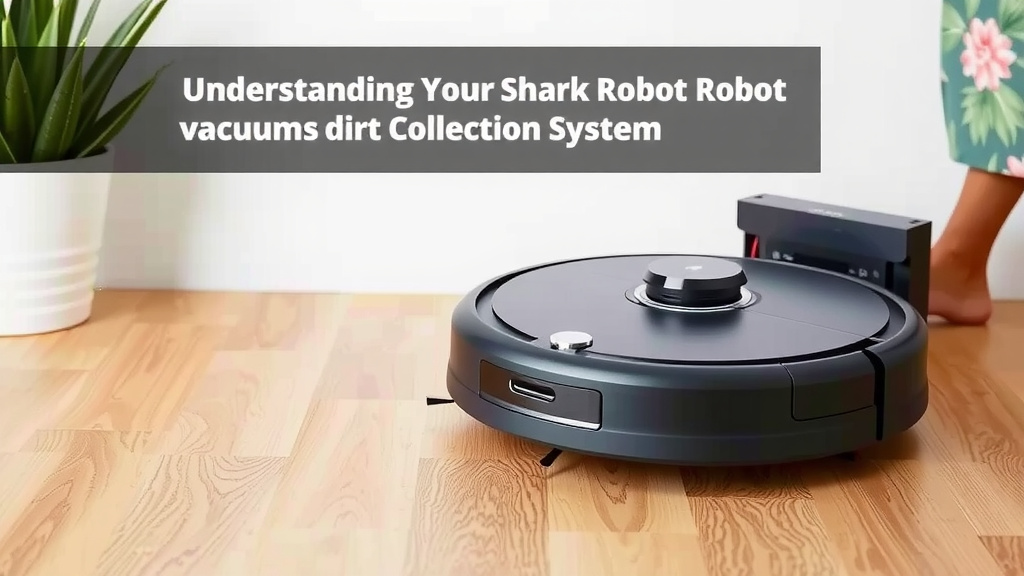
The dust cup is the workhorse of your Shark robot vacuum’s cleaning process. It’s the primary container responsible for holding all the dust, dirt, pet hair, and general debris your robot picks up. Think of it as the robot’s personal trash bin. You can’t expect it to keep cleaning if its bin is overflowing, right?
This simple component is vital for your robot’s ability to function. Without it, all the dirt it sucks up would just be scattered back onto your floor. Keeping it clean and empty is one of the easiest yet most impactful maintenance tasks you can perform. It directly affects how well your robot can tackle the messes in your home.
How the Dust Cup Works on Your Shark Robot
Your Shark robot vacuum uses suction to pull dirt from your floors. This dirt then travels through the vacuum’s internal pathways and lands directly into the dust cup. The cup is designed to contain this debris while allowing air to pass through, typically filtered, back into the room. This ensures that only the dirt is trapped.
Locating and Accessing the Dust Cup
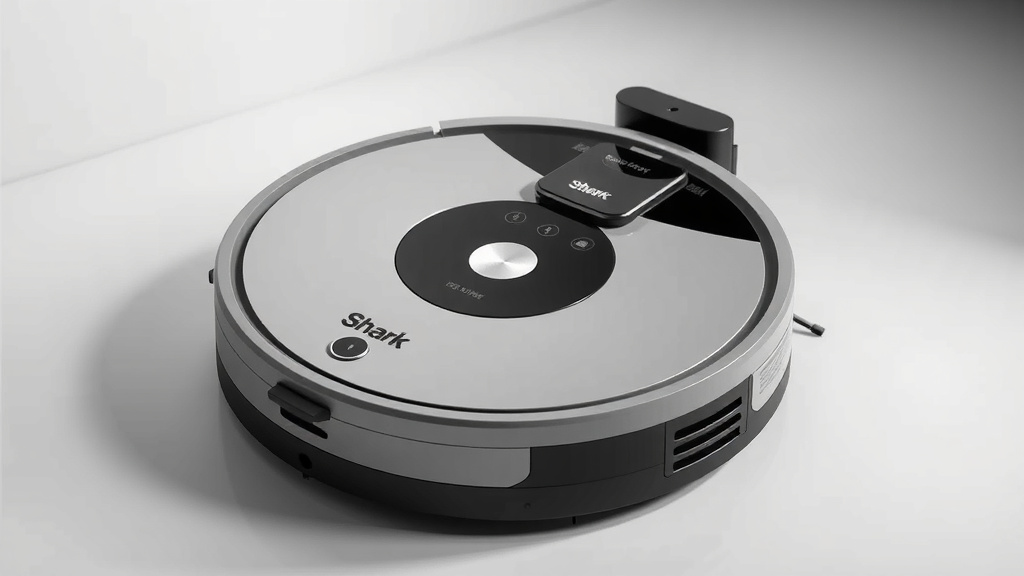
Finding the dust cup on your Shark robot is usually quite straightforward. Most models feature a clearly marked release button or latch. You’ll typically find it located on the top or side of the robot. Some models might require you to lift a top panel to access it.
Consulting your Shark robot’s user manual is always the best bet if you’re unsure. The manual will show you the exact location and the specific steps for removing the dust cup for your particular model. It’s a quick process, usually taking just a few seconds once you know where to look.
The Role of Filters in the Dust Cup System
Attached to or part of the dust cup assembly, you’ll often find one or more filters. These filters are incredibly important for trapping fine dust particles and allergens. They help ensure that the air expelled by your robot is clean. Without good filters, your robot could end up blowing fine dust back into the air, which defeats the purpose of cleaning.
Types of Filters You Might Find
Shark robots commonly use washable filters, which are great for long-term use and cost savings. Some higher-end models might also incorporate HEPA-style filters for enhanced allergen capture. Research indicates that proper filtration can significantly improve indoor air quality (EPA).
Regularly cleaning or replacing these filters is just as important as emptying the dust cup itself. Clogged filters reduce suction power and can even damage your robot’s motor over time. You want your robot to breathe freely, and so do the filters!
When and How to Empty Your Shark Robot’s Dust Cup
Knowing when to empty the dust cup is key to maintaining your robot’s cleaning efficiency. Most Shark robot vacuums have an indicator light or an alert on the accompanying app that lets you know when the dust cup is full. However, you don’t always need to wait for that notification.
Signs Your Dust Cup Needs Emptying
Pay attention to your robot’s performance. If you notice it starting to miss spots or if its suction power seems weaker, the dust cup is likely the culprit. This is especially true if you have pets that shed a lot or if you have a larger home. For busy households, emptying the cup after each cleaning cycle is often the smartest approach.
We found that regularly checking the dust cup, even if no indicator is on, can prevent potential performance issues before they start. It’s a good habit to get into, much like taking out your kitchen trash.
The Simple Steps for Emptying
Emptying the dust cup is a breeze:
- First, remove the dust cup from the robot. Press the release button or follow the instructions for your model.
- Take the dust cup to a trash bin.
- Open the dust cup lid or access point (this varies by model) and carefully empty the contents into the bin.
- If your dust cup has a filter, give it a gentle tap over the trash to remove loose dust.
- Reinsert the dust cup securely back into the robot.
Some people like to do this over a trash can liner to make cleanup even easier. We found this trick helps contain any stray dust bunnies.
Maintaining Your Dust Cup for Peak Performance
Beyond just emptying, a little bit of maintenance goes a long way in keeping your Shark robot vacuum running smoothly. A clean dust cup and filters mean better suction and a longer lifespan for your device.
Cleaning the Dust Cup Itself
From time to time, you’ll want to give the dust cup a more thorough cleaning. If your model’s dust cup is washable (check your manual!), you can rinse it with water. Make sure it is completely dry before putting it back into the robot. Moisture can cause dust to clump, clog filters, and even lead to mold growth.
Filter Care and Replacement
Clean your filters regularly according to the manufacturer’s instructions. Many washable filters can be rinsed under cool water and air-dried. If your filters are no longer effective, or if they show signs of wear and tear, it’s time to replace them. Many experts recommend replacing filters every 2-3 months for optimal performance (Shark® Support).
When to Replace Your Dust Cup or Filters
While durable, dust cups and filters aren’t designed to last forever. If the dust cup cracks or if filters become permanently clogged or damaged, they will need to be replaced. You can usually find replacement parts directly from Shark or authorized retailers.
Troubleshooting Common Dust Cup Issues
Are you experiencing a problem with your Shark robot and its dust cup? Here are a few common issues and how to tackle them.
Reduced Suction Power
This is almost always a sign that the dust cup is full or the filters are clogged. Empty the cup and clean or replace the filters. Make sure no debris is stuck in the entry port leading to the dust cup.
Robot Stops Mid-Clean
Often, this indicates an overheating motor due to restricted airflow. Again, check the dust cup and filters. A full dust cup is the most frequent reason for this stoppage.
Debris Falling Out When Removed
Ensure the dust cup lid is properly secured before reinserting it. Some models have a specific closing mechanism you might be missing. Double-check that the cup is fully latched into place.
The “Empty Dust Bin” Alert Won’t Turn Off
Try removing and reinserting the dust cup. Sometimes, the sensor can get a little confused. If it persists, there might be a buildup of dust on the sensor itself, or the sensor may need cleaning. Consult your manual for sensor locations and cleaning instructions.
Your Robot Vacuum Maintenance Checklist
To keep your Shark robot vacuum in top shape, make it a habit to follow these simple steps:
- After each use: Empty the dust cup.
- Weekly: Check the dust cup for any stubborn debris and ensure it’s clean.
- Bi-weekly: Inspect and clean the robot’s filters (washable ones).
- Monthly: Check brush rolls and side brushes for tangled hair or debris.
- As needed: Replace filters or dust cups if damaged or worn.
- Periodically: Wipe down the robot’s sensors for optimal navigation.
Conclusion
You’ve learned that your Shark robot vacuum’s dust cup is more than just a bin; it’s the core of your robot’s cleaning ability. Keeping it empty and clean ensures powerful suction and efficient operation. We found that simple, regular maintenance, like emptying the dust cup after each use and cleaning the filters, directly impacts your robot’s performance and longevity. Don’t underestimate the power of this small component. Take a moment today to check your dust cup and get into a routine that keeps your Shark robot running at its best!
Frequently Asked Questions
How often should I really empty the dust cup on my Shark robot?
For most homes, emptying the dust cup after each cleaning cycle is the best habit. If you have pets or a larger home, this is even more important. We recommend checking it regularly, even if no alert appears, to maintain optimal suction.
Can I wash my Shark robot vacuum’s dust cup?
Many Shark robot dust cups are designed to be washed. Always check your user manual first to confirm. If washable, ensure it’s completely dry before reinserting it into the robot to prevent mold or damage.
What happens if I don’t empty the dust cup often enough?
If the dust cup becomes too full, your robot’s suction power will decrease significantly. You might notice it missing spots or stopping mid-clean due to motor strain from restricted airflow. It can also lead to clogged filters.
How do I know if my Shark robot’s filter needs cleaning or replacing?
Visually inspect your filters. If they appear clogged with dust and debris, or if they are no longer easily cleaned (even after washing), it’s time for a replacement. Reduced suction power is also a key indicator.
My Shark robot keeps saying the dust bin is full, but it’s empty. What should I do?
This usually means the sensor is dirty or malfunctioning. Try removing and reinserting the dust cup. If the problem persists, carefully clean the dust bin sensors as per your manual’s instructions. A persistent issue may require contacting Shark support.

![7 Best Robot Vacuum High Pile Carpet [2026]](https://robotvacuumfact.com/wp-content/uploads/2026/08/7-best-robot-vacuum-high-pile-carpet-2026-featured-768x432.jpg)