Goovi Robot Vacuum: How to Use It the Right Way
So you’ve just unboxed your shiny new Goovi robot vacuum, and you’re probably wondering where to start. Maybe you’re standing there staring at this little disc-shaped device, thinking, “How hard can this be?” Well, I’m here to tell you that while these robots are designed to make your life easier, getting the most out of yours requires a bit of know-how. Let me walk you through everything you need to know to use your Goovi vacuum like a pro.
Understanding Your Goovi Robot Vacuum: The Basics
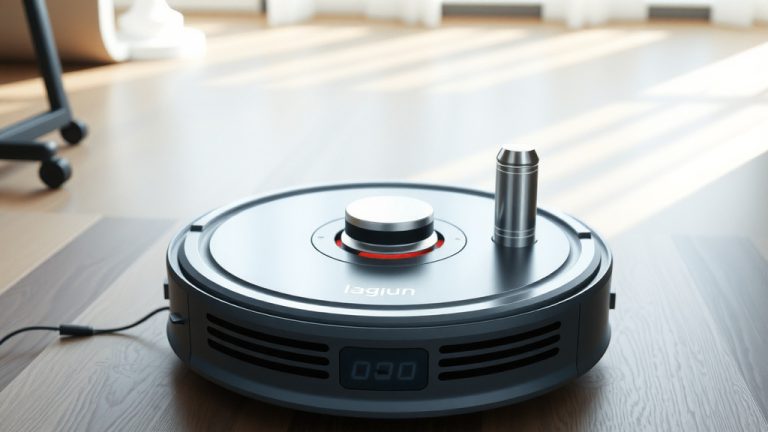
Before you press any buttons or download any apps, let’s talk about what you’re actually dealing with here. Your Goovi robot vacuum is essentially a small autonomous cleaning machine that uses sensors and artificial intelligence to navigate your home and pick up dust, dirt, and debris. It’s like having a tiny maid that works around the clock without complaining or needing a paycheck.
The device typically measures around 13 inches in diameter and a couple of inches in height, making it small enough to fit under most furniture. It’s equipped with brushes, suction power, wheels, and smart sensors that allow it to detect obstacles and navigate around your home intelligently.
What Comes in the Box?
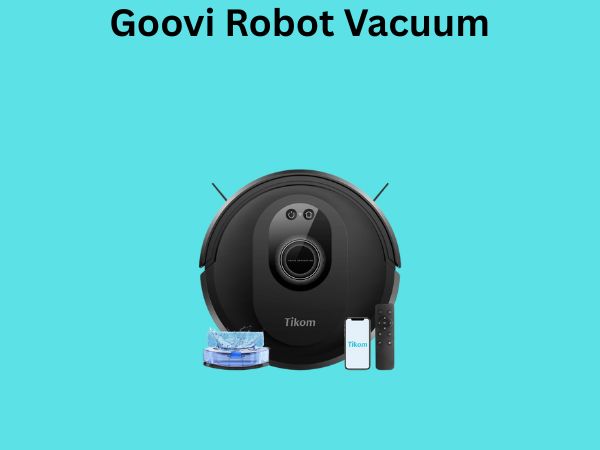
When you first open your Goovi package, you’ll find several components that work together to create the complete cleaning system. Understanding what each piece does will help you set up and use your vacuum more effectively.
- The main vacuum unit itself
- The charging dock or base station
- A remote control (depending on your model)
- The dustbin and filter
- Side brushes and main brush
- Power adapter and charging cable
- User manual and quick-start guide
- Cleaning tools for maintenance
Getting Your Goovi Ready: Initial Setup
Think of the setup process as preparing your home for a new roommate. You wouldn’t just throw them into your space without giving them some ground rules and a lay of the land, right? The same applies to your robot vacuum.
Step One: Charge Your Device Completely
This is absolutely crucial. When your Goovi arrives, the battery is likely depleted. Plug it into the charging dock and let it sit for at least 3 to 4 hours before your first cleaning cycle. Some users prefer to let it charge overnight, which is even better. A fully charged battery ensures maximum cleaning performance and helps establish proper battery health from the start.
Step Two: Download and Install the Mobile App
Most modern Goovi models come with companion mobile apps that unlock advanced features. Head to your device’s app store, search for the official Goovi app, and install it. Once installed, create an account using your email address or phone number. This app becomes your command center, allowing you to schedule cleanings, adjust settings, and monitor your vacuum’s performance even when you’re not home.
Step Three: Prepare Your Home
Your Goovi is smart, but it’s not omniscient. Before you let it loose, you need to “prepare the terrain.” This means removing potential obstacles and hazards that could interfere with its cleaning path or damage the device.
Preparing Your Home: Creating the Perfect Environment
This step is where many people falter, and then they wonder why their robot vacuum isn’t working as expected. Your home’s layout plays a massive role in how effectively your Goovi can clean.
Remove Obstacles and Hazards
Walk through your home with fresh eyes and think like a small robot. What could trip you up or cause problems? Start by picking up small items like toys, cables, socks, and other floor clutter. Robot vacuums can get tangled in charging cables, so secure those against walls or use cable organizers. Pet toys are notorious culprits—I’ve heard countless stories of people’s robots getting stuck because of a forgotten action figure under the couch.
Secure Loose Cables and Cords
This deserves its own mention because it’s that important. Use cable clips, velcro straps, or wire organizers to bundle cords together and lift them off the floor. Think about your power strips, lamp cords, phone chargers—anything that dangles around could become a problem.
Close Off Areas You Don’t Want Cleaned
Does your Goovi need to skip your home office? Want to keep it out of your bedroom at night? Most Goovi models support virtual boundaries or physical barriers. You can either use the app to create no-go zones digitally or purchase boundary strips if your model supports them. This gives you precision control over where your vacuum goes and doesn’t go.
Adjust Furniture Placement
If you have furniture sitting very low to the ground, your Goovi might struggle to navigate underneath. Ideally, you want at least 3-4 inches of clearance. If your couches or beds sit too low, your vacuum might get stuck trying to navigate underneath them. It’s not a deal-breaker, but it’s something worth considering during your setup phase.
Daily Operation: Getting Your Goovi to Clean
Now comes the fun part—actually using your Goovi to clean your home. There are several ways to initiate cleaning cycles, and each offers different levels of control and convenience.
Using the Remote Control
If your Goovi model includes a remote, using it is straightforward. The remote typically has buttons for power, start, stop, and directional controls. Press the start button, and your vacuum springs to life. It’s the most immediate way to get cleaning without any digital setup required.
Using the Mobile App
Here’s where things get convenient. Open the Goovi app on your smartphone and look for the cleaning section. You’ll usually see options like “Start Cleaning,” “Stop,” and “Return to Base.” Tap start, and your robot begins its cleaning cycle. The app also typically shows you a map of the area your vacuum is cleaning in real-time, which is honestly pretty cool to watch.
Scheduling Automatic Cleaning Cycles
One of the biggest advantages of owning a robot vacuum is the ability to schedule it for automatic cleaning. In the mobile app, look for the scheduling or timer section. You can set your Goovi to clean at specific times on specific days. Want your floors cleaned every morning at 8 AM before you wake up? Done. Prefer evening cleanings? You’re covered. The vacuum will automatically return to its dock when the cycle is complete or when its battery runs low.
Understanding Cleaning Modes and Settings
Your Goovi likely offers different cleaning modes, each designed for different situations and floor types. Using the right mode makes a significant difference in cleaning efficiency and battery life.
Standard Cleaning Mode
This is your go-to setting for regular daily cleaning. It balances suction power with battery efficiency, allowing for longer cleaning sessions without depleting the battery too quickly. Most users find that standard mode is sufficient for maintaining reasonably clean floors.
Strong or Maximum Suction Mode
Use this when you need serious cleaning power. Maybe you have pets that shed heavily, or your household generates more dust than usual. Maximum suction mode pulls harder on the motor and battery, so your cleaning time will be reduced, but the cleaning quality improves dramatically. It’s perfect for those pre-guest deep cleans.
Quiet or Eco Mode
If you’re bothered by noise or want to run your vacuum during sleeping hours, eco mode is your answer. It reduces the suction power slightly but also makes the vacuum considerably quieter. Battery life extends in this mode, making it ideal for extended cleaning sessions when noise isn’t a concern.
Spot Cleaning Mode
Some Goovi models include a spot cleaning feature that concentrates cleaning power in a specific area. If you’ve spilled something or noticed a particularly dirty section, you can activate this mode and the vacuum will clean that area intensively before moving on or stopping.
Maintenance: Keeping Your Goovi Running Smoothly
Owning a robot vacuum comes with some maintenance responsibilities. The good news is that it’s minimal and straightforward. Regular maintenance prevents performance decline and extends your device’s lifespan significantly.
Emptying the Dustbin
Your dustbin will gradually fill with debris collected during cleaning cycles. Check it after each cleaning session or at least twice weekly, depending on how much your vacuum runs. When it’s full, simply pop the dustbin out and empty it into your trash. Don’t let it overflow—this reduces suction efficiency.
Cleaning and Replacing Filters
The filter is absolutely critical to your vacuum’s performance. A clogged filter dramatically reduces suction power. Most Goovi models recommend cleaning the filter every week or two by gently tapping it or using a soft brush to remove accumulated dust. Every 3 to 6 months, depending on your home’s dust level, you should replace the filter entirely with a new one. Think of it like changing your car’s air filter—it’s essential maintenance.
Brushing Out the Main Roller
Hair and debris wrap around the main brush over time, reducing its effectiveness. Every one to two weeks, remove the main brush and clean off any tangled hair or strings. This is especially important if you have pets or long hair in your household.
Cleaning the Side Brushes
The side brushes also accumulate debris. Remove them according to your manual and clean them with a soft brush or cloth. Replace them if they show signs of wear or damage.
Maintaining the Charging Dock
Your charging dock is the hub that keeps your Goovi powered. Keep the charging contacts clean by occasionally wiping them with a dry cloth. Make sure the dock is placed on a hard, level surface and has at least 1.5 feet of clearance on all sides for proper docking and charging.
Troubleshooting Common Issues
Even with the best care, you might encounter issues. Here are common problems and how to solve them.
Vacuum Gets Stuck or Won’t Move
If your Goovi gets stuck, check the wheels and brushes for hair or debris. Look under the vacuum and around the wheels to see if something is tangled. Also ensure there are no obstacles preventing movement in your scheduled cleaning area. Sometimes, a simple reset by turning it off and on resolves navigation issues.
Poor Suction Power
The first suspect is always the filter. Clean or replace it. If that doesn’t help, check the dustbin—a full dustbin reduces suction. Next, inspect the brush roller and side brushes for blockages.
Won’t Return to Dock
Make sure the dock is properly placed and the charging contacts are clean. If the vacuum still won’t dock, try manually placing it on the dock. Check the app to see if there’s a docking error message that provides more specific guidance.
App Connectivity Issues
If your Goovi won’t connect to the app, ensure your Wi-Fi network is working properly. Restart both your vacuum and your phone. Try reinstalling the app. Some users find that moving closer to their router during the initial connection helps establish a more stable connection.
Advanced Tips and Tricks
Once you’ve mastered the basics, these advanced strategies will help you get even more from your Goovi.
Create Multiple Cleaning Zones
If your home is large or has multiple floor types, use the app to create different cleaning zones. You can set different suction levels or schedule different times for different areas. This ensures that your kitchen, which gets dirtier, gets more frequent cleaning than your bedroom.
Integrate with Smart Home Systems
Many Goovi models integrate with popular smart home platforms like Google Home or Amazon Alexa. Once connected, you can start and stop cleaning with voice commands. “Alexa, tell Goovi to start cleaning” is pretty magical the first time you use it.
Monitor Cleaning History and Maps
The app typically stores cleaning history and maps of cleaned areas. Review these periodically to identify patterns. If certain areas are always dirtier, you can adjust your cleaning schedule accordingly or focus more attention there.
Optimize Dock Placement
The location of your charging dock matters more than you’d think. Place it in a central location if possible, away from corners where the vacuum might have trouble docking. Ensure it’s on a hard, level surface and free from obstructions.
Seasonal Considerations
Your Goovi might need different treatment at different times of year.
During High Shedding Seasons
If you have pets, spring and fall often bring increased shedding. Consider running your Goovi more frequently during these periods or switching to stronger suction modes. Clean the brushes more often, as hair accumulation will be heavier.
Winter Considerations
If you live in a climate with winter weather, be careful about tracking in snow and salt. These can damage your floors and your vacuum. Consider placing entry mats that your vacuum can clean before it travels further into your home.
Conclusion
Using your Goovi robot vacuum the right way transforms it from a novelty gadget into a genuinely useful household tool. The key is understanding your device’s capabilities, preparing your home properly, performing regular maintenance, and adjusting your settings based on your specific needs. Start with the basics—charge it fully, prepare your space, and run a simple cleaning cycle. From there, gradually explore the app features, experiment with different modes, and refine your cleaning schedule until it perfectly fits your lifestyle. Your Goovi is designed to work hard so you don’t have to, but it needs a bit of guidance and care to reach its full potential. With the knowledge you now have, you’re well-equipped to get the most out of your investment and enjoy consistently clean floors with minimal effort.
Frequently Asked Questions
How often should I run my Goovi robot vacuum?
The frequency depends on your home’s traffic and dirt levels. For most households, running your Goovi 3-4 times per week maintains clean floors. High-traffic homes with pets might need daily runs, while quieter homes might only need twice-weekly cleaning. Start with three times weekly and adjust based on your results.
Can my Goovi clean multiple floor types like hardwood and carpet?
Yes, most Goovi models are designed to handle transitions between different floor types. They can navigate from hardwood to carpet and vice versa. However, performance might vary slightly between surfaces. Carpets typically require slightly higher suction, which the vacuum automatically adjusts on many models.
Is it safe to leave my Goovi running when I’m not home?
Absolutely. This is one of the main advantages of robot vacuums. You can schedule cleaning for times when you’re at work or away. Just ensure your home is properly prepared with obstacles removed and doors closed to areas you don’t want cleaned.
How long does the battery last per cleaning cycle?
Most Goovi models offer between 120-150 minutes of battery life on a single charge, though this varies by model and suction setting. On standard mode, you can typically clean a small to medium-sized home on one charge. If your vacuum runs out of battery, it automatically returns to the dock and resumes
![7 Best Mop Vacuum Robot [2026]](https://robotvacuumfact.com/wp-content/uploads/2026/06/7-best-mop-vacuum-robot-2026-featured-768x432.jpg)

![7 Best Robot Vacuum That Doesn'T Get Stuck [2026]](https://robotvacuumfact.com/wp-content/uploads/2026/09/7-best-robot-vacuum-that-doesn-t-get-stuck-2026-featured-768x432.jpg)