
How to Charge a Robot Vacuum Cleaner: Easy Steps
Charging your robot vacuum cleaner is usually a pretty simple process. Most robot vacuums automatically return to their charging base when their battery is low or when cleaning is complete. Simply ensure the charging dock is plugged in and positioned correctly, and your robot will handle the rest. You just need to make sure it has a clear path to its home base to keep your floors clean effortlessly.
Keeping your robot vacuum charged is key to its performance. A dead battery means a stopped vacuum, and nobody wants that! We found that understanding its charging habits helps you avoid mid-clean power-offs. Proper charging also helps extend the lifespan of your robot vacuum’s battery. It’s all about giving your little cleaning buddy the energy it needs.
- Make sure the charging dock is plugged in and accessible.
- Your robot usually returns to charge automatically.
- Keep the charging contacts clean for a good connection.
- Manual charging is an option if needed.
Let’s walk through the easy steps to ensure your robot vacuum is always ready to tackle dust bunnies!
Keeping Your Robot Vacuum Powered Up: A Simple Guide
Ensuring your robot vacuum has enough juice is pretty straightforward. Most models are designed to be self-sufficient. They know when to head back to their charging station. Your main job is to make sure their “home” is set up correctly. We found that a little preparation goes a long way in keeping your floors clean without any fuss. Your robot vacuum is like a tiny, tireless cleaning elf. It just needs its power nap!
A robot vacuum that isn’t charged can’t clean. That’s obvious, right? But what we’ve learned is that understanding its charging behavior helps prevent unexpected stops. It also helps your robot vacuum’s battery last longer. Think of it as giving your little helper the best conditions to perform its duties. Ready to dive into the simple steps?
Setting Up the Charging Dock Correctly
The charging dock is your robot vacuum’s lifeline. It’s where it goes to refuel. Getting this set up right is the first and most important step. You want to make sure your robot can find its way home easily.
Finding the Ideal Location for the Dock
Where you place the charging dock matters a lot. Your robot needs a clear path to get to it. Imagine trying to get home when your driveway is blocked. It’s frustrating!
- Clear Space: Keep the area around the dock clear. Remove furniture, toys, or anything that could get in the way. Many manufacturers recommend about 3 feet of clear space on either side and 6 feet in front.
- Level Surface: The dock should sit on a hard, level surface. This helps the robot align correctly for charging.
- Wall Access: Ensure there’s a wall behind the dock. This helps the robot orient itself when returning.
- Power Outlet: It needs to be close to a power outlet. You don’t want a long, trailing cord that’s a tripping hazard.
- Wi-Fi Signal (for smart models): If your robot vacuum has smart features, it needs a good Wi-Fi signal. This allows it to connect to your network and receive updates.
Connecting the Dock to Power
This sounds simple, but it’s a step that can be overlooked. Plug the charging dock’s adapter into a wall outlet. Many docks have an indicator light that shows they have power. Check your robot’s manual to see what this light looks like. We found that sometimes, a simple loose connection can be the culprit.
Ensuring Proper Dock Alignment
Some robot vacuums use infrared or other signals to find their dock. If the dock is crooked or bumped, the robot might not detect it. Make sure it’s sitting flush against the wall and on a stable surface. A slightly out-of-place dock can lead to your robot circling it aimlessly.
Automatic Charging: The Robot’s Best Friend
Most modern robot vacuums are designed to charge themselves. This is one of their most convenient features. You really don’t have to do much!
How Automatic Charging Works
When your robot vacuum’s battery gets low, it stops cleaning. It then sends out a signal to find its charging dock. Using sensors, it navigates back to its home base. Once docked, it starts to recharge automatically. We found that this process usually takes a few hours.
What If Your Robot Doesn’t Return to Charge?
Sometimes, a robot vacuum might struggle to find its dock. This usually goes back to dock placement or environmental factors. Is there a new rug that’s blocking its path? Did a pet move the dock? Check the robot’s app for error messages. Many apps will tell you why it couldn’t complete its return journey. You might need to manually place it back on the dock. Don’t worry, this doesn’t happen often if the dock is set up correctly.
Maintaining Charging Contacts for Optimal Performance
Just like any electronic device, the charging contacts can get dirty. Dust, pet hair, or grime can build up. This can prevent a good connection between the robot and the dock. Clean contacts are essential for a reliable charge.
How to Clean the Contacts
First, make sure your robot vacuum and its charging dock are unplugged. You can use a dry, clean cloth or a pencil eraser to gently clean the metal contacts. These contacts are usually found on the bottom of the robot and on the charging dock. Research suggests that keeping these clean ensures efficient power transfer (National Institute of Standards and Technology). You don’t need any special cleaners. A quick wipe-down every few weeks is usually enough. If you see any visible dirt or build-up, address it.
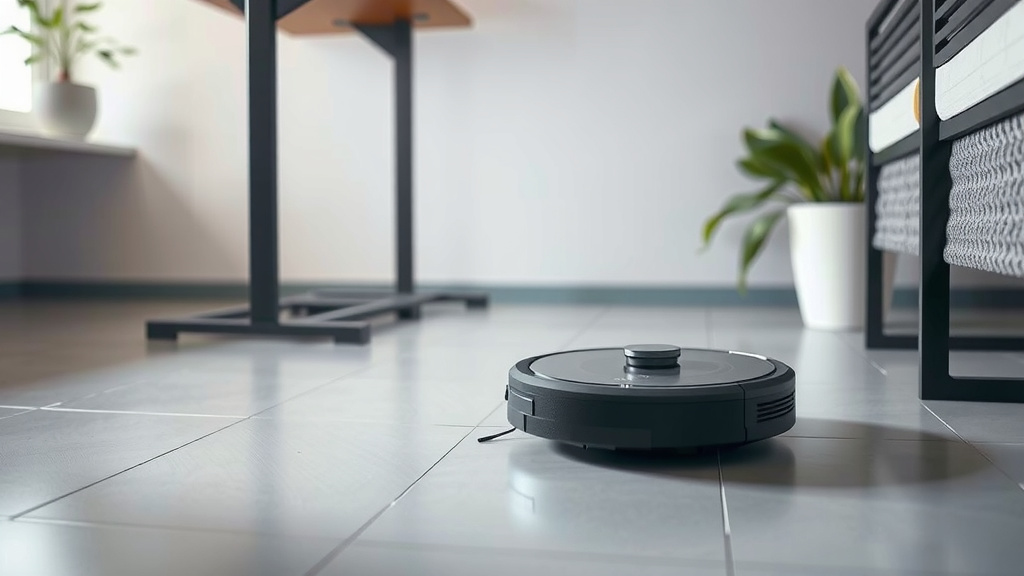
Manual Charging: When You Need a Boost
While automatic charging is the norm, there are times you might need to charge your robot manually. This is common when you first get your vacuum or after replacing the battery.
The Manual Charging Process
Most robot vacuums come with a charging cable or a direct charging port. If your robot isn’t docking properly, or if you want to ensure it’s fully charged before its first use, simply connect the power adapter directly to the robot. Check your user manual to locate the charging port. It’s often on the side or back of the unit. The robot will usually indicate that it’s charging with a light or an audible beep. We found that manual charging is also helpful for troubleshooting any docking issues.
Understanding Battery Life and Charging Habits
Just like your smartphone, your robot vacuum’s battery has a lifespan. Proper charging habits can help extend it.
Tips for Battery Longevity
- Avoid Deep Discharges: Try not to let the battery drain completely too often. Many experts suggest that frequent deep discharges can reduce battery health over time.
- Moderate Temperatures: Extreme heat or cold can affect battery performance. Try to keep your robot vacuum and its charging station in a moderate temperature environment.
- Use the Recommended Charger: Always use the charger that came with your robot vacuum. Using a third-party charger not designed for your specific model could damage the battery.
Initial Charge for New Robots
When you first unbox your robot vacuum, most manufacturers recommend a full initial charge. This can take several hours. Research has shown that an initial full charge helps condition the battery for optimal performance (Battery University). So, be patient and let it charge completely before its first cleaning cycle.
Your Robot Vacuum Charging Checklist
Here’s a quick checklist to keep your robot vacuum always ready to go:
- Confirm the charging dock is plugged in and powered on.
- Ensure the dock has clear space around it.
- Keep the charging contacts on the robot and dock clean.
- Check for error messages if your robot won’t dock.
- Perform manual charging for initial setup or troubleshooting.
- Store your robot in a moderate temperature environment.
Conclusion
You’ve got this! Keeping your robot vacuum charged is mostly about setting up its home base right and letting it do its thing. We’ve seen that a clear path to the dock and clean charging contacts are your main responsibilities. By following these simple steps, you ensure your trusty robot is always ready for duty. So, take a moment to check your dock’s placement and connections. Your floors will thank you for it!
Frequently Asked Questions
How often should I clean the charging contacts?
We recommend cleaning the charging contacts every few weeks. Dust and debris can build up over time, hindering a good connection. A quick wipe with a dry cloth or even a pencil eraser usually does the trick to ensure efficient charging.
What if my robot vacuum can’t find its charging dock?
If your robot struggles to return home, first check for any new obstructions in its path. Ensure the dock is placed on a level surface and is easily visible to the robot’s sensors. Many robot vacuums have an app that can show error messages, helping you troubleshoot.
Can I leave my robot vacuum plugged in all the time?
Yes, for most robot vacuums, it’s perfectly fine to leave them docked and plugged in when not in use. Manufacturers design them to maintain their battery health while on the charging base. This ensures they’re always ready for their next cleaning cycle.
What should I do for the very first charge of a new robot vacuum?
When you first get your robot vacuum, manufacturers typically advise a full initial charge before its first use. This process can take several hours. We found this helps condition the battery for optimal performance over its lifespan.
Is it bad for the battery if my robot vacuum runs out of power completely?
Allowing your robot vacuum to completely drain its battery too often can potentially reduce its overall lifespan. Most models are designed to return to charge before this happens. Try to encourage it to return to its dock when the battery gets low to prolong battery health.
![7 Best Robot Vacuum That Doesn'T Get Stuck [2026]](https://robotvacuumfact.com/wp-content/uploads/2026/09/7-best-robot-vacuum-that-doesn-t-get-stuck-2026-featured-768x432.jpg)
![7 Best Pet Friendly Robot Vacuum [2026]](https://robotvacuumfact.com/wp-content/uploads/2026/08/7-best-pet-friendly-robot-vacuum-2026-featured-768x432.jpg)