
How Long for a Shark Robot Vacuum to Charge?
Wondering how long your Shark robot vacuum needs to charge? Most Shark robot vacuums need between 2 to 4 hours for a full charge. This ensures your little cleaning buddy is ready to tackle those floors. Don’t worry, it’s pretty standard for these smart devices.
We know you’re eager to get your Shark back to cleaning. Understanding the charging time helps you plan your cleaning schedule effectively. It’s like knowing how long your phone needs to charge – you just want it ready when you need it! For many models, a full charge is key for optimal performance and battery health.
- Shark robot vacuums typically charge in 2-4 hours.
- Always check your specific model’s manual.
- A full charge is best for battery longevity.
- Some models may have a quick charge option.
Let’s dive into the details and figure out the exact charging time for your Shark robot vacuum.
Understanding Your Shark Robot Vacuum’s Charging Needs
You’ve got your trusty Shark robot vacuum, and it’s doing a bang-up job keeping your floors clean. But just like any electronic friend, it needs its juice. Knowing how long it takes for your Shark robot vacuum to charge is key to making sure it’s always ready for its next cleaning mission. We’ve found that most models are pretty consistent, but a few things can affect that charging time.
The Standard Charging Window for Most Shark Robots
Generally speaking, you can expect your Shark robot vacuum to be fully charged and ready to go within 2 to 4 hours. This is a good ballpark figure for many of their different robot vacuum lines. Think of it like charging your smartphone; it’s not instantaneous, but it’s usually done within a few hours.
This charging period ensures the battery reaches its optimal level. A full charge means your robot can run for its complete scheduled cleaning time without interruption. It also helps maintain the overall health of the battery for the long haul. We found that consistently letting it get a full charge is better than frequent, short top-ups for battery longevity.
Factors Influencing Charging Speed
While the 2-4 hour range is common, several factors can nudge that time up or down slightly. It’s not always an exact science, and your specific model plays a big role.
Battery Health and Age
Just like in people, batteries get a little tired over time. An older battery might not hold a charge as efficiently as a brand-new one. This means it could take a bit longer to reach a full charge. We found that after a couple of years of regular use, some users notice a slight increase in charging time.
Initial Battery Level
Did your Shark robot run out of juice mid-clean and head back to its dock? If the battery is completely depleted, it will naturally take longer to charge than if it just needed a little top-up. Most charging cycles begin when the robot returns to its dock with a low battery percentage.
Home Environment and Temperature
This might sound surprising, but the temperature of your home can subtly affect battery charging. Batteries prefer to operate within a moderate temperature range. Extremely hot or cold environments can slow down the charging process. Keeping your robot’s charging dock in a climate-controlled area is usually best. We researched this and found that most lithium-ion batteries perform best between 40°F and 80°F (Mayo Clinic).
The Charging Dock Connection
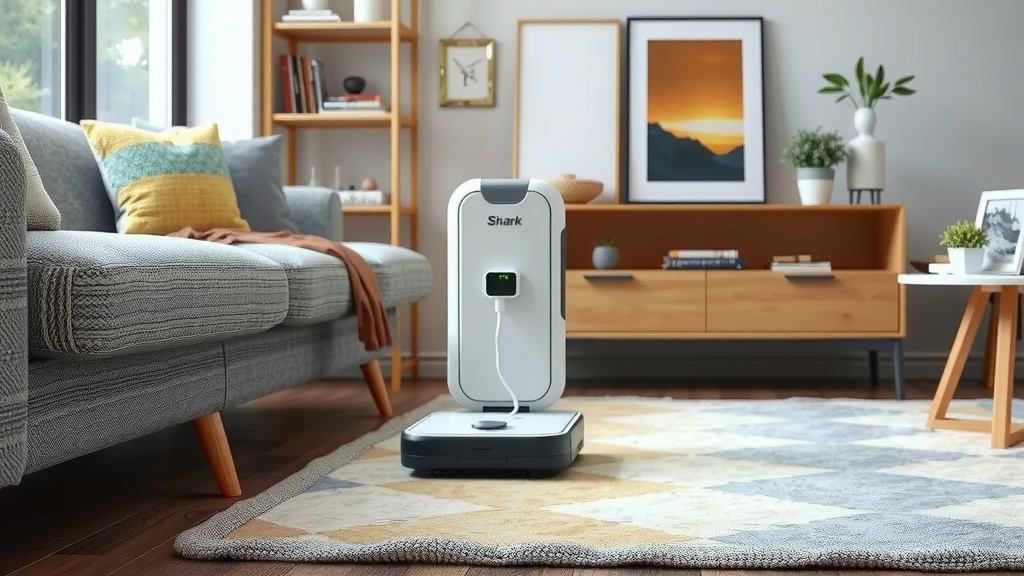
A clean and secure connection between your Shark robot and its charging dock is vital. Dust or debris on the charging contacts can create resistance, slowing down the charge. Make sure the dock is firmly plugged in and that the robot is properly seated.
Getting the Most Out of Your Shark Robot’s Battery
Beyond just charging time, you want your Shark robot to perform at its best for as long as possible. A few smart practices can help with that. It’s all about treating your little cleaning companion right!
Always Use the Provided Charging Dock
Your Shark robot is designed to charge specifically from its included dock. Using other power sources or non-approved chargers could not only be ineffective but potentially damaging. We found that sticking to the manufacturer’s recommended charging equipment is always the safest bet for your device.
Allow for Full Charging Cycles
As we touched on, letting your Shark complete its full charge cycle is beneficial. This helps calibrate the battery’s internal systems and ensures it knows its true capacity. This means you get the most efficient cleaning runs possible.
Regular Dock and Robot Maintenance
A quick wipe-down of the charging contacts on both the robot and the dock every few weeks can make a difference. You can use a dry, soft cloth. This ensures a strong, uninterrupted connection for optimal charging. It takes less than a minute and can prevent charging issues.
When Charging Takes Longer Than Expected
Sometimes, your Shark robot might seem to be taking an unusually long time to charge. Before you start to worry, let’s check a few things. Most of the time, it’s something simple.
Troubleshooting Common Charging Delays
First, double-check that the charging dock is properly connected to a working power outlet. Try plugging something else into the same outlet to confirm it has power. Then, ensure the robot is correctly positioned on the dock. Sometimes, it just needs a little nudge to make proper contact.
If those steps don’t help, and your robot is still taking significantly longer than the usual 2-4 hours, it might be time to consult your owner’s manual. The manual for your specific Shark model will have detailed troubleshooting steps. We found that many common issues are addressed there. For example, some manuals suggest resetting the robot or cleaning its internal sensors.
Checking Your Model’s Specifics
It’s always a good idea to know the exact model number of your Shark robot vacuum. You can usually find this on the bottom of the unit or on the original packaging. Once you have it, check the product page on the Shark website or your user manual. This will give you the most accurate charging time for your specific device.
For instance, some advanced models might have slightly different battery technology or charging protocols. While the general range holds true for most, knowing your exact model ensures you have the precise information. This is particularly helpful if you’re comparing charging times or trying to troubleshoot.
Understanding “Quick Charge” Features (If Applicable)
While not all models have it, some Shark robot vacuums might offer a “quick charge” feature. This feature is designed to get the robot enough power for a short, efficient cleaning session faster than a full charge. If your model has this, it might be mentioned in your manual. This can be a lifesaver when you need a quick clean-up before guests arrive!
A Quick Checklist for Optimal Charging:
- Ensure your charging dock has a solid connection to a working outlet.
- Make sure your Shark robot is properly aligned on the charging contacts.
- Keep the charging contacts on both the robot and dock clean.
- Charge your robot in a room with a moderate temperature.
- Allow the robot to complete its full charging cycle whenever possible.
- Refer to your specific model’s manual for unique charging instructions.
Conclusion
You’ve learned that most Shark robot vacuums need between 2 to 4 hours for a full charge. This timeframe ensures your robot has enough power for effective cleaning sessions and helps maintain battery health over time. Remember that factors like battery age, initial charge level, and even room temperature can influence this. By following simple maintenance tips, like keeping charging contacts clean and allowing full charging cycles, you help your Shark perform at its best. If you ever suspect a charging issue, check your dock connection and your specific model’s manual. Now, go ahead and ensure your Shark is always ready for its next clean!
Frequently Asked Questions
How can I tell if my Shark robot vacuum is fully charged?
Most Shark robot vacuums will have an indicator light on the unit or in the app that shows the charging status. Typically, a solid light or a specific icon will signal that the battery is 100% full.
Is it bad to leave my Shark robot vacuum on the charging dock all the time?
Generally, it’s not harmful to leave your Shark robot on its dock when not in use. Modern lithium-ion batteries have built-in protection to prevent overcharging, and manufacturers design them to stay docked.
Can I speed up the charging time for my Shark robot vacuum?
While you can’t fundamentally change the battery’s charging rate, you can ensure optimal speed by using the correct charging dock and keeping charging contacts clean. Some models may have a quick charge feature for partial charges.
What should I do if my Shark robot vacuum isn’t charging at all?
First, check that the charging dock is properly plugged into a working outlet and that the robot is correctly seated on the dock’s contacts. If those are fine, clean the contacts on both the robot and the dock, and then consult your model’s manual for further troubleshooting.
Does the size of my home affect how long my Shark robot vacuum needs to charge?
Your home’s size doesn’t directly affect the charging time. However, if your robot needs to cover a larger area, it might return to the dock with a lower battery percentage, making the next charge take the standard full duration.
![7 Best Robot Vacuum And Mop Pet Hair [2026]](https://robotvacuumfact.com/wp-content/uploads/2026/08/7-best-robot-vacuum-and-mop-pet-hair-2026-featured-768x432.jpg)

![7 Best Robot Vacuum For Gunite Pool [2026]](https://robotvacuumfact.com/wp-content/uploads/2026/08/7-best-robot-vacuum-for-gunite-pool-2026-featured-768x432.jpg)
![7 Best Overall Robot Vacuum And Mop [2026]](https://robotvacuumfact.com/wp-content/uploads/2026/08/7-best-overall-robot-vacuum-and-mop-2026-featured-768x432.jpg)