
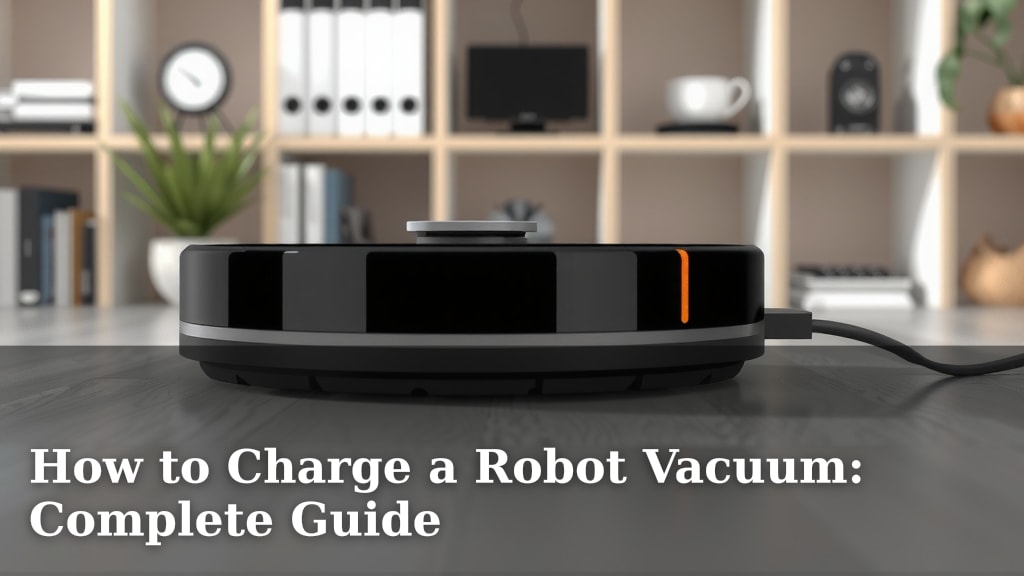
How to Charge a Robot Vacuum: Complete Guide
Charging your robot vacuum is usually quite simple. Most robot vacuums have a charging dock they return to automatically when their battery is low. You just need to ensure the dock is plugged in and has clear space around it. Your robot vacuum will handle the rest by finding its way back to recharge.
Understanding how your robot vacuum charges is key to keeping it running smoothly. This ensures it’s always ready to tackle your floors without you having to think about it much. We’ve researched common charging methods and found that most rely on a dedicated home base for power.
- Most robot vacuums charge automatically at their dock.
- Keep the charging dock plugged in and accessible.
- Manual charging might be needed for some older models or specific situations.
- Regularly clean the charging contacts on both the robot and dock.
Let’s walk through the best ways to ensure your robot vacuum is always powered up and ready to clean your home.
Keeping Your Robot Vacuum Powered Up
Ensuring your robot vacuum has a steady charge is probably the easiest part of owning one. Most models are designed to be self-sufficient. They know when they’re running low on power and head back to their base station. Your main job is to make sure that charging station is properly set up and accessible.
The Automatic Dock: Your Robot’s Best Friend
The vast majority of robot vacuums come with a charging dock, often called a home base. This is where your little cleaning buddy goes to refuel. Think of it as its own little garage or charging port. When the battery level drops to a certain point, typically around 15-20%, the robot will pause its cleaning cycle and navigate back to this dock to recharge.
Setting Up the Dock Correctly
Getting the dock ready is super simple. First, make sure it’s plugged into a working electrical outlet. You don’t want your robot returning to an empty station! Next, give it some breathing room. Most manufacturers recommend a clear space of about 2-3 feet on either side and 6-8 feet in front of the dock. This gives your robot plenty of room to maneuver and find its way home without bumping into furniture.
Why so much space? Well, these little guys aren’t always perfect navigators. They rely on sensors to find their charging station. If the area is cluttered, they might have trouble docking. We’ve found that a clear path makes a huge difference in successful returns.
Ensuring a Reliable Connection
It’s essential that the charging contacts on both the robot and the dock are clean. Over time, dust and debris can build up. This can prevent a good electrical connection, slowing down the charging process or even stopping it altogether. Think of it like trying to charge your phone with a dirty port – it just doesn’t work as well! A quick wipe with a dry or slightly damp cloth usually does the trick. You can find more specific cleaning instructions in your robot’s user manual, but a gentle touch is key.
Manual Charging: When Automation Isn’t Enough
While most modern robot vacuums handle charging automatically, there might be times when you need to manually plug them in. This is more common with older models or if the robot struggles to find its dock for some reason. Some robot vacuums come with a separate charging adapter that you can plug directly into the robot itself. If this is the case for your model, consult your manual to locate the charging port.
What to Do If the Robot Won’t Dock
If your robot is having trouble returning to its dock, don’t panic! First, check the dock’s placement and the surrounding area for obstructions. Is there a new rug or a piece of furniture in the way? Sometimes, simply moving the dock to a more open spot can solve the problem. If the robot still struggles, try manually placing it on the charging contacts. If it starts charging, you know the contacts are likely clean and the dock is functional. The issue might be with its navigation system or the environment.
Charging from a Dead Battery
If your robot vacuum’s battery completely dies and it can’t make it back to the dock, you’ll need to charge it manually. Locate the charging cable or adapter that came with your vacuum. Connect it to the robot’s charging port. You might need to let it charge for a little while on its own before it has enough power to recognize and return to its charging dock. We found that giving it at least 30 minutes to an hour of manual charge is often enough to get it going again.
Understanding Charging Times and Battery Health
Knowing how long it takes to charge your robot vacuum and how to keep its battery healthy will make your life easier. Batteries are like any other rechargeable device; they have a lifespan. Proper charging habits can help extend that lifespan.
Typical Charging Durations
Charging times can vary widely depending on the robot vacuum model and battery size. However, most robot vacuums typically take between 2 to 4 hours to fully recharge from a low battery. Some high-end models might charge faster, while older or more basic models could take up to 6 hours. Always check your user manual for the specific charging time recommended for your device. You don’t want to overcharge it, though most modern robots have built-in protection against that.
When Does My Robot Need to Charge?
Your robot vacuum is designed to let you know when it needs a charge. You’ll usually see an indicator light on the robot itself, or you might get a notification through its companion app if it’s a smart model. The most common signal is the robot automatically returning to its dock. If you notice your robot stopping mid-clean and not returning to its base, it’s a clear sign the battery is low. We found that most users rely on the robot’s own cues, which is usually very effective.
Maintaining Battery Longevity
To keep your robot vacuum’s battery in good shape for as long as possible, there are a few best practices. First, avoid letting the battery drain completely on a regular basis. While occasional deep discharges won’t hurt, making it a habit can reduce the battery’s overall capacity over time. Many experts suggest keeping the robot on its charging dock when not in use. This ensures it’s always ready for action and helps maintain a healthy charge level.
Second, ensure the charging dock is in a location with a stable power supply. Power surges or frequent interruptions can stress the battery and charging circuitry. If you live in an area prone to power fluctuations, consider using a surge protector for the charging dock. This simple step can protect your robot’s battery from damaging power spikes.
Troubleshooting Common Charging Issues
Sometimes, things don’t go as planned, and your robot vacuum might refuse to charge. It can be frustrating, but most issues have simple fixes. Let’s look at a few common problems and how to solve them.
Robot Not Returning to the Dock
If your robot is clean and the battery isn’t dead, but it’s just not going home, check a few things. Is the dock still plugged in? Is the dock in its usual spot, or has it been accidentally moved? Sometimes, simply re-establishing the dock’s location can help. If the robot is still in the middle of the room, try picking it up and placing it near the dock. It might then be able to recognize the charging station and dock itself.
Robot Charging Slowly or Not at All
As mentioned, dirty charging contacts are the usual culprit here. Make sure to clean the metal contacts on both the bottom of the robot and on the charging dock. If cleaning doesn’t help, check the power outlet. Is it working? You can test it by plugging in another device. If the outlet is fine, the issue might be with the charging cable or the dock itself. Inspect them for any visible damage.
Battery Drains Too Quickly
If you notice your robot cleaning for a much shorter time than it used to, the battery might be degrading. This is normal wear and tear for any rechargeable battery. However, if it’s happening very quickly, check if there are any software updates available for your robot. Sometimes, a software glitch can cause excessive battery drain. Also, ensure the robot isn’t getting stuck in places where it has to run its motor continuously trying to free itself.
Here’s a quick checklist to keep your robot vacuum charged and ready:
- Confirm the charging dock is plugged into a working outlet.
- Ensure the area around the dock is clear for easy docking.
- Wipe down charging contacts on the robot and dock regularly.
- Manually place the robot on the dock if it struggles to find it.
- Consult your manual for specific charging times and battery care.
- Consider a surge protector for the dock in areas with unstable power.
Conclusion
Keeping your robot vacuum charged is largely hands-off, thanks to its automatic docking system. You’ve learned how important it is to provide a clear path to its charging base and keep those charging contacts clean for a reliable connection. Remember, a little bit of regular maintenance goes a long way in ensuring your robot is always ready to clean your floors efficiently. If you encounter issues, checking the dock setup and contacts are your first steps. Now that you’re equipped with this knowledge, you can confidently let your robot handle the charging so you can enjoy a cleaner home!
Frequently Asked Questions
How often should I clean the charging contacts?
It’s a good idea to wipe down the charging contacts on both your robot vacuum and its dock about once a month, or whenever you notice dust buildup. This ensures a strong connection for efficient charging.
Can I leave my robot vacuum plugged in all the time?
Yes, for most modern robot vacuums, it is perfectly fine to leave them on the charging dock when not in use. They have built-in systems to prevent overcharging and maintain battery health.
What if my robot vacuum can’t find its charging dock?
First, check that the dock is plugged in and has clear space around it. If it’s been moved, your robot might lose track of it. Try manually placing the robot on the dock to see if it begins charging.
Does the battery need to be fully depleted before charging?
No, you don’t need to wait for the battery to be completely dead. In fact, regularly letting the battery drain fully can sometimes reduce its overall lifespan. It’s best to let your robot charge when it indicates it’s low.
How long does a robot vacuum battery typically last?
Robot vacuum batteries generally last between 1 to 3 years, depending on usage and how well you maintain them. Following proper charging habits can help extend this life.
![7 Best Cordless Robotic Pool Vacuum [2026]](https://robotvacuumfact.com/wp-content/uploads/2026/08/7-best-cordless-robotic-pool-vacuum-2026-featured-768x432.jpg)
![7 Best Prime Day Robot Vacuum And Mop [2026]](https://robotvacuumfact.com/wp-content/uploads/2026/08/7-best-prime-day-robot-vacuum-and-mop-2026-featured-768x432.jpg)
![7 Best Robot Vacuum Self Empty For Pet Hair [2026]](https://robotvacuumfact.com/wp-content/uploads/2026/09/7-best-robot-vacuum-self-empty-for-pet-hair-2026-featured-768x432.jpg)
![7 Best Robot Vacuum For Shedding Dogs [2026]](https://robotvacuumfact.com/wp-content/uploads/2026/08/7-best-robot-vacuum-for-shedding-dogs-2026-featured-768x432.jpg)