How to Charge an iHome Robot Vacuum: Easy Guide
Charging your iHome robot vacuum is super simple. You just need to make sure it’s properly docked and that the charging base has power. Most models will automatically return to their dock when the battery is low, so you don’t have to lift a finger. Keeping it charged ensures your iHome robot is always ready to tackle your floors.
Understanding how your robot vacuum charges is key to its longevity and performance. We found that a consistent charge cycle prevents battery degradation. Plus, a fully charged robot means you get the most out of its cleaning cycles. It’s a small step that makes a big difference for your home’s cleanliness.
- Docking is the primary way to charge.
- Ensure the charging base is plugged in.
- Your robot should auto-return to charge.
- Keep the charging contacts clean.
Let’s walk through exactly how to get your iHome robot vacuum powered up and ready to go.
Keeping Your iHome Robot Vacuum Powered Up
It’s pretty straightforward to keep your iHome robot vacuum charged and ready for action. The main goal is ensuring it gets back to its charging base consistently. This simple habit keeps the battery healthy. It also means your robot is always prepared for its next cleaning mission.
Understanding the iHome Charging Process
Your iHome robot vacuum is designed to be mostly hands-off. Charging is a prime example of this. Most models will automatically navigate back to their charging dock when their battery level gets low. This is a smart feature to prevent it from running out of juice mid-clean. You just need to make sure the dock is set up correctly.
Where to Place Your Charging Base
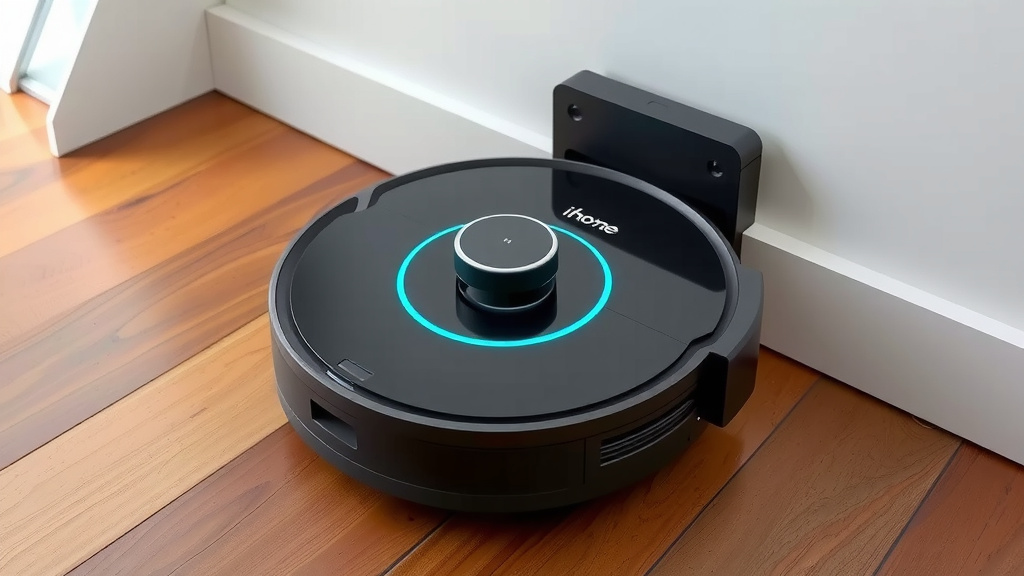
The charging base needs a good spot to work effectively. Think of it like a parking spot for your robot. It needs a clear path to get there. We found that placing it against a wall is best. Make sure there’s enough open space around it. This allows the robot to dock easily without bumping into things.
Experts suggest leaving about 3 feet of clear space on either side of the dock. You’ll also want about 6 feet of clear space in front of it. This open area is important. It gives your robot plenty of room to maneuver. It needs this space to find and connect with the charging contacts.
Setting Up the Charging Dock Correctly
First, find a stable, level surface for the charging base. It shouldn’t wobble or move around. Then, plug the power adapter into the dock. Finally, plug the other end into a working electrical outlet. It’s a good idea to use a wall outlet. Avoid extension cords if possible.
We found that many iHome models have a small indicator light on the dock. This light usually shows that it’s receiving power. If you don’t see a light, double-check the connections. Make sure the outlet itself is working.
Initiating a Charge Cycle
Most of the time, your iHome robot will handle charging all by itself. It has sensors that detect when its battery is getting low. When this happens, it will pause its cleaning. Then, it will attempt to return to its charging base. You don’t need to do anything.
Manual Charging: When and How
Sometimes, you might want to charge your robot manually. Perhaps you interrupted a cleaning cycle. Or maybe you want to ensure it’s fully charged before a big job. To do this, simply place your iHome robot directly onto the charging contacts on the base. You might need to gently align it. Listen for a confirmation beep or look for a charging indicator light on the robot itself.
We found that placing the robot manually is a quick way to top it off. Just make sure the charging contacts on both the robot and the base are clean. Dirty contacts can prevent a proper connection. This can stop the charging process from even starting. We’ll talk more about cleaning those later.
Ensuring Optimal Battery Health
Keeping your iHome robot charged is more than just convenience. It also plays a role in battery longevity. Batteries are like anything else; they perform best with consistent care. Letting the battery drain completely too often can impact its overall lifespan.
The Importance of Regular Docking
Research suggests that maintaining a consistent charge is good for lithium-ion batteries. These are common in robot vacuums. Avoid letting your robot sit with a dead battery for long periods. This is because deep discharge cycles can be hard on the battery. Many experts recommend letting the robot return to its dock as intended (Cleveland Clinic).
Think of it like not letting your phone battery die completely every single day. While modern batteries are robust, consistent care helps. This means allowing your iHome robot to dock and charge whenever it signals that it needs to. This is the best way to keep it running efficiently for years.
What to Do If Charging Fails
If your iHome robot isn’t charging, don’t panic. First, re-check the power source. Is the charging base plugged in securely? Is the outlet working? Try plugging something else into the same outlet. This helps confirm if the outlet has power.
Next, inspect the charging contacts. These are small metal pieces on the robot and the base. They need to be clean and free of debris. Dust, pet hair, or grime can build up. This buildup can block the electrical connection. Gently wipe them with a dry, clean cloth. For tougher grime, a slightly damp cloth followed by a dry one can work. Always ensure everything is dry before attempting to charge again.
Troubleshooting Common Charging Issues
Sometimes, even with everything set up correctly, you might face a hiccup. It’s usually something simple to fix. Let’s look at a few common scenarios.
Robot Not Returning to the Dock
If your robot stops cleaning and doesn’t go back to its base, several things could be happening. Is the path to the dock clear? Are there new obstacles? Sometimes a software glitch can occur. Try manually placing the robot on the dock. If it charges, the issue might be with its navigation. A restart can often help. Turn the robot off, wait 30 seconds, and turn it back on.
Charging Indicator Not Lighting Up
If the charging light on the robot or base isn’t on, the most common cause is a power issue. Double-check that the base is plugged into a working outlet. Make sure the connection between the adapter and the base is secure. Also, check the charging contacts again. If they are very dirty, they might not be making contact.
We found that sometimes the robot needs to be seated perfectly on the dock. Even a slight misalignment can prevent charging. Try gently nudging it into place.
Charging Takes Too Long
Is your robot taking much longer than usual to charge? This could indicate a battery that is starting to age. It might also mean the charging contacts aren’t making a solid connection. Again, cleaning the contacts is key. If the problem persists, the battery might be nearing the end of its lifespan. Most robot vacuums have batteries designed to last for a certain number of charge cycles. Consult your user manual for battery replacement options.
Quick Charging Checklist
Here’s a quick checklist to ensure your iHome robot is charging properly:
- Confirm the charging base is plugged into a working electrical outlet.
- Ensure the charging base has a clear path to the robot’s docking area.
- Check that the charging contacts on both the robot and the base are clean and dry.
- Verify that the robot is properly seated on the charging base.
- Look for the charging indicator light on the robot or base to confirm charging is active.
- Allow the robot to complete its full charge cycle without interruption, if possible.
Conclusion
You’ve now got the complete picture on keeping your iHome robot vacuum charged and ready. Remember, consistent docking and a well-placed charging base are your best friends. A little attention to clean contacts ensures a smooth power flow. This keeps your robot working efficiently. It also helps extend your battery’s lifespan. Your next step is simple: check your charging base location and give those contacts a quick wipe. Your floors will thank you!
Frequently Asked Questions
Can I leave my iHome robot vacuum plugged in all the time?
Yes, it’s generally safe and recommended to leave your iHome robot vacuum on its charging dock when not in use. Modern batteries are designed for this. Keeping it docked helps maintain a healthy charge level.
How often should I clean the charging contacts?
You should aim to clean the charging contacts on both the robot and the base at least once a month. If you have pets or notice dust buildup more frequently, clean them more often. This ensures a reliable connection for charging.
What does the charging indicator light mean on my iHome robot?
The charging indicator light usually signifies that the robot is actively charging. Different models may have different light patterns. Consult your specific iHome model’s manual to understand what each light color or flash means.
My iHome robot won’t charge. What’s the first thing I should check?
Start by confirming that the charging base is plugged into a working electrical outlet. Then, check that the charging contacts on both the robot and the base are clean and free of debris. Ensure the robot is seated correctly on the dock.
Does my iHome robot need to complete a full charge before its first use?
While many robot vacuums can be used right out of the box, it’s often best to allow your iHome robot to complete its initial full charge. This helps condition the battery for optimal performance. Refer to your user manual for specific first-use instructions.

![7 Best Budget Robot Vacuums 2025 [2026]](https://robotvacuumfact.com/wp-content/uploads/2026/08/7-best-budget-robot-vacuums-2025-2026-featured-768x432.jpg)
![7 Best Bagless Robot Vacuum And Mop [2026]](https://robotvacuumfact.com/wp-content/uploads/2026/07/7-best-bagless-robot-vacuum-and-mop-2026-featured-768x432.jpg)