
Your First Lefant Robot Vacuum Setup Guide
Setting up your Lefant robot vacuum is easier than you might think and can have your floors sparkling in no time. You just need to ensure the charging dock is placed correctly and then connect your vacuum to your Wi-Fi network. Getting your Lefant vacuum online is the key to smart cleaning. Our guide on how to connect your robot vacuum explains the process in detail.
Once connected, you can control your Lefant robot vacuum from anywhere using its dedicated app. This lets you schedule cleanings, select cleaning modes, and even direct your vacuum to specific spots. It’s a convenient way to manage your home cleaning without lifting a finger. Many users find the app makes operation very simple.
- Unbox and assemble your Lefant vacuum.
- Find a good spot for the charging base.
- Connect the vacuum to your home Wi-Fi.
- Download and set up the Lefant app.
- Start your first cleaning cycle!
Let’s walk through exactly how to get your Lefant robot vacuum up and running so you can enjoy cleaner floors with minimal effort.
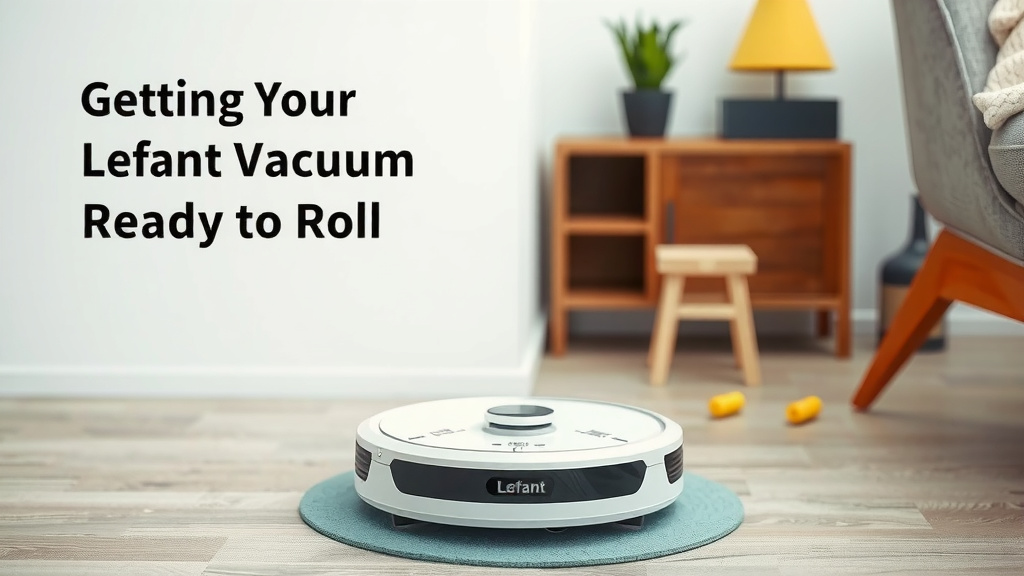
Getting Your Lefant Robot Vacuum Ready to Roll
You’ve unboxed your new Lefant robot vacuum, and now it’s time to get it set up. It might seem like a big task, but we’re here to make it super simple for you. Following these steps will have your trusty cleaning companion whirring around your home in no time. If you’re looking for a budget-friendly option, check out the Lefant M210 Robot Vacuum.
Unpacking and Initial Assembly
First things first, let’s get everything out of the box. You’ll typically find your Lefant robot vacuum, its charging base, a power adapter, and maybe some spare brushes or filters. Take a moment to remove all the protective packaging. Many new devices have small plastic tabs that need to be removed from the brushes or sensors. You might need to snap on a side brush or two. It’s usually quite straightforward.
Finding the Perfect Spot for the Charging Base
This is a really important step for successful charging and operation. Your Lefant robot needs a good home base. Researchers have found that proper placement helps the robot return to charge reliably (Lefant Support). Choose a spot that’s on a hard, level floor. It shouldn’t be in a high-traffic area where it might get bumped. Make sure there’s some open space around it.
Clearance is Key
Give your robot some breathing room! The Lefant robot vacuum needs about 3 feet of clearance on each side of the charging base and about 6 feet in front of it. Also, ensure there are no obstacles directly above the base. This helps the robot navigate back home smoothly after it finishes cleaning or when its battery is low.
Proximity to Power
Naturally, the charging base needs to be plugged in. Find an outlet that’s conveniently located so the power cord can reach without being stretched taut. Tucking the excess cord away can help prevent tripping hazards. A wall outlet is preferred over a power strip if possible, though a power strip will work.
Connecting to Your Wi-Fi Network
Most Lefant models offer smart connectivity, which is where the real magic happens. Connecting your vacuum to Wi-Fi lets you control it through the Lefant app. This is essential for scheduling and remote operation. Your home Wi-Fi network should be a 2.4GHz network. Many routers broadcast both 2.4GHz and 5GHz bands. You’ll want to select the 2.4GHz option for the best compatibility.
What You’ll Need
Before you start, make sure you have your Wi-Fi network name (SSID) and password ready. You’ll also need a smartphone or tablet that’s connected to the same Wi-Fi network you want your robot to join. Double-check that your Wi-Fi signal is strong in the area where you plan to place the charging base.
Downloading and Setting Up the Lefant App
The Lefant app is your control center. You can find it by searching “Lefant” in your device’s app store. It’s available for both iOS and Android devices. Once downloaded, you’ll need to create an account or log in if you already have one. Follow the app’s prompts to add your new robot vacuum to your account. This usually involves selecting your robot model and following pairing instructions.
Pairing Your Robot to the App
This process is usually quite simple. The app will guide you through it. You might need to press a button on the robot itself to put it into pairing mode. Sometimes, the robot will emit a sound or light to indicate it’s ready to connect. Make sure your phone’s Bluetooth is on, as it can sometimes help with the initial connection process. The app will then search for your robot and connect it to your home Wi-Fi.
Your First Cleaning Cycle
With everything connected, you’re ready for the moment of truth! You can either manually start a cleaning cycle by pressing the button on the robot or use the app. The app offers more options, like selecting different cleaning modes (auto, edge, spot) and setting a cleaning schedule. For the first run, we recommend letting it do a full auto clean. This helps it map your home and ensures it gets a good charge before starting.
A Quick Checklist for Success
Here’s a handy checklist to make sure you haven’t missed a beat:
- Charging Base Placement: Is it on a hard, level surface with ample clearance?
- Power Connection: Is the base plugged in and the robot docked?
- Wi-Fi Ready: Is your 2.4GHz Wi-Fi network name and password known?
- App Downloaded: Have you installed the Lefant app on your smartphone?
- Robot Paired: Is your Lefant vacuum successfully connected to the app?
- First Charge Complete: Did the robot fully charge before its first cleaning?
Troubleshooting Common Setup Issues
Sometimes, things don’t go perfectly the first time. If your robot isn’t charging, double-check that the charging contacts on both the robot and the base are clean and making good contact. If it’s having trouble connecting to Wi-Fi, ensure you’re using the 2.4GHz band and that your password is correct. Sometimes, simply restarting your router and the robot can resolve connection glitches. Many users find that rebooting both devices clears up minor hiccups.
Conclusion
You’ve successfully navigated the setup for your Lefant robot vacuum! You know the importance of a well-chosen spot for the charging base and how to connect it to your home’s 2.4GHz Wi-Fi. The Lefant app is now your command center for scheduling and smart cleaning. Following these steps means you’re ready to enjoy automated clean floors. Your next step is to initiate that first full cleaning cycle to let your Lefant map your space and get to work!
Frequently Asked Questions
How do I know if my Lefant robot vacuum is charging correctly?
You should see a light indicator on the robot itself, usually a blinking or solid light, showing it’s receiving power. Ensure the charging contacts on both the robot and the base are clean and making solid contact. A successful charge means the robot will show a full battery icon in the app.
What if my Lefant robot vacuum won’t connect to my Wi-Fi?
Double-check that you are connecting to a 2.4GHz Wi-Fi band, as 5GHz is not supported. Also, verify that your Wi-Fi password was entered correctly in the app. Sometimes, moving the robot and charging base closer to your router can improve the signal strength for setup.
Can I use my Lefant robot vacuum without Wi-Fi or the app?
Yes, you can still operate your Lefant robot vacuum manually. Most models have a button on the unit to start or pause cleaning cycles. However, you won’t be able to use smart features like scheduling, remote control, or selecting specific cleaning modes without the app connection.
My Lefant robot vacuum seems stuck. What should I do?
Ensure the charging base has adequate clearance around it, with no obstructions nearby. Check the robot’s path for small items like cords or rug tassels that might cause it to get tangled. If it frequently gets stuck, you may need to tidy up your floor space before its cleaning cycles.
How often should I clean the brushes and filters on my Lefant robot vacuum?
Regular maintenance is key for optimal performance. It’s recommended to clean the main brush and side brushes weekly. Filters should be cleaned with each use and replaced every 2-3 months, depending on your home’s dust levels and how often you run the vacuum.
![7 Best All Around Robot Vacuum [2026]](https://robotvacuumfact.com/wp-content/uploads/2026/06/7-best-all-around-robot-vacuum-2026-featured-768x432.jpg)