How to Open Your Robot Vacuum Cleaner Safely
Opening up your robot vacuum cleaner for maintenance or a quick fix is usually straightforward. Most models have simple latch systems or a few screws to remove. You’ll typically need to access the brushes, dustbin, or wheels. Carefully consulting your user manual is the best first step for your specific model to avoid damage.
Keeping your robot vacuum clean ensures it works its best. Regular maintenance can prevent costly repairs. Understanding how to open it helps you reach those hidden dust bunnies and tangled hairs. Many users find that just a few minutes of attention can greatly improve performance.
- Locate the release latches or screws.
- Gently lift or slide the cover off.
- Access internal components like brushes and filters.
- Reverse the steps to reassemble.
Ready to get your robot vacuum looking and working like new? Let’s walk through how to get it open, step by step.
“`htmlGetting Your Robot Vacuum Open for Cleaning
Opening your robot vacuum cleaner for maintenance doesn’t have to be a mystery. Most models are designed with easy access in mind. You’ll find you can get to the parts that need cleaning with minimal effort. This guide will walk you through the common methods.
Common Ways to Access Your Robot’s Interior
Many robot vacuums have similar designs when it comes to opening them up. The goal is always to let you reach the brushes, filters, and dustbin. We’ll cover the most popular ways manufacturers allow access.
Using Release Latches and Buttons
This is the most common and user-friendly method. You’ll often find small latches or buttons on the top or sides of your robot vacuum. Pressing these releases the main cover.
Look for indentations or small levers. Sometimes they are quite subtle. You might need to push them simultaneously. Once released, the top panel should lift off easily. This is usually the first place to check.
Removing Screws for Access
Some models require a bit more effort, using screws to secure the main housing. These screws are typically located on the underside of the robot. You might need a small Phillips head screwdriver for this. Some manufacturers even include the necessary tool with your vacuum.
Before you start unscrewing, take a moment to observe. Are the screws clearly visible? Are they all the same size? Sometimes, a specific screw might be a different size or color, indicating it’s a special type. It’s a good idea to keep the screws organized so you don’t lose them. Placing them in a small container or in a specific pattern can help.
Underside Screw Locations
The screws that hold the main body together are usually found around the edge of the bottom panel. They often secure the main brush housing or the entire bottom plate. Take care when turning them. You want to loosen them, not strip the heads.
Top Cover Screws
Less common, but some robots might have screws holding the top decorative cover in place. These are usually smaller and may be hidden under rubber feet or stickers. Always check your manual to be sure.
Accessing Specific Components
Often, you don’t need to remove the entire top or bottom of the robot. Many parts are accessible through dedicated hatches or by simply pulling certain sections away.
The Dustbin and Filter Compartment
This is the part you’ll access most frequently. The dustbin usually slides out from the side or back of the robot. It might have a button to release it. Once the bin is out, you can often access the filter directly. Some filters just pull out, while others might be held by a small clip.
Cleaning the dustbin and filter regularly is **essential for performance**. A full bin or clogged filter means less suction power. Think of it like trying to breathe through a stuffy nose; it’s just not as effective. Research indicates that regular cleaning of these parts can significantly improve air quality in your home too (Environmental Protection Agency).
Main Brush Removal
Your robot’s main brush is where most of the hair and debris accumulates. To remove it, you’ll typically need to open the underside of the robot. Look for a rectangular or circular cover over the main brush. This cover often has latches or even a couple of screws itself.
Once the cover is off, the brush usually lifts straight out. Some brushes have a plastic guard on one end that might need to be removed first. If hair is tightly wound, you might need scissors or a special tool (often provided with your vacuum) to cut it away. Many users find this the most satisfying part of maintenance!
Side Brush Access
The smaller side brushes are usually attached with a single screw. This screw is often accessible directly from the side. You may need a small screwdriver to remove it. Once the screw is out, the side brush should pull off. Watch out for any small gears or components underneath. Keeping these clean prevents tangles that can stop the brush from spinning.
What You Might Need to Open Your Robot Vacuum
Before you start, gather a few simple tools. Having these ready will make the process much smoother. You don’t need a full toolbox for this job!
- Screwdriver Set: A small Phillips head screwdriver is the most common requirement. Some models might need a Torx or flathead.
- Small Container: For holding screws so they don’t get lost.
- Scissors or Cutting Tool: To remove tangled hair from brushes.
- Cleaning Cloth: A microfiber cloth works well for dusting components.
- Compressed Air (Optional): Can help blow dust out of tight spots.
General Steps for Opening Your Robot Vacuum
While specific models vary, the general process is quite consistent. Follow these steps for most robot vacuums:
- Turn Off and Unplug: Always ensure the robot is powered off and unplugged from any charging station or outlet. Safety first!
- Flip the Robot Over: Gently place your robot vacuum upside down on a soft surface to avoid scratches.
- Locate Access Points: Look for latches, buttons, or screws on the bottom or sides.
- Release the Cover: Press latches, turn screws, or lift panels as needed to gain access to the components.
- Remove Parts: Carefully remove the dustbin, filters, brushes, or other sections requiring cleaning.
- Clean Thoroughly: Address dust, hair, and debris.
- Reassemble: Reverse the steps to put everything back together securely.
When to Consult Your User Manual
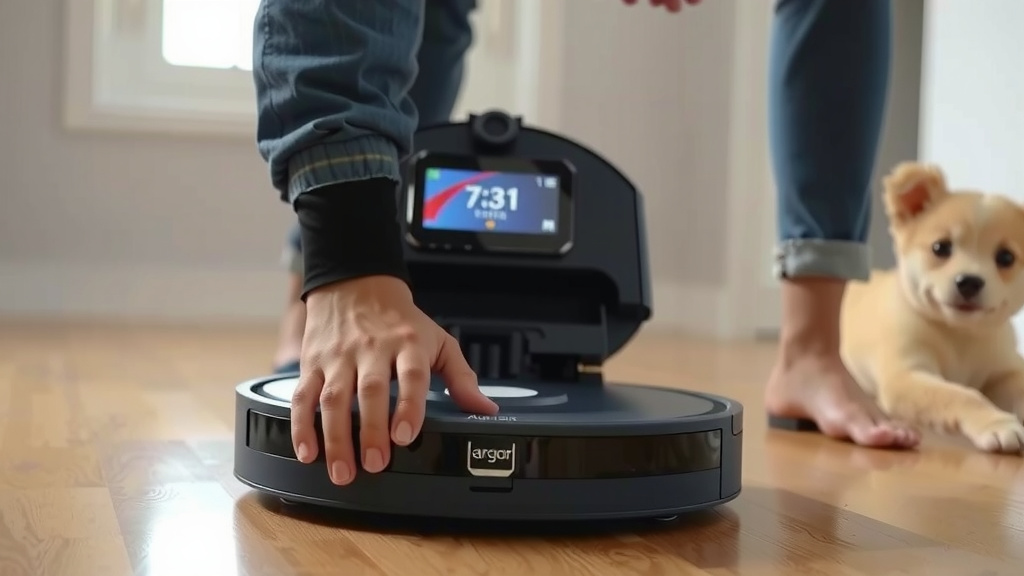
We’ve covered the common methods, but every robot vacuum is a little different. Your user manual is your best friend here. It will have specific diagrams and instructions tailored to your exact model. If you’re ever unsure, or if a part feels stuck, stop and check your manual.
Think of your manual like a recipe. You wouldn’t guess the ingredients for a cake, would you? Your manual gives you the precise steps for your robot. Many manuals are available online on the manufacturer’s website if you’ve misplaced your physical copy. Consulting it can save you from accidental damage.
Checklist for a Smooth Opening Process
Here’s a quick rundown to make sure you’re prepared:
- Robot vacuum is powered off and unplugged.
- You know where to find latches or screws.
- You have the correct screwdriver size, if needed.
- You have a small dish for screws.
- You have a soft cloth ready for cleaning.
- Your user manual is nearby, just in case.
Conclusion
You’ve now seen how surprisingly simple it can be to open your robot vacuum for cleaning. Whether it’s latches, buttons, or a few screws, accessing your robot’s insides is usually a quick task. Remember, regular access to these components is key for optimal performance and longevity. Don’t hesitate to consult your manual for specific guidance. Now, go ahead and give your robot the quick tune-up it deserves to keep your floors spotless!
Frequently Asked Questions
What if I can’t find the latches or screws to open my robot vacuum?
If you’re struggling to locate the access points, your best bet is to check your user manual. Sometimes latches are subtle or screws are hidden under protective covers. If you’ve lost your manual, search online for your robot vacuum’s model number on the manufacturer’s website.
Do I need special tools to open most robot vacuums?
For most models, a small Phillips head screwdriver is all you’ll need if screws are involved. Some manufacturers might even include a basic tool with your robot. Otherwise, simple household items like a thin card or butter knife can help gently pry open certain panels if the manual suggests it.
How often should I be opening my robot vacuum for maintenance?
You’ll likely access the dustbin and filter every few uses, as this is standard maintenance. Opening the main body for brush cleaning might be needed weekly or bi-weekly, depending on how much hair and debris your robot encounters. Listen to your robot; if it sounds like it’s struggling, it’s probably time for a check.
Can opening my robot vacuum void the warranty?
Generally, routine maintenance like cleaning the brushes and dustbin, even if it requires opening the unit, should not void your warranty. However, damaging the robot during disassembly or reassembly could. Always follow instructions carefully and refer to your warranty information if you’re concerned.
My robot vacuum is making a strange noise after I put it back together. What could be wrong?
A new noise often means a part wasn’t reassembled correctly or a piece might be loose. Double-check that all brushes and covers are securely in place and that no wires are pinched. Ensure the dustbin and any filters are properly seated. If the noise persists, it might be worth a second look or consulting professional support.