Shark Robot Vacuum Wheel Removal Guide
Removing the wheels from your Shark robot vacuum is a straightforward process. You’ll need to gently pull them off, often with a slight wiggle, after identifying the release tabs. This is usually necessary for cleaning or when a wheel gets stuck with debris.
Sometimes, the wheels can accumulate hair or other gunk, hindering your robot’s cleaning performance. Knowing how to detach them is key to keeping your Shark running smoothly. Many users find this simple maintenance task makes a big difference in how well their vacuum navigates your home.
- Wheels on Shark robot vacuums are typically removable.
- You’ll often need to gently pull them straight off.
- Look for small release tabs if they feel stuck.
- This is important for cleaning and troubleshooting.
Let’s walk through exactly how to get those wheels off your Shark robot vacuum so you can get back to a cleaner home.
Detaching Your Shark Robot Vacuum’s Wheels
You’ve probably noticed your Shark robot vacuum getting a bit sluggish or maybe making a funny noise. Often, the culprit is something wrapped around a wheel or a wheel that’s just not spinning freely. Thankfully, removing these wheels is usually a simple task. You don’t need a toolbox full of gadgets. Most often, it’s just a gentle tug.
Identifying the Wheels and Their Purpose
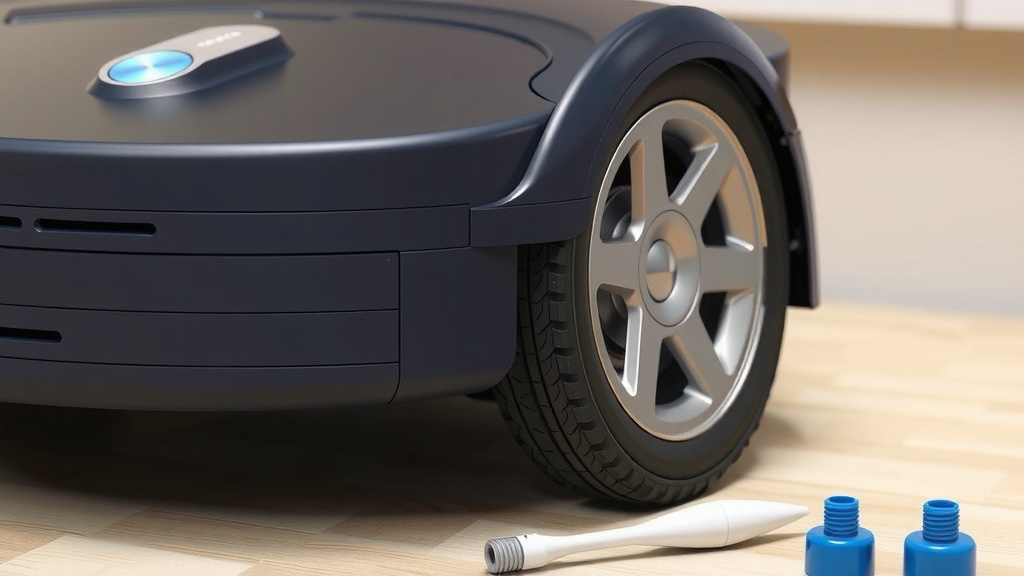
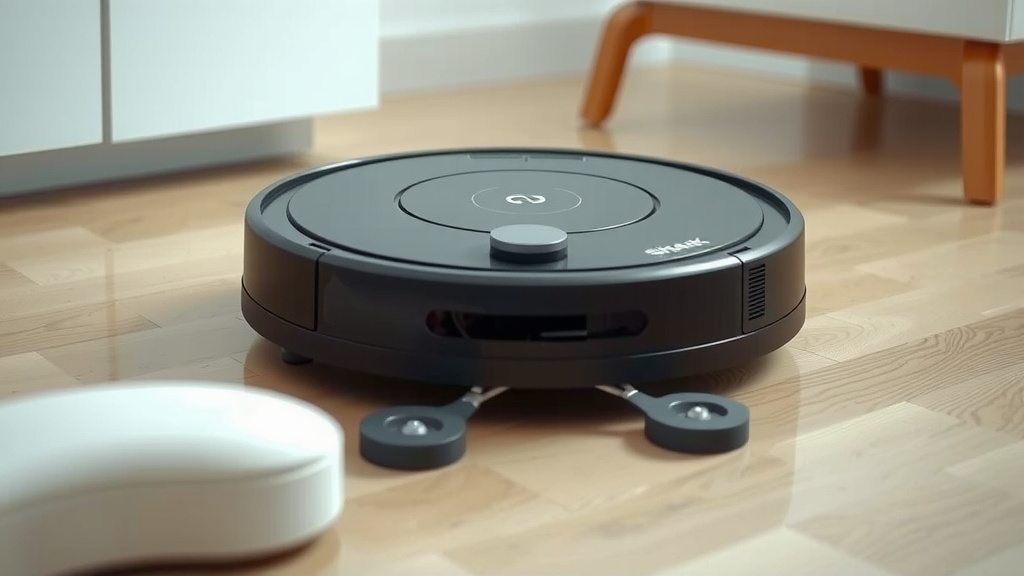
Your Shark robot vacuum has a couple of main wheels, usually on either side. These are often called the “drive wheels.” They are designed to pivot, allowing your robot to turn and navigate around furniture legs and tight corners. Think of them like the steering wheels of a car, but for your robot!
These wheels are also engineered to handle various floor types. They might have a rubberized tread for good grip. Sometimes, smaller caster wheels are found at the front or back, helping with stability and directional changes. For the purpose of this guide, we’re primarily focusing on the larger, main drive wheels that are most prone to getting gunked up.
Why You Might Need to Remove Them
There are a few common reasons you’d want to take off your Shark robot vacuum’s wheels:
- Hair and Debris Buildup: This is the big one. Long hair, pet fur, strings, and other small debris can wrap around the axle or the wheel itself. This can impede its ability to spin, making your robot move slower or get stuck. We found that this is especially common in homes with pets.
- Stuck Objects: Occasionally, a LEGO brick, a stray sock, or something similar can get wedged in the wheel assembly, preventing movement.
- Deep Cleaning: If you’re giving your entire robot a thorough cleaning, removing the wheels allows you to get into those hard-to-reach spots.
- Troubleshooting Movement Issues: If your robot is veering off course, not moving straight, or just acting generally confused about where to go, a stuck or damaged wheel could be the cause.
The Step-by-Step Process for Wheel Removal
Ready to get those wheels off? Let’s go through it. Remember, patience is key here. Don’t force anything if it feels overly resistant. We want to avoid damaging your robot.
Step 1: Prepare Your Workspace and Robot
First things first, find a clear, flat surface to work on. A table or a clean spot on the floor works perfectly. You’ll want good lighting so you can see what you’re doing.
Next, make sure your Shark robot vacuum is powered off. If it has a physical power switch, flip it off. If it relies on a button, press and hold it until the unit shuts down completely. It’s also a good idea to disconnect it from its charging base. Safety first!
Then, carefully turn your robot upside down. You should be looking at the underside, where the brushes and wheels are located. Be gentle as you flip it; you don’t want to knock off any other parts!
Step 2: Locate the Drive Wheels
You’ll see the two main drive wheels prominently on the sides. They look like sturdy, often rubberized wheels designed for locomotion. Take a moment to examine them. See how they attach to the robot body.
Often, the wheels are attached via a modular assembly that allows for easier replacement if needed. You might notice a slight seam or a housing around the wheel where it connects. This is where we’ll focus our attention.
Step 3: Gently Detach the Wheels
This is the main event. In most Shark robot vacuum models, the drive wheels are designed to be removed by simply pulling them straight out. No screws or complicated clips are usually involved for the wheel itself.
Start with one wheel. Grasp it firmly with both hands. Now, gently pull it straight away from the robot’s body. You might need to apply a bit of steady pressure. A slight, side-to-side wiggle can sometimes help loosen it, but avoid excessive force. We’re aiming for a smooth release.
If it feels stuck, don’t panic. Look closely around the base of the wheel assembly. Some models might have small, inconspicuous release tabs or clips that need to be pressed. These are often small plastic nubs. If you find one, press it gently with your fingertip or a non-metallic tool, like a plastic spudger, while simultaneously pulling the wheel.
We found that for many users, the wheel pops off with a satisfying, albeit quiet, click. If you’re struggling, it’s worth checking your specific Shark model’s manual online. Sometimes, there are slight variations in how the wheels are secured.
Step 4: Inspect and Clean the Wheels and Housing
Once a wheel is off, take a good look at it and the area where it was attached. Is there a thick wad of hair? A tangled string? Clean it thoroughly.
Use your fingers to pick out any debris. For stubborn bits, a pair of tweezers or a small brush can be very helpful. Make sure the axle (the part the wheel spins on) is completely clear. If you’re doing a deep clean, you can wipe down the wheel itself and the housing with a slightly damp cloth. Just ensure everything is dry before reattaching.
Many cleaning guides suggest using a bit of compressed air to blow out any dust or debris from the wheel housing. This can be effective if you have some handy. Just be sure to do it in a well-ventilated area!
Step 5: Reattaching the Wheels
Reattaching is usually just as easy as removal. Line up the wheel with its housing on the robot. You should feel it align with the axle or mounting point.
Gently push the wheel back into place. It should slide on smoothly. You might hear or feel a click when it’s properly seated. Give it a gentle spin with your finger to ensure it moves freely. Repeat the process for the other wheel if necessary.
After both wheels are back on securely, turn your robot right-side up. You can now place it back on its charging base or start a cleaning cycle. Your Shark should now be moving with its usual agility!
Troubleshooting Common Wheel Issues
What if the wheel just won’t budge? Or what if it seems loose after reattaching?
When a Wheel Won’t Come Off
If you’ve pulled firmly and wiggled gently but the wheel is stubbornly attached, take a pause. Did you check for any hidden release tabs? Sometimes they are very small and blend in with the plastic. A quick search for your specific Shark model number and “wheel removal” online might show a video or diagram if there’s a trick to it.
We found that in rare cases, a wheel might be jammed by a piece of debris so tightly that it requires careful extraction without fully removing the wheel. Try to dislodge the offending item first with tweezers while the wheel is still attached. Remember, forcing parts can lead to breakage (CDC).
When a Wheel Feels Loose
If a wheel feels wobbly or comes off too easily after reattaching, it might not be fully seated. Try removing it again and carefully realigning it. Push it firmly until you feel it click into place. If it continues to feel loose, there might be internal damage to the wheel assembly itself. This could be a sign it’s time to contact Shark support or consider a replacement part. If you encounter persistent issues after cleaning the wheels, you may need to troubleshoot your Shark robot vacuum.
Quick Checklist for Wheel Maintenance:
- Power off and unplug your robot.
- Flip it upside down.
- Grasp wheel and pull straight out.
- Check for hidden release tabs if stuck.
- Clean debris from wheel and housing.
- Push wheel back until it clicks.
Conclusion
You’ve now seen how easy it is to remove and clean the drive wheels on your Shark robot vacuum. This simple maintenance task can significantly improve your robot’s performance and longevity. By gently pulling the wheels and clearing away any hair or debris, you’re ensuring it can navigate your home effectively. Keep this process in mind whenever your robot seems sluggish or gets stuck. Don’t hesitate to perform this cleaning regularly to keep your Shark running at its best!
Frequently Asked Questions
How often should I remove my Shark robot vacuum’s wheels for cleaning?
We recommend cleaning the wheels every few weeks, or more often if you have pets or long hair in your home. Regularly checking and cleaning them helps prevent buildup that can hinder performance.
Can I use water to clean the Shark robot vacuum wheels?
You can use a slightly damp cloth to wipe down the wheels and their housing. Just ensure that all parts are completely dry before you reattach them to avoid any moisture damage.
What if my Shark robot vacuum’s wheel doesn’t have any visible tabs?
Most Shark models allow you to simply pull the wheels straight off. If you don’t see tabs, try applying firm, steady pressure with a gentle wiggle. Avoid forcing it; check your specific model’s online manual if you struggle.
My robot is still not moving correctly after cleaning the wheels. What else could it be?
If cleaning the wheels didn’t resolve movement issues, the problem might be with the internal motor or sensors. You may need to consult your manual or contact Shark customer support for further troubleshooting.
Are the small caster wheels on my Shark robot also removable?
Typically, the smaller front or rear caster wheels are not designed for easy user removal like the main drive wheels. They are usually more permanently attached and may require specialized tools or professional assistance if they need cleaning or repair.

![7 Best Robot Vacuum For Small Apartment [2026]](https://robotvacuumfact.com/wp-content/uploads/2026/08/7-best-robot-vacuum-for-small-apartment-2026-featured-768x432.jpg)