How to Remove Shark Robot Vacuum Side Brush Easily
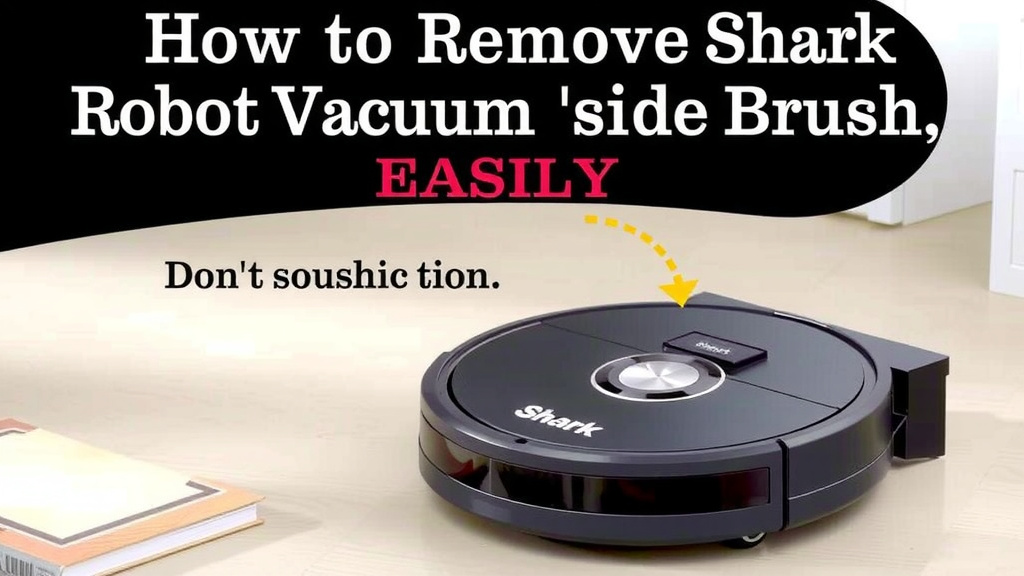
The easiest way to remove the side brush from your Shark robot vacuum is to simply pull it straight off. Most Shark models feature a side brush that attaches with a simple push-fit design, making it easy to detach for cleaning or replacement. You don’t need any special tools, just a gentle tug to get the job done. If it feels stuck, try wiggling it slightly while pulling.
Keeping your Shark robot vacuum’s side brush clean is important for its cleaning performance. A brush clogged with hair or debris can reduce its effectiveness. Regularly removing and cleaning the side brush helps ensure your vacuum can reach into corners and along edges properly. We found that a quick clean every few weeks makes a big difference. Regularly removing and clean the side brush helps ensure your vacuum can reach into corners and along edges properly.
- Pull the side brush straight off.
- No tools are usually needed.
- Wiggle gently if it’s tight.
- Cleaning it boosts vacuum performance.
Ready to get that side brush off and sparkling clean? Let’s walk through exactly how to do it, step by step.
So, you’ve noticed your Shark robot vacuum’s side brush isn’t quite doing its job. Maybe it’s looking a little worse for wear, or perhaps it’s gotten tangled up with some stubborn debris. Whatever the reason, you’re ready to get it off for a good clean or a quick swap. It’s actually a really straightforward process, and you likely won’t need any special tools. Let’s get that side brush detached so your trusty robot can get back to its best performance!
Detaching Your Shark Robot Vacuum’s Side Brush
Removing the side brush from your Shark robot vacuum is generally a simple task. Most models are designed for easy user maintenance, meaning you can handle this yourself without calling a technician. We found that regular attention to this part can really extend the life of your robot and improve its cleaning power.
The Basic Push-Fit Mechanism
The vast majority of Shark robot vacuums use a push-fit design for their side brushes. This means the brush simply snaps onto a post or a central hub on the vacuum’s underside. There are no screws or complicated latches to worry about. Think of it like plugging in a simple connector – it just pops into place.
What You’ll Need (Usually Nothing!)
In most cases, you won’t need anything beyond your hands! The side brush is designed to be removed by hand. You might find a bit of gunk holding it on, but typically, a gentle pull is all that’s required. Some people like to have a soft cloth nearby for cleaning the brush once it’s off, but that’s about it. Keep it simple!
When the Brush Feels Stuck
Occasionally, hair, carpet fibers, or other debris can get wound around the base of the side brush. This might make it feel a bit stubborn to remove. If you pull and it doesn’t budge, try wiggling it gently from side to side while applying upward pressure. A slight rotation might also help break the seal of any gunk. Avoid yanking too hard, as you don’t want to damage the brush or the post it attaches to.
We’ve found that if a brush is particularly stuck, a very small amount of pressure applied with a flat edge, like the side of a butter knife or a plastic card, can sometimes help lift the edge. Be careful not to pry too aggressively, though. The goal is to dislodge anything holding it, not to force it.
Step-by-Step Guide to Removal
Let’s break down the process into simple, actionable steps. You’ll have that brush off in no time!
Step 1: Flip Your Robot Over
First things first, you need to access the underside of your Shark robot vacuum. Gently pick up your robot and turn it over so the wheels are facing up. You’ll be looking at the bottom of the unit where the main brushes and side brush are located. It’s best to do this on a clean, flat surface like a floor or a sturdy table.
Step 2: Locate the Side Brush
Once the robot is upside down, easily spot the side brush. It’s usually a small, circular brush with bristles that sticks out from one of the corners. Your Shark model might have one or two side brushes, depending on the design. Identify the specific brush you need to remove.
Step 3: Gently Pull the Brush Off
Now, grab the side brush firmly with your fingers. Apply a steady, gentle pulling force straight upwards, away from the robot. As we mentioned, most just pop off. If it’s resisting, try that slight wiggle or twist we discussed earlier. It should come loose without too much effort.
For some models, especially after a lot of use or if it’s encountered a particularly tough tangle, you might need to apply a bit more consistent pressure. Imagine you’re pulling a stubborn carrot from the garden – a firm, steady pull often works better than quick, jerky motions. Many users report success with a firm grip and a slow, steady pull.
Step 4: Inspect and Clean the Post
After the brush is off, take a look at the post it was attached to. You might find debris or hair wrapped around it. Use your fingers or a soft cloth to clear away any gunk. A clean post helps ensure the new or cleaned brush will attach securely.
We found that cleaning this post regularly also prevents future removal issues. It’s like keeping your car’s keyhole clear of dirt so the key slides in smoothly. A quick wipe-down here can save you a headache later.
When to Consider Replacing the Side Brush
Removing and cleaning your side brush is great, but sometimes, replacement is the better option. How do you know when it’s time?
Signs of Wear and Tear
The bristles on your side brush are designed to sweep debris. Over time, these bristles can become bent, frayed, or worn down. If you notice the bristles are no longer standing up straight or seem significantly shorter than they used to be, it’s a good indication that the brush is losing its effectiveness. Worn bristles can’t effectively sweep dirt into the vacuum’s path.
Damage Beyond Cleaning
Sometimes, a side brush might get damaged in a way that cleaning can’t fix. This could include cracked plastic where the brush meets the post, or missing segments of bristles. If the brush is physically broken, it absolutely needs to be replaced. A damaged brush can’t perform its cleaning duties and might even cause harm to your robot or your floors.
Impact on Cleaning Performance
Ultimately, the biggest clue is your robot’s cleaning performance. If you’re noticing that your vacuum is leaving more debris behind, especially along edges or in corners, the side brush could be the culprit. A well-functioning side brush is key to getting those hard-to-reach spots clean. If performance has dipped noticeably, inspect the side brush (and the main brushes too!) for signs of wear or damage.
Many robot vacuum manufacturers, including Shark, recommend replacing side brushes periodically. Research from consumer product testing groups often suggests replacing side brushes every 3-6 months, depending on usage and the environment it cleans. This can vary, of course, but it’s a good general guideline to keep in mind (Consumer Reports).
Checklist for Side Brush Maintenance
Here’s a quick rundown to help you keep your side brush in top shape:
- Inspect Regularly: Glance at your side brush after each cleaning cycle for obvious tangles.
- Clean When Needed: Remove and clean thoroughly if you see hair or debris buildup.
- Wiggle Test: If it feels stuck, try a gentle wiggle and pull.
- Check Bristles: Look for bent, frayed, or worn bristles that hinder performance.
- Replace When Damaged: If broken or significantly worn, it’s time for a new one.
- Clean the Post: Always wipe down the attachment post after removing the brush.
Conclusion
You’ve now got the know-how to easily remove your Shark robot vacuum’s side brush. Remember, it’s usually just a simple pull-and-wiggle job, no tools required. Keeping this little brush clean and in good shape directly impacts your robot’s ability to tackle dirt along edges and in corners. Don’t forget to check for wear and tear regularly, and replace it when it’s seen better days. Your Shark will thank you with cleaner floors!
So, go ahead and give that side brush a quick check-up or a good clean. Your robot is ready for its next cleaning mission!
Frequently Asked Questions
How often should I remove and clean the side brush?
We recommend checking your side brush for debris after every few cleaning cycles. If you notice hair or dirt buildup, it’s time to remove and clean it. For a typical home, a thorough cleaning every 2-4 weeks usually keeps it performing well.
What if the side brush is really stuck and won’t budge?
If pulling and wiggling doesn’t work, inspect the base of the brush for tangled hair or debris. Sometimes, gently using the edge of a plastic card or a flat, non-metal tool can help loosen any obstructions without damaging the brush or the robot.
Can I use a tool to help remove the side brush?
Generally, you shouldn’t need any tools. Your hands should be sufficient. If it’s truly stuck, avoid using metal tools that could scratch or break the plastic. A gentle wiggle combined with steady upward pressure is usually all it takes.
What’s the difference between cleaning and replacing the side brush?
Cleaning removes trapped debris so the brush can function. Replacement is necessary when the bristles are worn down, bent, frayed, or if the brush itself is physically cracked or broken, making it ineffective.
Will removing the side brush affect my Shark robot’s navigation?
No, removing the side brush itself won’t affect your robot’s navigation sensors. The side brushes are primarily for sweeping debris into the main vacuum path. Ensure the brush is reattached correctly after cleaning or replacement so it can do its job.

![7 Best Robot Vacuum With Alexa [2026]](https://robotvacuumfact.com/wp-content/uploads/2026/09/7-best-robot-vacuum-with-alexa-2026-featured-768x432.jpg)
![7 Best Bang For Your Buck Robot Vacuum [2026]](https://robotvacuumfact.com/wp-content/uploads/2026/07/7-best-bang-for-your-buck-robot-vacuum-2026-featured-768x432.jpg)
![7 Best Robot Vacuum Eufy [2026]](https://robotvacuumfact.com/wp-content/uploads/2026/08/7-best-robot-vacuum-eufy-2026-featured-768x432.jpg)