How to Turn On Your Pool Vacuum Robot for Easy Cleaning
Turning on your pool vacuum robot is usually quite simple. You’ll typically plug it in and then place it in the water. Most robots have an on/off button you’ll press to start the cleaning cycle. Always check your specific model’s manual for exact steps, as some may have unique features or startup procedures.
Getting your robotic pool cleaner ready to go helps keep your pool sparkling clean with minimal effort. These handy devices handle the dirty work so you don’t have to. Understanding the basic steps ensures your robot is efficient and effective, saving you time and hassle during pool season.
- Plug the robot into a power source.
- Carefully place the robot into the pool water.
- Press the power or start button.
- Ensure the robot is submerged and operating correctly.
- Refer to your manual for any model-specific instructions.
Let’s walk through the common steps to get your pool vacuum robot up and running so you can enjoy a cleaner pool! Let’s walk through the common steps to get your robotic pool vacuum up and running so you can enjoy a cleaner pool!
Getting Your Pool Robot Vacuum Ready for Action
So, you’ve got your shiny new pool vacuum robot. Exciting! The idea of it cleaning your pool while you relax is pretty fantastic. But before it can work its magic, you need to get it set up and running. It’s usually a straightforward process, much like starting up any new gadget.
We found that most pool robots are designed with user-friendliness in mind. The goal is to get them into the water and cleaning as quickly as possible. Let’s walk through the common steps you’ll take to turn on your pool vacuum robot. Remember, your specific model’s manual is your best friend here, but these general steps will cover most situations.
The Pre-Dive Checklist: What to Do Before You Submerge
Before your robot takes its plunge, a few quick checks can save you some frustration later. Think of it like packing for a trip – you wouldn’t leave without your swimsuit, right?
Connecting the Power: The Lifeblood of Your Robot
Your robotic pool cleaner needs power to operate. This is usually a simple plug-in situation. You’ll typically find a power cord attached to the robot or its control unit. This cord connects to a power supply unit, which then plugs into a standard outdoor electrical outlet.
It’s important to ensure the outlet is GFCI-protected. This is a safety feature designed to prevent electric shock. Many pool areas require GFCI outlets by code (National Electrical Code). If you’re unsure about your outlet, it’s wise to consult an electrician. Safety first, always!
Inspecting the Robot: A Quick Once-Over
Before you toss it in, take a moment to look at your robot. Is there any obvious damage from shipping or previous use (if it’s not brand new)? Are the brushes or tracks clean and free of debris? A quick inspection can catch potential issues before they become bigger problems. You want your robot to be in tip-top shape for its cleaning mission.
Checking the Filter or Debris Canister
Most robotic vacuums have a built-in filter or a debris canister. For the first use, this should be clean and properly seated. If you’ve used it before, you’d typically clean this after each use. A clogged filter will make your robot work harder and clean less effectively. We found that a clean filter is key to optimal performance.
Bringing Your Robot to Life: The Plunge and Power-Up
Now for the exciting part – getting your robot into the water and turning it on. This is where the magic begins!
Carefully Lowering the Robot into the Water
This step might seem simple, but there’s a right way to do it. You want to gently lower the robot into the pool. Avoid just tossing it in, as this could potentially damage it or startle any nearby swimmers. Many experts suggest lowering it toward the center of the pool.
As you lower it, you might notice it starting to fill with water. This is normal and helps it sink to the bottom. If your robot floats, it might not be properly submerged or could have an air bubble trapped. You might need to tilt it slightly to let air escape. We found that ensuring it’s fully submerged before powering on is a good practice.
Connecting the Floating Cable (if applicable)
Some robots have a separate floating cable that connects the robot to the power supply unit. Make sure this cable is connected securely to both the robot and the power unit. The floating cable allows the robot to move freely without getting tangled or pulled by a cord that’s too short. A proper connection here is vital for uninterrupted cleaning.
Initiating the Power-On Sequence
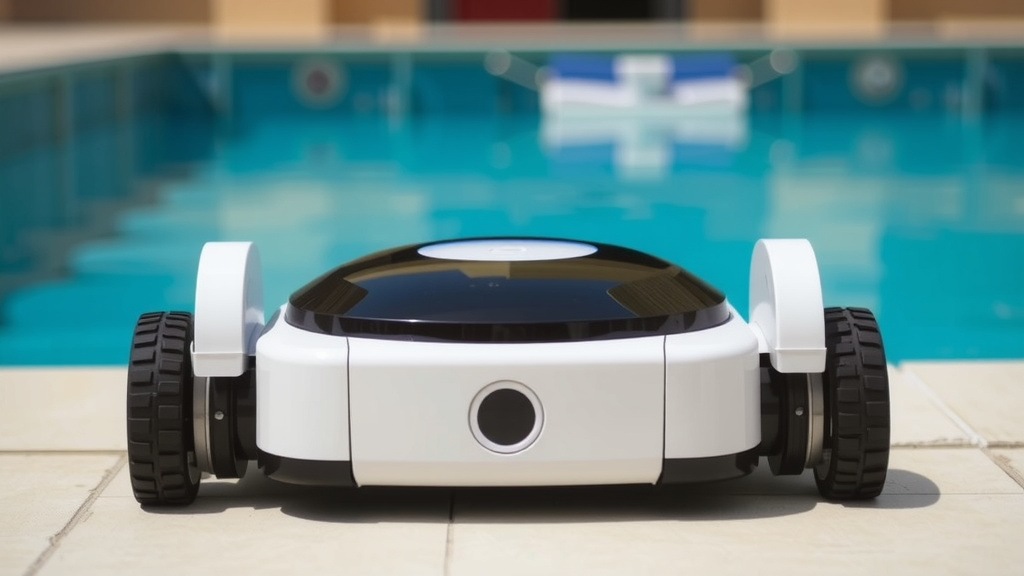
This is the moment of truth. You’ll typically find a power button on the robot itself or on its control box/power supply. Press this button to turn it on. You might hear a hum or see some indicator lights turn on, signaling that it’s ready to go.
Some models have multiple settings. You might need to select a cleaning cycle, or it might just start a default cleaning program. Consult your manual to understand what lights or sounds indicate normal operation. We found that a quick look at the manual for button functions can clarify any confusion.
Post-Start-Up Checks: Ensuring a Smooth Operation
Once your robot is powered on and in the water, don’t just walk away immediately. A few quick checks will confirm it’s working as intended. This is your chance to catch any early hiccups.
Observing the Robot’s Movement
Watch your robot for the first few minutes. Is it moving? Is it attempting to climb walls (if it’s designed to)? Is it making progress across the pool floor? If it’s just sitting there or spinning in circles, something might be amiss.
Common issues could include a tangled cable, a clogged filter, or an issue with the unit itself. If it’s not moving, try turning it off, checking the cable and filter again, and then powering it back on. Many troubleshooting guides suggest this as a first step (Pool and Hot Tub Alliance).
Listening for Unusual Noises
While robots make some noise, you should listen for anything that sounds out of the ordinary. Grinding, clicking, or loud scraping noises could indicate a problem. These sounds might suggest something is caught in the brushes or that a part isn’t functioning correctly. Cleanliness and proper assembly are key to quiet operation.
Confirming Water Flow (if visible)
Some robots have visible water jets or outlets. You might be able to see water being expelled from the unit. This indicates that the pump is working and circulating water, which is part of its cleaning mechanism. If you don’t see any water movement, it could point to a blockage or a pump issue. Again, check your manual for specifics on your model.
Quick Start Checklist for Your Pool Robot
Here’s a handy list to ensure you’ve got everything covered:
- Power Source Ready: Is your GFCI outlet functional?
- Cable Connected: Is the power cord securely attached to the robot and power unit?
- Filter Clean: Is the debris canister or filter empty and properly inserted?
- Gentle Entry: Did you slowly lower the robot into the water?
- Power Button Pressed: Did you activate the robot’s on switch?
- Initial Watch: Did you observe it for a few minutes to ensure it’s moving?
Conclusion
You’ve now got the know-how to get your robotic pool vacuum up and running smoothly. Remember, it’s usually as simple as plugging it in, placing it in the water, and pressing the power button. We found that a quick check of the filter and the cable connection before you start makes a big difference. Following these steps ensures your robot gets to work right away, keeping your pool crystal clear. Your next step? Enjoy more time relaxing by your clean pool!
Frequently Asked Questions
My pool robot isn’t moving after I turn it on. What should I do?
First, turn off the robot and check for any tangled cables or debris in the brushes or filter. Ensure the robot is fully submerged and that the filter canister is properly seated. Sometimes, simply restarting the unit after these checks can resolve the issue.
Do I need a special outlet to plug in my pool robot?
Yes, it’s highly recommended and often required by code to use a GFCI-protected outlet for safety. This type of outlet helps prevent electrical shock. If your pool area doesn’t have one, consult a qualified electrician to install it.
Can I leave my pool robot plugged in all the time?
Generally, no. Most manufacturers advise against leaving the robot plugged in when it’s not actively cleaning. Unplug it from the outlet when the cleaning cycle is complete and the robot is removed from the pool.
My robot keeps floating. How can I fix this?
A floating robot usually means it’s not fully submerged or has trapped air. Try gently tilting it in the water to release any air bubbles before powering it on. Ensure the filter basket is correctly in place, as this can affect buoyancy.
What’s the difference between a robot’s power supply unit and the robot itself?
The power supply unit is the external box that connects to your wall outlet and typically houses the main controls. It supplies the electricity to the robot, often through a floating cable. The robot itself is the unit that travels through your pool, cleaning it.
![7 Best Robot Vacuum For Pet Hair Reddit [2026]](https://robotvacuumfact.com/wp-content/uploads/2026/08/7-best-robot-vacuum-for-pet-hair-reddit-2026-featured-768x432.jpg)