
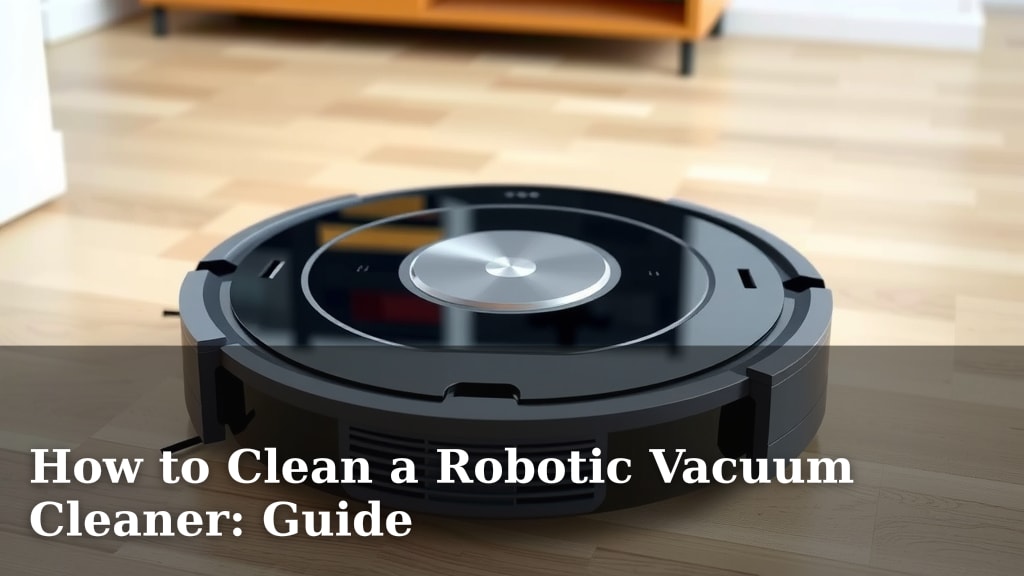
How to Clean a Robotic Vacuum Cleaner: Guide
The easiest way to clean your robotic vacuum cleaner is by regularly cleaning its brushes, filters, and dustbin. A clean robot vacuum works better and lasts longer. You’ll want to do a quick clean weekly and a deeper clean monthly to keep it running smoothly. It’s a simple process that makes a big difference for your smart home helper.
Keeping your robot vacuum in top shape means less hassle for you. Dust, hair, and debris can clog its parts, making it less effective. Think of it like giving your car an oil change. A little bit of care prevents bigger, more expensive problems down the road. You can extend its lifespan and ensure it always picks up the most dirt.
- Empty the dustbin after every few uses.
- Clean the brushes and side sweepers weekly.
- Wash or replace the filter according to the manual.
- Wipe down the sensors for optimal navigation.
Ready to give your robot vacuum the spa treatment it deserves? Let’s walk through exactly how to clean each part step by step.
Your Robot Vacuum’s Essential Cleaning Guide
Your robot vacuum is a fantastic tool. It makes keeping your floors clean much easier. But like any machine, it needs regular care. Cleaning it properly ensures it works its best. It also helps prevent costly repairs down the line. Think of it as a simple tune-up for your little cleaning buddy.
Weekly Maintenance: The Quick Refresh
A little bit of work each week goes a long way. This section covers the tasks you should do regularly. It keeps your robot vacuum running smoothly. You’ll get the best performance and extend its life.
Emptying the Dustbin: More Than Just Tossing Trash
This is the most frequent task. You should empty the dustbin after every few cleaning cycles. Some robot vacuums have indicator lights. Others will alert you via their app. A full dustbin can reduce suction power. It can also cause the vacuum to overheat. Make sure to detach the bin carefully. Dispose of the contents in a trash can. Always ensure the robot is powered off before doing this.
Cleaning the Main Brush: Untangling the Mess
The main brush is the workhorse. It picks up larger debris. Unfortunately, it also catches a lot of hair and string. This can wrap around the brush and its bearings. Research shows tangled brushes impede cleaning performance. You’ll usually need a small cleaning tool. Many robot vacuums come with one. It often has a small blade to cut away hair. Gently remove any tangled debris. If your brush is removable, take it out. Clean it thoroughly. Ensure it’s completely dry before reinserting.
Inspecting and Cleaning Side Brushes: The Little Helpers
Your robot vacuum likely has one or two side brushes. These sweep debris from edges and corners. They can also get clogged with hair and dirt. Check them for any obstructions. Remove any tangled hair or strings. If a side brush is damaged, it’s best to replace it. Damaged brushes can scratch your floors or spread dirt. Many models allow for easy removal of side brushes. You can often just unscrew them or pull them off.
Wiping Down Sensors: Keeping Navigation Sharp
Sensors are the robot’s eyes. They help it navigate your home. They detect cliffs, walls, and furniture. Dust and grime can obstruct these sensors. This can lead to navigation errors. Your robot might bump into things more often. It could also get stuck or miss spots. Use a soft, dry cloth. Gently wipe all the external sensors. These are usually located around the bumper and on the top. Some models have sensors on the bottom too. Consult your manual for their exact locations.
Monthly Deep Clean: Giving It a Thorough Spa Day
Once a month, it’s time for a more in-depth cleaning. This ensures all parts are working optimally. It catches things you might miss during weekly cleans. A thorough cleaning can prevent long-term damage.
Cleaning or Replacing Filters: The Air’s Best Friend
Your robot vacuum has a filter. It traps fine dust particles. This prevents them from being released back into the air. A dirty filter reduces airflow. This makes your vacuum less effective. Many filters are washable. Check your user manual first. If it says washable, rinse it under cool water. Do NOT use soap. Let the filter air dry completely. This can take 24 hours or more. Never put a damp filter back in. Most manufacturers recommend replacing filters every 2-3 months. This depends on usage and air quality.
We found that a clogged filter can also strain the motor. This can shorten the vacuum’s lifespan (Consumer Reports).
Cleaning the Wheels: Smooth Rolling Essential
The wheels allow your robot to move. Hair, carpet fibers, and debris can get stuck around the wheel axles. This can make movement jerky or difficult. Inspect the drive wheels. Remove any tangled material. Some wheels can be removed for easier cleaning. Check your manual for instructions on this. Ensure the wheels can spin freely after cleaning.
Wiping Down the Chassis: The Whole Body Matters
Take a moment to wipe down the entire exterior of your robot. Use a slightly damp cloth. This removes dust and grime buildup. Pay attention to the charging contacts. Ensure they are clean and free of debris. Clean contacts help ensure your robot charges properly.
| Task | Frequency | Notes |
|---|---|---|
| Empty Dustbin | Weekly (or as needed) | Prevents reduced suction. |
| Clean Main Brush | Weekly | Untangle hair and debris. |
| Clean Side Brushes | Weekly | Remove obstructions. |
| Wipe Sensors | Weekly | Ensures good navigation. |
| Clean/Replace Filter | Monthly (or as per manual) | Washable: rinse & dry completely. Replace every 2-3 months. |
| Clean Wheels & Chassis | Monthly | Ensure free movement and clean charging contacts. |
Special Considerations for Different Surfaces
Are your floors mostly hardwood? Or do you have thick carpets? Different surfaces can affect how your robot vacuum gets dirty. For hardwood floors, you might notice more fine dust. This can clog filters faster. On carpet, hair and fibers are a bigger problem. They tend to wrap around brushes more. Adjust your cleaning frequency based on your home. If you have pets, you’ll likely need to clean more often. This is especially true for brushes and dustbins.
Research suggests pet owners may need to clean robot vacuums twice as often. This is due to increased hair and dander (Veterinary Partner).
When to Replace Parts: Knowing When It’s Time
Even with regular cleaning, parts wear out. Brushes can become frayed. Filters can lose their effectiveness. Wheels might get damaged. If a part looks worn out, it’s time for a replacement. Many manufacturers sell replacement kits. These usually include brushes, filters, and sometimes filters. Replacing worn parts helps maintain optimal performance. It can also prevent damage to the robot itself.
Quick Cleaning Checklist
- Empty the dustbin.
- Untangle the main brush.
- Check side brushes for debris.
- Wipe all sensors clean.
- Rinse or check the filter status.
- Ensure wheels spin freely.
Conclusion
You’ve learned how to keep your robot vacuum running smoothly. Regular cleaning of its brushes, filters, and sensors is key. Emptying the dustbin weekly and giving it a deeper clean monthly prevents issues. By following these simple steps, you ensure efficient cleaning and extend your robot’s lifespan. Don’t let dust and debris win! Make robotic vacuum maintenance a routine part of your home care. Start implementing these cleaning habits today for a cleaner home and a happier robot.
Frequently Asked Questions
How often should I really empty the dustbin?
Emptying the dustbin after every few cleaning cycles is best. If you notice a decrease in suction, it’s definitely time. A full bin can impact performance and even cause overheating.
Can I use water to clean my robot vacuum’s filter?
Some filters are washable, but always check your manual first. If washable, rinse it under cool water and let it air dry completely. Never put a damp filter back in the vacuum.
What’s the best way to remove tangled hair from the main brush?
Most robot vacuums come with a small cleaning tool. Use its blade to carefully cut away tangled hair and fibers. If possible, remove the brush entirely for a thorough cleaning.
My robot keeps getting stuck. What sensors should I clean?
Clean all external sensors, which are usually on the bumper and top of the unit. Dust or grime on these sensors can confuse its navigation system, leading to getting stuck.
When should I consider replacing parts like brushes or filters?
Replace parts when they appear visibly worn out. Brushes may become frayed, and filters lose effectiveness over time. Many manufacturers offer replacement kits for this purpose.

![7 Best Cheap Robot Vacuum Under $100 [2026]](https://robotvacuumfact.com/wp-content/uploads/2026/08/7-best-cheap-robot-vacuum-under-100-2026-featured-768x432.jpg)
![7 Best Robot Vacuum And Mop Shark [2026]](https://robotvacuumfact.com/wp-content/uploads/2026/08/7-best-robot-vacuum-and-mop-shark-2026-featured-768x432.jpg)