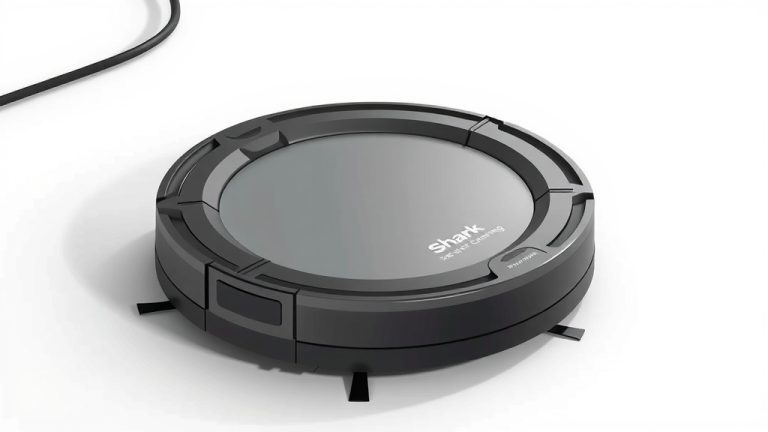
How to Charge a Lefant Robot Vacuum: Easy Steps
Charging your Lefant robot vacuum is super simple. You just need to place it on its charging dock, and it will do the rest. Make sure the dock is plugged in and positioned where your robot can easily find it. A full charge usually takes about 4-5 hours.
Keeping your Lefant vacuum charged ensures it’s always ready for cleaning duty. Low battery won’t stop your clean mid-sweep! We found that proper charging practices can also help extend your robot’s battery life. It’s a small step that makes a big difference in keeping your home tidy.
- Place the robot on its charging dock.
- Ensure the dock is plugged in and accessible.
- Allow 4-5 hours for a full charge.
- Regular charging keeps it ready to go.
Ready to get your little cleaning buddy powered up? Let’s walk through exactly how this works step by step, so you can get back to enjoying a clean home with minimal effort.
Powering Up Your Lefant Robot Vacuum: Simple Charging Guide
Keeping your Lefant robot vacuum charged is the key to consistent cleaning. When your trusty robot is powered up, it’s always ready for action. We found that understanding its charging routine helps maintain its battery health for longer. Let’s look at how you can ensure your Lefant gets the juice it needs.
Understanding Lefant’s Charging Needs
Most Lefant models are designed for straightforward charging. They are smart enough to know when they need a boost. Your primary role is simply to ensure they can get to their charging station when they do.
Finding the Perfect Spot for the Charging Dock
Location, location, location! This is probably the most important part of ensuring your robot charges reliably. Think of it like giving your robot a designated home base.
Optimal Placement Guidelines
We found that Lefant suggests placing the charging dock against a wall. It should be on a hard, level surface. Keep at least 3 feet of clear space on either side of the dock. Also, ensure about 6 feet of clear space in front of it. This helps your robot navigate back to its charger without getting stuck or confused. Avoid placing it near busy doorways or areas where it might get bumped. A clear path means a happy robot!
Avoiding Obstacles and Interference
Your robot uses infrared signals to find its dock. So, anything that might block these signals can be a problem. We found that reflective surfaces or objects placed too close can sometimes interfere. Keep the area around the dock clear of clutter. This ensures a smooth return for charging.
Connecting the Charging Dock to Power
It sounds obvious, but the charging dock needs power to work! Make sure it’s properly connected to a wall outlet.
Checking the Power Connection
Plug the adapter into the charging dock firmly. Then, plug the other end into a working electrical outlet. Many docks have a small indicator light. This light usually tells you that the dock is receiving power. If you don’t see a light, try a different outlet to rule out any power issues. We found that a secure connection is vital for a steady charge.
Initiating the Charging Process
Once your dock is set up, getting your Lefant to charge is quite simple. There are a couple of ways your robot can begin this process.
Automatic Charging: The Easiest Way
This is how your Lefant is designed to work most of the time. Your robot monitors its own battery level.
How Auto-Charging Works
When the battery gets low, your Lefant will automatically stop cleaning. It will then try to navigate back to its charging dock. We found that this feature is incredibly useful. It means you don’t have to interrupt your day to plug anything in. Just let your robot do its thing. It’s like having a tiny butler who knows when it needs a nap!
Manual Charging: When You Need to Step In
Sometimes, you might want to charge your robot even if its battery isn’t critically low. Or, perhaps it’s having trouble finding its dock on its own.
Guiding Your Robot to the Dock
You can simply pick up your Lefant. Then, gently place its charging contacts onto the charging points on the dock. Make sure the metal contacts on the robot align with the metal contacts on the dock. You should hear a beep or see an indicator light on the robot. This confirms that charging has begun. Many users prefer this method when they want to ensure a full charge before a big cleaning job.

Understanding Charging Times and Indicators
Knowing how long charging takes and what the lights mean helps you manage your robot’s readiness.
Typical Charging Duration
Research shows that most Lefant robot vacuums take approximately 4 to 5 hours for a full charge. This can vary slightly depending on the specific model and battery condition. We found that a full charge ensures optimal performance for its next cleaning cycle. It’s like letting your phone charge overnight.
Interpreting Charging Lights and Sounds
Your Lefant usually provides feedback on its charging status. Check your robot’s manual for exact indicators. However, generally, a blinking light on the robot often signifies charging. A solid light typically means it’s fully charged. Some models might also emit a sound to confirm charging or completion. Paying attention to these signals helps you know when your robot is ready to roll.
Maintaining Battery Health for Longevity
Proper charging habits can extend your robot’s battery life. We found that this is a common recommendation from manufacturers for many rechargeable devices.
The Importance of Regular Charging
Try to keep your Lefant charged regularly. Avoid letting it sit with a completely dead battery for extended periods. Letting it return to its dock whenever possible is ideal. This prevents the battery from deep discharging. Many experts suggest that consistent charging cycles are better for the long-term health of lithium-ion batteries (National Institutes of Health).
What to Avoid for Battery Care
Extreme temperatures can affect battery performance. Don’t leave your robot or its charging dock in very hot or very cold places. Also, ensure the charging contacts on both the robot and the dock are kept clean. Dust or debris can hinder a good connection. A quick wipe with a dry cloth usually does the trick.
Here’s a quick checklist to ensure your Lefant is always ready:
- Place the charging dock in an open, accessible spot.
- Ensure the dock is securely plugged into a working outlet.
- Check that the robot’s charging contacts are clean.
- Allow 4-5 hours for a complete recharge.
- Let the robot return to its dock automatically when possible.
- Confirm charging status via indicator lights or sounds.
Conclusion
You’ve learned how simple it is to keep your Lefant robot vacuum powered up and ready for action. By understanding the importance of the charging dock’s placement and ensuring a consistent power connection, you help your robot perform at its best. Remember, automatic charging is the easiest method, but manual placement is also an option when needed. Following these straightforward steps means your Lefant can tackle your cleaning tasks without interruption, giving you more time to enjoy your spotless home. Make sure your dock is always accessible, and your robot will always find its way home for a recharge.
Frequently Asked Questions
Can I leave my Lefant robot vacuum plugged in all the time?
Yes, generally you can leave your Lefant robot vacuum plugged into its charging dock when not in use. Most modern robot vacuums, including Lefant models, have battery management systems that prevent overcharging. Keeping it docked ensures it’s always ready for its next cleaning cycle.
What should I do if my Lefant robot vacuum isn’t returning to the charging dock?
First, check if the charging dock is properly placed according to the guidelines – clear space on all sides is essential. Ensure there are no new obstacles blocking its path. You can also try manually placing the robot on the dock to initiate charging, which might help it re-establish its connection.
How often should I clean the charging contacts on my Lefant robot vacuum?
It’s a good idea to wipe the charging contacts on both the robot and the dock about once a month, or whenever you notice dust or debris. Use a dry, soft cloth. Clean contacts ensure a strong and reliable connection for efficient charging.
Does the charging time change if the battery is only partially depleted?
A full charge typically takes 4-5 hours, regardless of the starting battery level. The robot’s system works to bring the battery to its maximum capacity. However, if you interrupt charging before it’s complete, the robot may not have optimal battery life for its next cleaning session.
Can I use a different charging adapter if I lose the original Lefant one?
We strongly recommend using only the original charging adapter that came with your Lefant robot vacuum. Using an incompatible adapter could potentially damage the robot or its battery, and may void your warranty. Always check your user manual for specific recommendations.