
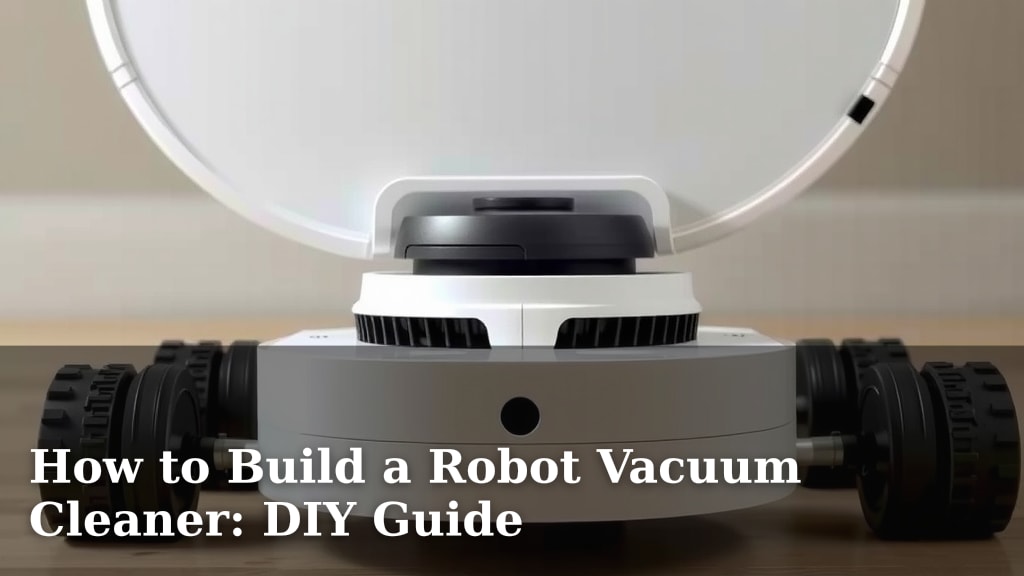
How to Build a Robot Vacuum Cleaner: DIY Guide
Building your own robot vacuum cleaner is a rewarding DIY project that can save you money. You can create a customized cleaning machine tailored to your home’s needs. This guide shows you how to assemble your very own robot vacuum.
This project involves basic electronics and assembly. You’ll learn about sensors, motors, and power sources. Understanding these components helps in future repairs and upgrades. It’s a fun way to learn about robotics and home automation.
- Gather necessary parts like a chassis, motors, sensors, and a microcontroller.
- Assemble the basic structure and mount the wheels and motors.
- Wire the sensors and microcontroller for navigation and control.
- Connect the vacuum suction mechanism and power source.
- Test and troubleshoot your robot vacuum cleaner.
Ready to get your hands dirty? Let’s walk through exactly how to build your robot vacuum cleaner step by step.
“`htmlPutting Together Your DIY Robot Vacuum
Building your own robot vacuum cleaner is a fun and achievable DIY project. You can create a cleaning companion that navigates your home. This guide will walk you through the essential steps. We’ll cover everything from the chassis to the suction. You’ll see how all the parts come together to make a working robot.
Gathering Your Robot Vacuum Components
Before you start building, you’ll need the right parts. Think of this like gathering ingredients for a recipe. Each component plays a vital role in your robot’s success. We’ve found that having everything ready upfront makes the assembly process much smoother.
The Chassis: Your Robot’s Foundation
The chassis is the main body of your robot vacuum. It holds all the other components in place. You can buy pre-made chassis kits for robot vacuums. Or, you can get creative and build one yourself. Materials like acrylic, wood, or even sturdy plastic can work. Just ensure it’s strong enough to support the weight of your robot.
Motors and Wheels: Making it Move
Your robot needs to move, and that’s where motors and wheels come in. You’ll typically need two DC motors for drive wheels. These allow your robot to turn and move forward or backward. Many kits include motors with gearboxes. This helps provide the torque needed to move the robot. Wheels that fit onto the motor shafts are also essential. Some designs might include a castor wheel at the front or back for stability.
Sensors: The Eyes and Ears of Your Robot
Sensors are what allow your robot to detect its surroundings. This is how it avoids bumping into walls or falling down stairs. Common sensors include:
- Infrared (IR) Sensors: These can detect obstacles. They work by emitting an IR beam and measuring how much light is reflected back.
- Ultrasonic Sensors: Similar to IR sensors, these use sound waves to detect distance and obstacles.
- Bump Sensors: These are simple mechanical switches. They trigger when the robot physically hits something.
You’ll want a good mix of sensors for reliable navigation. Many hobbyists find that combining IR and bump sensors is a great starting point.
The Microcontroller: The Robot’s Brain
The microcontroller is the control center of your robot. It reads data from the sensors and tells the motors what to do. Popular choices for DIY projects include Arduino boards and Raspberry Pi. For a robot vacuum, an Arduino Uno is often sufficient. It’s user-friendly and has plenty of input/output pins for your sensors and motors.
The Vacuum Mechanism: The Cleaning Power
This is the part that actually sucks up dirt. You have a few options here. You could repurpose a small handheld vacuum cleaner. Some people use a small DC fan or blower motor with a housing to create suction. You’ll also need a dustbin to collect the debris. Make sure your chosen mechanism fits within your chassis.
Power Source: Keeping it Running
Your robot will need a power source. Rechargeable batteries are the most common choice. Lithium-ion or NiMH battery packs work well. You’ll need to consider the voltage and current requirements of your motors and microcontroller. Battery management systems can help ensure safe charging and discharging.
Assembling Your Robot Vacuum Cleaner
With all your parts gathered, it’s time to put them together. Take your time and follow these steps carefully. It’s like building with LEGOs, but with a bit more wiring!
Mounting Motors and Wheels to the Chassis
Start by attaching the motors to your chassis. Use screws, brackets, or strong adhesive. Then, firmly attach the wheels to the motor shafts. Ensure they spin freely but are securely fastened. If you’re using a castor wheel, mount that now as well. A stable base is key for your robot’s movement.
Wiring the Electronics: Connecting the Brain and Senses
This is often the most challenging part, but it’s very rewarding. You’ll connect your sensors and motor drivers to the microcontroller. Follow the documentation for your specific microcontroller and sensor modules. Most guides recommend using a breadboard for initial testing. This allows you to try out connections without permanent soldering. We found that using color-coded wires can really help keep things organized.
Motor Driver Connection
You’ll likely need a motor driver module. Microcontrollers can’t directly power motors. A driver acts as an intermediary. It takes signals from the microcontroller and controls the motors’ speed and direction. Connect the motor driver to your microcontroller and then to your DC motors.
Sensor Integration
Wire your IR, ultrasonic, or bump sensors to the appropriate input pins on your microcontroller. For example, an Arduino Uno has digital and analog pins you can use. Ensure you’re connecting them to pins that can receive input signals.
Integrating the Vacuum Suction System
Mount your chosen vacuum mechanism onto the chassis. This might involve creating a bracket or enclosure. Ensure the intake is positioned to effectively draw in debris from the floor. Connect the power wires for your fan or motor. You might connect this directly to your battery or through a switch controlled by the microcontroller.
Connecting the Power Source
Wire your battery pack to the microcontroller and motor driver. Make sure to observe correct polarity (+ and -). Many projects include a power switch. You can integrate this into your wiring for easy on/off control. Double-check all connections before applying power.
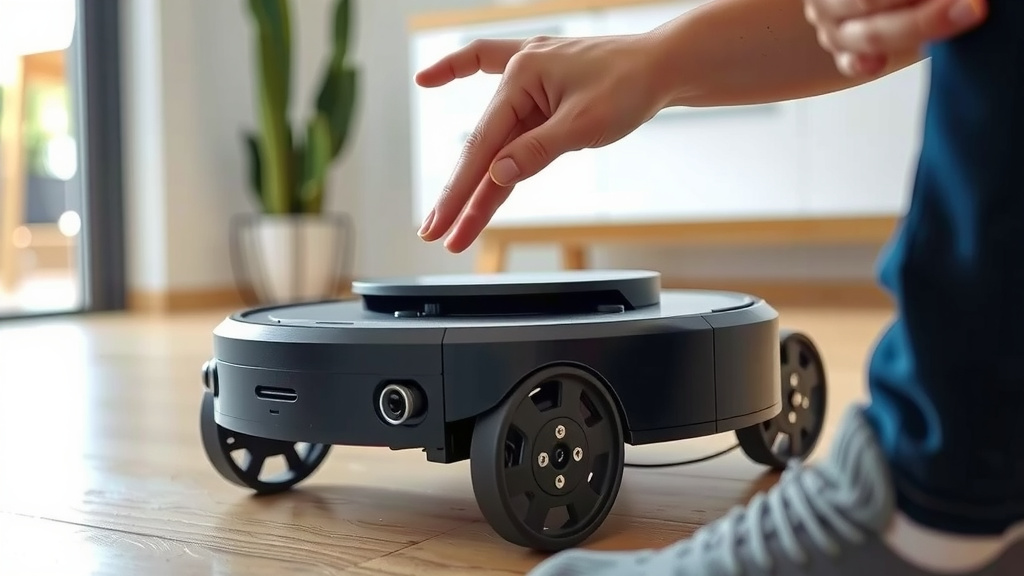
Programming Your Robot Vacuum’s Logic
Now that your robot is physically assembled, you need to give it instructions. This is done through programming the microcontroller.
Basic Movement Code
Start with simple code to control the motors. You’ll want functions to move forward, backward, turn left, and turn right. For example, you can write a function `moveForward()` that sets both motors to spin in the correct direction.
Sensor Reading and Decision Making
Next, write code to read data from your sensors. If an IR sensor detects an obstacle within a certain range, your robot needs to react. It might need to stop, back up, and turn. Your code will use `if` statements to make these decisions. For instance: `if (obstacleDetected)` then `stopMotors()`, `reverse()`, and `turnRight()`. Many programmers find that creating a state machine helps manage different behaviors.
Putting it All Together: The Main Loop
Your main program loop will continuously read sensors and execute movement commands. It’s the heart of your robot’s operation. This loop runs over and over, allowing your robot to react in real-time. You might have a basic algorithm like: always move forward until an obstacle is detected, then random turn.
Testing and Troubleshooting Your Creation
Testing is a critical phase. Even the best plans can have hiccups. Expect to do some debugging.
Initial Power-Up Test
Before connecting everything, test individual components if possible. Once assembled, carefully power on your robot. Watch for any unusual sounds or smells. Check that your microcontroller is receiving power.
Movement and Sensor Checks
Test your basic movement functions first. Can it drive straight? Can it turn? Then, test your sensors. Place an object in front of it and see if it detects it. Does it stop or turn as programmed? If not, review your wiring and code. Many times, a loose wire or a typo in the code is the culprit.
Vacuum System Verification
Finally, test the suction mechanism. Does it pick up small debris? You may need to adjust the fan speed or position of the intake. If it’s not powerful enough, research ways to increase airflow or consider a stronger motor.
Common Issues and Solutions
Here are some common problems you might encounter:
- Robot spins in circles: Check motor wiring. One motor might be reversed.
- Robot doesn’t move: Ensure motors are powered and connected correctly to the driver. Check the motor driver’s connection to the microcontroller.
- Sensors not working: Verify sensor wiring and ensure you’re using the correct pins in your code.
- Weak suction: Check for air leaks in the housing. Ensure the fan is running at the correct speed.
Don’t get discouraged if it doesn’t work perfectly the first time! Troubleshooting is part of the learning process. Many online communities are available to help if you get stuck.
“`Conclusion
You’ve learned that building your own robot vacuum is an exciting and achievable project. You now understand the core components, from the chassis and motors to the vital sensors and microcontroller. We’ve walked through the assembly and the programming logic needed to bring your creation to life. Remember, troubleshooting is part of the fun and learning process. Don’t be afraid to experiment and make it your own. Your next step? Start gathering those components and bring your custom cleaning bot to life!
Frequently Asked Questions
What is the most challenging part of building a robot vacuum?
Many builders find that wiring the electronics, especially connecting the microcontroller, sensors, and motor drivers, can be the most intricate step. It requires careful attention to detail and understanding of how each component communicates. Double-checking your connections before powering up is key.
Can I use a Raspberry Pi instead of an Arduino?
Yes, you absolutely can use a Raspberry Pi. A Raspberry Pi offers more processing power, which could be useful for more advanced features like camera integration or complex mapping. However, for a basic robot vacuum with obstacle avoidance, an Arduino is often simpler and more cost-effective to start with.
How do I make my robot vacuum avoid falling down stairs?
To prevent your robot from tumbling down stairs, you’ll need to use cliff sensors. These are typically downward-facing infrared sensors. They detect a sudden drop in the reflected light, indicating a ledge. Your robot’s program will then instruct it to stop and reverse when these sensors are triggered.
What kind of battery should I use for my robot vacuum?
Rechargeable battery packs are your best bet. Lithium-ion (Li-ion) or Nickel-Metal Hydride (NiMH) battery packs are common choices. You’ll need to ensure the battery provides sufficient voltage and current to power your motors and microcontroller. Always consider safety features like battery management systems.
How can I improve the suction power of my DIY robot vacuum?
If your suction is weak, first check for any air leaks in the housing or dustbin seals. Ensure the fan or motor is running at its intended speed and is properly connected. Sometimes, a more powerful motor or a redesign of the air intake path can significantly boost performance.
![7 Best Robot Vacuum Mop Under $1000 [2026]](https://robotvacuumfact.com/wp-content/uploads/2026/08/7-best-robot-vacuum-mop-under-1000-2026-featured-768x432.jpg)
![7 Best Affordable Robot Vacuum Mop [2026]](https://robotvacuumfact.com/wp-content/uploads/2026/06/7-best-affordable-robot-vacuum-mop-2026-featured-768x432.jpg)