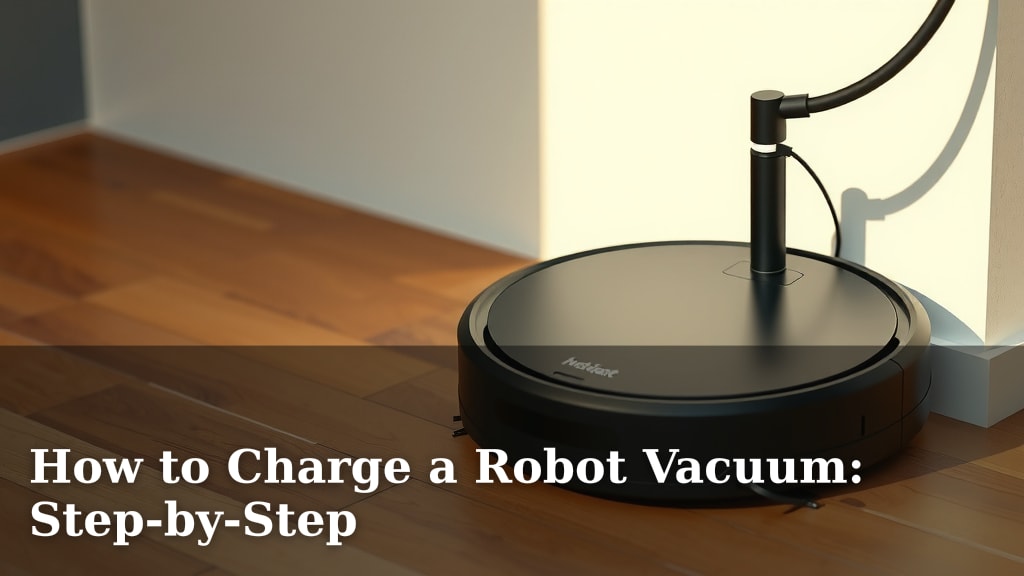
How to Charge a Robot Vacuum: Step-by-Step
Charging your robot vacuum is usually straightforward. The simplest way to charge your robot vacuum is by placing it on its charging dock. Most models will automatically return to the dock when their battery is low. You can also plug the charger directly into the vacuum if needed.
Keeping your robot vacuum charged ensures it’s always ready to clean your floors. Low battery can interrupt cleaning cycles. Always check your vacuum’s manual for specific charging instructions. Many people wonder about alternative charging methods, but the dock is the primary way.
- Place robot on its charging dock.
- Ensure the dock is plugged in.
- Robot usually returns automatically.
- Direct plug-in is an option if needed.
Let’s walk through exactly how to get your robot vacuum powered up, step by step. We found that following these steps makes charging a breeze.
Powering Up Your Robot Vacuum: A Simple Guide
Keeping your robot vacuum charged is essential for a clean home. A fully charged robot means it can complete its cleaning tasks without interruption. Let’s make sure your little cleaning buddy is always ready to roll.
Connecting to the Charging Dock
The charging dock is your robot vacuum’s best friend. It’s designed to be its home base. Most robot vacuums are programmed to find their dock automatically. This usually happens when the battery gets low or after a cleaning cycle is finished. Your robot will navigate back to its dock to recharge.
Finding the Right Spot for the Dock
Placement is key for your robot to find its way home. You’ll want to position the charging dock against a wall. Make sure there’s plenty of clear space around it. Most manufacturers recommend at least 1.5 feet on each side. You should also have about 3 feet of clear space in front of the dock. This helps your robot approach and dock without bumping into things. It also makes it easier for the vacuum to detect the dock’s signal. Some docks have a small beacon or infrared signal. Obstructions can interfere with this signal.
Ensuring a Good Connection
Once the dock is in place, you need to plug it in. Check that the power adapter is securely connected to the dock. Then, plug the adapter into a working wall outlet. You should see a light on the dock indicating it has power. Some docks have a small LED light. This light often glows or blinks. It confirms the dock is ready to receive your robot. Don’t forget to test the outlet first. Plug in a lamp or another small appliance. This ensures the outlet itself is functioning. A faulty outlet won’t charge your robot at all.
Manually Docking Your Robot
Sometimes, you might need to help your robot find its way. If it seems lost or is far from its dock, you can guide it. Gently pick up the robot. Orient it so the charging contacts on the robot line up with those on the dock. Then, carefully place it onto the dock. You should hear a beep or see a light change. This usually indicates a successful connection. The charging process should begin automatically. Many robots will display a charging icon on their screen or app.
Understanding Charging Indicators
Robot vacuums usually provide clear signals when they are charging. These indicators help you know the status of the battery. Paying attention to these signals is important. It helps you understand when your vacuum will be ready to clean again.
Visual Cues on the Robot
Most robot vacuums have LED lights. These lights change color or pattern when charging. A solid light might mean it’s charging. A blinking light could indicate a low battery. A fully charged light is often solid green or blue. Some models have a digital display. This display shows the exact battery percentage. It might also show a charging animation. Always refer to your robot’s manual for specific light meanings. Each brand can have different indicators.
Audible Signals and App Notifications
Don’t forget about sound! Your robot might make a distinct sound. This sound often occurs when it successfully docks and begins charging. It’s like a little confirmation chime. Many advanced robot vacuums connect to a smartphone app. The app is a great way to monitor charging. You can often see the real-time battery level. You’ll also receive notifications. These notifications let you know when charging starts. They also alert you when the battery is full. It’s like having a little remote status report.
Direct Charging Methods
While the charging dock is the primary method, some situations call for direct charging. This can be useful if the dock is damaged. It’s also helpful if you’re traveling. You might need to charge your robot away from its usual home base.
Using the AC Adapter Directly
Many robot vacuums come with a separate AC adapter. This is the power cord. It has a connector that plugs directly into the robot. You’ll find a charging port on the vacuum itself. It’s usually located on the side or back. Connect the adapter to the robot. Then, plug the other end into a wall outlet. The robot will begin charging immediately. This bypasses the charging dock entirely. Remember to disconnect the adapter once charging is complete.
When Direct Charging is Necessary
Direct charging is a good backup. It ensures you can always power up your robot. Consider using this method if your robot struggles to find its dock. Perhaps there are too many obstacles. Maybe the dock is in a less-than-ideal location. It’s also handy for quick top-ups. If you need your robot for a small job and it’s nearly dead, a direct charge can be faster. It avoids the robot’s auto-docking process.
Troubleshooting Common Charging Issues
Even with simple steps, charging problems can occur. It’s frustrating when your robot won’t power up. Let’s look at a few common hiccups and how to fix them.
Checking for Obstructions and Cleanliness
Dirt and debris can interfere with charging. Ensure the charging contacts on both the robot and the dock are clean. Use a dry cloth or a soft brush to gently wipe them. Remove any dust bunnies or stray hairs. Make sure there are no physical obstructions. A stray toy or a rug edge could block the robot’s path. Clearing the area around the dock is crucial. This helps the robot dock successfully every time. We found that keeping the contacts clean is often the simplest solution.
Confirming Power and Connections
Double-check all power connections. Is the dock plugged securely into the wall? Is the adapter firmly attached to the dock? Is the robot seated correctly on the contacts? Sometimes, a loose connection is the culprit. If using direct charging, ensure the adapter is fully inserted into the robot’s port. Test the outlet with another device. This helps rule out an electrical issue with your home’s wiring.
Battery Health and Replacement
Robot vacuum batteries don’t last forever. Over time, their capacity can decrease. If your robot consistently fails to charge fully, the battery might be nearing the end of its life. Most robot vacuum batteries are rechargeable lithium-ion types. Their lifespan can be affected by charging habits. Experts suggest avoiding extreme temperatures. They also recommend not leaving the robot perpetually plugged in if not needed (though most modern ones have overcharge protection) (Consumer Reports). If you suspect a battery issue, consult your robot’s manual. It will guide you on battery replacement options. Many manufacturers offer replacement batteries.
Charging Checklist for Readiness
Here’s a quick checklist to ensure your robot vacuum is always ready to go:
- Confirm the charging dock is plugged into a working outlet.
- Ensure the charging contacts on the robot and dock are clean.
- Verify the robot is properly seated on the charging dock.
- Check for any visual or audible charging indicators.
- If necessary, test the charging port for direct connection.
- Consult your manual if charging issues persist.
Conclusion
You’ve learned how to keep your robot vacuum powered up and ready for action. Properly charging ensures it can tackle messes efficiently. Remember, a clean dock and clear paths help your robot return home. If you ever run into trouble, checking connections and keeping contacts clean are your first steps. Always refer to your manual for specific guidance. With these tips, you’ll ensure your robot vacuum is always prepped for its next cleaning mission. Happy cleaning!
Frequently Asked Questions
How often should I charge my robot vacuum?
Most robot vacuums are designed to stay on their charging dock when not in use. They typically return to charge automatically when their battery is low. You generally don’t need to worry about charging it daily unless you use it for multiple full cleaning cycles between charges.
What if my robot vacuum won’t return to its dock?
Check that the dock is in a clear area with enough space around it. Ensure the dock is plugged in and has a power indicator light. Sometimes, manually placing the robot on the dock to initiate charging can help it “remember” its home base.
Can I charge my robot vacuum if the dock is broken?
Yes, many robot vacuums have a direct charging port. You can use the included AC adapter to plug the vacuum directly into a wall outlet. This is a great backup method if your charging dock is damaged or unavailable.
How do I know if my robot vacuum is charging?
Look for visual cues on the robot itself, such as LED lights that change color or pattern, or a display showing battery percentage. Many robots also emit an audible beep or send a notification to your smartphone app when charging begins.
Is it bad to leave my robot vacuum plugged in all the time?
Most modern robot vacuums have smart charging systems that prevent overcharging. Leaving it on the dock is generally fine and ensures it’s always ready to clean. However, check your manual, as some older models might have different recommendations.
![7 Best Rated Shark Robot Vacuum [2026]](https://robotvacuumfact.com/wp-content/uploads/2026/08/7-best-rated-shark-robot-vacuum-2026-featured-768x432.jpg)

![7 Best Budget Mapping Robot Vacuum [2026]](https://robotvacuumfact.com/wp-content/uploads/2026/08/7-best-budget-mapping-robot-vacuum-2026-featured-768x432.jpg)