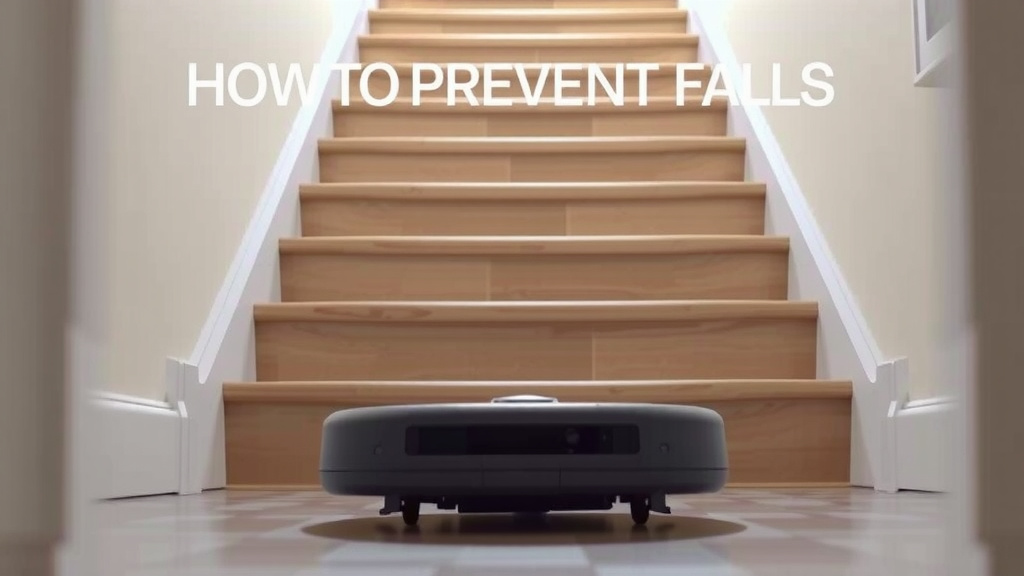
Robot Vacuum Stair Safety: How to Prevent Falls
Keeping your robot vacuum from tumbling down the stairs is simpler than you think. Most robot vacuums have built-in cliff sensors that prevent them from falling off ledges. These sensors work by detecting a drop, allowing your robot to safely change direction.
You can also add extra layers of protection to ensure your smart cleaner stays safe. By understanding how these sensors work and adding simple physical barriers, you can create a worry-free cleaning environment. Many users find that combining technology with basic caution offers the best peace of mind.
- Use your robot vacuum’s cliff sensors for stair detection.
- Consider using virtual no-go zones or physical barriers.
- Test sensors by placing the robot near a ledge.
- Ensure sensors are clean for optimal performance.
Let’s walk through exactly how to make sure your robot vacuum navigates your home safely, especially around stairs.
“`htmlProtecting Your Robot Vacuum from Stair Mishaps
Wondering how to keep your robot vacuum from taking an unplanned trip down the stairs? You’re not alone! It’s a common concern for many robot vacuum owners. The good news is that most robot vacuums are designed with safety in mind. They have special sensors that act like little eyes, preventing them from tumbling over edges. Let’s explore how these amazing little gadgets work and what else you can do to add extra layers of protection.
Understanding Your Robot’s Built-In Safety Features
Your robot vacuum is smarter than you might think. It comes equipped with special sensors designed specifically to detect drops. These are often called “cliff sensors” or “fall sensors.”
How Cliff Sensors Work
Think of these sensors like your robot’s personal guardian angels. They are typically located on the underside of the vacuum. When your robot is cleaning, these sensors are constantly checking the ground beneath it. If a sensor detects a sudden drop, like the edge of a staircase, it sends a signal to the robot’s brain. This signal tells the robot to stop immediately and change direction. It’s a simple yet brilliant piece of technology.
We found that the effectiveness of these sensors can sometimes depend on the surface. For instance, very shiny or reflective surfaces might occasionally confuse a sensor. This is because they can reflect the infrared light emitted by the sensor, making it look like there’s solid ground when there isn’t. However, for standard carpet, wood, or tile stairs, they are generally very reliable (Many robot vacuum manufacturers’ guides).
Testing Your Robot’s Cliff Sensors
Want to be absolutely sure your robot’s cliff sensors are working correctly? It’s easy to test them. You can do this by placing your robot on the floor a few inches away from the edge of a rug or a very short, safe ledge. Gently guide the robot towards the edge. You should see it slow down and then reverse course before it reaches the drop. This quick test can give you great peace of mind.
If your robot doesn’t react, don’t panic! It might just need a little attention.
Troubleshooting Sensor Issues
Sometimes, the sensors might not perform as expected. The most common reason for this is simple dirt or debris. Dust, pet hair, or smudges can cover the sensor lenses, hindering their ability to detect edges. You’ll want to clean them regularly.
Most manufacturers recommend using a dry, soft cloth to wipe down the sensors. For stubborn grime, a slightly damp cloth (with water only, no harsh chemicals) can be used, followed by immediate drying. Always refer to your robot vacuum’s specific manual for cleaning instructions. Keeping these sensors clean ensures they can do their job effectively.
Adding Extra Layers of Protection
While cliff sensors are excellent, sometimes you want an extra safeguard, especially if you have very curious pets or want absolute certainty. Fortunately, there are several ways to create physical or virtual barriers.
Using Virtual No-Go Zones and Barriers
Many modern robot vacuums come with app-based features that allow you to set virtual boundaries. These are like invisible walls that tell your robot where it shouldn’t go. You can typically draw these zones directly on a map of your home within the vacuum’s companion app.
When your robot is mapping your home for the first time, it’s a great opportunity to set up these no-go zones around the top of your stairs. This is often the easiest and most convenient method. You simply draw a line or a box where you don’t want the vacuum to enter.
Some robot vacuums also offer “virtual walls” or “keep-out zones” that you can place on the floor. These devices emit an infrared beam that the robot detects, preventing it from crossing. You just position them strategically at the top of your stairs. We found these to be very effective for creating immediate, physical-feeling barriers without much effort.
Physical Barriers for Added Security
For those who prefer a more tangible solution, physical barriers are a solid choice. These are simple, everyday items that can effectively block your robot.
Baby gates are a classic and highly effective solution. You can install a standard baby gate at the top of your stairs. Ensure it’s securely fastened. Many robots will simply bump into the gate and turn around, knowing they can’t proceed.
Another option is using door sweeps or draft stoppers. Place a sturdy door sweep or a long, heavy draft stopper across the landing at the top of the stairs. A robust enough barrier will stop the robot in its tracks. We found that heavier, more solid materials tend to work best here.
Even a thick rug placed strategically at the top of the stairs can sometimes act as a deterrent. The change in terrain might be enough to trigger the robot’s obstacle sensors, causing it to change course. Experiment to see what works best for your specific robot and home layout.
When to Consider Extra Measures
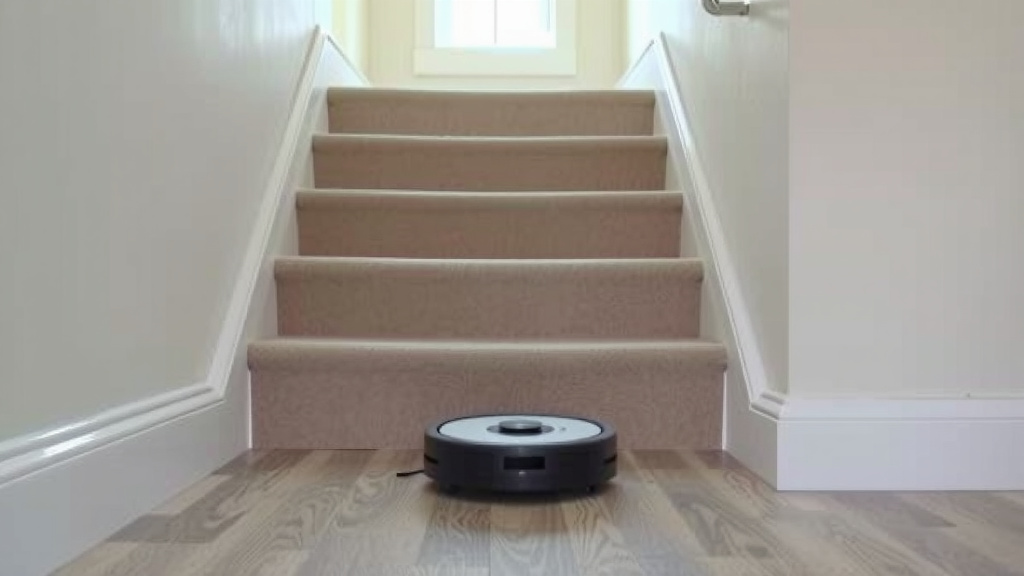
While cliff sensors are your first line of defense, there are specific situations where adding more protection makes a lot of sense. If you have a particularly steep or open staircase, a sensor might not always be enough. Very dark-colored carpet on the stairs can also sometimes be tricky for sensors.
We also found that pets can sometimes interfere with a robot’s path, or perhaps you have a very old robot model with less advanced sensors. In these cases, combining the built-in features with virtual boundaries or physical gates offers the most comprehensive safety net.
Checking Your Robot’s Mapping Features
If your robot vacuum offers advanced mapping capabilities, take advantage of them! During its initial mapping run, ensure it creates an accurate representation of your home. You can then use the app to refine this map.
For example, you can designate specific rooms or areas as off-limits. If you have a multi-story home, ensure the mapping covers the areas around the top of all staircases. Many users find this incredibly helpful for managing their robot’s cleaning zones across different floors.
Quick Checklist for Stair Safety
Here’s a quick rundown to ensure your robot vacuum stays safely away from the stairs:
- Test your cliff sensors by gently guiding the robot towards a safe edge.
- Clean your cliff sensors regularly with a soft, dry cloth.
- Map out no-go zones in your robot’s app around stair areas.
- Consider virtual wall accessories if your app doesn’t offer no-go zones.
- Use physical barriers like baby gates or sturdy door sweeps as an extra layer.
- Review your robot’s manual for specific recommendations on stair navigation.
Conclusion
Keeping your robot vacuum safe from stairs is all about smart technology and a little extra care. You’ve learned how your vacuum’s built-in cliff sensors are your first line of defense. We’ve also seen how simple steps like cleaning these sensors, setting up virtual no-go zones in your app, or even using basic physical barriers like baby gates can provide added peace of mind. By combining these methods, you can create a truly safe cleaning zone for your robot. Your next step? Take a moment to check your robot’s sensors and map out those stair areas in its app for guaranteed safety.
Frequently Asked Questions
What if my robot vacuum doesn’t have cliff sensors?
If your robot vacuum model is older or lacks built-in cliff sensors, you’ll need to rely entirely on physical barriers. A sturdy baby gate or a heavy draft stopper placed at the top of the stairs will be your most effective solution. Some older models might also benefit from magnetic strips or virtual wall accessories if compatible.
Can shiny or dark stairs confuse robot vacuum sensors?
Yes, research and found that very shiny, reflective, or extremely dark surfaces can sometimes trick cliff sensors. The sensors might interpret these surfaces as solid ground. If you have such stairs, it’s wise to use additional methods like virtual boundaries or physical gates to be extra safe.
How often should I clean my robot vacuum’s cliff sensors?
It’s a good idea to clean your robot vacuum’s cliff sensors about once a week, or more often if you notice it struggling or if there’s a lot of dust or pet hair in your home. Regular cleaning ensures they can accurately detect edges and prevent falls.
Will my robot vacuum still clean near the stairs if I use a virtual barrier?
Absolutely. Virtual no-go zones or virtual walls tell your robot precisely where it shouldn’t go, like the edge of a staircase. This allows it to clean the rest of your home effectively while avoiding hazardous drops, giving you the best of both worlds.
Can my robot vacuum get stuck on rug edges at the top of stairs?
Sometimes, a thick rug edge can trigger a robot’s obstacle sensors, making it turn around. However, it’s not a guarantee. If the rug edge is flush with the floor and doesn’t present a significant height difference, the cliff sensors might not be activated. It’s still best to use a virtual barrier or physical gate for complete stair safety.
![7 Best Robot Vacuum For Large House [2026]](https://robotvacuumfact.com/wp-content/uploads/2026/08/7-best-robot-vacuum-for-large-house-2026-featured-768x432.jpg)