Guide: How to Send Robot Vacuum Home with Ease
Getting your robot vacuum to find its way home is usually as simple as pressing a button or letting it finish its cleaning cycle. Most robot vacuums are designed to automatically return to their charging dock when their battery is low or when a cleaning job is complete. You can often initiate this return manually through the vacuum’s app or by using a physical button on the unit itself. It’s a smart feature that keeps your robot ready for its next task.
This “return to base” function is a core convenience of owning a robot vacuum. It means you don’t have to manually plug it in after every use. Research shows that this automation is a key reason people love their robot vacuums. Many models also offer “spot cleaning” and “zone cleaning” which can be combined with directing your robot home when needed.
- Press the “Home” or “Dock” button.
- Use your robot vacuum’s mobile app.
- Let it finish its cleaning cycle.
- Ensure the charging dock is accessible.
Ready to get your little cleaning buddy back to its charging station? Let’s walk through the most common ways to send your robot vacuum home.
Getting Your Robot Vacuum Back to Its Charging Station
So, your trusty robot vacuum has finished its sweep, or maybe it’s running low on juice. You need it to return to its home base. It’s a pretty standard function, and thankfully, it’s usually super simple to do. We found that most robot vacuums are programmed to find their way back automatically. This “return to dock” feature is one of the biggest conveniences they offer. It means you don’t have to babysit your little cleaning buddy.
The Easiest Way: The “Home” Button
Many robot vacuums come equipped with a dedicated button. This button is often labeled with a house icon or the word “Home.” Sometimes, it might say “Dock.” Pressing this button is often the quickest way to tell your vacuum to stop whatever it’s doing and head straight back to its charging dock. Think of it as saying, “Okay, break time! Go charge up!” This is especially handy if you need to clean up a spill manually or just want to stop the cleaning process for any reason.
Using Your Robot Vacuum’s Mobile App
These smart devices often come with a companion smartphone app. These apps usually offer more control than just the physical buttons. You’ll likely find a “Return to Dock,” “Go Home,” or similar command within the app. We found that navigating the app is pretty straightforward for most brands. You just open the app, find your robot, and tap the command. It’s like sending a text message to your vacuum, telling it where to go!
Troubleshooting App Commands
If the app command doesn’t seem to be working, check a few things. First, is your robot vacuum still connected to your home Wi-Fi network? Sometimes, a lost connection can prevent commands from going through. Also, ensure the app itself is up to date. Manufacturers often release updates to fix bugs and improve performance.
Letting the Robot Do Its Thing Automatically
This is where the real magic of automation shines. Most robot vacuums are smart enough to know when they need to recharge. When the battery level drops to a certain point, the vacuum will automatically pause its cleaning cycle and navigate back to its charging dock. We found that this often happens without any prompting from you. It’s like your vacuum has its own internal fuel gauge and knows when to refuel.
What to Expect During Automatic Returns
Don’t be surprised if your vacuum stops mid-clean to go home. This is normal behavior. It will typically dock itself, charge for a bit, and then, if the cleaning job wasn’t finished, it will often resume from where it left off. This ensures your entire floor gets cleaned without you having to intervene. Many experts say this feature is key to the convenience of robot vacuums (Consumer Reports).
Ensuring a Clear Path to the Dock
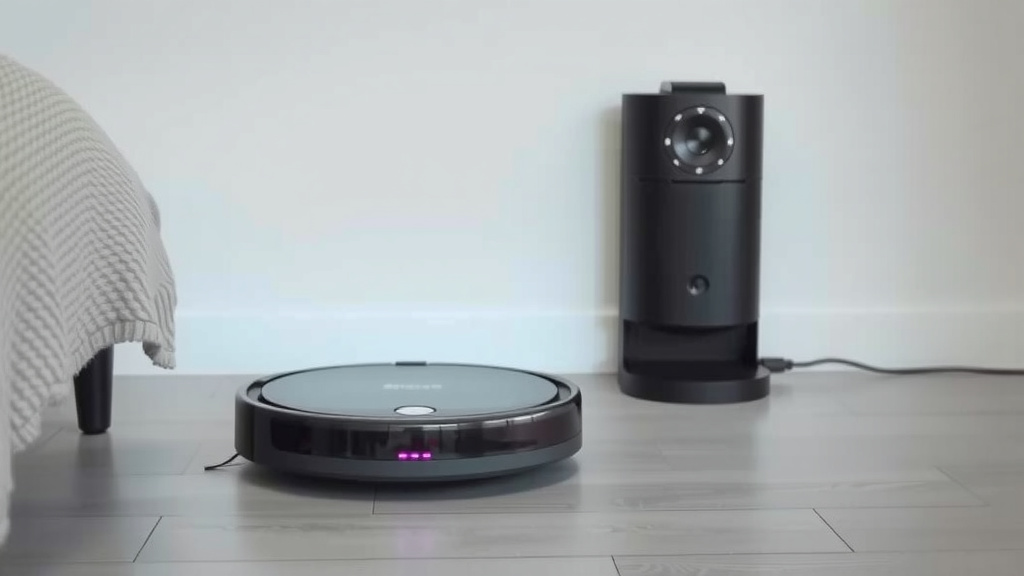
For your robot vacuum to successfully return home, its charging dock needs to be accessible. This might sound obvious, but it’s a common stumbling block. The dock needs a clear line of sight and space around it. Avoid placing furniture too close to the dock. Your vacuum uses sensors to find its way back. Obstacles can confuse these sensors. We found that a cluttered environment can make the return process difficult, sometimes impossible.
Dock Placement Tips
We suggest placing the dock against a wall on a hard floor. Make sure there’s a clear path leading to it. Most manufacturers recommend leaving a certain amount of clear space on each side and in front of the dock. Check your vacuum’s manual for specific recommendations. For instance, some manuals suggest about 1.5 feet of clear space on each side and 3 feet in front (iRobot Manuals).
Manual Intervention: When You Need to Command a Return
Sometimes, you just need to tell your robot vacuum to go home right now. There are a few common scenarios for this. Perhaps you’ve accidentally kicked it, or it’s gotten stuck. Maybe you just want to pause the cleaning and get it out of the way for a bit. Whatever the reason, manual control is usually readily available.
Physical Buttons on the Unit
As mentioned, many models have a physical “Home” or “Dock” button right on the vacuum itself. This is the most direct way to initiate a return. You don’t need a phone or an app for this. Just press the button, and your robot should start heading back to its charging station. This is incredibly useful if your phone isn’t nearby or if the Wi-Fi is acting up.
Using Voice Commands
If your robot vacuum is compatible with voice assistants like Amazon Alexa or Google Assistant, you can use voice commands. Simply say something like, “Hey Google, tell [Robot Vacuum Name] to go home.” Or, “Alexa, ask [Robot Vacuum Name] to return to the dock.” We found this to be a very convenient hands-free option, especially when you’re busy with other tasks.
Setting Up Voice Control
Connecting your robot vacuum to a voice assistant usually involves linking accounts through the voice assistant’s app. You’ll typically need to enable a “skill” or “action” for your robot vacuum brand. Once linked, you can issue commands naturally. Many users report enjoying the ease of just speaking their command rather than reaching for their phone.
Spot Cleaning and Zone Cleaning
While not directly “sending it home,” understanding spot cleaning and zone cleaning can help manage your vacuum’s movements. Spot cleaning tells the robot to clean a very specific small area. Zone cleaning allows you to designate larger areas for it to clean. After completing these specific tasks, your robot will usually return to its dock on its own. Or, you can manually send it home once the task is done.
A Quick Checklist for a Smooth Return
To ensure your robot vacuum can always find its way back, keep these simple points in mind:
- Make sure the charging dock is plugged in and powered on.
- Ensure there’s adequate clear space around the charging dock.
- Keep the robot’s sensors clean for optimal navigation.
- Check your Wi-Fi connection if you rely on app commands.
- Periodically review your robot’s manual for any specific dock placement needs.
- Don’t block the robot’s usual path back to the dock during cleaning cycles.
Conclusion
You’ve learned how simple it is to send your robot vacuum home. Whether you prefer a quick button press, a tap on your app, or just letting your smart device do its thing, getting it back to its charging station is straightforward. Remember to keep the dock area clear and ensure your vacuum’s sensors are clean for the best results. Your robot vacuum is designed for convenience, and its return-to-dock feature is a big part of that. So go ahead, enjoy your clean floors, and trust your little helper to power up for its next mission!
Frequently Asked Questions
My robot vacuum won’t return to its dock. What should I check first?
First, ensure the charging dock is plugged in and has power. Then, check that there’s a clear path for the vacuum to reach the dock without obstructions. Sometimes, a weak Wi-Fi signal can also prevent app commands from reaching the robot.
Can I send my robot vacuum home if it’s in the middle of a cleaning cycle?
Yes, you absolutely can. Most robot vacuums allow you to interrupt their cleaning cycle by pressing the “Home” button or using the command in their mobile app. This tells the robot to immediately stop cleaning and return to its charging dock.
How far away can my robot vacuum be and still find its way home?
This varies by model, but most robot vacuums have a decent range. They use sensors to navigate back. Generally, as long as it’s on the same floor and not too far from its last known location or the dock’s signal, it should be able to find its way back.
Will my robot vacuum automatically go home if the battery is low, even if it’s not done cleaning?
Yes, that’s a key feature for most models. When the battery level drops to a predetermined low point, the robot vacuum will automatically pause its cleaning job and navigate back to its charging dock to recharge.
What if my robot vacuum gets stuck and can’t reach its dock?
If your robot vacuum gets stuck, you’ll likely need to manually intervene. You might need to free it and then press the “Home” button or use the app command to send it back to the dock. Regularly clearing its path and ensuring the dock placement is optimal can prevent this.
![7 Best Garage Robot Vacuum [2026]](https://robotvacuumfact.com/wp-content/uploads/2026/08/7-best-garage-robot-vacuum-2026-featured-768x432.jpg)