Eufy Robot Vacuum: How to Use It Step-by-Step
Let me be honest with you—when I first unboxed my Eufy robot vacuum, I stared at it like I was looking at a piece of alien technology. But here’s the thing: once you understand the basics, operating this little cleaning machine becomes second nature. In this guide, I’m going to walk you through everything you need to know to get your Eufy robot vacuum up and running, so you can reclaim your weekends and stop pushing a traditional vacuum around your home.
Understanding Your Eufy Robot Vacuum Before You Start
Before we dive into the nitty-gritty of operation, let’s talk about what you’re actually dealing with. A robot vacuum is essentially a compact, intelligent cleaning device that navigates your home autonomously, sucking up dust and debris as it goes. Think of it as a tiny robot assistant that works tirelessly while you’re sipping coffee or watching your favorite show.
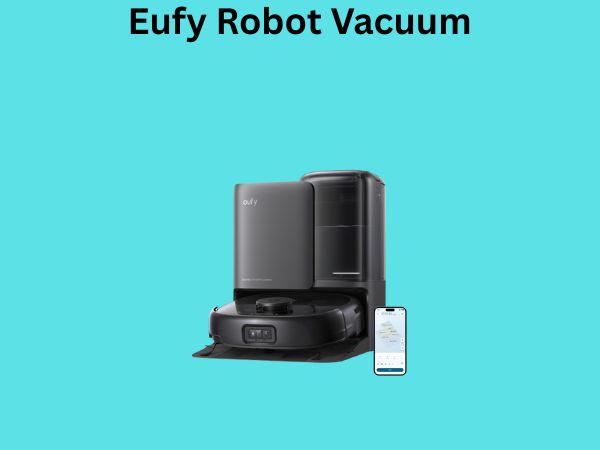
The Eufy robot vacuum comes in several models, each with slightly different features and capabilities. Whether you’ve got the Eufy RoboVac 11S, the RoboVac G30, or one of their premium models, the fundamental operating principles remain largely the same. Understanding these core concepts will make your cleaning experience infinitely more enjoyable and effective.
What’s Inside the Box?
When you first receive your Eufy robot vacuum, you’ll find several components. The main unit—that’s your vacuum itself—is typically the star of the show. Then you’ve got the charging dock, which serves as the home base where your vacuum returns to recharge. You’ll also receive a remote control, some cleaning tools like a side brush and cleaning cloth, and various documentation including the instruction manual and app download information.
Make sure you’ve got all these pieces before you start. Trust me, realizing you’re missing the charging dock after you’ve already cleaned your entire house is not a fun experience.
Initial Setup: Getting Your Eufy Ready for Action
Now that you understand what you’re working with, let’s talk about preparation. This is crucial because improper setup can lead to frustration and suboptimal cleaning performance.
Choosing the Perfect Location for Your Charging Dock
The charging dock is your Eufy’s home base, and placement matters more than you might think. You want to position it in an open area, away from obstacles and clutter. Think of it like parking a car—you need clear access and exit routes. Place the dock on a hard floor, preferably not on carpet, and ensure there’s at least 1.5 meters of clearance on both sides.
Avoid placing the dock near stairs, as this can confuse the vacuum’s navigation system. Similarly, keep it away from areas with loose rugs or cables that could get tangled. A corner of your living room or hallway usually works wonderfully.
Preparing Your Home for Cleaning
Before you hit that power button, take a few minutes to prepare your space. This is a game-changer that many first-time users overlook. Remove any objects from the floor that could interfere with the vacuum’s movement. We’re talking about toys, cords, small furniture, and loose items.
Your Eufy robot vacuum is intelligent, but it’s not intelligent enough to distinguish between a toy block and a Lego brick. So pick up after yourself first. Think of it as clearing the stage before the performance begins.
Assembling the Physical Components
Most Eufy models come with a side brush that needs to be attached before use. This brush helps guide debris toward the main suction area. The attachment process is straightforward—simply line up the brush with the designated slot and snap it into place. It should feel secure, with no wiggling or movement.
You might also need to ensure the dustbin is properly seated in its compartment. Give it a gentle push until you hear a click, which indicates it’s locked in place. These seem like small details, but they’re essential for proper operation.
Downloading and Setting Up the Mobile App
Here’s where the magic really happens. While your Eufy robot vacuum can operate without the mobile app, having it installed transforms your experience entirely. The app gives you remote control capabilities, scheduling options, and real-time status updates.
Finding and Installing the Right App
Head to your device’s app store—whether that’s Apple’s App Store or Google Play Store—and search for “Eufy” or “Eufy Home.” Make sure you’re downloading the official app from Anker Innovations. There are quite a few apps out there, and you want the legitimate one to ensure security and full compatibility with your device.
The app is typically free to download, though some premium features might require a subscription. Once installed, open it and follow the on-screen prompts to create an account or log in.
Connecting Your Vacuum to Your Wi-Fi Network
To control your vacuum remotely, you’ll need to connect it to your home Wi-Fi network. This process usually involves opening the app and selecting “Add Device.” The app will prompt you to put your vacuum in pairing mode, which typically involves pressing a specific button on the device or remote control.
Once the vacuum enters pairing mode, the app will search for it and display it as an available device. Select your home Wi-Fi network, enter your password, and let the connection establish. This might take a minute or two, so patience is key here. Once connected, you’ll see a confirmation message, and you’re all set to control your vacuum from anywhere in your home—or even when you’re away.
Powering On Your Eufy Robot Vacuum
Alright, here’s the moment of truth. Your vacuum is set up, your home is prepared, and the dock is positioned perfectly. Now it’s time to power it on.
Using the Physical Power Button
Your Eufy has a power button, typically located on the top surface of the device. Press and hold this button for a few seconds—usually around three to five—until you see lights illuminate and hear a startup sound. Different models have different audio cues, but you’ll definitely know when it’s turning on.
Once powered on, the vacuum will typically return to its dock to establish its home base position. This is normal behavior. The vacuum needs to know where home is, and this initial docking sequence helps it calibrate its navigation system.
Using the Remote Control
If you prefer, you can also power on and control your Eufy using the remote control that comes in the box. The remote is intuitive, with directional buttons for manual navigation and a large “Clean” button to start automatic cleaning. The remote operates on batteries, so make sure they’re installed before you try to use it.
I personally love the remote for those lazy moments when I want to start cleaning without moving across the room. It gives you immediate, tangible control without needing your smartphone.
Starting a Cleaning Cycle: Your First Run
Now that your vacuum is powered on, it’s time to start cleaning. This is where things get exciting.
The Auto Clean Mode
The simplest way to start cleaning is by pressing the “Clean” button on either the remote control or directly on the vacuum itself. This activates the Auto Clean mode, which tells the vacuum to intelligently navigate your home and clean until it’s satisfied the space is clean, then return to the dock.
What’s happening behind the scenes is pretty cool. The vacuum is using its sensors and mapping technology to detect areas with more debris and spend extra time cleaning them. It’s like having a cleaning professional who knows exactly where to focus their efforts.
Spot Cleaning Mode
Spot cleaning is perfect when you’ve just spilled something or noticed a particularly dirty area. Activate this mode, and the vacuum will focus its cleaning efforts on a concentrated area, moving in a spiral pattern to thoroughly clean that specific spot. This is incredibly useful and saves time when you don’t need a full home clean.
Room-Specific Cleaning Through the App
One of the advantages of using the mobile app is the ability to select specific rooms for cleaning. If you’ve got a multi-room home, you can tell the vacuum to clean just your living room while leaving the bedrooms alone. This feature requires that the vacuum has mapped your home first—which happens automatically over the first few cleaning cycles—but once it has, you have granular control over where cleaning happens.
Understanding Navigation and Mapping Technology
You might be wondering how your Eufy knows where it’s going. It’s not magic, but it’s pretty close.
How Eufy Vacuums Navigate Your Home
Most modern Eufy models use either infrared sensors or laser-based mapping systems to navigate your home. These sensors create a mental map of your space, allowing the vacuum to move efficiently without getting stuck or lost. The vacuum bounces signals off walls and obstacles, creating a detailed understanding of your home’s layout.
The first time your vacuum cleans, it’s essentially learning. It’s discovering where walls are, where obstacles exist, and what the overall layout of your home looks like. Subsequent cleaning cycles become more efficient because the vacuum already knows the terrain.
Viewing Your Home Map on the App
Once your vacuum has completed its first few cleaning cycles, open the app and look for the map view. You’ll see a digital representation of your home, showing where your vacuum has traveled. This is incredibly satisfying to look at, and it also provides practical value. You can identify areas the vacuum might have missed or spots where its navigation could be improved.
Maintenance: Keeping Your Eufy in Peak Condition
A well-maintained vacuum is a happy vacuum. Regular upkeep ensures your device continues to perform optimally and lasts for years to come.
Emptying the Dustbin
After each cleaning cycle, you’ll want to empty the dustbin. How often depends on your home’s condition, but I recommend checking after every use. Press the release button—usually on the back of the dustbin—and slide it out. Hold it over a trash can and press another button to empty the contents. It’s quick, easy, and prevents the vacuum from working with reduced suction power.
Cleaning the Filters
Your Eufy’s filters trap fine particles and dust. Over time, they become clogged, which reduces suction power. Most manufacturers recommend checking and cleaning filters every two to four weeks, depending on usage. You can usually gently tap the filters over a trash bin to remove loose dust, or use a soft brush for deeper cleaning. Some filters are washable under running water—check your specific model’s manual for guidance.
Maintaining the Brushes
Both the side brush and main brush require occasional attention. Hair and fiber can wrap around them, reducing their effectiveness. Once a month, remove the side brush and gently clean away any tangled hair. For the main brush, many models have an access panel that lets you remove it for cleaning. Use a cleaning tool or your fingers to remove tangled debris, then reinstall it securely.
Troubleshooting Common Issues
Even with perfect setup, you might occasionally encounter minor issues. Don’t worry—most of these are easily resolved.
Vacuum Isn’t Moving or Is Stuck
If your Eufy seems stuck in place, first check for physical obstacles like cords or rugs that might have gotten caught underneath. Clear these away manually. If the wheels appear clogged with debris or hair, clean them with a cloth or brush. Sometimes the vacuum just needs a gentle nudge to get moving again.
Poor Suction or Incomplete Cleaning
Reduced suction usually points to a clogged filter or dustbin. Empty the dustbin and clean the filters as described in the maintenance section. This resolves the issue in the vast majority of cases. If cleaning persists after this, check the brush for tangled hair and ensure all components are properly assembled.
App Connection Issues
If your vacuum isn’t appearing in the app or keeps disconnecting from Wi-Fi, try restarting both the vacuum and your router. Sometimes simply re-pairing the device through the app also solves the problem. Make sure your Wi-Fi signal is strong enough in the dock’s location, as weak signals can cause connectivity issues.
Scheduling Automatic Cleaning Sessions
One of the best features of the Eufy app is scheduling. You can tell your vacuum exactly when to clean, creating a hands-free cleaning routine.
Setting Up a Daily Cleaning Schedule
Open the app and navigate to the scheduling section. Select the days you want the vacuum to clean and the time you’d like it to start. Many people schedule cleaning for early morning or while they’re at work. Imagine coming home to a freshly cleaned house without lifting a finger—that’s the Eufy advantage.
You can set different schedules for different days, giving you flexibility. Maybe you want your living room cleaned daily but your bedroom only twice a week. The app allows this granular control.
Advanced Features Worth Exploring
Beyond the basics, your Eufy robot vacuum likely has several advanced features that can enhance your cleaning experience.
No-Go Zones and Virtual Boundaries
Through the app, you can create virtual boundaries that the vacuum won’t cross. This is perfect if you have a room you’d rather the vacuum avoid, or if you want to keep it away from your pet’s food and water bowls. You literally draw these zones on the map, and the vacuum respects them like invisible walls.
Suction Power Adjustment
Most Eufy models allow you to adjust suction power. Different floor types and debris levels require different suction settings. For regular maintenance cleaning, you might use standard suction to preserve battery life. But if you’ve got particularly dirty carpets, cranking up the suction power ensures thorough cleaning, even if it means the vacuum needs to dock more frequently.
Battery Management and Charging
Your Eufy relies on a rechargeable battery, and understanding how to manage it properly extends both battery life and device lifespan.
How Long Does Charging Take?
Most Eufy models take between 5 to 7 hours to fully charge from empty. The vacuum will automatically dock itself when the battery runs low, or you can manually place it on the dock. Think of it like plugging in your phone overnight—it’s the normal rhythm of operation.
Battery Life and Runtime
Battery runtime varies by model and suction setting, but most Eufy vacuums can clean between 90 to 150 square meters on a single charge. For average homes, this means one complete cleaning per charge. Larger homes might require multiple charging sessions, but the vacuum handles this automatically by resuming where it left off once recharged.
Conclusion
Learning to use your Eufy robot vacuum isn’t complicated, but it does require a bit of initial setup and familiarization. The good news is that once you’ve gone through these steps, the vacuum handles the hard work for you. You’ll quickly find yourself wondering how you ever lived without this convenient cleaning companion.
Start with the basics: choose a good dock location, prepare your home, download the app, and run your first cleaning cycle. From there, explore the features that appeal to you most. Whether you’re scheduling automated cleaning sessions, creating virtual boundaries, or simply enjoying the convenience of a clean home without effort, your Eufy robot vacuum is designed to make your life easier.
Remember that like any appliance, a little maintenance goes a long way. Keep the filters clean, empty the dustbin regularly, and brush the wheels occasionally. These simple tasks ensure your vacuum continues to perform at its best for years to come.
The world of automated home cleaning is exciting, and you’re now equipped with the knowledge to make the most of it