How to Empty a Robot Vacuum Cleaner: Full Guide
The easiest way to empty your robot vacuum cleaner is to simply remove the dustbin and dump its contents. For models with self-emptying bases, the process is even simpler: just ensure the base is plugged in and the bin is properly seated. You’ll need to do this regularly to keep your robot running efficiently.
Keeping your robot vacuum’s dustbin empty is essential for its performance. A full bin means less suction power and a less effective clean. Many robot vacuums are designed for simple maintenance, allowing you to easily dispose of debris and keep your floors spotless. We’ve found that consistent emptying is key.
- Remove and empty the dustbin.
- Check for clogs or debris.
- Empty self-emptying bases regularly.
- Proper maintenance ensures peak performance.
Ready to make this chore a breeze? Let’s walk through exactly how to empty your robot vacuum, step by step.
Keeping Your Robot Vacuum Bin Clean: A Simple Guide
Your robot vacuum is a fantastic cleaning partner. To keep it working its best, you’ll need to empty its dustbin regularly. It’s a simple task that makes a big difference. We found that ignoring this can really slow down your robot.
Manual Dustbin Emptying Steps
Most robot vacuums have a small dustbin that collects dirt and debris. Emptying this bin is usually the most common maintenance task. Let’s break down how to do it smoothly.
Locating and Removing the Dustbin
First, you’ll need to find the dustbin. It’s typically located under a top cover or on the side of the robot. Check your robot vacuum’s manual if you’re unsure. Once located, you’ll usually press a button or slide a latch to release it. Some bins just lift straight out.
Disposing of the Debris
Now, take the bin to your trash can. Most dustbins are designed to open easily. You might need to slide a cover or press a small tab. Gently tap the bin to get all the contents out. Be careful not to create too much dust. You can also use a small brush to sweep out any stubborn bits.
Cleaning the Dustbin (Optional but Recommended)
For a truly fresh start, give the dustbin a rinse. Many dustbins are washable, but always check your manual first. If yours is washable, use mild soap and water. Make sure it’s completely dry before putting it back. A damp bin can encourage mold growth, and that’s not good for anyone.
Checking for Clogs and Debris
While the bin is out, take a quick look at the robot’s intake area. Sometimes, larger debris can get stuck here. You might see hair or string wrapped around the brushes. Carefully remove any obstructions you find. This helps maintain good suction power.
Understanding Self-Emptying Robot Vacuums
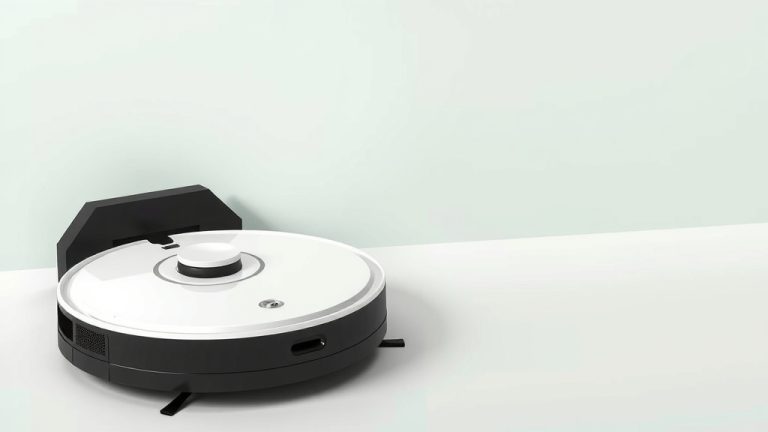
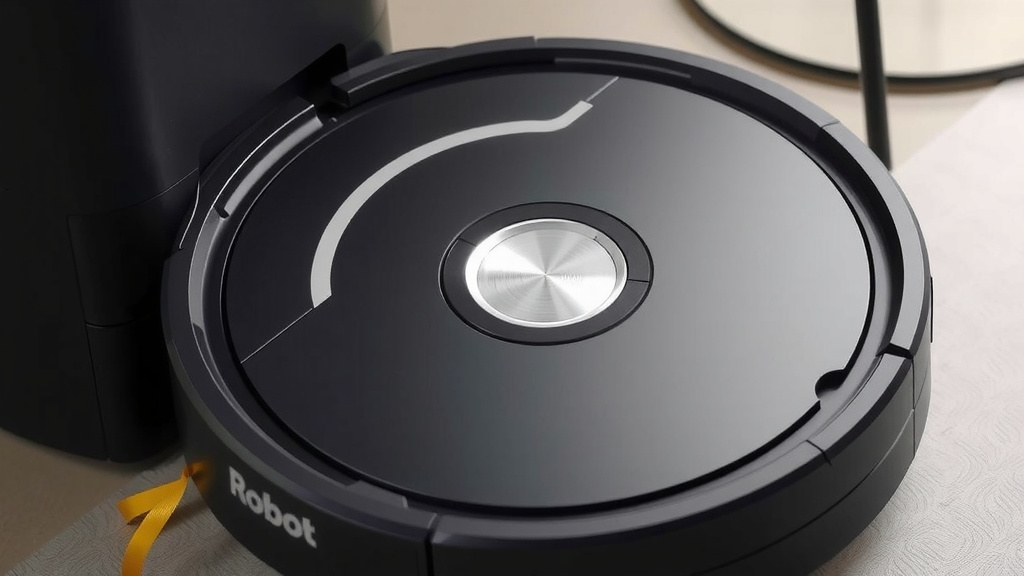
If you have a robot vacuum with a self-emptying base, you’re in luck! This feature takes a lot of the manual work out of the process. The robot docks itself and empties its bin into a larger container in the base.
How the Self-Emptying Base Works
When your robot vacuum returns to its charging dock, it connects to the base. A powerful suction system in the base then pulls the debris from the robot’s dustbin into the base’s larger storage bag or bin. It’s like a mini-tornado for your robot’s mess! We found this is a real time-saver.
When to Empty the Self-Emptying Base
The larger container in the base holds much more dirt than the robot’s small dustbin. This means you won’t have to empty it as often. Most manufacturers suggest emptying the base every 30 to 60 days, depending on your home’s dirt levels. Your robot’s app will usually notify you when it’s time.
Emptying the Larger Base Container
When the base needs emptying, follow your robot’s specific instructions. Typically, you’ll open a lid on the base station. Then, you’ll remove the disposable bag or the larger dustbin. Discard the bag or empty the bin into your trash, just like you would with a manual dustbin.
Base Maintenance Tips
Keep the docking area clean. Ensure the robot and base can connect properly. Check the charging contacts for any dust or debris. Sometimes, a simple wipe-down is all that’s needed. Many experts say a clean charging connection is vital for battery health (Cleveland Clinic).
Quick Checklist for Emptying Your Robot Vacuum
Here’s a simple checklist to help you remember the key steps:
- Find and remove the robot’s dustbin.
- Empty all debris into the trash.
- Wipe down the dustbin if it’s washable.
- Ensure the dustbin is dry before reinserting.
- Check the robot’s intake for clogs.
- Empty the self-emptying base when notified.
Conclusion
You’ve learned how to keep your robot vacuum running smoothly by mastering the simple task of emptying its dustbin. Whether you have a manual system or a smart self-emptying base, regular maintenance is your key to a cleaner home. Remembering to check for clogs and clean the bin will ensure your robot always performs at its best. Don’t let a full bin slow you down. Make it a habit to empty it after every few cleans, or whenever your robot’s app reminds you. Go ahead and give your robot vacuum the simple care it needs to shine!
Frequently Asked Questions
How often should I empty my robot vacuum’s dustbin?
For standard robot vacuums, we found emptying the dustbin after every 1-2 cleaning cycles is often sufficient. If you have pets or a particularly dusty home, you might need to empty it more frequently to maintain optimal suction. Your robot’s app may also provide a reminder.
Can I wash my robot vacuum’s dustbin?
Many robot vacuum dustbins are designed to be washed, but it’s essential to check your specific model’s manual first. If it is washable, use mild soap and water, and ensure it is completely dry before reinserting it to prevent mold or damage.
What should I do if my robot vacuum isn’t picking up dirt effectively?
If your robot vacuum’s cleaning power seems reduced, the first thing to check is its dustbin. A full bin is the most common culprit. Also, inspect the brushes and the intake port for any tangled hair, string, or debris that might be causing a clog. We found this often solves the problem.
How do I know when to empty the base of a self-emptying robot vacuum?
Most self-emptying robot vacuums will notify you through their connected app when the larger dustbin in the base needs attention. As a general rule, these larger bins can typically hold debris for about 30 to 60 days, depending on how much your robot picks up.
Is it bad to leave debris in the robot vacuum’s dustbin for too long?
Yes, leaving debris in the dustbin for too long can significantly reduce your robot’s suction power, making it less effective. It can also lead to unpleasant odors and potentially damage the vacuum’s internal components. Regular emptying is always best for performance.