How to Empty a Robot Vacuum Bag: Step-by-Step
The easiest way to empty a robot vacuum bag is to remove the dustbin and dispose of the contents. Most robot vacuums with auto-empty bases make this process very simple. You typically just need to swap out the old bag for a new one. This keeps your robot running efficiently.
Keeping your robot vacuum’s bag empty ensures it can continue its job without getting clogged. If the bag is too full, your robot may not be able to suck up dirt effectively. We found that regular bag changes are key for optimal cleaning performance and preventing potential damage. It’s a small task that makes a big difference.
- Robot vacuum bags need regular emptying.
- Full bags reduce cleaning power.
- Swapping bags is usually straightforward.
- Check your model’s instructions.
Let’s walk through exactly how to empty your robot vacuum’s bag, step by step.
A Simple Guide to Emptying Your Robot Vacuum Bag
Your robot vacuum is a workhorse for keeping your floors clean. But like any good helper, it needs a little maintenance. Emptying its bag is one of those simple tasks. Doing this regularly keeps your robot running smoothly and prevents messes.
Understanding Your Robot’s Auto-Empty Dock
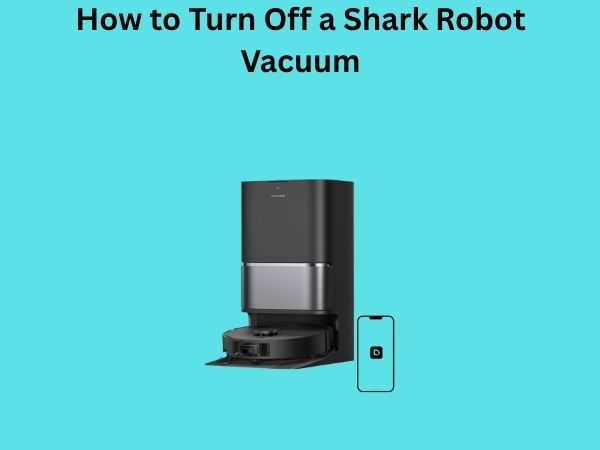
Most modern robot vacuums come with an auto-empty dock. This is the magic station where your robot returns to recharge and, importantly, empty its dustbin. It’s designed to be a hands-off experience for you most of the time. The dock itself has a larger dustbin or bag.
How the Auto-Empty Dock Works
When your robot’s internal dustbin is full, it heads back to its dock. The dock then uses powerful suction to pull the debris from the robot’s bin into its own larger bag or bin. This means you don’t have to empty the small robot bin after every single clean. It’s a fantastic feature for busy households.
Locating the Dust Bag in Your Dock
The dust bag is typically housed within the auto-empty dock itself. You’ll usually find a panel or a lid on the dock. Opening this will reveal the dust bag. Some models might have a visible bag that you pull out, while others have a compartment that holds a disposable bag.
Step-by-Step: Emptying the Dust Bag
Ready to get this done? It’s usually a quick process. Let’s go through the steps together.
Step 1: Prepare Your Robot and Dock
First, ensure your robot vacuum is docked and has finished its cleaning cycle, or has returned to the dock. Make sure the dock is plugged into a power source so it can operate if needed. You don’t want to interrupt the process if the robot decides to empty itself while you’re handling the bag.
Step 2: Access the Dust Bag Compartment
Now, let’s find that bag. Most docks have a clear way to open. Look for a button, a latch, or a specific area to lift on the dock. Some have a top lid that swings open. Others might have a front panel. Check your robot’s manual if you’re unsure. We found that most designs are pretty intuitive.
Different Dock Designs
Designs can vary a bit. Some docks have a sleek, almost hidden compartment. Others might have a more obvious opening. For instance, some brands have a small pull-tab to release the bag holder. Others simply require you to lift a cover. It’s helpful to familiarize yourself with your specific model.
Step 3: Remove the Full Dust Bag
Once you’ve opened the compartment, you’ll see the dust bag. If it’s a disposable bag, it will usually have a way to seal itself shut. This prevents dust from escaping as you remove it. There might be a cardboard flap or a plastic mechanism to slide or pull. Gently pull the bag out. Try to keep it upright.
Handling with Care
Our research indicates that wearing gloves and a mask can be a good idea, especially if you have allergies or sensitivities. This helps minimize your exposure to fine dust particles. Many experts recommend this precaution (Cleveland Clinic).
Step 4: Dispose of the Old Bag
Take the full bag and carefully place it into your regular trash bin. If the bag has a sealing mechanism, make sure it’s fully closed. You want to contain all the dust and debris inside. Once it’s in the trash, you’re done with the old bag.
Step 5: Insert a New Dust Bag (If Applicable)
If your robot uses disposable bags, it’s time to put in a fresh one. Locate the new bag and align it with the opening in the dock. Slide it into place, making sure it’s secure. There’s usually a specific slot or holder for the bag’s opening. You should hear or feel it click into place.
What If Your Dock Uses a Bin Instead of a Bag?
Some auto-empty docks don’t use bags at all. Instead, they have a reusable dustbin. If yours is like this, you’ll simply remove the large bin from the dock. Take it to your trash can and empty its contents directly. Then, rinse the bin with water if needed (check your manual for cleaning advice) and let it dry completely before putting it back. Many sources suggest cleaning these bins regularly to maintain hygiene (CDC).
Step 6: Close the Compartment and Resume Cleaning
With the new bag (or clean bin) in place, close the compartment lid or panel securely. Your robot’s auto-empty dock is now ready for its next job. You can usually press a button on the robot or dock, or use the app, to send it back out for cleaning if it wasn’t scheduled.
Frequency of Bag Changes
How often should you do this? It really depends on your home. If you have pets or lots of foot traffic, you might need to change it more often. Many users find they need to empty the auto-empty dock bag every 30-60 days. Some robot vacuum apps will even notify you when the bag is full.
Signs It’s Time for a Change
Are you noticing your robot isn’t cleaning as well? Or perhaps the auto-empty dock isn’t emptying the robot’s bin completely? These are good signs the bag in the dock is full. Don’t wait for error messages. Checking it visually every few weeks is a smart move.
Tips for Optimal Performance
Keeping things clean is key. Here are a few extra tips:
- Always check your robot’s manual for model-specific instructions.
- Make sure the new bag is the correct type for your dock.
- Clean the dock’s filters regularly.
- Keep the robot’s main brushes and filters clear of debris.
Following these simple steps ensures your robot vacuum continues to be the helpful cleaning companion you count on!
Conclusion
You’ve now learned how simple it is to keep your robot vacuum working its best by emptying its dust bag. We covered how your auto-empty dock makes this easy and walked through the few steps involved. Remember, regular bag changes aren’t just about convenience; they ensure your robot can effectively clean your home. Don’t wait for an error message. Make a habit of checking your dock’s bag monthly. Your floors will thank you for it!
Frequently Asked Questions
How often should I replace the dust bag in my robot vacuum’s dock?
Most users find they need to replace the dock’s dust bag every 30 to 60 days. This can vary based on your home’s traffic and if you have pets. Many robot vacuum apps will notify you when it’s time for a change.
What if my robot vacuum dock doesn’t use bags?
Some auto-empty docks use a reusable dustbin instead of disposable bags. If yours has a bin, simply remove it from the dock, empty its contents into your trash can, and rinse it clean if necessary. Make sure it’s completely dry before returning it.
Can I use generic or off-brand dust bags for my robot vacuum?
It’s best to use the specific bags recommended by your robot vacuum’s manufacturer. Generic bags might not fit correctly or seal properly, which could lead to dust escaping or damage to the dock. Always check your manual for compatible accessories.
What should I do if the auto-empty dock isn’t emptying the robot’s bin?
If the dock isn’t emptying your robot’s bin, the first thing to check is the dust bag in the dock itself. If it’s full, replace it. Also, ensure there are no blockages in the robot’s bin or the dock’s emptying port. A visual inspection can help identify most issues.
Is it necessary to wear gloves and a mask when changing the dust bag?
While not always strictly required, wearing gloves and a mask is a good precaution, especially if you have allergies or are sensitive to dust. This helps minimize your exposure to fine particles as you handle the full bag.