How to Empty a Shark Ion Robot Vacuum: Steps
Emptying your Shark Ion Robot Vacuum is a straightforward process, typically taking less than a minute once you know the steps. You’ll want to regularly empty the dustbin to ensure your robot runs efficiently and avoids performance issues. It’s a key part of routine maintenance.
Keeping your robot vacuum’s dustbin clear is vital for its cleaning power. A full bin means it can’t pick up more debris, leaving your floors less clean than they should be. We found that frequent emptying also helps prevent unpleasant odors from building up.
- Locate the dustbin release button.
- Gently pull the dustbin out.
- Empty contents into a trash can.
- Slide the dustbin back into place.
Ready to get started? Let’s walk through exactly how to empty your Shark Ion Robot Vacuum step by step so you can get back to enjoying clean floors.
Keeping Your Shark Ion Robot Vacuum Ready to Roll: Easy Dustbin Emptying
Your Shark Ion Robot Vacuum is designed to make life easier. Keeping it working its best is just as simple. A clean dustbin is the key to a happy robot and cleaner floors. We found that a quick empty after each major cleaning session is ideal.
Locating and Releasing the Dustbin
The first step is finding the dustbin. It’s usually located on the top or back of your robot. Look for a button or a latch mechanism. This is your dustbin release.
Finding the Release Button
On most Shark Ion models, the dustbin release button is pretty obvious. It’s often a colored button, sometimes blue or gray, and it’s positioned to be easily accessible. You don’t need special tools for this. Just a gentle push is all it takes.
Removing the Dustbin with Care
Once you’ve located and pressed the release button, you can gently pull the dustbin away from the robot. It should slide out smoothly. If it feels stuck, double-check that you’ve fully engaged the release mechanism. Avoid using excessive force, as this could damage the bin or the robot’s housing.
Emptying the Debris: What to Expect
Now that the dustbin is in your hand, it’s time to get rid of the collected dirt and debris. This is where you’ll see exactly what your robot has been busy cleaning up!
Disposing of the Contents
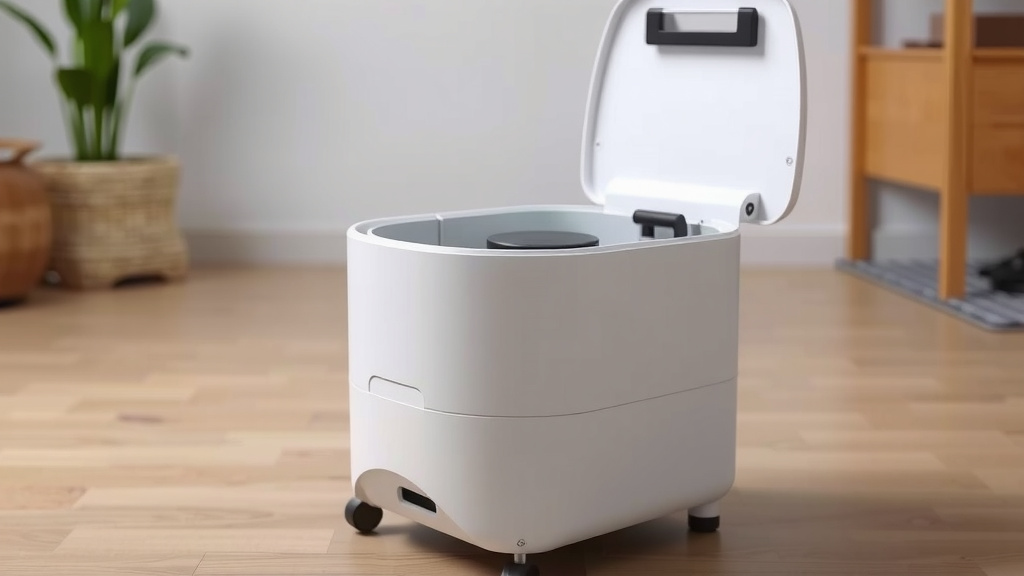
Take the dustbin over to your trash can. Most dustbins open up easily, often with a lid or a side panel. You might need to press another small tab or slide a piece to open it. Let the contents fall directly into the trash. For really fine dust, you might want to hold the bin closer to the can opening. We found that emptying it directly into a lined trash bag can also help minimize mess.
Dealing with Clumps or Stubborn Debris
Sometimes, you might find larger debris or compacted dirt that doesn’t just fall out. In these cases, you can gently tap the dustbin against the side of the trash can. If something is really stuck, you can carefully use your fingers or a soft brush to dislodge it. Remember, your robot’s filter might also be in or near the dustbin, so be gentle to avoid damaging it.
Checking for and Cleaning the Filter
While you have the dustbin out, it’s a great time to check on the filter. Many Shark Ion models have a washable filter. Refer to your robot’s specific manual for cleaning instructions. A clean filter is essential for maintaining strong suction power and air quality. Many experts suggest cleaning the filter weekly (Cleveland Clinic).
Reinserting the Dustbin: The Final Step
Putting the dustbin back is as simple as removing it. You want to ensure it’s securely in place for the robot to function correctly.
Aligning and Sliding Back
Carefully align the dustbin with the slot it came from. There are usually guides or grooves to help you. Gently push the dustbin back into the robot until you hear or feel it click into place. This confirms it’s properly seated.
Confirming it’s Secured
Give the dustbin a gentle tug to make sure it’s locked in. If it comes out easily, it’s not secured. Slide it back in until you achieve that satisfying click. A properly secured dustbin prevents leaks and ensures your robot can continue its cleaning tasks without interruption.
Quick Checklist for Dustbin Maintenance
Here’s a handy checklist to keep your Shark Ion Robot Vacuum’s dustbin in top shape:
- Locate the dustbin release button.
- Gently pull the dustbin free from the robot.
- Empty all collected debris into a trash can.
- Check and clean the dustbin’s filter if applicable.
- Align and slide the dustbin back until it clicks.
- Give the dustbin a light pull to confirm it’s secure.
Conclusion
You’ve now learned the simple steps to keep your Shark Ion Robot Vacuum’s dustbin clean and your floors spotless. Regularly emptying the bin ensures your robot performs at its best, preventing lost suction and picking up more dirt. It’s a small task that makes a big difference in your home’s cleanliness. Make it a habit to empty the bin after each cleaning cycle to maintain optimal performance. Give your robot a quick clean-out, and it’ll be ready for its next mission!
Frequently Asked Questions
How often should I empty my Shark Ion Robot Vacuum’s dustbin?
We recommend emptying the dustbin after each major cleaning session, or whenever you notice a decrease in suction power. For homes with pets or heavy foot traffic, more frequent emptying might be necessary. This ensures your robot can always pick up the maximum amount of debris.
Can I wash the dustbin or its filter?
Many Shark Ion Robot Vacuum dustbins and their filters are washable, but it’s essential to check your specific model’s manual. If washable, ensure the dustbin and filter are completely dry before reinserting them. A damp filter can damage the robot or lead to mold growth.
What should I do if the dustbin feels stuck?
If the dustbin feels stuck, don’t force it. Double-check that you’ve fully pressed the release button or unlatched the mechanism. Sometimes, debris can get lodged around the edges. Gently try wiggling the bin as you pull, and ensure no stray hair or dirt is preventing its release.
My robot isn’t picking up as much dirt. Could the dustbin be the issue?
Yes, a full or partially full dustbin is often the culprit when your robot isn’t picking up dirt effectively. When the bin is too full, the airflow is restricted, and the robot can’t draw debris into it. Emptying the bin is the first troubleshooting step we’d suggest.
Where is the dustbin located on my Shark Ion Robot Vacuum?
On most Shark Ion models, you’ll find the dustbin located on the top or the back of the robot. Look for a prominent release button, often colored, which signals where the dustbin can be detached. Refer to your owner’s manual if you’re having trouble locating it.