How to Empty an Ionvac Robot Vacuum: Easy Guide
Emptying your Ionvac robot vacuum is a simple process. The easiest way is to locate the dustbin, press the release button, and dump the contents into your trash can. You’ll want to do this regularly to keep your vacuum running efficiently and **prevent clogs**. This ensures your floors stay clean without any extra fuss.
Keeping your Ionvac’s dustbin clean is **key to its performance**. A full bin can lead to reduced suction power and potential damage over time. Many users find that emptying it after each cleaning cycle is the best habit to build. This simple step makes a big difference in how well your robot vacuum works and how long it lasts.
- Locate the dustbin.
- Press the release button.
- Empty the dust into your trash.
- Do this after each cleaning cycle.
Ready to get your Ionvac’s dustbin emptied? Let’s walk through exactly how to do it, step by step, so you can get back to enjoying your clean home.
You’ve got your Ionvac robot vacuum humming along, keeping your floors tidy. But what happens when its little belly gets full? Don’t worry, emptying the dustbin is one of the simplest maintenance tasks. Think of it like taking out the trash for your robot helper. Doing this regularly ensures it can keep working its magic without getting bogged down.
Keeping Your Ionvac Dustbin Clean
Your Ionvac robot vacuum relies on a clear path for debris. The dustbin is where all that dirt, dust, and pet hair ends up. If it gets too full, your vacuum can’t suck up new messes effectively. We found that a **clogged bin** is the most common reason for reduced suction power. It’s a simple fix that makes a big difference.
Why Regular Emptying Matters
Imagine trying to breathe through a stuffy nose. Your robot vacuum feels something similar when its dustbin is overflowing. Research suggests that **overfilling the bin** can put extra strain on the motor. This could potentially shorten its lifespan. Plus, a full bin can even cause dust to escape back into your clean rooms. That’s the opposite of what you want!
When to Empty Your Ionvac’s Dustbin
The best practice is to empty the dustbin after **each cleaning cycle**. This way, it’s always ready for the next job. If you have pets or a particularly dusty home, you might need to check it more often. Some users find that a quick peek after every run prevents any issues. It’s a small habit that keeps your vacuum **performing optimally**.
Step-by-Step Guide to Emptying Your Ionvac Dustbin
Ready to tackle this task? It’s much easier than you might think. We’ve broken it down into simple steps so you can get it done quickly.
Locating the Dustbin
First things first, you need to find the dustbin. On most Ionvac models, it’s located on the **back or side** of the robot. You’ll often see a small button or latch nearby. Consult your specific Ionvac manual if you’re having trouble finding it. But generally, it’s quite accessible.
Releasing the Dustbin
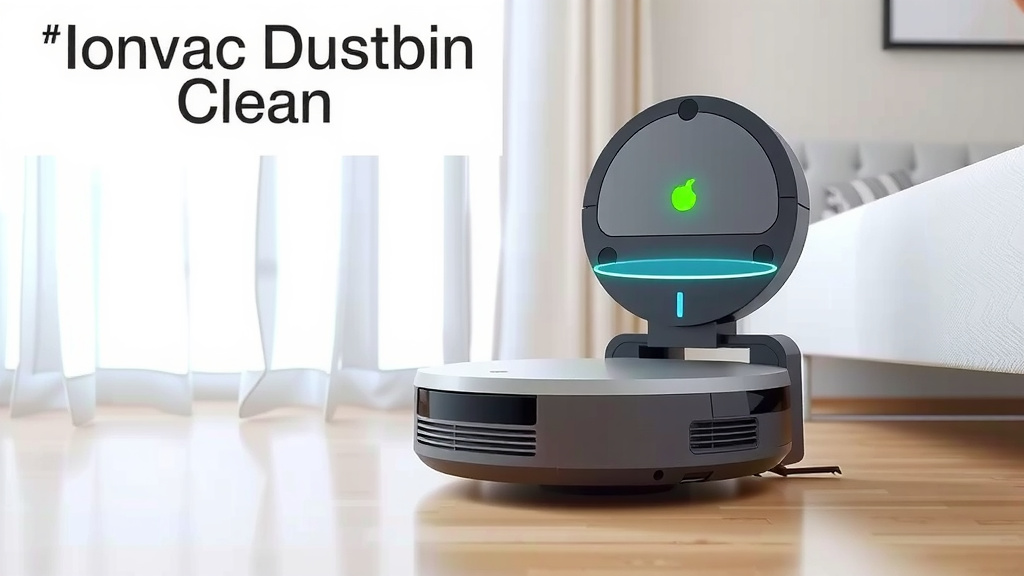
Once you’ve located the dustbin, look for a **release button or latch**. Press this button firmly. The dustbin should then detach from the main body of the robot. Sometimes, you might need to gently pull it away. It should slide out smoothly.
Discarding the Debris
Now for the messy part! Take the removed dustbin directly to your trash can. Flip it over and **empty the contents** into the bin. You might need to tap it gently to get all the debris out. Be prepared – sometimes there’s more in there than you expect!
Cleaning the Dustbin (Optional but Recommended)
While the dustbin is out, it’s a good time to give it a quick clean. You can often rinse it with water. Make sure it’s **completely dry** before putting it back. Moisture can lead to mold or damage the vacuum. Many manufacturers suggest washing it every few weeks. Check your manual for specific cleaning instructions for your model.
Reinserting the Dustbin
Finally, slide the clean, dry dustbin back into its place on the Ionvac robot. You should hear or feel a **click** when it’s properly secured. Give it a gentle tug to make sure it’s locked in. Your robot is now ready to roll!
Tips for a Smoother Dustbin Emptying Experience
Want to make this task even easier? Here are a few tricks we found helpful. They can save you time and keep things a bit cleaner.
Prepare Your Workspace
Before you start, have your trash can ready. You might want to place a piece of newspaper or a towel down, especially if you’re worried about making a mess. This simple prep work helps contain any stray dust. It turns a potentially messy job into a **quick and clean** one.
Use a Tool for Stubborn Debris
Sometimes, hair or larger debris can get stuck in the dustbin. A small brush or even a pair of tweezers can help you **dislodge stubborn bits**. Be gentle, though, so you don’t damage the dustbin or its filter. Most Ionvac models come with a cleaning tool for this purpose.
Don’t Forget the Filter!
Many robot vacuums have a filter inside or attached to the dustbin. These filters trap fine dust particles. If your filter is clogged, it will affect suction. Most filters can be **gently tapped** to remove dust, or some can be washed. Always check your manual for the correct filter maintenance. Replacing the filter periodically is also a good idea. Experts suggest checking it monthly and replacing it every 2-3 months (CDC guidelines for air quality often reference filtration efficiency).
Regular Maintenance Schedule
To avoid surprises, create a routine. Here’s a simple checklist to keep you on track:
- Empty dustbin after every cleaning cycle.
- Check for full bin before starting a new clean.
- Wipe down the exterior of the dustbin weekly.
- Wash the dustbin and filter monthly (ensure dry before reinsertion).
- Replace filters every 2-3 months or as per manual.
- Inspect brushes and wheels for debris weekly.
Troubleshooting Common Dustbin Issues
What if things don’t go as planned? Here are a couple of common hiccups and how to solve them.
Dustbin Won’t Release
If the dustbin is stuck, check for any **obstructions** around the release button or latch. Sometimes, a piece of debris might be jamming it. Try gently wiggling the bin while pressing the release. If it still won’t budge, consult your manual or contact customer support. Forcefully pulling could break it.
Dust Escaping After Emptying
Is dust still spilling out? Double-check that the **dustbin is properly seated** in the robot. Make sure the filter is correctly installed and clean. A damaged filter or a poorly fitted dustbin is usually the culprit. This is why a good seal is so important for containment.
Conclusion
You’ve learned how simple it is to keep your Ionvac robot vacuum working its best by regularly emptying the dustbin. We’ve covered finding it, releasing it, and discarding the debris. Remember, a clean bin means better suction and a longer lifespan for your helpful robot. Don’t forget to give the dustbin and filter a quick clean periodically to prevent clogs and airborne dust. Your next step is to make emptying the dustbin a consistent habit, ideally after each cleaning session, so your Ionvac is always ready to make your home shine.
Frequently Asked Questions
How often should I really empty my Ionvac’s dustbin?
The best practice we’ve found is to empty your Ionvac’s dustbin after every single cleaning cycle. This prevents overfilling and ensures optimal suction power for each run. If you have pets or a particularly dusty environment, a quick visual check before each use is also a smart idea.
What if my Ionvac’s dustbin feels really stuck?
If the dustbin is hard to release, check for any debris caught around the button or latch. Gently try wiggling the bin while pressing the release. Avoid using excessive force, as this could damage the mechanism. If it remains stuck, consulting your user manual or customer support is the next best step.
Can I wash my Ionvac’s dustbin?
Yes, many Ionvac dustbins are washable. We recommend checking your specific model’s manual for exact instructions. If you do wash it, ensure the dustbin and its filter are **completely dry** before reinserting them into the robot. Moisture can cause damage or mold.
My Ionvac still seems to have low suction after emptying the bin. What else could it be?
If suction is still low after emptying the dustbin, the culprit might be a clogged filter. We found that filters can trap fine dust and require cleaning or replacement. Also, check the main brush roll and side brushes for tangled hair or debris that could be impeding performance.
How do I clean the dustbin filter on my Ionvac?
Most Ionvac filters can be cleaned by gently tapping them over a trash can to dislodge dust. Some are also washable, but always refer to your manual. Regularly cleaning or replacing the filter is key to maintaining strong suction power and preventing dust from recirculating.
![7 Best Robot Vacuum On The Market Today [2026]](https://robotvacuumfact.com/wp-content/uploads/2026/09/7-best-robot-vacuum-on-the-market-today-2026-featured-768x432.jpg)