
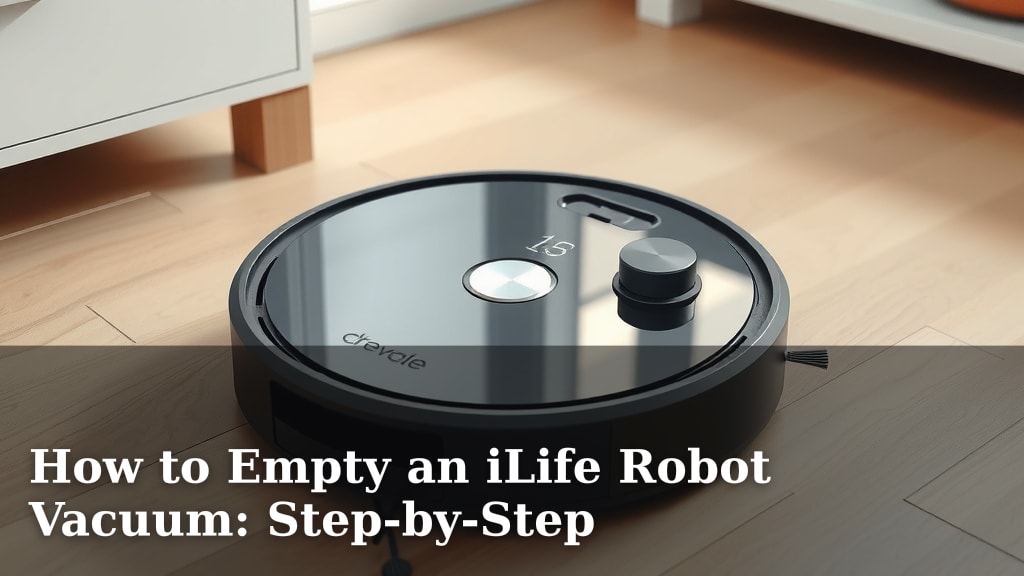
How to Empty an iLife Robot Vacuum: Step-by-Step
The easiest way to empty your iLife robot vacuum is by removing and emptying its dustbin. You’ll want to do this regularly to keep your robot running smoothly. Following a few simple steps ensures you can get this **chore done quickly** and without any fuss. It’s a **straightforward process** anyone can manage.
Keeping your robot vacuum’s dustbin empty is key to maintaining its cleaning performance. A full bin can lead to **reduced suction power** and may even cause the robot to stop working. Regular emptying prevents dust buildup and ensures your iLife robot can effectively clean your floors. Many users find this a **simple yet vital task**.
- Locate the dustbin.
- Remove the dustbin from the robot.
- Empty the contents into a trash bag.
- Reinsert the dustbin.
Ready to get that dustbin emptied? Let’s walk through the exact steps to make it super easy.
You’ve got your trusty iLife robot vacuum humming along, making your floors sparkle. But like any hardworking cleaning buddy, it needs a little emptying now and then. Don’t worry, it’s not a big chore. We’ve broken down exactly how to keep that dustbin clean and your robot happy.
Getting Your iLife Robot Vacuum’s Dustbin Ready for Emptying
Before you can tackle the dustbin, let’s make sure you know where to find it and what you’ll need. It’s usually a pretty simple process, designed for quick access.
Locating the Dustbin
Your iLife robot vacuum’s dustbin is its collection point for all the dirt and debris. Most models have it located at the back or underside of the robot. You’ll typically see a small latch or button to release it. Some models might require you to lift a top cover. Check your robot’s manual if you’re unsure, but it’s usually quite obvious once you look.
What You’ll Need
You won’t need a whole toolkit for this. In fact, you probably have everything you need right now. A trash can or a trash bag is essential. You might also want a damp paper towel or a small brush for any stubborn bits, though this isn’t always necessary.
Steps to Remove and Empty the Dustbin
This is where the real action happens. We’ll guide you through each step so you can get it done efficiently.
Step 1: Detaching the Dustbin
Once you’ve located the dustbin, the next step is to remove it. Press the release button or lift the designated tab. You should feel a slight click as it disengages. Carefully pull the dustbin away from the robot. Be gentle; you don’t want to force it. If it feels stuck, double-check for any latches you might have missed.
Step 2: Disposing of the Debris
Now for the satisfying part! Take the dustbin over to your trash can or open trash bag. Most dustbins have a hinged lid. Open this lid and carefully tip the contents into the trash. Try to do this directly over the bin to avoid making a mess. Sometimes, small particles can cling to the sides.
Step 3: Cleaning the Dustbin (Optional but Recommended)
While the dustbin is out, it’s a great time for a quick clean. For most models, you can rinse the dustbin under cool water. Make sure to let it **air dry completely** before putting it back. This prevents moisture from getting into your robot. Some iLife models have washable filters, too. Check your manual to see if yours does. A clean bin means a cleaner home.
Dealing with Filters
Many iLife vacuums come with filters. These can trap fine dust and allergens. Some filters are washable, while others need to be replaced periodically. If your filter is washable, rinse it gently under water and let it dry thoroughly. If it’s not washable, a light tap over the trash bin might dislodge loose debris. Research indicates that regular filter maintenance can improve air quality (CDC).
Step 4: Reinserting the Dustbin
Once the dustbin is empty and any washable parts are dry, it’s time to put it back. Align the dustbin with its slot on the robot. Gently push it in until you hear or feel it click into place. This confirms it’s securely reattached. A properly seated dustbin is crucial for the robot to function.
Frequency of Dustbin Emptying
So, how often should you be doing this? It really depends on your home and how often you use your robot.
General Guidelines
For most households, emptying the dustbin **after every cleaning cycle** is a good rule of thumb. This ensures your robot always has maximum capacity for its next run. If you have pets that shed a lot or a larger home, you might need to empty it more frequently. A visual check is often the best indicator.
Signs Your Robot Needs Emptying
Your robot might give you some hints. If you notice a drop in cleaning performance or the robot seems to be struggling, the dustbin is likely full. Some models may even have an indicator light or an app notification. Trust your eyes and ears; a heavy or overflowing bin is a clear sign.
Here’s a quick checklist to keep you on track:
- Check the dustbin before or after each cleaning cycle.
- Locate the dustbin release mechanism.
- Gently remove the dustbin.
- Empty contents directly into the trash.
- Clean or replace the filter as needed.
- Ensure the dustbin clicks back securely.
Tips for Easier Dustbin Maintenance
Want to make this task even simpler? A few smart habits can go a long way.
Pre-Cleaning Preparation
Before starting a cleaning session, take a quick look at the dustbin. If it’s already quite full, empty it first. This ensures your robot starts with a clean slate and can collect as much debris as possible. It’s like giving your vacuum a fresh start.
Using the Right Tools
When emptying, use a trash bag that seals well. This helps contain dust and prevent it from escaping into your home during disposal. If you have allergies, consider wearing a mask. Many users find that a quick wipe with a damp cloth after emptying helps keep the bin itself clean.
When to Consider a Replacement Filter
Filters have a lifespan. If you notice a persistent dusty smell or the filter looks visibly damaged or clogged, it’s time for a new one. Replacing filters regularly, often every 2-3 months depending on usage, is key to maintaining suction power and clean air. Research suggests that clogged filters can significantly reduce a vacuum’s efficiency (National Institutes of Health).
Conclusion
You’ve now learned how simple it is to keep your iLife robot vacuum running at its best. Regularly emptying the dustbin is a small task that makes a big difference in cleaning performance. Remember to locate it, detach it gently, dispose of the debris, and secure it back in place. Taking a moment to clean the dustbin and filter will further boost your robot’s efficiency and help maintain cleaner air in your home. So, make it a habit to check the dustbin after each clean, and you’ll enjoy spotless floors with minimal effort. Your next step is to implement this routine consistently, ensuring your robot always performs optimally for you.
Frequently Asked Questions
How often should I clean my iLife robot vacuum’s dustbin?
For most homes, emptying the dustbin after every cleaning cycle is recommended. If you have pets or a larger living space, you might need to empty it more frequently. A quick visual check will tell you when it’s getting full.
What if my iLife dustbin feels stuck when I try to remove it?
If the dustbin feels stuck, double-check that you’ve pressed the release button or lifted the correct tab. Ensure there are no other latches or catches securing it. Avoid forcing it, as this could damage the robot or the dustbin.
Can I wash my iLife robot vacuum’s dustbin?
Many iLife dustbins are washable. Always check your specific model’s manual first. If washable, use cool water and ensure the dustbin is **completely air dry** before reinserting it to prevent moisture damage.
My iLife vacuum doesn’t seem to be picking up as much dirt. What could be wrong?
A common reason for reduced suction is a full dustbin. Other causes can include clogged filters or brush rolls. Ensure your dustbin is empty and check that the filters are clean or need replacing according to the manufacturer’s recommendations.
How do I know when to replace the filter in my iLife robot vacuum?
You should consider replacing your filter if it looks visibly clogged, damaged, or if you notice a persistent dusty smell. For most users, replacing filters every 2-3 months, depending on usage and home environment, helps maintain optimal performance.



![7 Best Robot Vacuum And Mop Shark [2026]](https://robotvacuumfact.com/wp-content/uploads/2026/08/7-best-robot-vacuum-and-mop-shark-2026-featured-768x432.jpg)