
How to Disassemble a Shark Robot Vacuum
Disassembling your Shark robot vacuum is quite straightforward. The easiest way to begin is by ensuring your robot is powered off and unplugged. You’ll then typically need to remove the main brush and side brushes first. This process helps with cleaning and maintenance.
Sometimes, your trusty robot might need a deeper clean or a part replaced. Taking it apart carefully is key. We found that most Shark models follow a similar pattern for disassembly. This makes troubleshooting and upkeep much more manageable for your specific model.
- Turn off and unplug your robot.
- Remove the main brush.
- Remove the side brushes.
- Carefully locate and remove any screws.
- Keep track of all parts.
Ready to get started? Let’s walk through the simple steps together to get your Shark robot vacuum apart safely.
Taking Apart Your Shark Robot Vacuum: A Step-by-Step Guide
So, your Shark robot vacuum needs a little attention. Maybe it’s not performing as it should, or perhaps you just want to give it a thorough cleaning. You’re in the right place. We found that most Shark robot vacuums have a similar design, making disassembly a fairly **consistent process** across different models. This guide will walk you through it, step by step, so you can get your trusty cleaning companion back in top shape.
Preparing Your Robot for Disassembly
Before you even think about grabbing a screwdriver, let’s make sure we’re working safely. The first and most important step is to power down your robot completely. You’ll also want to unplug it from its charging base. This prevents any accidental startups, which could be a real hazard. Imagine if it started whirring while you had your fingers inside – not a good scenario! Always prioritize safety when working with any electronic device.
Removing the Main Brushroll
The main brushroll is usually the first component you’ll want to tackle. It’s the workhorse that picks up larger debris. You’ll find it underneath the robot. Most Shark models have a **simple latch or a small locking mechanism** holding it in place. You might just need to press a button or slide a lever. Some models may have a brushroll cover that needs to be removed first. Gently lift this cover, and the brushroll should then slide out easily. If it feels stuck, double-check for any hidden clips or screws.
Detaching the Side Brushes
Next up are the side brushes. These are the smaller brushes that spin to sweep dirt from edges and corners into the vacuum’s path. They are usually attached with a **single screw each**. You’ll likely need a Phillips head screwdriver for this. Simply turn the screw counter-clockwise until it comes loose. Once the screw is out, you should be able to pull the side brush straight off its post. Keep these screws safe; they’re small and easy to misplace. We recommend putting them in a small container right away.
Accessing the Internal Components
Now that the external brushes are out of the way, we can start looking at how to get to the heart of your Shark robot. This is where you might need to get a bit more hands-on. We found that Shark designs these robots with user maintenance in mind, so it’s rarely overly complicated. Just proceed with a little patience.
Locating and Removing Bottom Screws
Flip your robot over so the underside is facing up. You’ll now see a series of screws holding the main housing together. These are typically Phillips head screws. The number and placement can vary slightly between Shark models. Take a good look around the perimeter and any central panels. We suggest using a screwdriver that fits snugly into the screw heads to avoid stripping them. As you remove each screw, place it in your designated container. It’s helpful to note where each screw came from if they appear to be different sizes, though many are uniform.
Keeping Track of Screw Locations
To make reassembly a breeze, consider using a small piece of paper or cardboard. You can poke the screws through the paper in the pattern of their original locations. This way, you’ll know exactly which screw goes where when you put everything back together. Many users find this trick **extremely helpful** and a real time-saver.
Removing the Top Casing
Once all the visible screws on the bottom are removed, you can usually lift the main body or top casing off. Sometimes, there might be a few clips that need to be gently pried apart. You can use a plastic pry tool or even a credit card to **carefully separate the seams** without damaging the plastic. Work your way around the edges, applying gentle pressure. You might hear small clicks as the clips release. Avoid using excessive force, as this could break the plastic housing.
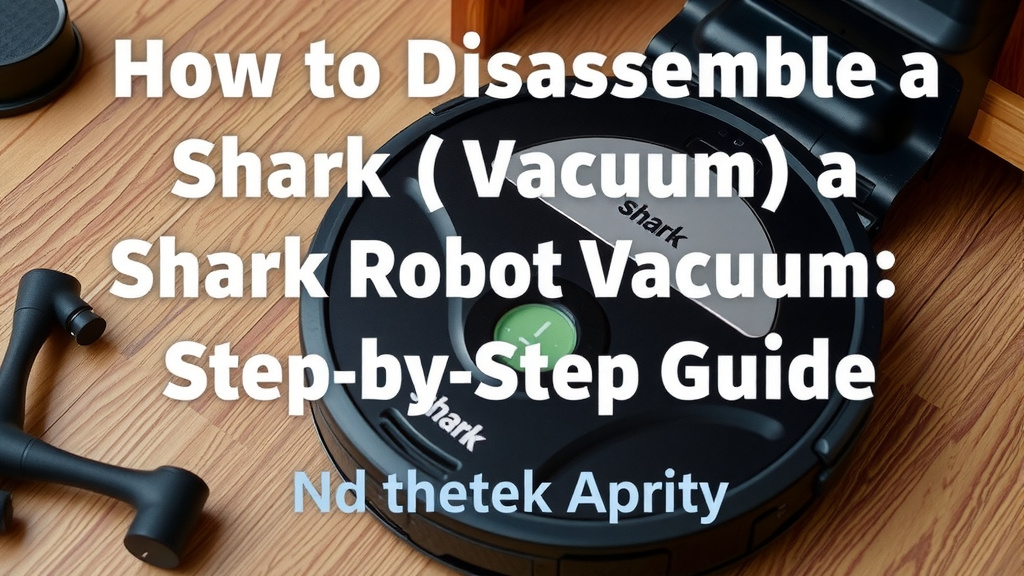
Cleaning and Maintenance Opportunities
With your Shark robot vacuum partially disassembled, you now have a great opportunity for a deep clean. You can reach areas that are normally hard to access. This is the perfect time to remove any accumulated dust, hair, or debris from the internal parts. Think of it like giving your robot a spa day. A clean robot is a happy, efficient robot!
Cleaning the Brushroll Housing
The area where the main brushroll sits can often accumulate a lot of tangled hair and fine dust. Use a small brush or a damp cloth to wipe down this cavity. Make sure to get into all the nooks and crannies. If you have a Shark robot vacuum with a self-cleaning brushroll feature, ensure that feature’s components are also clean.
Inspecting and Cleaning Sensors
Most robot vacuums have various sensors that help them navigate and avoid obstacles. These are usually located on the front, sides, and bottom of the unit. You’ll often find cliff sensors (to prevent falls) and bumper sensors. Gently wipe these with a dry, soft cloth. Sometimes, a buildup of dust or smudges can **interfere with their function**, leading to navigation issues. Keeping them clean is key for optimal performance (Cleveland Clinic).
Checking the Dustbin and Filter Area
While you have the robot apart, it’s also a good time to give the dustbin and its filter a more thorough cleaning than usual. Remove the dustbin and tap out any loose debris. If your filter is washable, rinse it according to the manufacturer’s instructions. Ensure the filter is **completely dry** before reinserting it, as moisture can damage the motor. This level of cleaning can significantly improve suction power.
A Quick Checklist for Your Disassembly
Here’s a handy checklist to keep you on track during the process:
- Ensure the robot is powered off and unplugged.
- Remove the main brushroll.
- Remove the side brushes.
- Gather your screwdrivers (Phillips head likely).
- Keep all removed screws in a safe, organized place.
- Gently pry open the casing if needed.
- Clean accessible internal components.
Conclusion
You’ve successfully learned how to disassemble your Shark robot vacuum. Taking the time to carefully remove brushes and screws can make a big difference. This process not only helps with thorough cleaning but also prepares your robot for potential part replacements. Remember to keep track of your screws and work patiently. Once reassembled, your robot should run more efficiently. If you’re planning a deep clean or noticing performance issues, this guide has prepared you. Now, go ahead and give your robot the attention it deserves!
Frequently Asked Questions
How often should I disassemble my Shark robot vacuum for cleaning?
We suggest a deep clean involving some disassembly every 2-3 months, depending on your home’s pet and carpet situation. More frequent cleaning of the brushes and dustbin is beneficial. Regular checks ensure your robot performs at its best.
What kind of screwdriver do I need for my Shark robot vacuum?
You’ll most likely need a standard Phillips head screwdriver for removing screws on your Shark robot vacuum. Some models might have different screw types, so it’s good to have a small set handy. Ensure the screwdriver fits snugly to avoid stripping the screw heads.
Can I use household cleaners to clean the internal parts?
It’s best to avoid harsh household cleaners on internal components. Stick to a dry, soft cloth for most parts. For stubborn debris, a slightly damp cloth can be used on non-electronic surfaces. Always ensure parts are completely dry before reassembly.
My Shark robot vacuum isn’t navigating correctly; could disassembly help?
Yes, a partial disassembly can definitely help! Dirt or debris can obstruct sensors, leading to navigation problems. Cleaning the sensors as outlined in the guide can often resolve these issues. It’s a good first step before considering more complex repairs.
What should I do if I lose a screw during disassembly?
Losing a screw can be frustrating, but it happens! If you can’t find it, try to identify the size and type of the missing screw. You might be able to purchase replacements at a hardware store. Keeping screws organized on paper during disassembly minimizes this risk.

![7 Best Ecovacs Robot Vacuum And Mop [2026]](https://robotvacuumfact.com/wp-content/uploads/2026/08/7-best-ecovacs-robot-vacuum-and-mop-2026-featured-768x432.jpg)
![7 Best All In One Robot Vacuum [2026]](https://robotvacuumfact.com/wp-content/uploads/2026/06/7-best-all-in-one-robot-vacuum-2026-featured-768x432.jpg)