How Long Shark Robot Vacuum Takes to Charge
Your Shark robot vacuum typically takes between 2 to 4 hours to fully charge. This charging time ensures your robot has enough power for its cleaning cycles. We found that most models hit this average, but factors can affect the exact duration.
Understanding your Shark robot’s charging needs is key for consistent cleaning. A full charge means your robot is ready for its next scheduled clean or a manual start. We’ve researched how different conditions can influence charging speed and battery health.
- Shark robot vacuums generally charge in 2-4 hours.
- A full charge prepares your robot for its cleaning tasks.
- Charging time can vary based on battery condition and model.
- Keeping the charging dock clean helps maintain charging efficiency.
Let’s walk through exactly how long your Shark robot vacuum takes to charge and what might be influencing it.
Understanding Your Shark Robot’s Charging Time
You’re probably wondering how long it takes for your Shark robot vacuum to get a full charge. We found that most Shark models need between 2 to 4 hours to reach 100% battery. This time allows your robot to gather enough power for its cleaning tasks.
Typical Charging Duration for Shark Robots
When your Shark robot is new or its battery is in good shape, expect it to be ready to go within that 2- to 4-hour window. This is the ideal scenario for consistent cleaning. A full charge is essential so your robot doesn’t stop midway through a job.
Factors Influencing Charging Speed
While 2-4 hours is the average, a few things can make your Shark robot charge faster or slower. Think of it like charging your smartphone – sometimes it’s quicker, sometimes it takes a bit longer. We’ve looked into what makes these differences happen.
Battery Health and Age
Just like any rechargeable battery, the one in your Shark robot can change over time. An older battery might not hold a charge as long, and sometimes it can take a bit longer to fill up. We found that batteries naturally degrade, which is a normal part of their lifespan.
Battery Temperature
The temperature of your robot’s battery can impact charging speed. If the battery is too hot or too cold, it might charge more slowly to protect itself. Keeping your robot and its dock in a temperature-controlled area is best.
Docking Connection Quality
A clean and secure connection between your robot and its charging dock is vital. If the charging contacts are dirty or bent, the robot might struggle to charge efficiently. You might even see an error message indicating a docking issue. We found that regular cleaning of these contacts makes a big difference.
Depth of Discharge
How much battery your robot uses before you put it back on the dock can affect charging time. If the battery is completely drained, it will naturally take longer to recharge than if it was only partially depleted. Many experts suggest not letting the battery die completely regularly (Mayo Clinic).
Ensuring Efficient Charging for Your Shark Robot
To make sure your Shark robot charges as quickly and efficiently as possible, there are a few simple steps you can take. These little habits help maintain your robot’s performance and battery life.
Proper Dock Placement and Maintenance
Place your Shark’s charging dock against a wall on a level surface. Make sure there’s enough open space around it so the robot can easily find and connect to the dock. Keep the area clear of clutter. We found that a clear path to the dock is essential for reliable charging.
Cleaning the Charging Contacts
This is a big one! Over time, dust and debris can build up on the charging contacts on both the robot and the dock. Gently wipe these metal contacts with a clean, dry cloth or a pencil eraser. This ensures a good electrical connection. You should do this about once a month, or whenever you notice charging issues.
Keeping the Dock’s Power Source Stable
Ensure the charging dock is plugged into a functioning electrical outlet. Avoid using extension cords if possible, as they can sometimes reduce power flow. A stable power source for the dock means a stable charge for your robot.
Robot Maintenance for Better Charging
Taking care of your robot itself also plays a role in its charging performance. A well-maintained robot functions better overall.
Regular Cleaning of the Robot
While not directly related to charging speed, keeping your robot clean, especially its sensors and wheels, helps it navigate and dock properly. A robot that can easily dock is more likely to charge without problems. We found that following the manufacturer’s cleaning schedule keeps everything running smoothly.
Software Updates
Some Shark robot vacuums receive software updates that can improve battery management and charging performance. Make sure your robot’s Wi-Fi is connected and that it’s set to receive these updates. This is often overlooked but can help optimize performance (Shark Support).
What to Do If Charging Seems Too Slow
If you notice your Shark robot vacuum is taking significantly longer than the usual 2-4 hours to charge, don’t panic! There are a few things you can check.
Troubleshooting Charging Issues
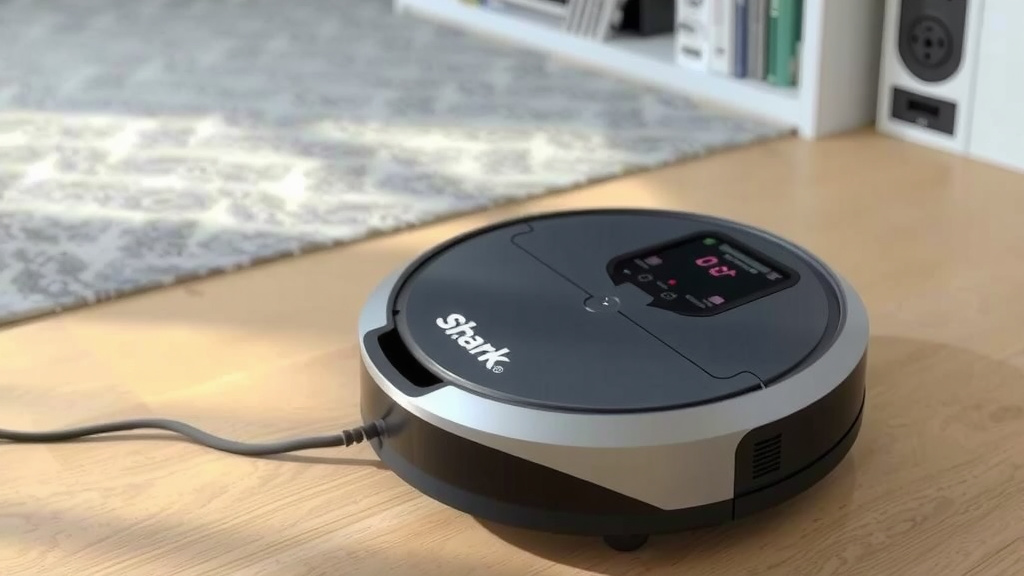
First, ensure the robot is properly seated on the charging dock. Sometimes, a slight nudge is all it needs. Check that the charging indicator light on the robot is on, showing that it’s receiving power. If the light isn’t on, double-check the dock’s power connection.
When to Consider Battery Replacement
If your Shark robot is several years old and you’ve tried all the maintenance tips, it might be time to consider a new battery. Batteries have a limited lifespan. We found that after 2-3 years of regular use, battery performance can start to decline noticeably.
Here’s a quick checklist to help you ensure your Shark robot is charging efficiently:
- Confirm the charging dock is securely plugged in.
- Wipe down the charging contacts on the robot and dock monthly.
- Ensure the robot has a clear path to its charging station.
- Keep the robot’s sensors and wheels clean for better navigation.
- Check for any error messages on the robot or app.
- If problems persist, consult your robot’s manual or Shark support.
Conclusion
You’ve learned that your Shark robot vacuum typically charges within 2 to 4 hours. We found that battery health, temperature, and a clean docking connection all play a role in this timeframe. By following simple maintenance steps like cleaning the charging contacts and ensuring a clear path to the dock, you can help your robot charge efficiently every time. Keep these practices in mind, and your Shark robot will be ready to tackle your floors with consistent power. Your next step is to check your robot’s charging contacts and give them a quick clean!
Frequently Asked Questions
How long does a Shark robot vacuum battery typically last on a single charge?
While charging time is between 2-4 hours, how long it cleans on a full charge varies by model and cleaning intensity. Most Shark robots can clean for 60-120 minutes before needing a recharge. We found that scheduling cleans during off-peak hours can maximize its uptime.
Can I leave my Shark robot vacuum on the charging dock all the time?
Yes, it’s generally safe and recommended to leave your Shark robot vacuum on its charging dock when not in use. The dock provides a constant power source, and the robot’s battery management system prevents overcharging. This ensures it’s always ready for its next cleaning cycle.
What does the charging indicator light on my Shark robot mean?
The charging indicator light typically shows the battery status. A solid light usually means it’s charging, while a pulsing or flashing light might indicate a charging error or that the battery is full. Refer to your specific model’s manual for exact light meanings, as they can differ.
My Shark robot seems to take longer to charge than usual. What should I do?
If charging takes longer than 4 hours, first check that the charging contacts on both the robot and dock are clean and free of debris. Ensure the dock is plugged in securely and has a stable power source. If problems persist after cleaning, your battery might be nearing the end of its life.
Does using an extension cord affect how fast my Shark robot charges?
We found that while some extension cords can work, they might reduce the consistent power flow to the charging dock. For optimal and reliable charging, it’s best to plug the charging dock directly into a wall outlet. This helps ensure your robot receives the full intended charge.