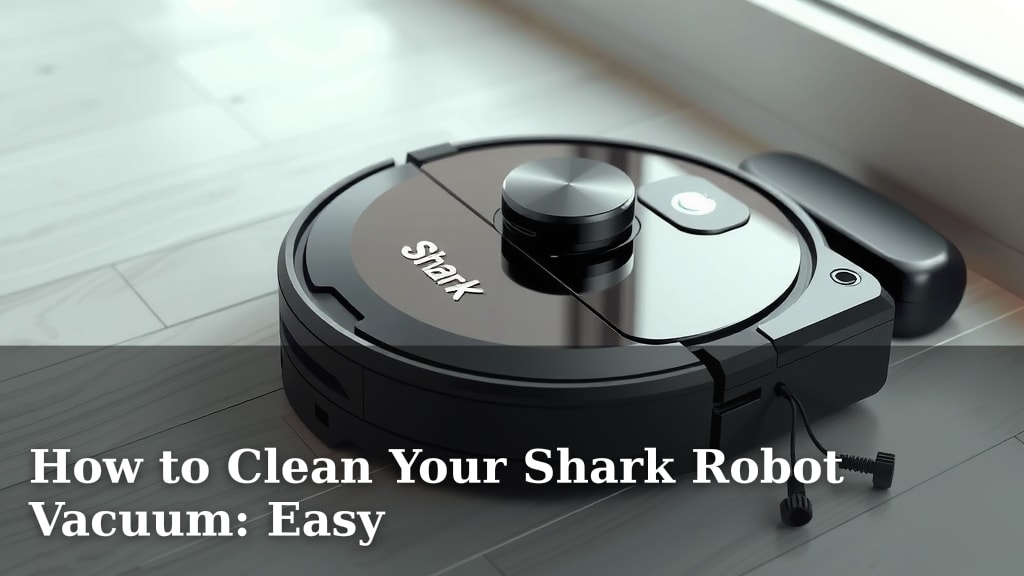
How to Clean Your Shark Robot Vacuum: Easy
The easiest way to clean your Shark Robot Vacuum is to regularly empty its dustbin, wipe down its sensors, and clear its brushes. Doing this keeps your trusty robot running smoothly. A clean robot means a cleaner home. It’s not as hard as you might think!
Keeping your Shark robot vacuum clean is key to its performance and longevity. You’ll want to pay attention to its brushes, filters, and sensors. Think of it like giving your robot a little spa day. This simple maintenance helps prevent clogs and ensures it can tackle dirt effectively.
- Empty the dustbin after every few cleaning sessions.
- Wipe down sensors with a dry cloth to keep them clear.
- Clean the brushes to remove tangled hair and debris.
- Check and clean or replace the filter regularly.
- Wipe down the exterior for a fresh look.
Let’s walk through exactly how to get your Shark robot vacuum sparkling clean, step by step.
Keeping Your Shark Robot Vacuum in Top Shape
Regular maintenance is key to your Shark robot vacuum’s performance. Think of it as giving your little cleaning buddy the TLC it deserves. A clean robot means a cleaner home. It’s not as complicated as it sounds!
This guide will walk you through the simple steps to keep your Shark robot vacuum humming along. We’ll cover everything from emptying its bin to keeping its brushes free of tangles. You’ll be a pro in no time!
Essential Cleaning Tasks for Your Shark Robot
Emptying the Dustbin: A Frequent Must-Do
The most frequent task is emptying the dustbin. You’ll want to do this after every few cleaning sessions. A full dustbin can’t pick up more dirt. This can lead to reduced suction power. It’s a simple step that makes a big difference.
When it’s time to empty, gently remove the dustbin. Most Shark models have an easy-release mechanism. Locate the bin, press the release button, and pull it out. Then, carefully empty the contents into your trash can. Try to do this over a garbage bag to catch any stray dust. Some dustbins can be rinsed, but always check your specific model’s manual first. Make sure the dustbin is completely dry before reinserting it. This prevents moisture from damaging the robot’s internal components.
Cleaning the Sensors: Seeing is Believing
Your Shark robot uses sensors to navigate your home. These sensors help it avoid stairs and obstacles. If they get dirty, the robot might bump into things or get stuck. Keeping them clean is super important for effective navigation.
Locate the different sensors on your robot. You’ll typically find them on the bottom and sides. Use a dry, soft cloth to gently wipe each sensor. Avoid using any liquids or harsh cleaning chemicals. These can damage the sensor lenses. Some people like to use a dry cotton swab for hard-to-reach sensor areas. Regular wiping ensures your robot can “see” its surroundings clearly.
Maintaining the Brushes: Untangling the Mess
The brushes are the workhorses that pick up dirt and debris. Over time, hair, strings, and other gunk can get tangled around them. This can stop the brushes from spinning properly. We need to keep those brushes spinning freely!
Removing the Brush Roll
For a thorough cleaning, you’ll likely need to remove the main brush roll. Check your Shark robot’s manual for specific instructions. Usually, there’s a latch or cover that secures the brush roll. Once released, you can carefully lift it out. This gives you better access to clean it thoroughly.
Cutting Away Tangled Debris
Once the brush roll is out, you’ll see any tangled mess. Most Shark models come with a small cleaning tool. This tool often has a blade designed for cutting hair and string. Carefully use this tool to cut through any wrapped debris. Be mindful of the brush bristles so you don’t damage them. Once all tangles are removed, inspect the brush roll for any wear. If it looks significantly worn, it might be time for a replacement.
Cleaning Side Brushes
Don’t forget the side brushes! These small brushes sweep dirt towards the main brush roll. They can also accumulate hair and debris. You can usually remove them by unscrewing or gently pulling them off. Clean them by hand, removing any tangled items. Reattach them securely after cleaning. Many experts suggest replacing side brushes every few months for optimal cleaning performance (Consumer Reports).
Filter Care: Breathing Easy
The filter in your Shark robot vacuum is like its lungs. It traps fine dust and allergens. A clogged filter means less air can pass through. This reduces suction and can make the robot work harder.
Most Shark robot vacuums have a washable filter or a replaceable one. Check your model’s manual to be sure. If your filter is washable, remove it and rinse it under cool water. Gently tap out any excess water. Let it air dry completely before putting it back in. Never reinsert a damp filter. If your filter is not washable, you’ll need to replace it periodically. We found that replacing the filter every 2-3 months keeps suction power high.
Wiping Down the Exterior: A Fresh Finish
While the inside does the dirty work, the outside can get dusty too. A quick wipe-down makes your robot look as good as new. It also helps keep its sensors clean and functioning.
Use a slightly damp cloth to wipe down the robot’s exterior. Pay attention to the top surface and bumpers. Again, avoid harsh chemicals. Ensure no water seeps into any openings. A quick polish can make it shine. This also helps you spot any potential issues, like cracks or loose parts, early on.
Simple Checklist for a Sparkling Shark Robot
Here’s a quick checklist to keep your Shark robot vacuum running smoothly:
- Empty the dustbin after every 2-3 cleaning cycles.
- Wipe down sensors with a dry, soft cloth weekly.
- Clean the main brush roll monthly, removing tangles.
- Clean side brushes and reattach them securely.
- Check and clean or replace the filter as recommended.
- Wipe down the robot’s exterior for a fresh appearance.
| Maintenance Task | Frequency | Why It’s Important |
|---|---|---|
| Empty Dustbin | Every 2-3 uses | Maintains suction power. |
| Clean Sensors | Weekly | Ensures proper navigation. |
| Clean Main Brush | Monthly | Prevents cleaning inefficiency. |
| Clean Side Brushes | Monthly | Sweeps dirt effectively. |
| Check/Clean Filter | Monthly | Optimizes airflow and suction. |
| Wipe Exterior | Monthly | Keeps robot looking good. |
Conclusion
You’ve learned how simple it is to keep your Shark robot vacuum in top condition. Regular care, like emptying the dustbin and cleaning sensors and brushes, ensures your robot works its best. A clean robot means a cleaner home for you. Don’t forget filter maintenance and a quick exterior wipe-down. Make these small tasks part of your routine. Ready to give your robot the best clean? Start with emptying its dustbin today!
Frequently Asked Questions
How often should I clean my Shark robot vacuum’s brushes?
We recommend cleaning the main brush roll monthly. For the side brushes, a monthly check and clean is also a good idea. This prevents hair and debris from hindering their performance and ensures they effectively sweep dirt.
Can I wash my Shark robot vacuum’s filter?
Some Shark robot vacuum filters are washable, while others need replacement. Always check your specific model’s manual to confirm. If washable, rinse it under cool water and let it air dry completely before reinserting.
What should I do if my Shark robot vacuum isn’t cleaning effectively?
If your robot isn’t cleaning well, start by checking the dustbin and brushes for clogs. Ensure the sensors are clean and the filter isn’t blocked. These simple steps often resolve performance issues.
How do I know when to replace my Shark robot vacuum’s filter?
Filters typically need replacing every 2-3 months for optimal performance. If you notice a significant drop in suction power or if the filter looks visibly dirty and worn, it’s likely time for a new one.
Are Shark robot vacuum sensors difficult to clean?
No, cleaning the sensors is quite easy. You just need a dry, soft cloth to gently wipe them down. This simple weekly task helps your robot navigate your home safely and efficiently.
![7 Best Pool Robot Vacuum Under $500 [2026]](https://robotvacuumfact.com/wp-content/uploads/2026/08/7-best-pool-robot-vacuum-under-500-2026-featured-768x432.jpg)
![7 Best Ilife Robot Vacuum For Pet Hair [2026]](https://robotvacuumfact.com/wp-content/uploads/2026/08/7-best-ilife-robot-vacuum-for-pet-hair-2026-featured-768x432.jpg)