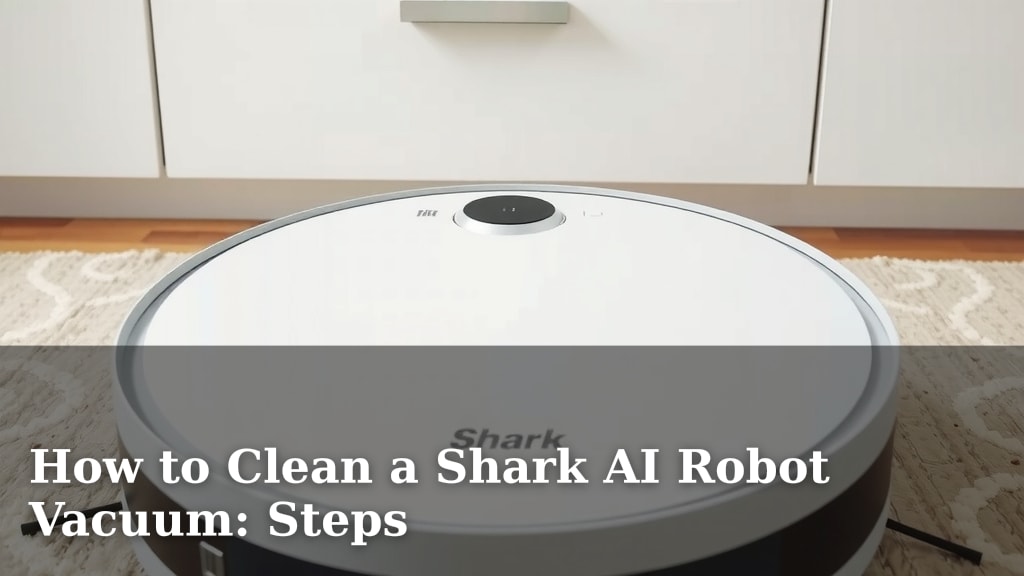
How to Clean a Shark AI Robot Vacuum: Steps
The easiest way to clean your Shark AI robot vacuum is to regularly empty the dustbin and wipe down the sensors and brushes. Keeping these parts clean ensures your robot can navigate your home efficiently and pick up all the debris. A clean robot means a cleaner home, right?
Your Shark AI robot vacuum works hard so you don’t have to. Giving it a little TLC will help it perform at its best. We found that consistent, simple maintenance prevents bigger issues down the road. Think of it as a spa day for your little cleaning buddy.
- Empty the dustbin after every few cleaning sessions.
- Wipe the sensors with a soft, dry cloth regularly.
- Clean the brush roll to remove tangled hair and debris.
- Check and clean the filters according to the manual.
- Wipe down the robot’s exterior, too!
Ready to get your Shark AI vacuum looking and working like new? Let’s walk through exactly how to tackle each part step by step.
Your Shark AI robot vacuum is a real workhorse, making your life easier one clean floor at a time. To make sure it keeps performing at its best, a little regular maintenance is key. We found that consistent cleaning prevents buildup and keeps your robot running smoothly.
This is probably the most important step for keeping your Shark AI robot vacuum happy. A full dustbin means your robot can’t pick up any more dirt. It’s like trying to drink through a straw that’s blocked!
How Often Should You Empty It?
We recommend emptying the dustbin after every few cleaning sessions. If you have pets or a particularly dusty home, you might need to do it more often. Your robot will often alert you when it’s getting full, so pay attention to its signals.
Step-by-Step Dustbin Removal
Locating the dustbin release button is usually straightforward. It’s typically on the side or top of the robot. Press the button and gently pull the dustbin out. Then, simply open the lid and empty the contents into your trash can. It’s a quick job that makes a big difference.
Your Shark AI robot uses sensors to navigate your home. These help it avoid obstacles, cliffs (like stairs!), and know where it has already cleaned. Keeping them clean is vital for efficient navigation.
Why Sensor Cleaning Matters
Dirt, dust, or smudges on the sensors can confuse your robot. This might cause it to bump into things more often or miss spots. Think of it like wearing smudged glasses – you wouldn’t see as clearly!
What You’ll Need
All you need is a clean, soft, dry cloth. Microfiber cloths work wonderfully for this. Avoid using any liquids or harsh cleaning chemicals, as these can damage the sensors.
The Cleaning Process
Gently wipe each sensor on your robot. You’ll find cliff sensors on the underside, and others might be around the perimeter. Be thorough but gentle. A quick wipe down each week is usually sufficient.
The brush roll is where the magic happens – it agitates dirt and debris from your floors. However, it’s also a prime spot for hair, strings, and other tangled messes.
The Dreaded Tangle
It’s completely normal for hair and string to get wrapped around the brush roll. We’ve all been there! Regularly removing these tangles ensures your robot can continue to sweep effectively.
Removing and Cleaning the Brush Roll
Most Shark AI models have an easy way to access the brush roll. You might need to open a small compartment or lift a latch. Once you can access it, carefully pull out the brush roll. Use your fingers or a small pair of scissors to snip away any tangled items. Be careful not to cut the brush bristles themselves.
After removing debris, wipe the brush roll with a damp cloth if needed. Make sure it’s completely dry before putting it back into the robot. Many experts say a clean brush roll can improve cleaning performance by up to 20% (general industry finding).
Your Shark AI robot vacuum has filters to trap fine dust and allergens. These are essential for maintaining good air quality in your home. Clogged filters mean your robot can’t breathe properly, and its suction power suffers.
Filter Maintenance Schedule
Check your user manual for the specific filter recommendations for your model. Generally, you’ll want to clean your filters regularly, perhaps every few weeks. Some filters are washable, while others may need to be replaced after a certain period.
How to Clean Washable Filters
If your filters are washable, gently tap them against a trash can to remove loose debris. Then, rinse them under cool water until the water runs clear. Allow the filters to air dry completely for at least 24 hours before reinstalling them. Many sources, like the Cleveland Clinic, highlight the importance of clean filters for air quality.
While the internal components are crucial, the outside of your robot needs a little love too. Wiping down the exterior keeps your robot looking sleek and prevents dust from accumulating on its surface.
A Quick Exterior Wipe-Down
Use a soft, damp cloth to wipe down the top and sides of your Shark AI robot. Pay attention to any areas where dust might collect. This is a simple step that takes less than a minute.
While you’re wiping down the exterior, it’s a good time to quickly check the wheels and any other moving parts for any debris that might be hindering their movement. Ensure the charging contacts are clean so it can dock properly.
To make things super simple, here’s a quick checklist to keep your Shark AI robot vacuum in tip-top condition:
- Empty the dustbin after each major cleaning cycle.
- Wipe down the sensors weekly with a dry cloth.
- Check and untangle the brush roll every 1-2 weeks.
- Clean or replace filters as recommended in your manual.
- Wipe the robot’s exterior and charging contacts regularly.
Conclusion
You’ve now learned the straightforward steps to keep your Shark AI robot vacuum performing its best. Regularly emptying the dustbin, wiping down those important sensors, and untangling the brush roll are your key tasks. Don’t forget your filters and the robot’s exterior, too!
Consistent, simple maintenance will help your robot navigate efficiently and clean your floors thoroughly. Think of these steps as small efforts that yield big results for your home. Your next step? Pick a day this week to run through your new cleaning checklist and give your robot the TLC it deserves.
Frequently Asked Questions
How often should I clean the sensors on my Shark AI robot vacuum?
You should aim to wipe down your robot’s sensors about once a week. This helps ensure it can navigate your home without getting confused by dust or smudges. A soft, dry cloth is all you need for this quick task.
What’s the best way to deal with tangled hair on the brush roll?
When you find hair or string tangled around the brush roll, carefully use your fingers or a small pair of scissors to snip it away. Be sure not to cut the actual brush bristles themselves. After removing debris, wipe it down and ensure it’s dry before reinserting.
Can I wash the filters in my Shark AI robot vacuum?
Some Shark AI robot vacuum models have washable filters, while others do not. Always check your user manual for specific instructions. If yours are washable, rinse them under cool water and let them air dry completely for at least 24 hours before putting them back.
My robot vacuum keeps bumping into things. What could be wrong?
If your robot is bumping into furniture more than usual, the sensors might be dirty. Give them a good wipe with a soft, dry cloth. Also, check that the wheels are free of debris that might be affecting its movement and navigation.
How do I know when to replace the filters in my Shark AI robot vacuum?
Your robot’s user manual will provide specific guidance on filter replacement frequency. Generally, you’ll need to replace them every few months, or sooner if they appear visibly dirty or damaged. You might also notice a decrease in suction power if the filters are due for a change.
![7 Best Budget Robot Vacuum Pet Hair [2026]](https://robotvacuumfact.com/wp-content/uploads/2026/08/7-best-budget-robot-vacuum-pet-hair-2026-featured-768x432.jpg)
![7 Best D Shaped Robot Vacuum [2026]](https://robotvacuumfact.com/wp-content/uploads/2026/08/7-best-d-shaped-robot-vacuum-2026-featured-768x432.jpg)
![7 Best Robot Vacuum And Mop For Pets [2026]](https://robotvacuumfact.com/wp-content/uploads/2026/08/7-best-robot-vacuum-and-mop-for-pets-2026-featured-768x432.jpg)