How to Clean a Robot Vacuum Sensor: Full Guide
The easiest way to clean your robot vacuum sensor is with a dry microfiber cloth. You’ll want to gently wipe each sensor to remove dust and debris. This simple step is key to your robot vacuum’s performance and helps it navigate your home accurately.
Dirty sensors can cause your robot vacuum to miss spots or get stuck. We found that many owners overlook this simple maintenance task. Keeping your robot vacuum’s sensors clean ensures it can efficiently do its job, preventing frustration and missed messes. It’s a quick fix that makes a big difference.
TL;DR:
- Use a dry microfiber cloth for cleaning.
- Wipe each sensor gently.
- Focus on removing dust and debris.
- Clean sensors help your robot vacuum navigate better.
- This prevents missed spots and getting stuck.
Ready to get your robot vacuum back on track? Let’s walk through exactly how to clean those sensors step by step.
Keeping Your Robot Vacuum’s Sensors Sparkling Clean
Think of your robot vacuum’s sensors like its eyes. Without clear vision, it can’t see obstacles, drop-offs, or even navigate around your furniture effectively. Cleaning these tiny but mighty components is one of the easiest ways to ensure your robot vacuum works at its best. We found that when sensors get dusty or smudged, performance can really take a hit.
Why Sensor Maintenance is So Important
Your robot vacuum uses several types of sensors. These include cliff sensors (to avoid stairs), wall sensors (to hug your baseboards), and sometimes optical or infrared sensors for mapping. When they’re dirty, your robot might act a little lost. It could stop unexpectedly, repeatedly bump into things, or even get stuck in places it should easily avoid. Keeping them clean is a simple act of robot TLC.
Understanding Different Types of Sensors
Most robot vacuums have a suite of sensors designed for specific jobs. Cliff sensors are usually found on the underside, looking down to detect a drop. Wall sensors are often on the sides or front, detecting nearby surfaces. Some advanced models also have cameras or LiDAR scanners on top for creating detailed maps of your home. Each type benefits from a good cleaning.
Your Step-by-Step Guide to Sensor Cleaning
Ready to give your robot vacuum a visual upgrade? It’s not complicated at all. You likely have everything you need right at home. Let’s break it down into simple, manageable steps.
Step 1: Gather Your Cleaning Supplies
You don’t need a whole arsenal of special tools. For most robot vacuums, a few basic items will do the trick. This keeps the process straightforward and budget-friendly.
- A dry, soft microfiber cloth is your best friend here.
- A cotton swab (Q-tip) can be helpful for tight spots.
- An air blower or compressed air can (optional, for stubborn dust).
- Water or mild cleaning solution (use with extreme caution, as noted below).
Step 2: Locate All Your Robot’s Sensors
Before you start wiping, take a moment to identify where all the sensors are. They are usually small, dark-looking lenses or openings. Refer to your robot vacuum’s manual if you’re unsure. Knowing their locations ensures you don’t miss any spots.
Common sensor locations include:
- On the front bumper for wall detection.
- On the underside for detecting drops (cliff sensors).
- Sometimes on the sides.
- On the top for mapping (cameras, LiDAR).
Step 3: The Gentle Wipe-Down Method
This is the core of the cleaning process. The key here is gentleness. These sensors are sensitive, and you want to clean them without causing any damage. We found that applying too much pressure can sometimes scratch the lenses.
Using a Dry Microfiber Cloth
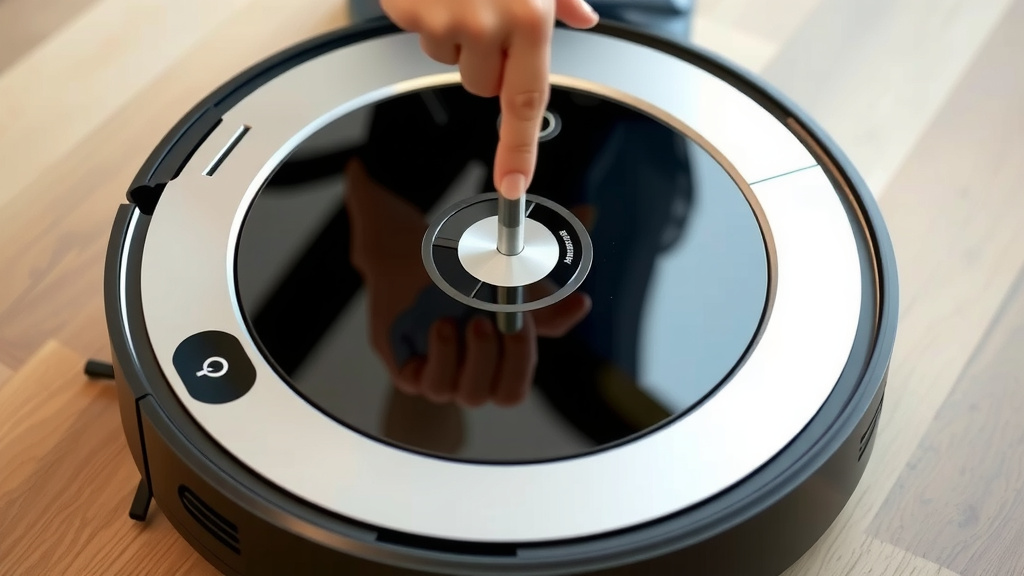
Start with a clean, dry microfiber cloth. Gently wipe each sensor. You’re trying to remove any dust, hair, or smudges that have accumulated. A microfiber cloth is excellent because it attracts dust and won’t leave lint behind. Think of it like polishing a camera lens – a delicate touch is best.
When to Use a Cotton Swab
For sensors located in small crevices or tight corners, a cotton swab can be more effective. You can use it dry to get into those nooks and crannies. If you need a bit more cleaning power, you can lightly dampen the tip of the cotton swab, but be very careful not to soak it.
Step 4: Dealing with Stubborn Grime (Use Caution!)
What if a simple wipe isn’t enough? For tougher spots, you might need a slightly more robust approach. However, always proceed with caution to protect your robot’s delicate electronics.
The Damp Cloth Technique
If you encounter sticky residue or stubborn smudges, you can lightly dampen a corner of your microfiber cloth with water. Wring it out thoroughly so it’s barely damp. Gently wipe the sensor, and then immediately follow up with a dry part of the cloth to ensure no moisture remains. Many manuals suggest avoiding liquids entirely, so always check your specific model’s recommendations.
Using an Air Blower
For loose dust that’s hard to wipe away, a quick puff from an air blower or a can of compressed air can work wonders. Hold the can upright and use short bursts from a safe distance. This can dislodge dust from sensor openings without any physical contact. This is often one of the safest methods for very delicate areas.
Step 5: Never Do This! (What to Avoid)
Just as important as knowing how to clean is knowing what *not* to do. Some cleaning methods can cause more harm than good. Let’s make sure your robot vacuum stays in tip-top shape.
- Do not use harsh chemicals: Avoid window cleaner, alcohol, or abrasive cleaners. These can damage sensor coatings or plastic.
- Do not soak anything: Never spray liquid directly onto the sensors or the robot. Moisture can get inside and damage internal components.
- Do not use rough materials: Paper towels or rough cloths can scratch sensor lenses.
- Do not press too hard: Gentle pressure is all that’s needed.
A Quick Checklist for Effortless Cleaning
To make sensor cleaning a regular habit, use this simple checklist. Think of it as your robot vacuum’s spa day reminder!
- Locate all sensors on your robot.
- Grab a dry microfiber cloth.
- Gently wipe each sensor clean.
- Use a cotton swab for tight spots if needed.
- Check your manual for specific cleaning advice.
- Wipe down again monthly or when performance dips.
How Often Should You Clean Your Robot Vacuum Sensors?
We found that cleaning your robot vacuum’s sensors is best done as part of its regular maintenance routine. If you use your robot daily, a quick wipe once a week is a great idea. If you use it less often, aim for once a month. You’ll know it’s time when you notice your robot vacuum acting a bit peculiar – getting stuck more often or missing areas.
When to Seek Professional Help
If you’ve cleaned the sensors thoroughly and your robot vacuum is still having navigation issues, there might be a deeper problem. This could be a malfunctioning sensor or another internal component. In such cases, consulting your robot vacuum’s manual or contacting the manufacturer’s customer support is the best next step. They can guide you through troubleshooting or arrange for repairs if necessary.
Conclusion
You’ve now learned how essential clean sensors are for your robot vacuum’s navigation and efficiency. We’ve walked through locating them, the gentle cleaning methods using microfiber cloths and cotton swabs, and what to avoid. Remember, consistent, gentle maintenance is key. By following these simple steps, you’ll help your robot vacuum perform at its best, saving you time and frustration. Your next step? Schedule a quick sensor clean into your regular robot vacuum maintenance routine. It’s a small task that yields big results for your home cleaning.
Frequently Asked Questions
Can I use a wet cloth to clean my robot vacuum sensors?
It’s generally best to use a dry microfiber cloth. If you must use moisture, lightly dampen a small section of the cloth and wring it out thoroughly. Immediately follow up with a dry cloth to ensure no liquid residue remains, as moisture can damage internal components.
What happens if I don’t clean my robot vacuum sensors?
Dirty sensors can cause your robot vacuum to navigate poorly. It might get stuck more often, bump into furniture, miss cleaning spots, or repeatedly clean the same area. You might also notice it failing to detect stairs, which is a safety concern.
Are all robot vacuum sensors the same?
No, while the basic function of detecting objects or drops is similar, the types and locations of sensors vary. Some have simple infrared sensors, while others use cameras or LiDAR for advanced mapping. Always check your specific model’s manual for sensor placement and cleaning recommendations.
Can I use a household cleaner on the sensors?
You should absolutely avoid using household cleaners like Windex, alcohol, or abrasive solutions. These chemicals can damage the protective coatings on the sensors or the plastic components. Stick to a dry microfiber cloth or, if absolutely necessary, a barely damp cloth with just water.
How often should I really be cleaning these sensors?
If you use your robot vacuum daily, we recommend a quick sensor wipe-down at least once a week. For less frequent use, once a month is usually sufficient. Pay attention to your robot’s performance; if it starts acting strangely, that’s your cue to clean the sensors.