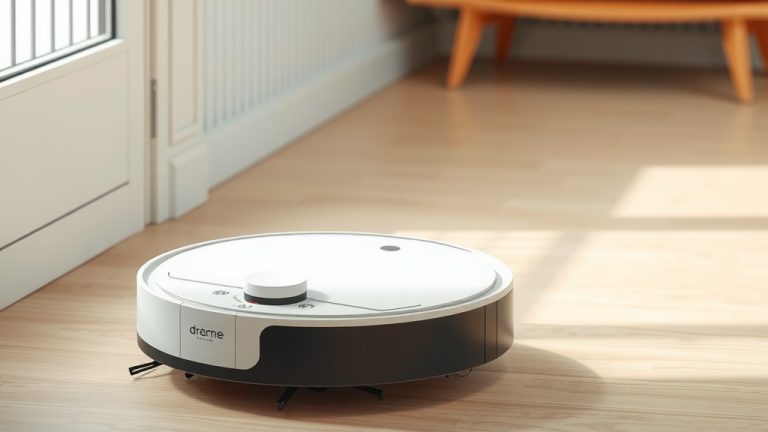
How to Clean a Dreame Robot Vacuum: Full Guide
The easiest way to clean your Dreame robot vacuum is to regularly empty the dustbin and clean the main brush and filters. Doing this after each cleaning session or every few uses will keep your Dreame running smoothly. A little upkeep goes a long way!
Keeping your Dreame robot vacuum clean ensures it picks up dirt and debris effectively. Neglecting maintenance can lead to reduced performance and even damage. We found that regular cleaning prevents clogs and prolongs the life of your vacuum. It’s not a chore you want to skip!
- Empty the dustbin after every clean.
- Clean the main brush and side brush regularly.
- Wash or replace filters as needed.
- Wipe down sensors for optimal navigation.
- Clean the charging contacts periodically.
Let’s walk through exactly how to clean each part of your Dreame robot vacuum step by step. You’ll have it sparkling in no time!
Keeping Your Dreame Robot Vacuum in Top Shape
Your Dreame robot vacuum is a fantastic helper, and keeping it clean is key to its best performance. We found that regular maintenance prevents common issues. It helps your Dreame **pick up more dirt** and last longer. Let’s get into how to keep your little cleaning buddy happy and healthy.
Cleaning the Dustbin and Main Brush
The dustbin is where all the magic happens, or rather, where all the dirt goes! It’s the most frequent part you’ll need to clean.
Emptying the Dustbin
You should aim to empty the dustbin after every single cleaning session. This prevents the bin from getting too full, which can actually **reduce suction power**. When the bin is overfilled, the vacuum struggles to pull in new debris.
Most Dreame models have an easy-release dustbin. Simply press the release button and slide it out. Then, just empty the contents into your trash can. We found that a quick rinse with water every so often can help too, but make sure it’s completely dry before putting it back in.
Cleaning the Main Brush
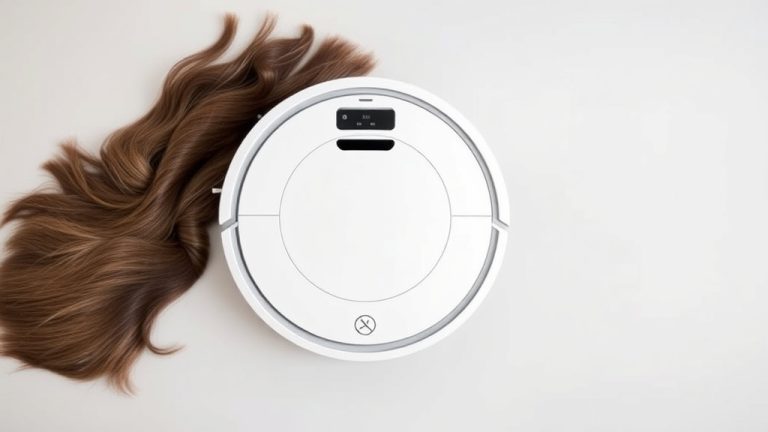
The main brush is the workhorse, tackling carpets and hard floors alike. Hair, especially long strands, can get tangled around it surprisingly quickly. If you have pets or long hair in your household, this needs frequent attention.
To clean it, you’ll usually need to remove the brush guard first. Many Dreame models come with a small cleaning tool that helps with this. It often has a comb on one side to detangle hair and a blade on the other to cut through stubborn strands. Gently slide the comb along the brush to remove dust and debris. Then, use the blade to cut any tangled hair. Be careful not to cut yourself!
Once you’ve detangled and cut away all the hair, you can often give the brush a quick wipe down. We found that a slightly damp cloth works well. Make sure the brush is **completely dry** before reinserting it. A wet brush can lead to mold and mildew, which nobody wants!
Tackling the Side Brush
The side brush is crucial for sweeping debris from corners and edges into the vacuum’s path. Like the main brush, it can also collect hair and dust bunnies.
To clean the side brush, you might need to unscrew it or simply pull it off, depending on your model. Use your fingers or the cleaning tool to remove any tangled hair or debris. If the brush bristles are bent, you can sometimes try to gently straighten them. We found that a bent side brush won’t sweep as effectively. If it’s badly damaged, it might be time for a replacement.
Maintaining the Filters for Optimal Suction
Filters are like the lungs of your robot vacuum. They trap fine dust and allergens, keeping your air clean. Clogged filters mean your Dreame can’t breathe, leading to poor suction.
Cleaning or Replacing the Filters
Most Dreame models use washable filters. You’ll want to check your user manual for specific instructions, as washing methods can vary slightly. Generally, you can rinse the filter under cool running water. **Avoid using soap** or hot water, as this can damage the filter material.
After rinsing, gently shake off excess water. Then, you need to let the filter air dry completely. This can take 24 hours or more. Never put a wet filter back into your vacuum. We found that many users find it helpful to have a spare filter on hand so they can swap it out while the other one dries, minimizing downtime.
How often should you wash them? It really depends on how much you use your vacuum and how dusty your home is. A good rule of thumb is to check them weekly. You might need to wash them every 2-4 weeks. After several washes, or if the filter looks visibly worn or damaged, it’s time to replace it. Most manufacturers recommend replacing filters every 3-6 months. This ensures your vacuum always has **clean air flowing through**.
Ensuring Clear Navigation: Cleaning Sensors and Bumpers
Your Dreame robot vacuum relies on its sensors to navigate your home without bumping into things or falling down stairs. Keeping these clean is vital for its smart operation.
Wiping Down the Sensors
You’ll find sensors on the underside (for cliff detection) and often on the front bumper or top of the vacuum. These sensors can get dusty or smudged from everyday use. A dirty sensor can cause the robot to behave erratically, like stopping mid-clean or getting stuck in open areas.
To clean them, use a dry, soft, lint-free cloth. For stubborn smudges, you can slightly dampen the cloth with water or an electronics-safe cleaning solution. **Gently wipe each sensor** and the surrounding area. We found that a quick wipe down of the sensors before each use is a great habit to build. It only takes a few seconds!
Cleaning the Bumpers
The bumpers are designed to absorb light impacts. They can collect dust and debris, especially around the edges and in the flexible parts. Make sure the bumper can move freely.
Use a dry or slightly damp cloth to wipe down the entire bumper area. If there’s debris stuck in any crevices, you can use a soft brush or cotton swab to gently clean it out. A freely moving bumper ensures your robot can **detect obstacles correctly**.
Don’t Forget the Charging Contacts
For your Dreame to recharge properly, the charging contacts on both the robot and the charging dock need to be clean. Poor contact can lead to charging issues, meaning your robot might not be ready when you need it.
Periodically, perhaps once a month, you should inspect these contacts. They are usually small metal plates. If you see any dust or grime, use a dry cloth to wipe them clean. For any stubborn residue, a pencil eraser can sometimes work wonders on metal contacts. Just be sure to wipe away any eraser shavings afterward. We found that **clean charging contacts** are essential for a reliable charge cycle.
Quick Maintenance Checklist
Here’s a simple checklist to keep your Dreame running smoothly:
- Empty dustbin after every clean.
- Clean main brush and side brush weekly (or more often if needed).
- Check filters weekly; wash or replace as recommended.
- Wipe sensors and bumpers regularly.
- Clean charging contacts monthly.
- Inspect the wheels for tangled hair or debris.
Following these steps will ensure your Dreame robot vacuum continues to be a helpful and efficient cleaning companion in your home.
Conclusion
You’ve learned how to keep your Dreame robot vacuum performing at its best! Regular maintenance, from emptying the dustbin to cleaning brushes and filters, is key. We found that these simple steps prevent common issues and extend your vacuum’s lifespan. Don’t let dust and debris take over. Make a quick cleaning routine part of your week. Your Dreame will thank you with powerful suction and a cleaner home, every time it runs.
Frequently Asked Questions
How often should I really clean the main brush on my Dreame vacuum?
If you have pets or long hair in your household, you’ll want to clean the main brush at least weekly. Even without pets, checking it every two weeks is a good idea. Tangled hair can really reduce its effectiveness and even damage the motor over time.
Can I use regular household cleaners on my Dreame’s filters?
No, you should avoid using regular household cleaners on your Dreame’s filters. For washable filters, a simple rinse with cool water is best. Using soap or harsh chemicals can damage the filter material and compromise its ability to trap fine dust.
My Dreame seems to be bumping into things more often. What could be wrong?
This often happens when the sensors become dirty or smudged. Try gently wiping down all the sensors on the underside and front of your robot with a soft, dry cloth. If the problem persists, you may need to check your user manual for model-specific troubleshooting tips.
Is it okay to let my Dreame vacuum continue cleaning if the dustbin is full?
It’s definitely not recommended. When the dustbin is too full, your Dreame’s suction power will decrease significantly. This means it won’t pick up as much dirt, and it can put extra strain on the motor. Always empty the dustbin after each cleaning cycle.
My Dreame isn’t charging properly. What’s the first thing I should check?
The most common culprit for charging issues is dirty charging contacts. Take a look at the metal plates on both the robot and the charging dock. Give them a quick wipe with a dry cloth to remove any dust or grime. This simple step often resolves charging problems.

![7 Best Robot Vacuum With Smart Mapping [2026]](https://robotvacuumfact.com/wp-content/uploads/2026/09/7-best-robot-vacuum-with-smart-mapping-2026-featured-768x432.jpg)