
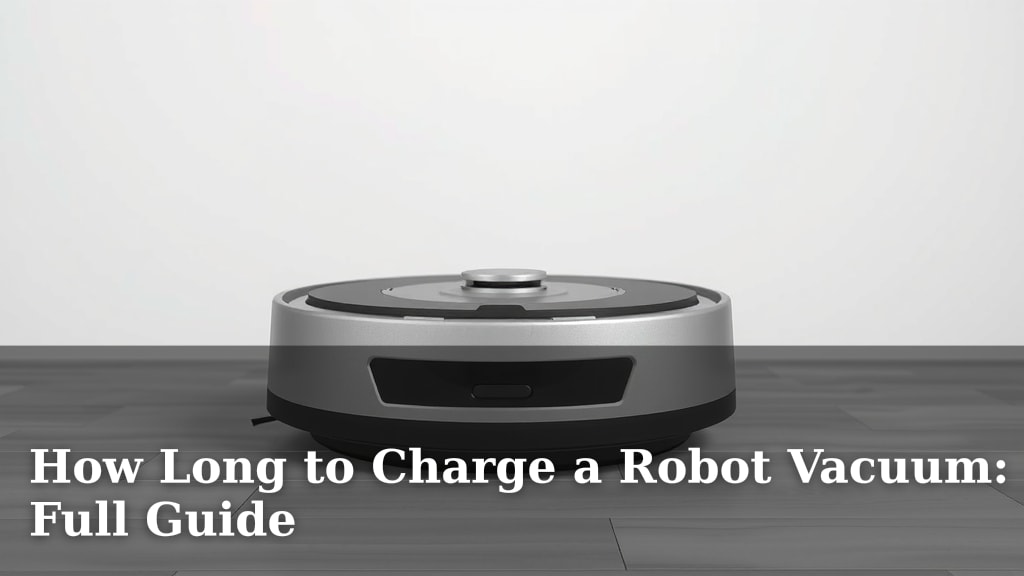
How Long to Charge a Robot Vacuum: Full Guide
Robot vacuums need about 2-4 hours to fully charge, but the exact time varies by model. Most robot vacuums will indicate when they are fully charged. Always check your specific robot vacuum’s manual for the most accurate charging time.
Understanding your robot vacuum’s charging habits helps ensure it’s always ready for duty. A full charge means your robot can clean your entire home without interruption. We found that knowing the proper charging duration prevents premature battery wear and maximizes cleaning sessions.
- Most robot vacuums take 2 to 4 hours to charge fully.
- Check your robot’s manual for its specific charging needs.
- A full charge ensures your robot vacuum can complete its cleaning cycle.
- Don’t overcharge; follow the manufacturer’s recommendations.
Let’s break down what influences your robot vacuum’s charging time and how to keep its battery healthy.
Getting Your Robot Vacuum Charged Up and Running
So, you’ve got a robot vacuum, and you’re wondering about its charging time. It’s a super common question, and for good reason! You want your little cleaning buddy to be ready whenever you need it.
Most robot vacuums need about 2 to 4 hours to go from empty to a full battery. Think of it like charging your smartphone – you don’t usually leave it plugged in overnight, and you don’t need to fret about every single minute it’s on the charger. The key is to let it reach its full capacity so it can do its best cleaning job.
Why Charging Time Matters More Than You Think
Why is knowing the charging duration so important? It’s all about battery health and performance. Letting your robot vacuum fully charge ensures it has enough juice to complete its programmed cleaning cycle.
A robot vacuum that doesn’t have a full charge might stop midway through cleaning. This means you’ll have to manually put it back on its dock and wait for it to recharge before it can finish. Nobody wants an incomplete clean, right?
Furthermore, consistently charging your robot vacuum correctly can help extend the life of its battery. Overcharging or frequently interrupting the charging cycle can sometimes impact battery performance over time.
Factors That Influence Charging Speed
While we’ve given you a general timeframe, a few things can make your robot vacuum charge a bit faster or slower.
Battery Capacity: The Bigger, The Longer
Just like cars have different-sized gas tanks, robot vacuums have batteries of varying capacities. A larger battery, designed for longer cleaning sessions, will naturally take longer to charge than a smaller one.
Manufacturers specify the battery capacity, often in milliampere-hours (mAh). You can usually find this in your robot’s manual or on the manufacturer’s website. A higher mAh means more cleaning power, but also a longer wait time for a full charge.
Charging Dock Efficiency: A Speedy Connection
The charging dock itself plays a role. Some docks are designed for faster charging. They might deliver a higher wattage or have a more efficient power transfer system.
We found that newer models often come with more advanced charging technology. This can shave off a significant amount of time from the total charging duration. It’s like upgrading from an old USB-A charger to a fast-charging USB-C adapter for your phone.
Battery Age and Condition: Not Always Like New
Batteries don’t last forever. As your robot vacuum gets older, its battery might not hold a charge as effectively. This means it could take longer to reach 100% or might not reach 100% at all.
Also, if the battery has been damaged or exposed to extreme temperatures, its charging performance can be affected. Many experts suggest that lithium-ion batteries, common in robot vacuums, degrade over time with regular use (National Renewable Energy Laboratory).
Understanding Your Robot Vacuum’s Charging Indicators
How do you know when your robot is ready to roll again? Most robot vacuums have clear signals.
Visual Cues: Lights and Displays
Your robot vacuum likely has indicator lights on its body. These lights often change color or blink pattern to show charging status. For example, a solid light might mean fully charged, while a blinking light could indicate it’s still charging.
Some higher-end models even have small LED displays that show the exact percentage of battery charge. This makes it super easy to monitor progress without guessing.
Auditory Signals and App Notifications
Don’t forget about sound! Many robot vacuums will emit a chime or a spoken announcement when they are fully charged and ready to go.
If your robot vacuum connects to a smartphone app, you’ll likely receive a notification directly to your phone. This is super convenient, especially if you’re not home when it finishes charging. You’ll know exactly when it’s ready for its next cleaning mission.
Best Practices for Robot Vacuum Charging
To keep your robot vacuum happy and its battery healthy, follow these simple tips.
Always Return to the Dock
When your robot vacuum finishes cleaning or its battery is low, it should automatically return to its charging dock. Make sure the dock is in a clear, accessible spot, free from obstructions, so your robot can find its way back easily.
A clear path to the dock is essential. We found that if the dock is blocked, the robot might drain its battery trying to find it, defeating the purpose of the auto-return feature.
Avoid Frequent Interruptions
Try not to manually pick up your robot vacuum and move it to its dock before it’s finished charging, unless absolutely necessary. Constant starts and stops can sometimes put a strain on the battery. Let it complete its charging cycle undisturbed.
Initial Charge: Patience is a Virtue
When you first unbox your new robot vacuum, it’s a good idea to let it charge fully before its first cleaning run. This is often recommended by manufacturers to condition the battery properly.
This initial charge could take longer than subsequent charges. Many sources suggest that this first charge can take anywhere from 6 to 12 hours, depending on the model (Consumer Reports).
Keep the Charging Contacts Clean
Your robot vacuum and its charging dock have metal contacts that transfer power. These contacts can get dusty or dirty over time, hindering the charging process.
You can clean them with a dry, soft cloth or a cotton swab. Make sure the robot and dock are unplugged before you do any cleaning. Clean contacts ensure a strong and efficient connection for charging.
Temperature Matters
Just like us, batteries prefer comfortable temperatures. Avoid leaving your robot vacuum or its charging dock in extreme heat or cold. Extreme temperatures can degrade battery performance and shorten its lifespan. Most manufacturers recommend operating and charging within a specific temperature range, often between 40°F and 95°F (Cleveland Clinic).
To Unplug or Not to Unplug?
Most modern robot vacuums are designed to be left plugged in and on their charging docks. They have smart charging systems that prevent overcharging. So, you don’t usually need to unplug them after they’re fully charged.
Leaving it on the dock means it’s always ready for your next scheduled cleaning or for spot cleaning when you notice a mess. It simplifies the whole process!
Quick Charging Checklist
Here’s a handy checklist to ensure your robot vacuum charges correctly:
- Ensure the charging dock is accessible and has a clear path.
- Check indicator lights for charging status.
- Use the app for notifications if available.
- Keep charging contacts clean on the robot and dock.
- Let it complete its full charge cycle without interruption.
- Follow manufacturer’s initial charge instructions for new units.
Conclusion
You now have a clear picture of how long your robot vacuum needs to charge. Remember, most models take 2 to 4 hours for a full battery. Factors like battery size and dock efficiency play a role. You’ve learned to read the charging indicators and follow best practices for battery health. Keep those contacts clean and let your robot finish its cycles! Your next step is to check your robot vacuum’s manual for its exact charging needs. This ensures it’s always ready to keep your floors spotless without a hitch.
Frequently Asked Questions
Can I leave my robot vacuum charging all the time?
Yes, most modern robot vacuums are designed to be left on their charging docks continuously. They feature smart charging systems that prevent overcharging, so you don’t need to worry about unplugging them once they’re full.
What if my robot vacuum takes much longer than 4 hours to charge?
If your robot vacuum is taking significantly longer than the recommended time, check for dirty charging contacts on both the robot and the dock. Also, ensure the dock is receiving power and that the robot is making proper contact.
Does the initial charge for a new robot vacuum take longer?
Yes, the first charge for a new robot vacuum often takes longer than subsequent charges. Manufacturers typically recommend a longer initial charge, sometimes up to 12 hours, to properly condition the battery.
Will a robot vacuum that isn’t fully charged clean my whole house?
Likely not. A robot vacuum with an incomplete charge may run out of battery mid-cleaning. This means it won’t finish its cycle and will need to return to the dock to recharge before it can complete the job.
How do I know if my robot vacuum’s battery is starting to degrade?
You might notice your robot vacuum doesn’t hold a charge for as long as it used to, or it takes much longer to reach a full battery percentage. It might also stop cleaning sooner than usual.
![7 Best Robot Vacuum And Mop With Docking Station [2026]](https://robotvacuumfact.com/wp-content/uploads/2026/08/7-best-robot-vacuum-and-mop-with-docking-station-2026-featured-768x432.jpg)
![7 Best Robot Vacuum And Mop Under $600 [2026]](https://robotvacuumfact.com/wp-content/uploads/2026/08/7-best-robot-vacuum-and-mop-under-600-2026-featured-768x432.jpg)


![7 Best Robot Vacuum Under $250 [2026]](https://robotvacuumfact.com/wp-content/uploads/2026/09/7-best-robot-vacuum-under-250-2026-featured-768x432.jpg)