

Clean Cliff Sensors on a Shark Robot Vacuum
Yes, you absolutely need to keep your Shark robot vacuum’s cliff sensors clean to prevent it from falling down stairs or ledges. Dirty sensors can lead to your vacuum getting stuck or taking an unexpected tumble. Keeping them spotless ensures your robot navigates safely and efficiently.
These little sensors are the eyes of your robot. They use infrared light to detect changes in elevation. When dust or debris covers them, they can’t “see” properly. This can cause erratic navigation and even dangerous drops. Regular cleaning is key for reliable performance.
- Clean cliff sensors are vital for safety.
- They prevent falls down stairs.
- Dirt can make your robot lose its way.
- Simple cleaning ensures proper navigation.
- Regular maintenance saves you trouble.
Let’s walk through exactly how to get those cliff sensors sparkling clean so your Shark can do its job without any drama.
Keeping Your Shark Robot Vacuum’s Eyes Clean
Your Shark robot vacuum is pretty smart, right? It navigates your home, avoids bumping into furniture, and cleans up messes. A big part of how it does all this relies on its cliff sensors. Think of them as the robot’s eyes. If these eyes are dirty, your robot can’t see where it’s going. This is why keeping them clean is so important.
What Exactly Are Cliff Sensors?
These sensors are small, usually located on the underside of your robot. They work by sending out infrared beams. When these beams hit a surface, they bounce back. The robot’s computer measures the time it takes for the beam to return. This tells the robot how far away the surface is.
If the infrared beam hits nothing, it means there’s a drop. This is how the robot knows to stop before it rolls off a set of stairs or a raised ledge. It’s a clever safety feature. It keeps your robot (and your home) from any tumbles.
Why Dirt is the Enemy of Your Cliff Sensors
Over time, dust, pet hair, and other debris can accumulate on your robot. This gunk can easily get onto the cliff sensors. When this happens, the sensors can’t send or receive the infrared beams properly. It’s like trying to look through a dirty window – your vision gets blurry.
A blocked sensor might think there’s a floor when there isn’t one. This could cause your robot to go where it shouldn’t. It might get stuck near edges or repeatedly try to clean a spot. In the worst case, it might not detect a drop at all, leading to a potentially damaging fall.
Research shows that consistent maintenance of robotic vacuums leads to better performance and a longer lifespan (Consumer Reports).
Simple Steps to Clean Your Cliff Sensors
The good news is that cleaning your cliff sensors is a straightforward process. You don’t need special tools or a degree in engineering. A few minutes of your time can save your robot a lot of trouble.
Gather Your Cleaning Supplies
Before you start, get everything you need ready. This makes the process smooth and efficient. You’ll want a few basic items that you likely already have around your home.
- A dry, soft microfiber cloth is your best friend here.
- A can of compressed air can be helpful for dislodging stubborn dust.
- A cotton swab can be useful for reaching tight spots.
- Ensure your robot vacuum is powered off and unplugged for safety.
Locating the Cliff Sensors
First, carefully turn your Shark robot vacuum upside down. Be gentle so you don’t scratch the top. You’ll see several small, dark, or clear circular or square windows. These are your cliff sensors. They are usually placed around the perimeter of the robot’s base.
Most Shark models have between four and six cliff sensors. Look for them near the edges. They might be in small indentations. Consult your robot’s manual if you’re having trouble finding them. It’s always good to have the manual handy.
The Cleaning Process Itself
Start by gently wiping each sensor with your dry microfiber cloth. Use a light touch. You want to remove surface dust and debris. Don’t use too much pressure, as this could potentially scratch the sensor lens.
If you find that dust is clinging on, try using the compressed air. Hold the can upright and spray short bursts at an angle onto the sensor. This can help blow away particles without direct contact. Again, be gentle. Avoid spraying too close or for too long.
For any remaining stubborn bits, a slightly damp (not wet!) cotton swab can be used. Lightly dampen it with water. Gently swab the sensor. Immediately follow up with a dry cloth or swab to ensure it’s completely dry. Moisture can interfere with the sensor’s function.
We found that a quick wipe down every few cleaning cycles is usually sufficient. It’s a small effort for a big reward.
Don’t Forget Other Important Sensors
While you’re at it, it’s a good idea to check and clean other sensors. Your robot likely has an obstacle detection sensor on the front bumper. This sensor helps it steer clear of furniture. A clean sensor means fewer accidental bumps.
There might also be edge-cleaning sensors or floor-type sensors depending on your model. Refer to your manual to identify them. Keeping all sensors clean ensures your robot navigates your home with optimal precision. Many user guides suggest cleaning all sensors monthly.
How Often Should You Clean Them?
The frequency of cleaning depends on your home environment. If you have pets that shed a lot or a particularly dusty home, you’ll need to clean them more often. A good rule of thumb is to check them once a week.
Do a quick visual inspection. If you see dust or debris accumulating, give them a wipe. It’s better to do a quick clean than to wait until your robot starts behaving oddly. Many experts recommend a deep clean of all sensors every 1-2 months.
Signs Your Cliff Sensors Need Cleaning
Your robot will often give you clues when its sensors aren’t working correctly. Pay attention to its behavior. If you notice any of these signs, it’s time to grab your microfiber cloth:
- The robot is getting stuck frequently near edges or walls.
- It seems to be wandering aimlessly or cleaning the same spots repeatedly.
- It stops suddenly in the middle of a room for no apparent reason.
- It approaches ledges or stairs without slowing down or stopping.
- It displays an error message related to navigation or sensors.
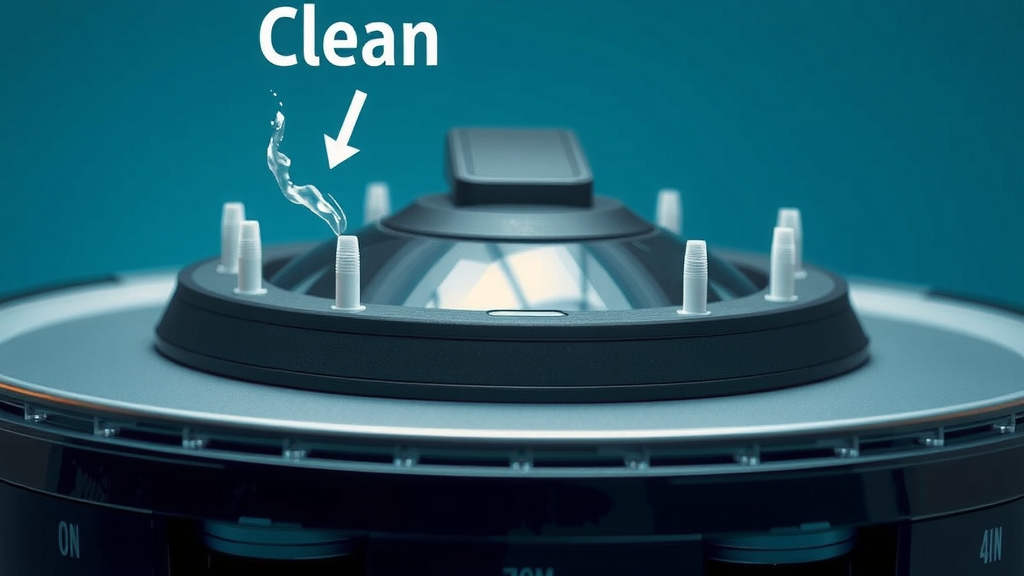
A Quick Checklist for Sensor Maintenance
To make sure you’re keeping your Shark robot vacuum running smoothly, follow this simple checklist:
- Turn off and unplug your robot before cleaning.
- Locate all cliff sensors on the underside of the unit.
- Gently wipe sensors with a dry microfiber cloth.
- Use compressed air for stubborn dust if needed.
- Check and clean other sensors (obstacle, edge) too.
- Power on and test after cleaning.
By taking these simple steps, you’re ensuring your Shark robot vacuum can navigate your home safely and effectively. Clean sensors mean a happier robot and a cleaner home for you!
Conclusion
You’ve learned how keeping your Shark robot vacuum’s cliff sensors clean is essential for its safe and efficient operation. These tiny sensors act as your robot’s eyes, preventing it from taking a tumble down stairs or off ledges. By performing a simple, regular cleaning routine with just a few household items, you can ensure your robot navigates accurately. Don’t wait for your robot to misbehave; take a moment this week to check and clean those sensors. It’s a small effort that guarantees a much smoother cleaning experience for you and a longer life for your robotic helper.
Frequently Asked Questions
How do I know if my Shark robot’s cliff sensors are dirty?
Your robot will usually give you clues. If it starts getting stuck near edges, wanders aimlessly, or approaches stairs without stopping, its sensors likely need a clean. You might also see it pause frequently or display navigation error messages.
Can I use a wet cloth to clean the cliff sensors?
It’s best to use a dry microfiber cloth first. If dust is stubborn, you can *lightly* dampen a cotton swab with water. Be sure to dry the sensor immediately afterward to prevent any moisture from interfering with its function.
How often should I clean my Shark robot’s cliff sensors?
For most homes, checking them weekly is a good habit. If you have pets or a dusty environment, more frequent checks are wise. Aim for a thorough clean every 1-2 months, or whenever you notice behavioral changes.
Are cliff sensors the only sensors I need to worry about?
While cliff sensors are critical for preventing falls, other sensors also need attention. Cleaning the obstacle detection sensors on the bumper, for instance, helps your robot avoid furniture more effectively. Consult your manual to identify and maintain all sensors.
What happens if I never clean my robot’s cliff sensors?
If left dirty, the sensors can malfunction, leading your robot to think there’s no drop when there is one. This could result in your robot falling down stairs or off ledges, potentially causing significant damage to the unit and your home.

![7 Best Entry Level Robot Vacuum [2026]](https://robotvacuumfact.com/wp-content/uploads/2026/08/7-best-entry-level-robot-vacuum-2026-featured-768x432.jpg)