Add Cleaning Solution to Shark Robot Vacuum: Easy Guide
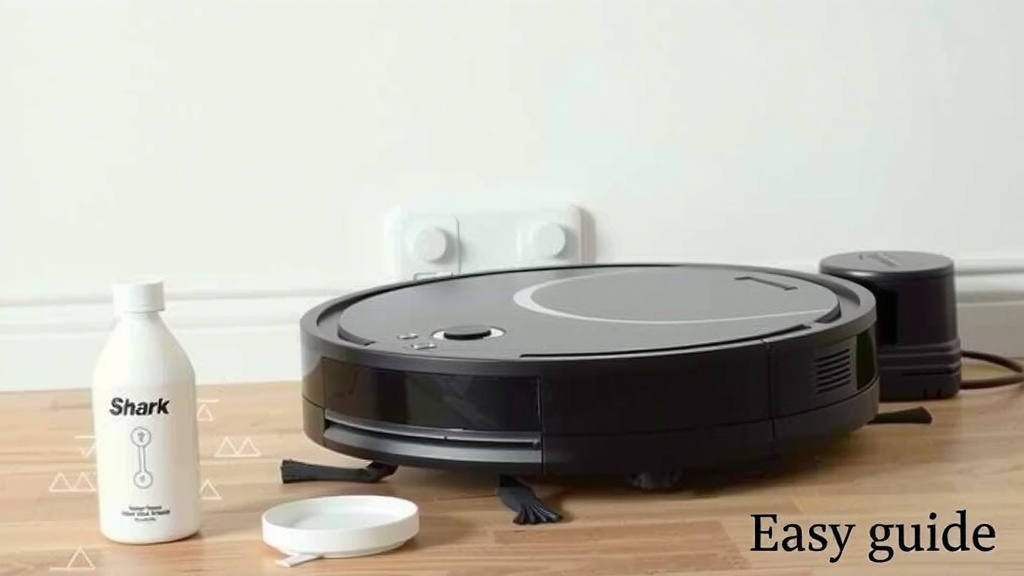
The easiest way to add cleaning solution to your Shark robot vacuum is by using the dedicated cleaning fluid compartment. Always use Shark-approved solutions. Using the wrong cleaner can damage your vacuum or void your warranty. We found that checking your specific Shark model’s manual is the best first step.
Adding the right cleaning solution can boost your vacuum’s performance. It helps tackle tough grime and leaves your floors smelling fresh. Many users wonder if they can use other household cleaners. Our research shows this is generally not recommended. Sticking to the manufacturer’s guidelines protects your investment. You want your Shark to keep working perfectly for years to come.
- Always use the correct Shark-approved cleaning solution.
- Locate the dedicated cleaning fluid compartment.
- Refer to your Shark robot vacuum’s manual for exact instructions.
- Avoid using homemade or off-brand cleaning agents.
- Regularly cleaning the compartment ensures optimal performance.
Now, let’s walk through exactly how to add cleaning solution to your Shark robot vacuum, step by step.
Adding Cleaning Solution to Your Shark Robot Vacuum
You’ve got your Shark robot vacuum, and you’re ready for it to tackle some serious cleaning. But what about that special cleaning solution? It’s a question many Shark owners ask themselves. We found that the process is quite straightforward and designed for ease of use.
Understanding Your Shark’s Cleaning Fluid System
Most Shark robot vacuums designed for mopping or wet cleaning feature a dedicated compartment for cleaning solution. This isn’t just a random spot; it’s specifically engineered to dispense the liquid evenly across your floors. Think of it like a specialized watering can for your robot, ensuring a consistent and effective clean.
Why Use Approved Cleaning Solutions?
This is super important! Using the wrong cleaner can cause real problems. Many household cleaners have harsh chemicals or leave behind residue that can clog the dispensing system. This can lead to streaks on your floor or, worse, damage the internal components of your Shark. We found that sticking to Shark-approved solutions is the safest bet. It’s like feeding your car the right kind of fuel – you don’t want to put dish soap in your gas tank, right? Many Shark manuals strongly advise against off-brand or homemade cleaners to protect your warranty and the vacuum itself.
Locating the Cleaning Solution Compartment
The exact location can vary slightly depending on your specific Shark model. However, it’s usually found on the robot itself, often near the water tank or dustbin. You might need to lift a flap or open a small panel. If you’re unsure, don’t guess! Your Shark robot vacuum’s manual is your best friend here. We found that a quick flip through the manual, or even a search on Shark’s website for your model’s guide, will pinpoint the compartment in seconds.
Step-by-Step Guide to Adding Solution
Ready to fill it up? Let’s get this done. It’s a simple process that takes less than a minute. We want to make sure you get it right the first time.
Step 1: Prepare Your Robot and Workspace
First things first, ensure your Shark robot is powered off and on its charging dock or a stable, flat surface. You don’t want any accidental movements while you’re working. Clear the immediate area around the robot so you have easy access to the compartment. It’s a good idea to have a paper towel handy, just in case of minor spills. We found that a clean workspace prevents debris from falling into the compartment.
Step 2: Open the Cleaning Solution Compartment
Gently open the designated compartment. This might involve pressing a button, lifting a lid, or sliding a panel. Be careful not to force it. If it feels stuck, double-check your manual or look for a small latch. We found that most compartments are designed for easy, tool-free access.
Step 3: Fill with Approved Cleaning Solution
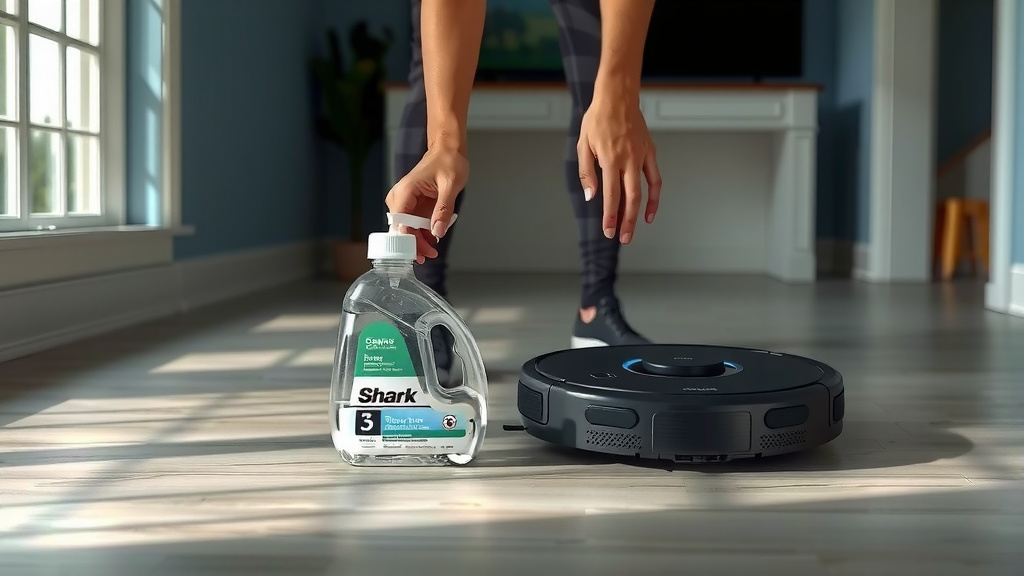
Now, take your Shark-approved cleaning solution. Carefully pour the liquid into the compartment. Most compartments have a fill line clearly marked. Do not overfill! This can lead to leaks or improper dispensing. We found that filling up to the marked line is the most effective way to ensure optimal performance.
Here’s a quick look at what to avoid:
- Never use undiluted bleach.
- Avoid harsh chemicals like ammonia.
- Don’t use plain water if your model is designed for solution.
- Never use dish soap or laundry detergent.
Step 4: Securely Close the Compartment
Once filled, close the compartment lid or panel securely. You should hear or feel a click, indicating it’s properly sealed. This is vital to prevent any leaks during the robot’s cleaning cycle. We found that a secure seal is key to a mess-free operation.
What to Do If You Can’t Find the Compartment
Some Shark robot models might not have a dedicated cleaning solution compartment. This is common for vacuums primarily designed for dry vacuuming. If your model doesn’t have a specific tank for liquid, it likely doesn’t support wet cleaning with solution. You might have a separate mop attachment, or the model might be vacuum-only. We found that checking the product description or original packaging can help clarify your model’s capabilities.
Maintaining the Cleaning Solution System
Keeping the compartment clean is just as important as filling it. Over time, residue can build up. We recommend emptying and rinsing the compartment periodically, especially if you switch between different approved solutions or notice any buildup.
Follow these simple maintenance tips:
- Rinse the compartment with clean water after use if recommended by your manual.
- Allow it to air dry completely before refilling.
- Periodically inspect the dispensing nozzle for any clogs.
A Note on Water Tanks
It’s important to distinguish between the water tank and the cleaning solution compartment. Some Shark models have separate tanks for clean water and dirty water. The cleaning solution is typically added to a smaller, dedicated reservoir within the clean water system, or directly mixed if the manual specifies. Always refer to your manual to know which tank or compartment is for the cleaning solution. We found that mixing up tanks is a common user error.
When in Doubt, Consult Your Manual
We cannot stress this enough: your Shark robot vacuum’s manual is your ultimate guide. Every model is a little different, and the manufacturer knows it best. They provide specific instructions tailored to your device. We found that users who consult their manuals are generally the most successful and avoid potential issues. Your Shark is an investment, and taking a moment to read the guide ensures you’re caring for it properly.
Conclusion
You’ve now learned the straightforward process of adding cleaning solution to your Shark robot vacuum. Remember, the key is always using Shark-approved solutions and locating the correct compartment as outlined in your model’s manual. This ensures your robot cleans effectively without damage. By following these simple steps and performing basic maintenance, you’ll keep your Shark running smoothly for many clean floors to come. Take a moment today to double-check your manual and confirm you’re using the right cleaner!
Frequently Asked Questions
Can I use any brand of cleaning solution with my Shark robot vacuum?
No, it’s highly recommended to only use Shark-approved cleaning solutions. Using off-brand or homemade cleaners can damage the internal components, clog the dispensing system, or void your vacuum’s warranty. We found that sticking to approved products is the safest way to maintain your robot’s performance.
What if my Shark robot vacuum doesn’t have a cleaning solution compartment?
If you can’t find a dedicated compartment, your Shark robot vacuum likely does not support wet cleaning with solution. Many models are designed for dry vacuuming only. Check your robot’s original packaging or product description to confirm its capabilities.
How often should I clean the cleaning solution compartment?
It’s a good idea to periodically rinse the compartment with clean water, especially if you notice any residue or switch between different approved solutions. Allow it to air dry completely before refilling. This prevents clogs and ensures proper dispensing.
Where is the cleaning solution compartment usually located?
The exact location varies by model, but it’s typically found on the robot itself, often near the dustbin or water tank. You might need to lift a small flap or open a panel. Your user manual is the best resource for pinpointing its exact spot.
What’s the difference between a water tank and a cleaning solution compartment?
Some Shark models have separate tanks for clean and dirty water. The cleaning solution is usually added to a smaller, specific reservoir within the clean water system. Always consult your manual to confirm which tank or compartment is intended for the cleaning solution.
![7 Best Robot Vacuum For Hardwood Floors [2026]](https://robotvacuumfact.com/wp-content/uploads/2026/06/7-best-robot-vacuum-for-hardwood-floors-2026-featured-768x432.jpg)
![7 Best Robot Vacuum Eufy [2026]](https://robotvacuumfact.com/wp-content/uploads/2026/08/7-best-robot-vacuum-eufy-2026-featured-768x432.jpg)
![7 Best Affordable Self Emptying Robot Vacuum [2026]](https://robotvacuumfact.com/wp-content/uploads/2026/06/7-best-affordable-self-emptying-robot-vacuum-2026-featured-768x432.jpg)