How to Add Water to Your Shark Matrix Robot Vacuum
Adding water to your Shark Matrix robot vacuum is quite simple. You’ll want to use distilled or demineralized water for best results and to protect your robot. Avoid tap water, as its minerals can cause buildup and damage the internal components over time.
Keeping your Shark robot vacuum’s water tank full is key to its mopping function. If you’re wondering about the right type of water, research and many user guides recommend distilled or demineralized. This helps ensure your robot runs smoothly and effectively for longer periods.
- Always use distilled or demineralized water.
- Tap water can cause mineral buildup.
- Check your Shark robot’s manual for specific recommendations.
- Ensure the water tank is correctly seated after filling.
Now, let’s walk through exactly how to add water to your Shark Matrix robot vacuum, step by step. It’s easier than you might think!
Filling Your Shark Matrix Robot Vacuum’s Water Tank
You’re just a few simple steps away from getting your Shark Matrix robot vacuum ready for a sparkling clean. It’s mostly about finding the right spot and using the correct water. We’ll walk you through it so your robot can get back to its mopping duties without a hitch.
Locating the Water Tank
The first step is finding the water tank on your Shark Matrix robot. It’s usually located on the underside or perhaps on the side of the robot, often accessible once you lift a panel or open a specific compartment. You might need to gently detach the mopping pad assembly first.
Accessing the Tank Compartment
Most Shark Matrix models have a compartment that needs to be opened to reach the water tank. This might involve pressing a small button, sliding a latch, or simply lifting a lid. Check your robot’s specific design; it’s usually quite intuitive.
Removing the Water Tank
Once the compartment is open, you’ll see the water tank. It’s typically a small, often translucent container. You’ll want to carefully pull it out from its housing. Be gentle; these tanks can sometimes be a little stiff to remove, but they’re designed to come out without much force.
Choosing the Right Water Type
This is super important for keeping your robot healthy. Using the wrong water can lead to problems down the line. We found that distilled or demineralized water is your best bet.
Why Distilled or Demineralized Water?
Tap water contains minerals. These minerals can leave behind deposits inside your robot’s water lines and spray nozzles. Over time, this buildup can clog the system and reduce its cleaning efficiency. Think of it like scale forming in a kettle; it’s not good for delicate machinery. Many user guides and cleaning experts recommend avoiding tap water to protect the internal components (Shark Customer Support).
What to Avoid
Definitely steer clear of anything other than distilled or demineralized water. This includes tap water, bottled water, or any cleaning solutions unless specifically approved by Shark. Adding anything other than plain, pure water might void your warranty or damage the robot.
The Filling Process Step-by-Step
Now that you know what water to use and where to find the tank, let’s get it filled. This part is quick and easy.
Prepare Your Workspace
It’s a good idea to have a towel handy. While the process is usually clean, a small spill can happen. Also, make sure your robot is on a flat surface, turned off, and you have your chosen water ready.
Open the Water Tank Cap
On the water tank itself, you’ll find a cap or a stopper. This is designed to be easily opened. Sometimes it’s a flip-top, other times it’s a plug that pulls out. Just ensure it opens smoothly.
Fill the Tank
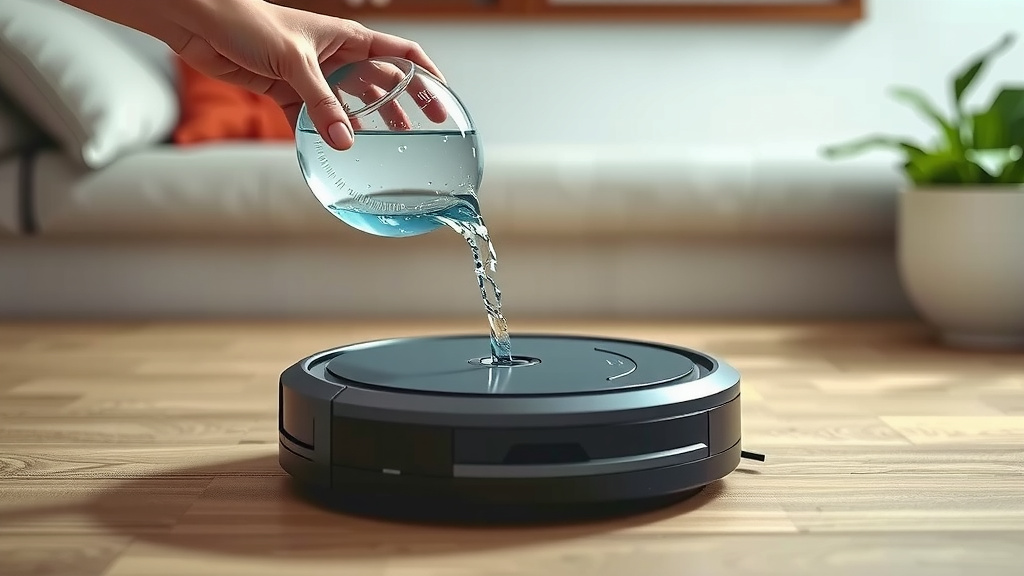
Slowly pour your distilled or demineralized water into the tank opening. Don’t overfill it. Most tanks have a “Max Fill” line. Filling it to this line is usually sufficient for a cleaning cycle. Avoid pouring too quickly, which can cause splashing.
Secure the Cap
Once filled, firmly close the cap or stopper. You want to make sure it’s sealed properly to prevent leaks during operation. You should hear or feel a click, or see that it’s snug. A good seal is key for the robot’s mopping function.
Reinserting the Water Tank
Putting the tank back into the robot is just as important as filling it. A properly seated tank ensures the mopping system works correctly.
Align and Insert
Carefully align the water tank with its slot in the robot. Gently slide it back into place until it’s fully seated. You might feel it click or settle firmly into position. If it feels forced, take it out and try again, ensuring it’s correctly aligned.
Close the Compartment
Finally, close the compartment lid or panel where the water tank is stored. Make sure it snaps shut securely. This protects the tank and its connections.
Quick Checklist for Refilling
Here’s a quick rundown to make sure you haven’t missed anything:
- Confirm robot is powered off.
- Locate and remove the water tank.
- Use only distilled or demineralized water.
- Fill to the Max line, do not overfill.
- Securely close the tank cap.
- Reinsert tank and close compartment fully.
Troubleshooting Common Issues
Sometimes things don’t go perfectly. Here are a couple of common hiccups you might encounter.
Tank Won’t Come Out
If the water tank feels stuck, double-check that you’ve opened the main compartment correctly and that there are no other latches or buttons holding it in place. Sometimes a gentle wiggle is all it needs, but avoid brute force.
Water Not Spraying
If you’ve filled the tank and the robot isn’t spraying water, the most common cause is a clogged nozzle or a poorly seated tank. Ensure the tank is pushed in all the way and the cap is sealed. If the issue persists, you might need to clean the spray nozzles as per your robot’s manual.
Conclusion
You’ve now learned exactly how to add water to your Shark Matrix robot vacuum. Remember, using distilled or demineralized water is key to its longevity. Keep your tank clean and properly seated for optimal mopping performance. By following these simple steps, you’ll ensure your robot continues to deliver sparkling clean floors. Your next step is to grab your distilled water and give that tank a fresh fill!
Frequently Asked Questions
Can I use regular tap water in my Shark Matrix robot?
No, we strongly recommend against using tap water. The minerals in tap water can build up inside your robot’s system, potentially causing clogs and damage over time. Stick to distilled or demineralized water for the best results.
Where is the water tank located on the Shark Matrix?
The water tank is typically found on the underside or side of your Shark Matrix robot. You’ll usually need to open a specific compartment, which might involve lifting a lid or sliding a latch, to access it.
How much water should I put in the tank?
You should fill the water tank up to the “Max Fill” line indicated on the tank itself. Overfilling can cause leaks, while underfilling may reduce the effectiveness of the mopping function.
What if my Shark Matrix robot isn’t spraying water after I filled the tank?
If your robot isn’t spraying water, first check that the water tank is properly seated and the cap is securely closed. If the issue continues, the spray nozzles might be clogged and could require cleaning as per your user manual.
Do I need to use a special cleaning solution with the water?
No, you should only use plain distilled or demineralized water. Adding any cleaning solutions, unless specifically approved by Shark for your model, can damage the robot’s internal components and may void your warranty.

![7 Best Robot Vacuum Mid Range [2026]](https://robotvacuumfact.com/wp-content/uploads/2026/08/7-best-robot-vacuum-mid-range-2026-featured-768x432.jpg)
![7 Best Robot Vacuum With Docking Station [2026]](https://robotvacuumfact.com/wp-content/uploads/2026/09/7-best-robot-vacuum-with-docking-station-2026-featured-768x432.jpg)
![7 Best Robot Self Cleaning Vacuum [2026]](https://robotvacuumfact.com/wp-content/uploads/2026/08/7-best-robot-self-cleaning-vacuum-2026-featured-768x432.jpg)