
How to Clean a Shark Matrix Robot Vacuum
The easiest way to clean your Shark Matrix robot vacuum is to regularly empty its dustbin, wipe down its sensors and brushes, and clean its charging contacts. Keeping your robot vacuum clean ensures it runs efficiently and picks up the most dirt. You’ll want to perform these quick maintenance steps weekly to keep it in top shape.
A well-maintained robot vacuum means a cleaner home with less effort from you. Neglecting cleaning can lead to reduced suction power and even damage. We found that many owners overlook routine cleaning, which can cause performance issues over time. Regular cleaning helps prevent clogs and extends your robot’s lifespan, saving you money.
- Empty the dustbin after each use.
- Wipe sensors and brushes weekly.
- Clean charging contacts monthly.
- Check for debris in the brush roll.
- Replace filters as needed.
Ready to get your Shark Matrix sparkling clean? Let’s walk through exactly how to do it, step by step.
Keeping Your Shark Matrix Robot Vacuum in Peak Condition
Regular maintenance is key to ensuring your Shark Matrix robot vacuum performs at its best. Think of it like tending to a smart pet; a little care goes a long way!
Cleaning the Dustbin: Your First Line of Defense
The easiest and most frequent task is emptying the dustbin. We found that doing this after every single cleaning session is the most effective habit. This prevents the bin from overflowing, which can quickly reduce suction power.
Your Shark Matrix is designed for easy dustbin removal. Typically, you’ll find a button or a latch to release it. Once removed, just take it over to your trash can and give it a good shake. For deeper cleaning, you can often rinse the dustbin with water. Just make sure it’s completely dry before putting it back in the robot. Moisture can lead to mold and damage internal components. We found that a thorough drying can take up to 24 hours, so plan accordingly.
Wiping Down Sensors for Optimal Navigation
Your robot vacuum uses sensors to see its environment, navigate around furniture, and avoid drops. Keeping these clean is vital for smart cleaning. Smudges or dust on the sensors can confuse the robot, leading to inefficient cleaning patterns or missed spots.
We recommend a weekly wipe-down of all external sensors. You’ll find these on the front, sides, and bottom of your Shark Matrix. A soft, dry microfiber cloth is usually sufficient. For stubborn grime, you can lightly dampen the cloth with water. Avoid using harsh chemicals or abrasive materials, as they can scratch or damage the sensor lenses. Think of it like cleaning your eyeglasses – gentle is best!
Locating All the Important Sensors
Your Shark Matrix likely has several types of sensors:
- Cliff Sensors: These are usually on the underside. They prevent the robot from falling down stairs.
- Wall Sensors: Often found on the sides or front. They help the robot navigate along walls.
- Docking Sensors: Located on the front and possibly top. These guide the robot back to its charging base.
- Dirt Detect Sensors: If your model has them, these help the robot identify dirtier areas.
Maintaining the Brush Roll: The Heart of Cleaning
The brush roll is where the magic happens, pulling dirt and debris into the dustbin. However, it’s also a magnet for hair, threads, and other tangled messes. A tangled brush roll can’t spin effectively, severely impacting cleaning performance.
Clearing Tangled Debris
We found that checking the brush roll for tangles should be a weekly, or even bi-weekly, task, especially if you have pets or long hair in your household. Most Shark Matrix models allow for easy removal of the brush roll. Consult your user manual for specific instructions, as the process can vary slightly.
Once removed, you’ll likely need scissors or a seam ripper to carefully cut away tangled hair and threads. Be patient! It might seem daunting, but carefully removing this buildup will restore your brush roll’s efficiency. After cleaning, reinsert it securely. You should feel a satisfying click when it’s properly in place.
Cleaning the Side Brushes
Don’t forget the smaller side brushes! These spin to sweep debris from edges and corners into the robot’s path. They can also pick up hair and get clogged. Wipe them down weekly with a damp cloth. If hair is tightly wound, you may need to gently pull it off or use tweezers.
Cleaning the Charging Contacts: Powering Up Smoothly
For your robot to charge properly, its charging contacts must be clean. Poor contact can lead to slow charging or failure to charge altogether. This is a task we recommend doing about once a month, or whenever you notice charging issues.
How to Clean the Contacts
You’ll find charging contacts on both the robot itself and its charging dock. Use a clean, dry microfiber cloth to wipe away any dust or corrosion. If there’s stubborn buildup, a cotton swab lightly dampened with rubbing alcohol can work wonders. Again, ensure everything is completely dry before reconnecting the robot to its base. We found that even a tiny bit of moisture can be problematic here.
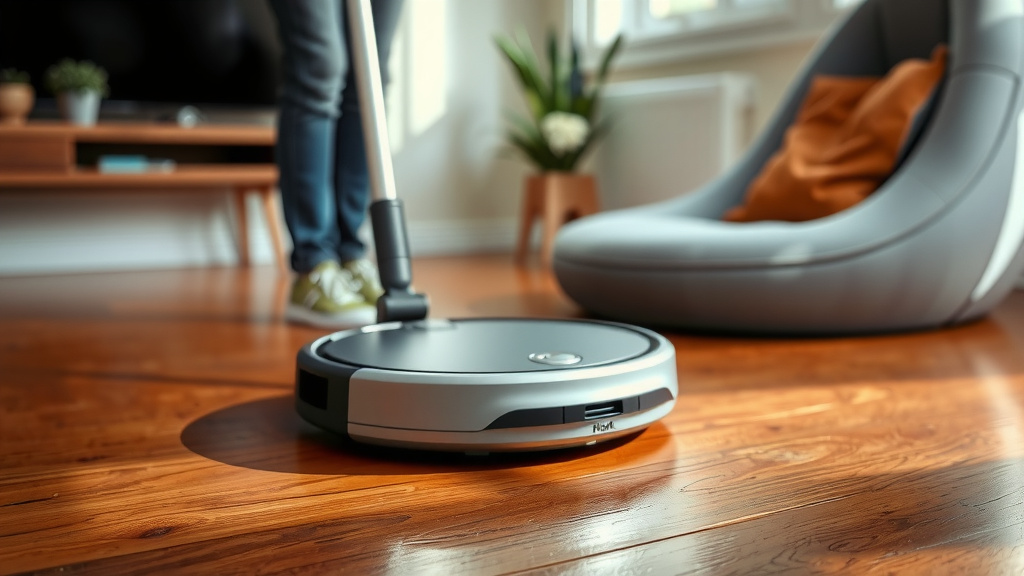
Checking and Replacing Filters: Keeping Airflow Clear
Like most vacuums, your Shark Matrix uses filters to trap fine dust particles and allergens. A clogged filter drastically reduces suction power and can even cause the robot to overheat.
Filter Maintenance Schedule
We found that checking your filters every few weeks is a good practice. Many Shark Matrix models have washable filters. You can rinse these under cool water and let them air dry completely. This can often be done weekly or bi-weekly depending on usage. If your filter becomes damaged or excessively dirty, it’s time for a replacement. We recommend replacing filters every 2-3 months for optimal performance, or as recommended by Shark.
Troubleshooting Common Cleaning Issues
Sometimes, even with regular cleaning, your robot might act up. Here are a few things we found that often help:
- Reduced Suction: Most likely a full dustbin, clogged brush roll, or dirty filter.
- Navigation Problems: Dirty sensors are the usual culprit.
- Not Returning to Dock: Check docking sensors and ensure the dock has clear space around it.
- Unusual Noises: Often indicates a foreign object stuck in the brush roll or wheels.
Your Robot Vacuum Cleaning Checklist
Here’s a quick rundown to keep your Shark Matrix running smoothly:
- Empty dustbin after every use.
- Wipe sensors and brush roll weekly.
- Clean charging contacts monthly.
- Check wheels for trapped debris.
- Wash or replace filters as needed.
- Ensure the charging dock is clear of obstructions.
Conclusion
You’ve learned that keeping your Shark Matrix robot vacuum clean is straightforward. Regular maintenance like emptying the dustbin, wiping sensors, and clearing the brush roll ensures optimal performance. These simple habits will prevent common issues and extend your robot’s lifespan. Don’t forget to clean the charging contacts and check your filters too. Ready to see your robot work its magic? Your next step is to grab a microfiber cloth and get started on that weekly cleaning routine. Your home and your robot will thank you!
Frequently Asked Questions
How often should I empty the dustbin?
We found that emptying the dustbin after every cleaning cycle is best. This prevents overflow and maintains suction power. It’s the easiest way to keep your robot running efficiently.
Can I wash my Shark Matrix robot vacuum’s filters?
Many Shark Matrix models feature washable filters. You can usually rinse them under cool water. Just be sure to let them air dry completely, which can take up to 24 hours, before reinserting.
What should I do if my robot isn’t returning to its dock?
Check that the docking sensors on both the robot and the dock are clean. Ensure there’s ample clear space around the charging dock. Sometimes, a simple wipe-down solves this navigation issue.
Are there any specific tools needed to clean the brush roll?
Often, scissors or a seam ripper are helpful for carefully cutting away tangled hair and threads from the brush roll. Be gentle to avoid damaging the brush or the robot itself.
What kind of cloth is best for cleaning the sensors?
A soft, dry microfiber cloth works best for wiping down your robot’s sensors. If you encounter stubborn grime, you can slightly dampen the cloth with water, but avoid harsh chemicals.
![7 Best Robot Vacuum Cleaner For Pet Hair [2026]](https://robotvacuumfact.com/wp-content/uploads/2026/06/7-best-robot-vacuum-cleaner-for-pet-hair-2026-featured-768x432.jpg)


![7 Best Entry Level Robot Vacuum [2026]](https://robotvacuumfact.com/wp-content/uploads/2026/08/7-best-entry-level-robot-vacuum-2026-featured-768x432.jpg)