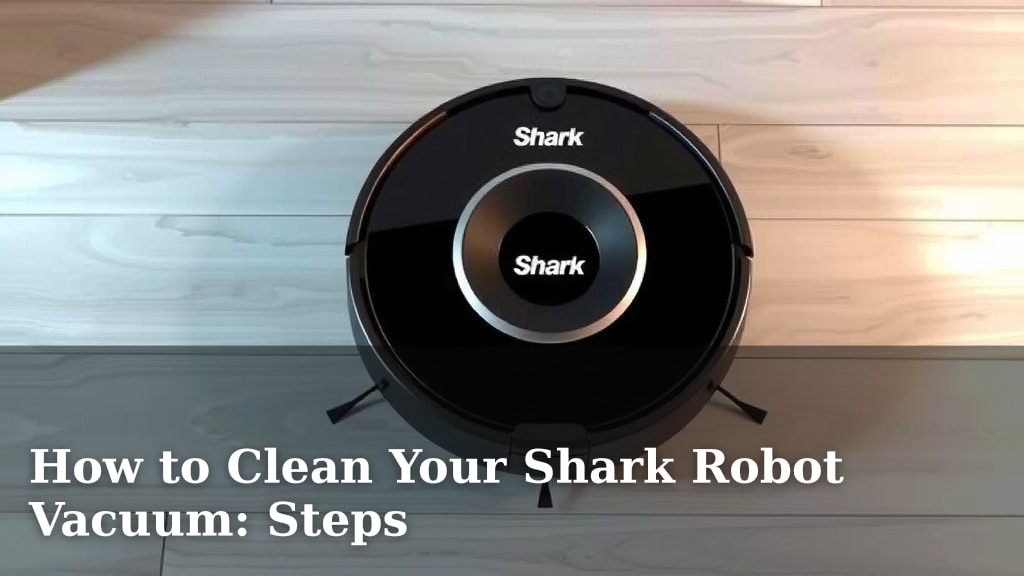
How to Clean Your Shark Robot Vacuum: Steps
To clean your Shark robot vacuum, you’ll want to regularly empty the dust bin, wipe down the sensors, and clear debris from the brushes. This simple maintenance routine helps ensure your robot vacuum performs at its best. Neglecting these steps can lead to decreased suction power and potential damage to your device.
Keeping your Shark robot vacuum clean isn’t just about aesthetics; it’s essential for its longevity and effectiveness. Regular cleaning prevents dust build-up on sensors, which can impair navigation. It also ensures the brushes can spin freely, effectively picking up dirt and debris from your floors. Many users find that a quick, weekly clean makes a big difference in performance.
- Empty the dust bin after every use.
- Wipe down all sensors with a soft, dry cloth.
- Remove hair and debris from the main brushes.
- Clean the filter regularly, or replace it as needed.
- Wipe down the exterior and underside of the vacuum.
Let’s walk through exactly how to keep your Shark robot vacuum in tip-top shape, step by step.
Keeping Your Shark Robot Vacuum Pristine
You’ve got a great tool in your Shark robot vacuum. It helps keep your floors clean with minimal effort. But just like any hardworking appliance, it needs a little TLC to keep running smoothly. Regular maintenance is key to its longevity. It also ensures you get the best cleaning performance possible. Let’s dive into how to give your robot vacuum the spa treatment it deserves.
Essential Cleaning Tasks for Your Shark Robot
Emptying the Dust Bin: Your First Line of Defense
This is probably the most frequent task you’ll do. After each cleaning session, make it a habit to empty the dust bin. A full bin means less room for new debris. It also means your vacuum can’t suck up as much dirt. Think of it like trying to drink through a straw that’s completely plugged.
Most Shark robot vacuums have an easy-release dust bin. You’ll usually find a button or latch to open it. Just hold it over a trash can and give it a gentle tap. You might be surprised how much dust and grime it collects! Keeping this clean prevents dust from recirculating into your home, too.
Cleaning the Sensors: Guiding Your Robot Safely
Your Shark robot uses sensors to navigate your home. It sees walls, furniture, and drop-offs. If these sensors get dirty, your robot might get confused. It could bump into things more often or miss spots. Keeping them clean is vital for smart navigation.
Look for the sensors along the sides and bottom of your robot. You’ll typically see small windows or dark areas. The most common ones are the cliff sensors (to prevent falls down stairs) and obstacle sensors. Always use a soft, dry microfiber cloth. Never use harsh chemicals or abrasive materials. These can scratch or damage the sensor lenses. A gentle wipe is usually all they need.
Maintaining the Brushes: The Heart of the Clean
The main brushes are where the magic happens. They sweep up dirt and debris from your floors. Hair, string, and larger bits can get tangled around them. This tangled mess can slow down or even stop the brushes from spinning. It’s like trying to run with your shoelaces tied together.
To clean the brushes, you’ll usually need to remove them. Your Shark robot likely has a brush guard or a release mechanism. Consult your manual if you’re unsure. Once removed, carefully pick out any tangled hair or fibers. A pair of scissors can be helpful for cutting through stubborn knots. Make sure the brush ends spin freely before reinserting them. This is a **critical step for suction power**.
Dealing with Hair and Fibers
We found that longer hair and pet fur are the biggest culprits for brush tangles. Take your time when removing them. Many experts suggest doing this weekly, especially if you have pets. Some models may have a self-cleaning brushroll designed to minimize tangling. Even those benefit from a quick check.
Caring for the Filter: Breathing Easy
The filter in your Shark robot vacuum traps fine dust and allergens. A clogged filter reduces airflow. This means less suction power. It also means dust can escape back into your air. Think of it like a clogged air filter in your car – it affects performance.
Most Shark robot vacuums have a washable filter. You can usually rinse it under cool water. Let it air dry completely before putting it back. We found that drying can take up to 24 hours. Never put a damp filter back into the vacuum. For HEPA filters, check your manual; some may not be washable and need replacement. A general guideline is to clean your filter monthly and replace it every 6-12 months, depending on usage (Cleveland Clinic).
Filter Replacement Schedule
Manufacturers often provide a recommended replacement schedule. This can vary based on how often you use the vacuum and the environment it cleans. If you notice a significant drop in performance, the filter is often the first thing to check. Replacing it can **restore suction power**.
Exterior and Underside: The Hidden Grime
Don’t forget the body of your robot! Dust and debris can accumulate on the exterior and underneath. This can affect how well it moves and docks.
Wiping Down the Exterior
Use a soft, damp cloth to wipe down the top and sides of your robot. This removes dust and fingerprints. It keeps your appliance looking its best. Ensure the robot is powered off before wiping.
Cleaning the Underside and Wheels
Flip your robot over carefully. You’ll see the wheels and the area around the main brush. Debris can get lodged here. Use a brush or a dry cloth to clear away any stuck-on dirt. Ensure the wheels can spin freely. Stuck debris can cause the robot to veer off course or get stuck.
Troubleshooting Common Cleaning Issues
Sometimes, even with regular cleaning, you might encounter issues. Is your robot not picking up dirt effectively? Is it making strange noises? Often, the solution lies in one of the cleaning steps we’ve covered.
Reduced Suction Power
This is almost always linked to a full dust bin, a clogged filter, or tangled brushes. Double-check all three of these areas first. We found that ensuring the brushes spin freely is especially important for maintaining strong suction.
Navigation Problems
If your robot is bumping into things or getting lost, the sensors might be dirty. Give all the sensor windows a good wipe with a soft cloth. Ensure there are no obstructions blocking the sensors.
Your Shark Robot Vacuum Cleaning Checklist
To make keeping your robot clean even easier, here’s a quick checklist:
- Empty dust bin after every use.
- Wipe down all sensors weekly.
- Check and clean main brushes weekly.
- Wash or replace filter monthly/as needed.
- Wipe down exterior and underside weekly.
By following these simple steps, you’ll ensure your Shark robot vacuum continues to be a reliable cleaning partner. A little bit of maintenance goes a long way toward a cleaner home and a longer-lasting appliance!
Conclusion
You’ve got this! Keeping your Shark robot vacuum clean is straightforward and makes a huge difference. Regular emptying of the dust bin, cleaning the sensors, and clearing the brushes ensures your robot works efficiently. Don’t forget the filter and a quick wipe-down of the exterior. Consistent maintenance means your trusty robot keeps your floors spotless for longer. Your next step is to grab a soft cloth and make a quick check of your robot’s brushes and sensors – you’ll be glad you did!
Frequently Asked Questions
How often should I deep clean my Shark robot vacuum?
While daily or weekly tasks are essential, a deeper clean that involves more thorough brush and filter care can be done monthly. If you have pets or heavy usage, you might want to check these components more frequently.
Can I use water to clean my Shark robot vacuum’s sensors?
No, it’s best to use only a soft, dry microfiber cloth to clean the sensors. Water or cleaning solutions could potentially damage the delicate sensor lenses, affecting your robot’s navigation.
What should I do if my Shark robot vacuum is leaving streaks?
Streaks can often be caused by a dirty filter or brushes that are not spinning freely. Make sure to clean or replace your filter and thoroughly remove any debris tangled around the brushes.
Is it okay to wash my Shark robot vacuum’s filter?
Many Shark robot vacuum filters are washable. You can rinse them under cool water and allow them to air dry completely (up to 24 hours) before reinserting. Always check your specific model’s manual to be sure.
My robot vacuum isn’t returning to its dock. What could be wrong?
This is often due to dirty sensors or obstructions around the charging contacts on the robot or dock. Ensure all sensors are clean and that the charging surfaces are free of dust and debris.
![7 Best Robot Mop Only No Vacuum [2026]](https://robotvacuumfact.com/wp-content/uploads/2026/08/7-best-robot-mop-only-no-vacuum-2026-featured-768x432.jpg)

![7 Best Hybrid Robot Vacuum Mop [2026]](https://robotvacuumfact.com/wp-content/uploads/2026/08/7-best-hybrid-robot-vacuum-mop-2026-featured-768x432.jpg)