Shark Robot Vacuum: Cleaning Multiple Floors Made Easy
Yes, you can absolutely use your Shark robot vacuum on multiple floors! The easiest way to manage this is by simply carrying the robot vacuum to each floor. Many Shark models don’t automatically map different levels, so you’ll need to guide it between them. Just make sure to start a new cleaning cycle on each floor.
Managing a Shark robot vacuum across different levels of your home is quite straightforward. You’ll want to ensure it has a clear path on each floor and that its charging dock is accessible on the primary level, or you’ll need to manually plug it in. We found that carrying the robot up and down stairs is the most common and effective method for multi-floor cleaning. This approach ensures your Shark robot cleans each area thoroughly.
- Carry your Shark robot vacuum to each floor.
- Start a new cleaning cycle on each level.
- Ensure the charging dock is accessible or plug it in manually.
- Clear the floor space for efficient cleaning.
Below, we’ll walk you through exactly how to get your Shark robot vacuum cleaning every level of your home like a pro.
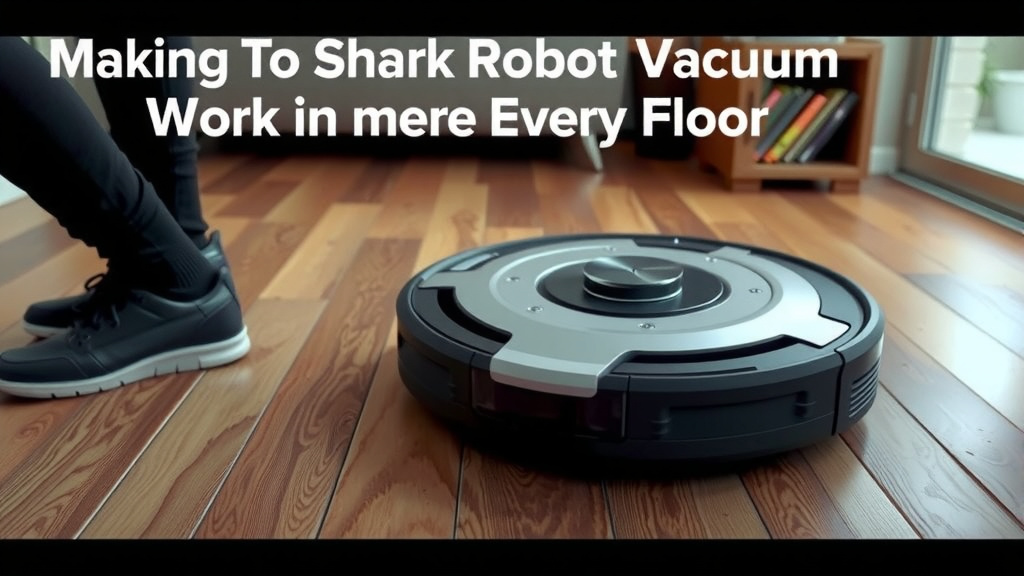
Making Your Shark Robot Vacuum Work on Every Floor
You’ve got a Shark robot vacuum, and you love how it keeps your main floor sparkling. But your home has more than one level, and you’re wondering how to get that same hands-free cleaning on the other floors. It’s a common question, and thankfully, it’s quite manageable!
The good news is that your Shark robot vacuum isn’t limited to just one floor. You can absolutely get it cleaning your upstairs bedrooms or downstairs den. It just requires a little manual effort from you to help it transition between levels. Think of it as giving your trusty robot a little lift!
The “Carry-Over” Method: Your Multistory Cleaning Secret
The most straightforward way to use your Shark robot vacuum across multiple floors is by physically moving it. Yes, you’ll be its personal elevator operator for the day. This method works best because most Shark robot vacuums don’t automatically detect or map different floor levels.
We found that carrying the unit is the most reliable way to ensure a thorough clean on each story. You don’t need special ramps or complex setups. Just pick up your Shark and place it on the next floor you want cleaned. It’s that simple!
Prepping the Robot for Its Journey
Before you give your Shark robot a ride upstairs or downstairs, make sure it’s ready for the trip. If it’s currently docked and charging, it’s a good idea to let it finish its charge cycle. You wouldn’t want to start a cleaning mission with a half-empty battery, right?
Once it’s sufficiently charged, simply pick it up. Some models have convenient handles, making this a breeze. If yours doesn’t, just be sure to get a good grip on the main body. You want to avoid accidentally pressing buttons or dislodging any parts.
Setting the Stage on the New Floor
When you arrive at your destination floor, find a good spot for your Shark robot. A clear, open area is ideal. This helps the robot orient itself and start its cleaning cycle without getting immediately stuck or confused. Imagine giving directions – the clearer they are, the better the outcome.
The key here is to initiate a new cleaning cycle. Your robot won’t remember where it left off on the previous floor. You need to tell it, “Okay, start fresh!” This is usually as simple as pressing the clean button on the robot itself or through its app, if you’re using a smart model.
Docking and Charging Considerations for Multilevel Homes
This is where things can get a little tricky, but don’t worry, we’ve got solutions. Your Shark robot needs its charging dock to stay powered up. If you only have one dock, it needs to be on the floor where the robot spends most of its time.
Option 1: The Single-Dock Strategy
If you’re using the single-dock method, your robot will need to be manually returned to its charging station. After it finishes cleaning a floor, you’ll need to carry it back down (or up) to its dock. It won’t automatically find its way home across different levels.
This means that after each multi-floor cleaning session, you’ll need to place it back on its dock. You might also need to ensure the dock has a clear path to it on its home floor. This helps when it’s time to recharge between cleaning sessions.
Option 2: The Multi-Dock Setup (If Possible)
Some users find it convenient to purchase an additional charging dock for each floor. While this isn’t typically included with the robot, it can make life much easier. You’d simply leave a dock on each level where you plan to use the vacuum.
With a dock on each floor, your Shark robot can then return to charge on whichever level it’s currently on. You’ll still need to carry the robot between floors, but it can manage its own charging once it’s there. We found this to be a fantastic convenience for busy households.
Manual Charging: The Reliable Backup
What if you don’t have multiple docks and your robot runs out of juice mid-clean on an upper floor? No problem! You can always manually plug your Shark robot vacuum in. Most models come with a power adapter that you can connect directly to the unit.
Just look for the charging port on the robot itself. It’s usually located on the side or back. This is a great way to ensure your robot gets the power it needs, even if its dock isn’t readily accessible on that particular floor. It’s a smart little backup plan.
Optimizing Your Multistory Cleaning Routine
To get the most out of your Shark robot vacuum on multiple floors, a little planning goes a long way. Think about how you use each level of your home.
Create a Cleaning Schedule
Decide when you want each floor cleaned. Do you want the robot to tackle the main floor every day and the upstairs bedrooms a few times a week? Setting a routine makes it easier to manage.
- Start with a full charge.
- Carry the robot to the first floor.
- Initiate a cleaning cycle.
- Carry the robot to the next floor.
- Initiate another cleaning cycle.
- Repeat for all desired floors.
- Return the robot to its dock or plug it in for charging.
Clear the Path Before You Begin
Just like on your main floor, ensure the robot has a clear path on each new level. Pick up small toys, stray socks, or charging cables. This simple step prevents the robot from getting stuck and allows it to clean more effectively. We found that taking just a minute to clear the floor makes a huge difference in cleaning efficiency.
Consider what might be on the floors you’re about to clean. Are there rugs with fringes that could get tangled? Are there loose wires from electronics? A quick scan and tidying up ensures your robot can do its job without interruption. It’s like preparing a runway for a tiny, diligent pilot.
Understanding Your Shark Model’s Capabilities
It’s worth noting that some advanced Shark robot vacuum models might offer features like room mapping or the ability to save multiple floor plans via their app. If your model supports this, consult your user manual.
Even with advanced mapping, you may still need to carry the robot between floors. The mapping feature primarily helps the robot clean more efficiently within a given floor plan. It doesn’t typically enable self-navigation between staircases. So, while helpful for smart navigation, the manual carry is usually still part of the process.
App Features to Watch For
If your Shark robot has app control, check if it allows you to save multiple maps. You might be able to create a map for your first floor, save it, then create a new map for your second floor. This can help the robot learn and clean each level more intelligently. If your Shark robot has app control, check if it allows you to save multiple maps for each floor.
The app is also your best friend for starting and monitoring cleaning cycles remotely. You can send your robot off to clean a specific floor and get notifications when it’s done. It adds a layer of convenience to the whole multi-floor operation. We found the app really simplifies managing different cleaning zones.
Table: Multistory Cleaning Strategies at a Glance
Here’s a quick comparison of the main ways to manage your Shark robot on different levels.
| Strategy | Pros | Cons | Best For |
|---|---|---|---|
| Manual Carry + Single Dock | Simple, no extra cost. | Requires carrying robot up/down; robot needs manual return to dock. | Budget-conscious users, smaller homes. |
| Manual Carry + Multiple Docks | Robot self-charges on each floor. | Requires purchasing extra docks; still need to carry robot. | Users wanting maximum convenience and willing to invest more. |
| Manual Carry + Manual Plug-in | Ensures charging even without a dock. | Less convenient than a dock; requires finding the charging port. | Occasional multi-floor cleaning, backup charging method. |
Choosing the right strategy depends on your budget and how often you plan to clean each floor. For many, the manual carry with a single dock is perfectly effective.
Conclusion
Using your Shark robot vacuum on multiple floors is totally doable with a little manual help. We found that the simple act of carrying it between levels is the most effective method. Remember to always start a fresh cleaning cycle on each floor to ensure thoroughness. You can manage charging by returning it to a single dock, setting up multiple docks if your budget allows, or using the manual plug-in as a reliable backup. By preparing the robot and clearing its path, you’ll get consistent clean floors throughout your home. Now, go ahead and give your multi-story home the automated clean it deserves!
Frequently Asked Questions
Can I leave my Shark robot vacuum’s charging dock on one floor and use the vacuum on another?
Yes, you can, but you’ll need to manually carry the robot to the floor you want cleaned. The robot won’t automatically find its way to its dock if it’s on a different level. You’ll need to either carry it back to its home dock after cleaning or use the manual plug-in option on the upper floor.
Does my Shark robot vacuum automatically map different floors?
Most Shark robot vacuum models do not automatically map multiple floors. While some advanced models can save multiple room maps, they generally don’t navigate staircases or switch between levels on their own. You’ll still need to physically move the robot to each floor you want cleaned.
How often should I clean multiple floors with my Shark robot?
The frequency depends on your needs and how much traffic each floor gets. Many users find it effective to run the robot on their main living areas daily or every other day, and on other floors a few times a week. Creating a schedule that fits your household routine is key.
What if my Shark robot vacuum runs out of battery on an upper floor?
If your robot runs out of battery on a floor without its dock, you have a couple of options. You can manually carry it back to its primary charging dock, or you can use the power adapter that came with your robot to plug it directly into the unit for charging on that floor.
Can I use the Shark app to manage cleaning on different floors?
Yes, if your Shark robot model has app control, you can use it to start and monitor cleaning cycles on different floors. Some apps allow you to save separate maps for each level, which helps the robot clean each floor more intelligently. You can also receive notifications when cleaning is complete on a specific level.
![7 Best Cheap Robot Vacuum Under $100 [2026]](https://robotvacuumfact.com/wp-content/uploads/2026/08/7-best-cheap-robot-vacuum-under-100-2026-featured-768x432.jpg)