How to Charge Your Shark Robot Vacuum Easily
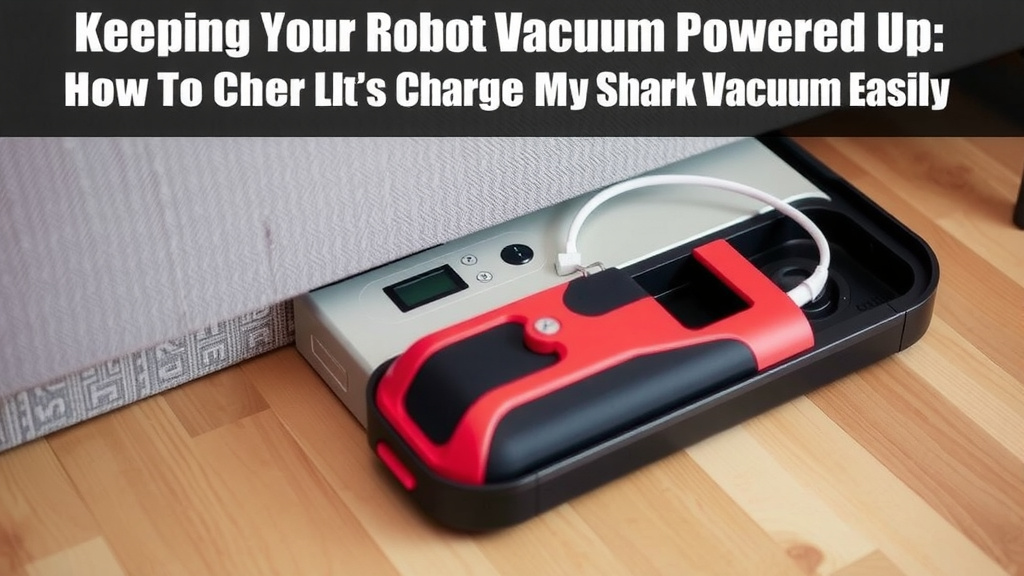
Charging your Shark robot vacuum is usually a simple process. Most models automatically return to their charging dock when their battery is low or when cleaning is complete. Just ensure the dock is plugged in and has clear space around it.
Understanding how to keep your Shark robot vacuum powered is key to efficient cleaning. A charged robot means a cleaner home with less intervention from you. We’ll help you get your robot vacuum always ready for its next job.
- Shark robots charge on a docking station.
- They usually go back on their own.
- Keep the dock plugged in.
- Ensure there’s space around the dock.
Let’s walk through the best ways to ensure your Shark robot vacuum is always charged and ready to go.
Keeping Your Shark Robot Vacuum Powered Up
Ensuring your Shark robot vacuum is always charged is straightforward. Most models know exactly when they need a power boost. They’ll simply return to their charging dock automatically. Your main job is to make sure the dock is set up correctly.
Understanding the Docking Process
Your Shark robot vacuum uses a docking station to recharge. Think of it as its little home base. When the battery gets low, or after it finishes cleaning, the robot will seek out this dock. It uses sensors to find its way back.
Automatic Docking: A Helping Hand
The beauty of these robots is their autonomy. You generally don’t have to manually place your Shark robot vacuum on the charger. This is especially true for modern models. They are programmed to return home on their own. This feature is a real time-saver for busy households.
What to Do if Your Robot Doesn’t Dock
Occasionally, your robot might have trouble finding its dock. This can happen if the dock is moved or if there’s an obstacle. Don’t panic! First, check the robot’s battery level. Is it actually low, or is it just returning prematurely?
Troubleshooting Docking Issues
If your Shark robot vacuum seems lost, there are a few things to check. Is the dock’s power cord securely plugged into the wall outlet? Is the dock itself stable and not wobbly? Sometimes, simply pushing the ‘Dock’ button on the robot or remote can help guide it home.
Setting Up Your Shark Robot’s Charging Station
The charging dock is more than just a place to plug in. It needs the right environment to function effectively. Proper placement is key to your robot’s charging success and, by extension, your home’s cleanliness.
Ideal Placement for the Dock
Think of the docking station like a parking spot for your robot. It needs clear space around it. Shark recommends having a few feet of clear space on either side and in front of the dock. This helps the robot approach and align itself easily. Avoid placing it in tight corners or behind furniture. A clear path ensures your robot can reliably return to its charging point without getting stuck.
Ensuring a Secure Connection
The dock needs to be plugged into a working electrical outlet. Always use the original power adapter that came with your Shark robot vacuum. Using a different adapter might not provide the correct voltage or could even damage the robot. Check that the connection between the dock and the adapter is snug. A loose connection means no power to the dock.
Understanding the Dock’s Indicator Light
Many Shark docking stations have an indicator light. This light usually shows the charging status. A solid light often means the dock is powered and ready. A blinking light might indicate an error or that the robot is currently charging. Consult your specific model’s manual to understand what the lights mean. This visual cue is your first clue if something isn’t right.
Charging Methods: Automatic vs. Manual
While your Shark robot is designed for automatic charging, sometimes you might need to intervene. Knowing both methods ensures your robot is always ready for action.
The Ease of Automatic Charging
As mentioned, your Shark robot vacuum is smart. It monitors its own battery life. When the charge drops below a certain threshold, it will pause its cleaning cycle. It then navigates back to its dock to recharge. Once fully charged, many models will resume cleaning from where they left off. This hands-off approach is one of the biggest benefits.
When Manual Charging Might Be Needed
There are a few scenarios where you might need to manually charge your robot. Perhaps you’re moving it to a different room and want to ensure it’s fully charged before starting. Or maybe you’ve just received your new Shark robot and want to give it a full initial charge. To manually charge, simply pick up the robot and place its charging contacts onto the charging terminals on the dock. Ensure the metal contacts on the robot align with those on the dock. A gentle push can help secure the connection.
| Action | Description |
|---|---|
| Plug In Dock | Ensure the charging dock is plugged into a working wall outlet. |
| Clear Dock Area | Remove obstacles within 2-3 feet in front and to the sides of the dock. |
| Check Connections | Verify the power adapter is securely connected to both the dock and the outlet. |
| Observe Indicator Light | Note the status light on the dock for power and charging indications. |
| Clean Contacts (Monthly) | Gently wipe the charging contacts on the robot and dock with a dry cloth. |
Maintaining Optimal Battery Health
Keeping your Shark robot vacuum charged isn’t just about convenience; it’s also about battery longevity. Treating the battery right means a longer lifespan for your cleaning companion.
The Importance of Regular Charging Cycles
Lithium-ion batteries, like those in your Shark robot, perform best with regular use and charging. Letting the battery completely drain too often can stress it. Conversely, keeping it constantly topped off at 100% for extended periods when not in use might also have minor impacts over the very long term. The automatic docking feature generally manages this well. It charges when needed and stops when full.
What to Do for Extended Storage
If you need to store your Shark robot vacuum for an extended period, like during a long vacation, it’s best to leave it with some charge. We found that storing it with a battery level around 50-60% is often recommended for lithium-ion batteries. This helps prevent deep discharge. Store it in a cool, dry place. Remember to place it back on the dock for a top-up charge before its next use.
Cleaning the Charging Contacts
Over time, dust and debris can accumulate on the charging contacts. These contacts are on both the robot and the docking station. This buildup can interfere with a good electrical connection, preventing charging. It’s a good idea to gently wipe these contacts with a clean, dry cloth about once a month. This ensures a consistent charge every time.
When to Seek Further Assistance
Most of the time, keeping your Shark robot vacuum charged is simple. However, if you encounter persistent issues, it’s wise to consult the resources available.
Consulting Your User Manual
Your Shark robot vacuum came with a user manual. This booklet is a treasure trove of information specific to your model. It will detail the charging indicators, troubleshooting steps, and recommended maintenance. Always refer to your manual first when you have questions about charging or any other function. It’s written by the experts who designed your robot.
Contacting Shark Support
If you’ve tried the basic troubleshooting steps and your robot still isn’t charging correctly, it might be time to contact Shark customer support. They can offer more advanced diagnostic help or arrange for repairs if necessary. Ensure you have your robot’s model number handy when you call. They are there to help ensure your Shark keeps your floors clean.
Conclusion
You’ve learned that charging your Shark robot vacuum is straightforward. Its automatic docking feature handles most of the work. Just ensure the charging dock is properly set up with clear space and a secure connection. A little monthly maintenance, like cleaning the contacts, keeps it running smoothly. Following these tips ensures your robot is always powered up and ready to tackle your floors. Now, go enjoy your cleaner home with minimal effort!
Frequently Asked Questions
Why won’t my Shark robot vacuum go back to its dock?
Check that the charging dock is plugged in and has clear space around it. Your robot may also need a gentle nudge; try pressing the ‘Dock’ button. Ensure the robot’s battery isn’t completely dead, as it needs some power to navigate home.
How do I know if my Shark robot vacuum is charging?
Look at the indicator light on the docking station. A solid light usually means the dock has power. The robot itself will also show a charging indicator, often a blinking light on top or in the app. Your user manual will detail what the lights mean for your specific model.
Can I manually charge my Shark robot vacuum if it won’t dock?
Yes, you can. Simply pick up the robot and align its charging contacts with the terminals on the dock. Press gently to ensure a secure connection. This is also a good method for the initial charge when you first get your robot.
How often should I clean the charging contacts on my Shark robot vacuum?
It’s recommended to clean the charging contacts on both the robot and the dock about once a month. Use a clean, dry cloth to gently wipe away any dust or debris. This ensures a consistent and efficient charge every time.
What should I do if the charging dock’s indicator light is off?
If the indicator light on your Shark robot’s charging dock is off, first check that the dock is plugged securely into a working wall outlet. Ensure the power adapter is also firmly connected to both the dock and the outlet. If it’s still off, try a different outlet to rule out an issue with the power source.