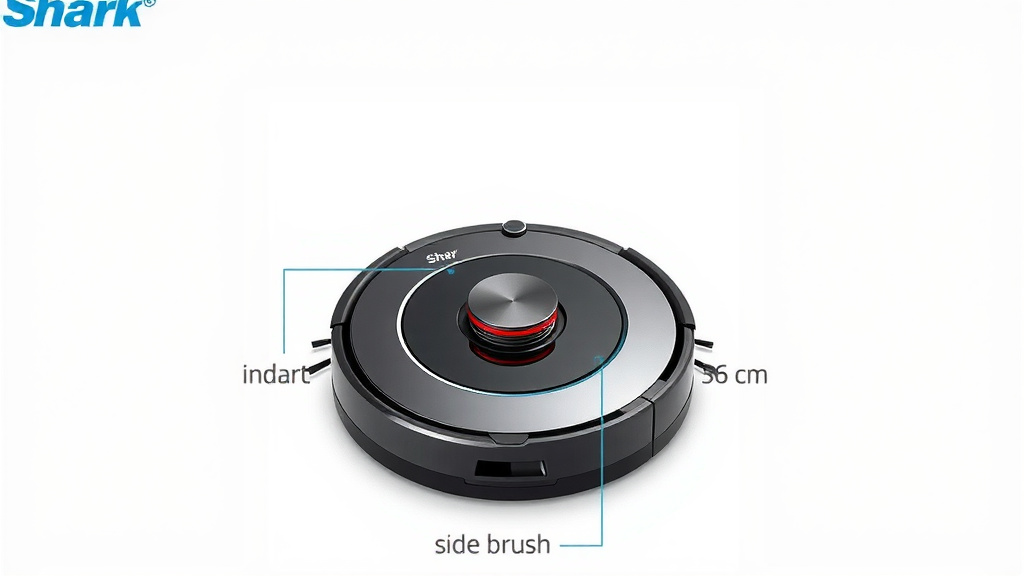
Install Shark Robot Vacuum Side Brush: Easy Steps
Installing a side brush on your Shark robot vacuum is a quick and simple process. You just need to align the brush with the correct peg on the vacuum’s underside and press it firmly until it clicks into place. This ensures your robot can effectively sweep debris from corners and edges.
Keeping your Shark robot vacuum’s side brush in good condition is key for optimal cleaning performance. A worn or clogged brush can leave dirt behind. Replacing it regularly helps maintain your vacuum’s ability to capture dust and pet hair from every nook and cranny.
- Align the new side brush with the connector peg.
- Press down firmly until you hear a click.
- Replace when brushes are worn or damaged.
- Ensure it’s the correct brush for your Shark model.
Ready to get your Shark robot vacuum back to its best cleaning self? Let’s walk through exactly how to get that side brush installed step by step.
Attaching Your Shark Robot Vacuum’s Side Brush: A Simple Guide
So, you’ve got a shiny new side brush, or maybe you’re just giving your trusty Shark robot vacuum a little TLC. Getting that side brush attached is a breeze. We’ll show you exactly how to do it so your robot can get back to hunting down dust bunnies. It’s a small step that makes a big difference in keeping your home clean.
Understanding Your Shark Robot’s Side Brush
Think of the side brush as your robot’s little broom. It’s the part that spins out from the body of the vacuum. Its job is to sweep debris from corners and along walls. This way, the main vacuum can easily suck it up. Without a working side brush, your robot might miss a lot of dirt. You’ll often find these brushes are made of plastic with bristles. They’re designed to be easily replaced.
Why Side Brush Maintenance Matters
Your side brush works hard. It’s constantly bumping into things and sweeping up dust and hair. Over time, the bristles can get bent, worn down, or tangled with debris. This wear and tear can stop it from doing its job effectively. When this happens, you might notice your robot leaving dirt behind. It’s like trying to sweep with a broom that’s lost most of its bristles. Research shows that regular maintenance of cleaning tools improves their efficiency (National Sanitation Foundation).
When to Replace Your Side Brush
How often should you swap out that side brush? It really depends on how much you use your robot vacuum. If you have pets, you might need to replace them more often. We generally recommend checking them every 1-3 months. Look for signs of wear. Are the bristles bent or frayed? Is the brush itself cracked or broken? If you answered yes to any of these, it’s time for a new one. A good rule of thumb is to replace them when they look visibly damaged or worn out.
Getting the Right Side Brush for Your Shark Model
Before you can install a new side brush, you need to make sure you have the correct one. Shark makes different robot vacuum models. Each model might use a specific type of side brush. Using the wrong one won’t work. It might not attach properly or could even damage your vacuum.
Finding Your Shark Robot’s Model Number
The easiest way to find the right brush is to know your vacuum’s model number. You can usually find this on the underside of your robot. Look for a sticker with information printed on it. It might say “Model XXXX” or something similar. Write this number down. You can then use this to search for compatible replacement parts.
Where to Purchase Replacement Brushes
Once you have your model number, you can buy new side brushes. Your best bet is often the official Shark website. They guarantee compatibility. You can also find them on major online retailers. Just be sure to check the product description carefully. It should clearly state which Shark robot vacuum models the brush fits. We found that third-party sellers can sometimes offer more affordable options, but always check reviews to ensure quality.
Step-by-Step Installation Process
Alright, you’ve got your new side brush. Let’s get it installed! It’s a quick process that takes just a minute or two. We’ll break it down into simple steps.
Locating the Side Brush Mount
First, flip your Shark robot vacuum over so you can see the bottom. You’ll notice a small post or peg sticking out. This is where the side brush attaches. It’s usually located near a corner of the vacuum. You might see where the old brush was attached if you’re replacing one.
Aligning the New Side Brush
Take your new side brush. You’ll see that it has a corresponding hole or notch. This is designed to fit perfectly onto the peg on your robot. Carefully align the hole in the brush with the peg on the vacuum. Make sure they line up correctly. Don’t force it if it doesn’t seem to fit.
Attaching the Side Brush Securely
Once aligned, gently but firmly press the side brush down onto the peg. You should feel it slide into place. Keep pressing until you hear a distinct “click.” This click means the brush is securely attached. Give it a gentle wiggle to make sure it’s on tight. If it feels loose, remove it and try again, ensuring it’s properly aligned.
Checking the Rotation
Before you set your robot back down to clean, it’s a good idea to check if the brush spins freely. You can gently turn it by hand. It should move smoothly. If it feels stiff or obstructed, double-check the installation. Sometimes a tiny piece of debris can get caught. It’s also wise to check the main roller brush at this time. Ensure it’s clean and spins without issue.
Troubleshooting Common Issues
What if things don’t go as smoothly as planned? Don’t worry, we’ve got a few tips for you.
Brush Won’t Click Into Place
If the side brush isn’t clicking, the most common reason is misalignment. Try taking it off and re-aligning the peg and the brush hole. Ensure there’s no debris blocking the connection. Sometimes, if the brush is the wrong model, it simply won’t fit. Always double-check that you have the correct replacement part for your specific Shark robot model. We found that users often try to force a brush that’s not the right fit, which can lead to damage.
Brush Feels Loose After Installation
A loose side brush won’t sweep effectively. If it feels wobbly after you’ve installed it, it likely didn’t click into place properly. Remove it and try pressing down again, focusing on getting that satisfying click. If it continues to be loose, there might be an issue with the peg on the robot itself or the brush connector. In rare cases, the internal mechanism might be damaged.
Side Brush Not Spinning During Cleaning
If the brush is attached but doesn’t spin when the robot is cleaning, there could be a few reasons. First, check the brush itself for tangled hair or debris. Even if you just installed it, something could have gotten caught. Second, ensure the connection to the robot is secure. If the brush is loose, it won’t engage properly. Finally, if the problem persists, it might indicate an issue with the motor that drives the side brush. Consulting your Shark manual or contacting customer support would be the next step.
Quick Checklist for Side Brush Installation
Here’s a quick rundown to make sure you’ve got it covered:
- Confirm: You have the correct side brush for your Shark robot model.
- Locate: Find the mounting peg on the underside of your robot.
- Align: Line up the brush’s opening with the peg.
- Press: Push down firmly until you hear a “click.”
- Wiggle: Gently tug the brush to ensure it’s secure.
- Test: Manually spin the brush to confirm it moves freely.
Conclusion
You’ve successfully learned how to install your Shark robot vacuum’s side brush. It’s a simple task that keeps your robot running efficiently. Remember to check your brushes regularly for wear and tear. Replacing them when needed ensures your vacuum can tackle corners and edges with ease. A well-maintained side brush means a cleaner home for you. Next time your robot’s side brush needs attention, you’ll know exactly what to do!
Frequently Asked Questions
How often should I replace my Shark robot vacuum’s side brush?
You should typically check your side brush every 1-3 months. If you have pets or heavy foot traffic, you might need to replace it more often. Look for visible signs of wear, like bent or frayed bristles, or cracks in the brush itself.
Can I use a side brush from a different Shark robot model?
It’s best to use the exact side brush recommended for your specific Shark robot model. Using the wrong brush might not attach correctly. It could also potentially damage your vacuum’s brush mount or motor.
What should I do if the new side brush doesn’t click into place?
If your new side brush isn’t clicking, double-check that you have the correct model. Make sure the peg on your robot and the hole on the brush are properly aligned. Gently remove any debris that might be blocking the connection before trying again.
My side brush is attached, but it’s not spinning during cleaning. What’s wrong?
First, check the brush for tangled hair or debris that might be preventing it from spinning. Ensure the brush is securely attached by confirming it clicked into place. If the issue persists, there might be a problem with the robot’s brush motor, and you may need to contact Shark support.
Is it okay to use a third-party replacement side brush?
Yes, you can often use third-party replacement brushes, which can be more affordable. Just be sure to verify that the product description clearly states it’s compatible with your exact Shark robot vacuum model. Reading customer reviews can also help ensure you’re getting a quality part.