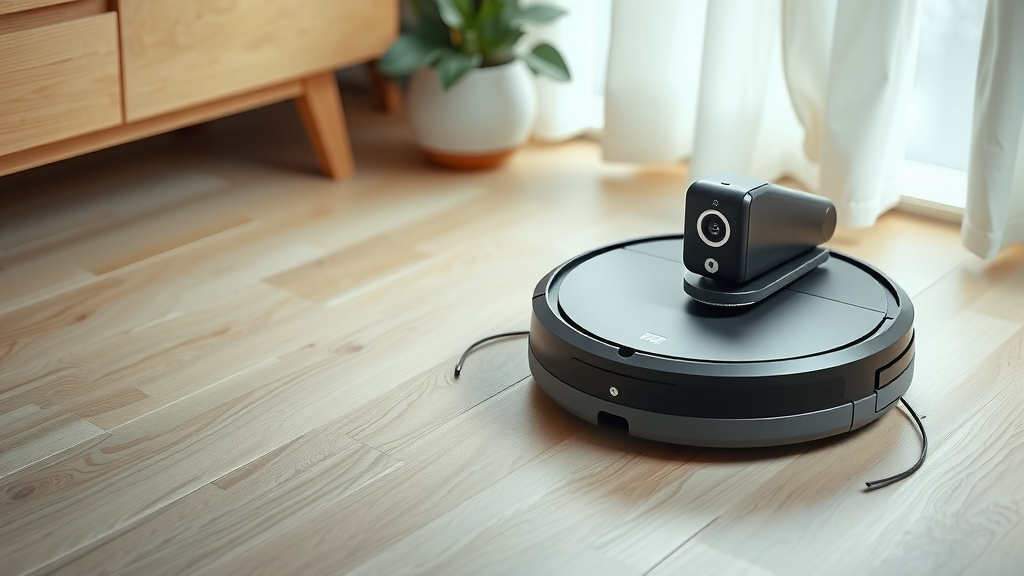
Deik Robot Vacuum: Your Ultimate Guide
Using your Deik robot vacuum is simple. The easiest way to start is by placing the charging dock in an open area and letting your Deik charge fully before its first use. This ensures optimal battery performance and a smooth cleaning experience right from the get-go.
Once charged, you’re ready to tackle dirt and dust with minimal effort. Understanding your Deik’s basic functions, like its different cleaning modes and how to initiate a cleaning cycle, is key to getting the most out of your new automated helper. Many users find that a little initial setup makes daily cleaning a breeze.
- Charge your Deik robot vacuum fully before the first use.
- Place the charging dock in an accessible, open space.
- Familiarize yourself with its basic operating modes.
- Press the “Clean” button to start an automatic cleaning cycle.
- Empty the dustbin regularly for best performance.
Let’s walk through exactly how to get your Deik robot vacuum up and running, so you can enjoy a cleaner home with less work.
Getting Your Deik Robot Vacuum Ready for Action
So, you’ve got your Deik robot vacuum, and you’re eager to see it zip around your home. That’s fantastic! We’re here to guide you through the simple steps to get it up and running. The initial setup is really straightforward, and once you’ve done it once, you’ll be a pro.
Understanding Your Deik’s Charging Station
The first thing your Deik needs is a full charge. Think of it like giving it a good meal before a big task. For its first outing, you’ll want to let it charge for several hours, typically overnight. This ensures the battery is in tip-top shape for its cleaning adventures. Most robot vacuums need about 2 to 4 hours to fully charge, but consult your manual for specifics.
Where you place the charging dock is also important. It shouldn’t be tucked away in a corner. Your Deik needs a clear path to find its way back home. We found that placing it against a wall in an open area works best. Leave some space around it so the robot can dock easily.
Basic Operation: Starting Your First Clean
Once your Deik is fully charged, it’s ready for its maiden voyage. The simplest way to start a cleaning cycle is by pressing the main “Clean” button, usually located on the top of the robot. This button initiates an automatic cleaning mode. Your Deik will then begin to navigate your floors, sucking up dust and debris.
Don’t worry if it seems a little random at first. Many Deik models use smart navigation to cover the entire accessible floor area. It might go back and forth, or in a spiral pattern. The goal is to systematically clean as much as it can reach.
What to Expect During the First Clean
During its first cleaning cycle, it’s a good idea to keep an eye on your Deik. This helps you spot any potential issues, like it getting stuck under furniture or struggling with certain rug types. You might also notice it returning to the charging dock before it’s finished. This is normal for the first run; it’s often trying to learn the layout of your home.
After it docks, let it charge fully again. Subsequent cleaning sessions usually improve as the robot maps your space more effectively. Think of it as a learning process for your new cleaning companion.
Mastering Your Deik Robot Vacuum’s Features
Your Deik isn’t just a one-trick pony. It comes with several features designed to tackle different cleaning needs. Understanding these modes can help you get the most efficient clean possible.
Navigating Cleaning Modes
Most Deik models offer various cleaning modes. The most common is the ‘Auto’ or ‘Clean’ mode we just discussed. This is your go-to for general everyday cleaning.
You might also find specific modes like ‘Spot Cleaning’ or ‘Edge Cleaning’. Spot cleaning is perfect for those inevitable little messes, like spilled cereal. You place the robot directly on the mess, activate spot mode, and it will focus its cleaning efforts on that small area.
Edge cleaning, as the name suggests, directs the robot to focus on cleaning along the baseboards and walls. This is super helpful for capturing dust bunnies that like to hide in corners. You’ll typically activate these modes using buttons on the robot itself or through a remote control if your model includes one.
Using the Remote Control (If Applicable)
If your Deik came with a remote control, it’s your command center! The remote often gives you direct access to different cleaning modes, the ability to steer the robot manually, and even schedule cleanings. It’s a great way to initiate a specific cleaning pattern without having to press buttons on the unit itself.
We found that keeping the remote handy, perhaps on a kitchen counter or a side table, makes using these features a breeze. It’s like having a simple universal remote for your cleaning needs.
Scheduling Cleanings for Ultimate Convenience
One of the best parts of a robot vacuum is its ability to clean while you’re busy or even away. Many Deik models allow you to schedule cleanings in advance. This means you can set it to clean your floors every day at 10 AM, for instance.
To set a schedule, you’ll usually need to use the remote control or a mobile app, depending on your specific Deik model. Consult your user manual for the exact steps. Setting a schedule means you can come home to clean floors without lifting a finger. Imagine that!
Keeping Your Deik in Top Condition
Just like any appliance, your Deik robot vacuum needs a little regular maintenance to keep it running smoothly. Most of this is quick and easy.
Emptying the Dustbin
This is probably the most frequent task. Your Deik’s dustbin collects all the dirt and debris it picks up. If it’s full, it can’t pick up much more. You’ll want to empty it after each cleaning cycle, especially if you have pets or a lot of foot traffic.
To empty it, simply detach the dustbin from the robot. It usually has a release tab or latch. Open the lid and empty the contents into your trash can. Some Deik models may have a filter inside the dustbin that you can also clean. We found that doing this regularly prevents dust from building up and affecting suction power.
Cleaning the Brushes and Filters
Over time, hair, threads, and other debris can get tangled in the brushes. Most Deik vacuums have both a main brush and side brushes. You’ll want to check these periodically and remove any tangled items. Some models come with a small cleaning tool to help with this. Regular brush cleaning ensures your Deik can effectively sweep dirt towards the suction port.
The filters in your Deik are essential for trapping fine dust particles. Many Deik filters are washable. You can usually rinse them under cool water and let them air dry completely before reinserting them. Always ensure they are fully dry to prevent damage to the robot. Many experts suggest cleaning filters monthly, but check your manual for specifics (Deik Support).
Wiping Down the Sensors and Exterior
Your Deik uses sensors to navigate. These sensors are usually located on the underside and sides of the robot. Dust or grime can obscure these sensors, leading to navigation problems. Gently wipe them with a dry or slightly damp microfiber cloth. A soft cloth is best so you don’t scratch them.
Similarly, giving the exterior a quick wipe down keeps your robot looking good. A damp cloth works well for the plastic casing. Avoid using harsh chemicals, as these can damage the finish or the plastic components.

Troubleshooting Common Issues
Even the best gadgets can have the occasional hiccup. If your Deik isn’t performing as expected, don’t panic. Here are a few common issues and how to solve them.
When Your Deik Won’t Start
If your Deik refuses to power on, the first thing to check is its charge level. Is it seated correctly on the charging dock? Are the charging contacts on both the robot and the dock clean? Sometimes, simply pressing and holding the power button for a few seconds can reset the unit. If it still won’t start, consult your manual for specific error codes or contact customer support.
If Your Deik Gets Stuck Frequently
This often happens when the robot encounters obstacles it can’t navigate, like high-pile rugs, stray cables, or tight spaces. Before starting a cleaning cycle, do a quick sweep of the area. Pick up small items, tuck away cords, and ensure there’s adequate clearance around furniture. If it keeps getting stuck in the same spot, you might need to create a “no-go” zone if your model supports it, or simply block off that area manually.
Poor Suction Power
This usually indicates a full dustbin, a clogged filter, or tangled brushes. We’ve covered these maintenance points already. Make sure everything is clean and clear. If you’ve emptied the bin, cleaned the filter, and cleared the brushes, but the suction is still weak, there might be a blockage further down the intake path. You may need to carefully inspect the vacuum path for any obstructions.
Here’s a quick checklist to keep your Deik running smoothly:
- Charge Fully: Always ensure a full charge before the first use and periodically thereafter.
- Clear the Path: Remove small objects, cords, and ensure clear access to the charging dock.
- Empty Dustbin: Do this after every cleaning or when it’s full.
- Clean Brushes: Regularly remove tangled hair and debris.
- Maintain Filter: Wash or replace filters as recommended.
- Check Sensors: Keep navigation sensors clean and unobstructed.
Conclusion
You’ve now learned how to get your Deik robot vacuum set up and running smoothly. We’ve covered everything from initial charging and placement to mastering its cleaning modes and essential maintenance. Keeping your Deik clean and its path clear will ensure you enjoy a consistently clean home with minimal effort. Your next step is to perform a quick check on your robot’s brushes and dustbin. Then, schedule your first automated cleaning session and experience the convenience for yourself!
Frequently Asked Questions
How often should I empty my Deik robot vacuum’s dustbin?
For the best performance, we recommend emptying your Deik’s dustbin after each cleaning cycle. If you have pets or a busy household, doing so is especially important. This ensures your robot maintains strong suction power for efficient cleaning.
Can I leave my Deik charging all the time?
Yes, most Deik robot vacuums are designed to stay on their charging dock when not in use. Keeping it charged ensures it’s always ready for its next cleaning job. Just make sure the dock has a clear path to the robot.
What if my Deik robot vacuum gets stuck often?
If your Deik frequently gets stuck, try to clear its cleaning path beforehand. Remove small objects, loose cords, and ensure it has enough clearance under furniture. Some models allow you to set up “no-go” zones to prevent it from entering problem areas.
How do I clean the Deik’s filters?
Many Deik filters are washable. You can usually rinse them under cool water and let them air dry completely before reinserting them. Always ensure the filter is fully dry to avoid damage to your robot’s motor.
My Deik isn’t returning to its charging dock. What should I do?
First, ensure the charging dock is properly placed against a wall in an open area. Check that the robot’s sensors and the dock’s contacts are clean. If the issue persists, try manually placing the robot on the dock to see if it will charge.