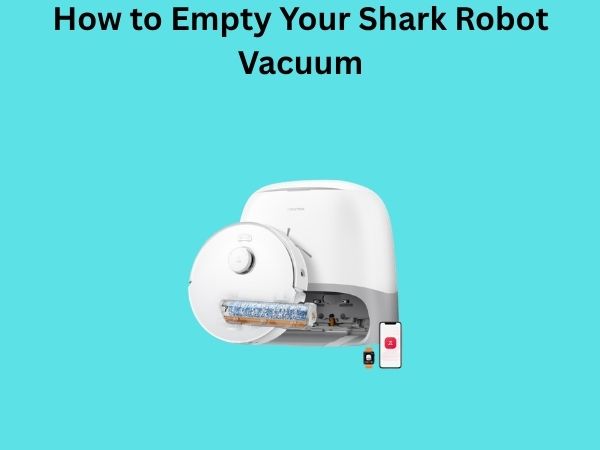
How to Empty Your Shark Robot Vacuum: The Complete Step-by-Step Guide
Let me be honest with you—when I first got my Shark robot vacuum, I was completely lost when it came to emptying the dustbin. I stood there staring at the little compartment thinking, “There’s got to be more to this than just pulling it out, right?” Well, turns out there isn’t, but there are definitely some tricks and best practices I’ve learned along the way that make the whole process smoother and keep your vacuum running like a dream.
If you’re scratching your head wondering how to properly empty your Shark robot vacuum, you’re in the right place. I’m going to walk you through everything you need to know, from the basic steps to the maintenance tips that’ll extend your vacuum’s lifespan. Trust me, once you understand the process, you’ll wonder why you ever found it confusing.
Understanding Your Shark Robot Vacuum’s Dustbin System
Before we dive into the actual emptying process, let’s talk about what we’re dealing with here. Shark robot vacuums come equipped with different dustbin capacities depending on the model you own. Some hold as little as 0.5 liters, while others can handle up to 0.7 liters or more. Think of it like knowing the fuel tank capacity of your car—it helps you understand how often you’ll need to refill.
The dustbin is where all the magic happens. It’s the collection point for dust, debris, pet hair, and everything else your vacuum picks up from your floors. Inside this bin, there’s usually a filter that traps fine particles, and at the bottom, there’s a container where the actual debris accumulates. Understanding this structure is crucial because it affects how you’ll empty it effectively.
The Two Main Types of Dustbin Designs
Shark has engineered their robot vacuums with two primary dustbin designs. The first is the traditional pull-out bin, which is the most common among their models. The second is the newer automatic dirt disposal system that some of their premium models feature. Each requires a slightly different approach when it comes to emptying.
The Basic Steps to Empty Your Shark Robot Vacuum
Alright, let’s get to the nitty-gritty. Here’s how you empty your Shark robot vacuum in the most straightforward way possible.
Step One: Power Off Your Vacuum
This might seem obvious, but it’s absolutely critical. Before you touch anything, make sure your Shark robot vacuum is turned off. You can do this by pressing the power button on the unit itself or through the app if your model is connected. Never try to empty the dustbin while the vacuum is running or in standby mode. It’s like trying to change oil in your car while the engine is still running—not happening.
Step Two: Locate the Dustbin Release Button
Now that your vacuum is powered down, look for the dustbin release button. On most Shark models, you’ll find this button on the back or side of the unit. It’s usually a small, easy-to-press button that’s color-coded for visibility. Press this button firmly, and you’ll feel the bin start to release. This is your green light to proceed.
Step Three: Gently Pull Out the Dustbin
Once you’ve pressed the release button, gently pull the dustbin straight out. Don’t yank it or use excessive force—you’re not starting a lawnmower. A smooth, steady pull will do the trick. If it feels stuck, release the button and try again. There’s usually a specific angle at which the bin slides out most easily.
Step Four: Remove the Filter if Necessary
Some models have filters that are integrated into the dustbin, while others have them housed separately. If your model has a filter inside the bin, you might need to remove it before emptying the debris. Check your user manual to see if this applies to your specific model. It’s worth knowing because sometimes the filter can trap dust and make it harder to empty completely.
Step Five: Empty the Debris Into the Trash
This is where the satisfying part happens. Hold the dustbin over your trash can and tap the bottom gently. The debris should tumble out into the trash. If some stubborn dust clings to the sides, you can gently tap the sides of the bin as well. Some people even hold it at a slight angle to encourage the debris to fall more freely. Think of it like shaking out a bag of chips to get the last crumbs out.
Step Six: Tap Out Remaining Particles
After the initial emptying, there will likely be some fine dust still clinging to the bin’s interior. Continue tapping the sides and bottom over the trash can until you’ve removed as much as you can. This step is important because leftover dust can affect your vacuum’s performance and potentially damage the filter.
Cleaning Your Dustbin Properly
Just emptying the dustbin isn’t enough if you want your Shark vacuum to perform at its best. You need to actually clean it too. It sounds like extra work, but it honestly takes less than five minutes and makes a huge difference.
Wiping Down the Interior
After you’ve emptied all the debris, take a dry cloth or microfiber cloth and wipe down the inside of the dustbin. This removes the fine dust particles that didn’t fall out during the tapping process. You’ll be amazed at how much dust comes off on that cloth. Do yourself a favor and do this over a trash can to avoid spreading dust around your home.
Rinsing the Dustbin Quarterly
Once a month or so, I recommend giving your dustbin a proper rinse with water. Let me be clear though—never submerge it if it has electrical components attached. Instead, rinse it under warm running water and use your fingers or a soft brush to gently scrub away any stubborn residue. Let it air dry completely before reinserting it into your vacuum. Moisture is not your vacuum’s friend, so make sure it’s bone dry.
Cleaning the Filter Separately
Your dustbin’s filter is its own beast. If your model has a removable filter, you should clean it independently of the bin. Use a soft brush, an old toothbrush, or even gently tap it over the trash can to release trapped dust. Some filters can be rinsed under water, but always check your manual first. Think of the filter as the lungs of your vacuum—you need to keep them clean for optimal breathing.
When Should You Empty Your Shark Robot Vacuum?
This is a question that doesn’t have a one-size-fits-all answer. It depends on several factors, including your home size, the amount of traffic, and whether you have pets.
Visual Indicators and Sensors
Many modern Shark robot vacuums have dust sensors that alert you when the bin is getting full. You might see a light on the unit or receive a notification on your phone if your model is app-connected. When you see this indicator, it’s time to empty. Don’t ignore it because an overfull dustbin significantly reduces your vacuum’s suction power. It’s like trying to breathe through a straw—things just don’t work as efficiently.
General Timeline Recommendations
As a general rule of thumb, I empty my Shark robot vacuum every week if I live in a small apartment, and every three to four days if I have pets. High-traffic households with multiple pets might need daily emptying. The best approach is to check it after each cleaning cycle for the first week, then establish a schedule based on how full it typically gets.
Common Mistakes People Make When Emptying Their Shark Vacuums
I’ve made most of these mistakes myself, so trust me when I say I know what not to do.
Emptying with the Vacuum Turned On
This is dangerous and can damage your vacuum. The suction can create a mess, and you risk getting your fingers caught. Always power off first.
Ignoring the Filter
If you only empty the dust but never clean the filter, you’re shooting yourself in the foot. A clogged filter means reduced suction, which means your vacuum isn’t actually cleaning your floors effectively. It’s a domino effect that starts with neglecting the filter.
Overfilling the Bin
Pushing the bin to its absolute maximum capacity is tempting—”Just one more cleaning cycle,” right? Wrong. An overfull bin damages the filter faster and stresses the motor. It’s better to empty it more frequently than to let it get there.
Using Wet Cleaning Methods on Dry-Only Bins
Not all dustbins are waterproof. If you have a model that’s not designed for wet cleaning and you rinse it, you could damage the seals and create leaks. Always check your manual before using water on your bin.
Maintenance Tips to Keep Your Vacuum Running Smoothly
Emptying your dustbin is just one part of proper vacuum maintenance. Here are some additional steps that’ll keep your Shark running like new.
Inspect the Brush Roll Regularly
While you’re dealing with the dustbin, take a moment to check the brush roll on the bottom of your vacuum. Remove any hair or debris tangled around it. This takes thirty seconds but prevents major clogs that can kill your vacuum’s performance.
Check for Blockages in the Intake
Sometimes debris can get stuck in the intake area where the brush roll meets the dustbin. If you notice reduced suction suddenly, check this area first. A blockage here is often the culprit.
Clean the Sensors Monthly
Your Shark robot vacuum uses sensors to navigate and detect obstacles. Dust can accumulate on these sensors over time. Use a slightly damp cloth to gently clean them. This ensures your vacuum continues to operate intelligently and safely.
Troubleshooting Common Issues Related to Bin Emptying
Sometimes things don’t go as smoothly as planned. Here are some issues you might encounter and how to fix them.
The Dustbin Won’t Come Out
If your bin feels stuck, don’t force it. First, check that you’ve pressed the release button fully. Sometimes it needs a firmer press than you’d expect. If it’s still stuck, make sure there’s no debris jamming the mechanism. You might need to gently wiggle the bin side to side while applying steady pressure.
Dust Is Coming Out During Operation
If you notice dust leaking from your vacuum during operation, the dustbin isn’t seated properly. Remove it, inspect the connection points for debris, and reinsert it firmly until you hear or feel a click. The bin should fit snugly with no gaps.
The Vacuum Still Smells Even After Emptying
Odors usually come from mold or bacteria growing inside the dustbin or filter. This happens when the bin isn’t completely dried before reinsertion. Ensure everything is bone dry, and consider rinsing the bin more frequently. You could also leave it in sunlight for a while, as UV rays naturally kill bacteria.
Advanced: Dealing with the Automatic Dirt Disposal System
If you own a premium Shark model with an automatic dirt disposal system, the process is slightly different and honestly, way more convenient.
How the Self-Emptying Feature Works
These systems automatically empty the dustbin into a larger disposal bag when the vacuum docks. You don’t manually empty it after each cleaning cycle, which is a game-changer. The vacuum automatically returns to its dock when the bin is full and empties itself. It’s like having a robot clean up after your robot vacuum. How cool is that?
Maintaining the Disposal Bag
While you’re not manually emptying the bin as often, you do need to maintain the disposal bag. Check the bag regularly and replace it when it’s full. Most bags need replacing every one to three months depending on your usage. Follow the manufacturer’s instructions for replacing the bag to avoid any mess.
Environmental Considerations When Disposing of Vacuum Debris
As someone who cares about the environment, I think it’s worth mentioning that how you dispose of your vacuum debris matters. If your home is mostly dust and pet hair, you can compost some of it. However, if you’re vacuuming up plastic particles or chemicals, they should go in the regular trash. Be mindful of what goes into the bin in the first place by sweeping up large debris before running your vacuum.
Conclusion
Emptying your Shark robot vacuum is straightforward once you know the process, but it’s the attention to detail that separates people who keep their vacuums running smoothly for years from those who experience problems. The steps are simple: power off, press the release button, pull out the bin, empty it, tap out remaining dust, and clean the filter. But the real secret is consistency and care. Empty your bin regularly, clean your filter properly, and perform routine maintenance on other components. Your Shark robot vacuum will repay you with years of reliable, efficient cleaning. It’s not complicated—it’s just a matter of understanding what your vacuum needs and following through. You’ve got this, and your floors will thank you for it.
Frequently Asked Questions
Can I rinse the dustbin under running water every time I empty it?
It depends on your specific model. Some Shark dustbins are designed to handle occasional rinsing, while others are not waterproof enough for regular water exposure. Check your user manual to see if wet cleaning is recommended. If you do rinse it, make absolutely sure it’s completely dry before reinserting it into your vacuum. I recommend rinsing thoroughly only once a month and doing a dry wipe-down after each emptying for daily maintenance.
How often should I replace the filter in my Shark robot vacuum?
Filter replacement depends on your usage patterns and how well you maintain it. If you clean your filter regularly by tapping it and doing monthly deep cleans, you might only need to replace it every six months to a year. However, if you have multiple pets or don’t clean the filter regularly, you might need a replacement every three months. Most manufacturers recommend checking the filter monthly to assess its condition before deciding whether replacement is necessary.
What should I do if my Shark vacuum loses suction after I empty the dustbin?
First, check that the dustbin is properly seated and locked into place. Sometimes incomplete insertion can cause air leaks that affect suction. Second, inspect the filter for blockages or tears. If the filter is very dirty, this alone could reduce suction significantly. Third, check the brush roll and intake area for any debris causing blockages. If none of these solve the problem, it might be time to replace the filter or consult the manufacturer.
Is it normal for dust to escape when I’m emptying the bin?
Some dust escape is normal and virtually impossible to avoid completely. The fine particles will cloud around the trash can, but the bulk of the debris should fall cleanly. If you’re experiencing excessive dust clouds, the bin might be too full, or you might benefit from emptying the bin outside or in a garage where stray dust won’t settle on your furniture. Some people use a vacuum with a small hose to catch the dust while emptying, which is a clever workaround.
Can I use compressed air to clean my Shark vacuum’s dustbin and filter?
Compressed air is actually a fantastic tool for cleaning your dustbin and filter because it doesn’t require water and works quickly. You can blow out trapped dust and debris effectively. Just do this over a trash can to catch all the particles. However, be careful not to use excessive
![7 Best Robot Vacuum With Rotating Mop [2026]](https://robotvacuumfact.com/wp-content/uploads/2026/09/7-best-robot-vacuum-with-rotating-mop-2026-featured-768x432.jpg)
![7 Best Performing Robot Vacuum [2026]](https://robotvacuumfact.com/wp-content/uploads/2026/08/7-best-performing-robot-vacuum-2026-featured-768x432.jpg)
![7 Best Robot Vacuum On The Market Today [2026]](https://robotvacuumfact.com/wp-content/uploads/2026/09/7-best-robot-vacuum-on-the-market-today-2026-featured-768x432.jpg)
![7 Best Affordable Robot Vacuum Mop [2026]](https://robotvacuumfact.com/wp-content/uploads/2026/06/7-best-affordable-robot-vacuum-mop-2026-featured-768x432.jpg)