Easy Shark Robot Vacuum Side Brush Replacement Guide
Replacing the side brushes on your Shark robot vacuum is a straightforward process that keeps your floors cleaner. You can do this yourself in just a few minutes without any special tools. Just follow a simple twist-and-pull method to remove the old brush and pop in the new one. It’s a quick maintenance task that makes a big difference.
These brushes are essential for capturing dirt and debris from corners and edges. Over time, they wear down, reducing your vacuum’s cleaning power. Regular replacement ensures your Shark robot vacuum continues to perform optimally. Many users find replacing them every 3-6 months keeps their robot running like new.
- Side brushes are key for edge cleaning.
- Worn brushes reduce vacuum efficiency.
- Replacement is simple and quick.
- Do it every 3-6 months for best results.
Let’s walk through exactly how to swap out those side brushes, step by step.
Keeping Your Shark Robot Vacuum Running Smoothly
Your Shark robot vacuum relies on those little spinning side brushes. They are the unsung heroes. They sweep debris from edges and corners into the main vacuum path. Think of them like tiny brooms. When they get worn out, your robot can’t clean as effectively. That’s why knowing how to replace them is so important. You’ll keep your floors looking their best with minimal effort.
When to Swap Out Those Side Brushes
So, how often do you need to perform this quick tune-up? It really depends on your home. Factors like pets, kids, and the type of flooring in your house play a role. You’ll likely need to replace them more often if you have furry friends shedding hair or if your robot navigates a lot of high-traffic areas. Many users find a good rhythm by checking them every few months.
Signs Your Brushes Need Replacing
Your vacuum might give you some subtle clues. Has your robot started missing debris along the walls? Are the brushes looking visibly frayed, bent, or tangled with hair and string? These are clear indicators that they’ve seen better days. Even if they don’t look completely destroyed, if their performance has dipped, it’s time for a fresh set.
Visible Wear and Tear
Take a close look at the bristles. Are they splayed out or bent at odd angles? This wear reduces their ability to sweep effectively. You might see more dirt left behind in corners. This is a **universal sign** that replacement is due.
Decreased Cleaning Performance
The most telling sign is often a decline in how clean your floors are. If you’re noticing more dust bunnies or stray crumbs after a cleaning cycle, your brushes might be the culprit. This is especially true for edge cleaning. You’ll want to address this promptly.
Recommended Replacement Schedule
While visual cues are important, having a general schedule can help. Based on manufacturer recommendations and user feedback, replacing side brushes every 3 to 6 months is a good general guideline. For homes with pets or heavy usage, you might need to do it more frequently, perhaps even every 2 months. It’s better to replace them a little early than too late.

Your Step-by-Step Guide to Side Brush Replacement
Ready to give your Shark robot a little refresh? It’s easier than you think! You won’t need any fancy tools. Most Shark robot models have a very similar system for their side brushes. You can usually do this right on your floor. Just make sure your robot is powered off for safety.
Gather Your Supplies
You really only need two things:
- Your new Shark robot side brushes. Make sure they are compatible with your specific Shark model.
- A clean, flat surface to work on.
That’s it! No screwdrivers or complicated gadgets required for this task.
Locating the Side Brushes
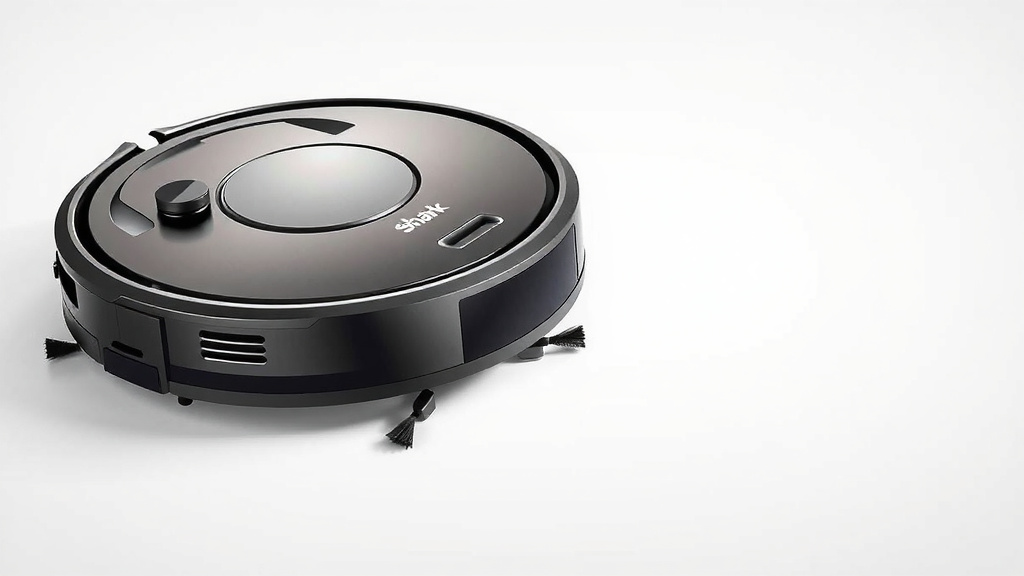
Flip your Shark robot vacuum over so the bottom is facing up. You’ll see the main cleaning brushes and wheels. Your side brushes are typically located near the front corners of the robot. They look like small, plastic arms with bristles extending from them. They are usually attached by a single screw or a snap-on mechanism.
Removing the Old Side Brush
This is the main event! Here’s how to gently detach the worn-out brush.
The Twist and Pull Method
On most Shark models, the side brush is held in place with a small screw. Locate the screw at the center of the side brush. You might need a small Phillips head screwdriver for this. Turn the screw counter-clockwise to loosen it. Once the screw is removed, gently pull the side brush straight off the mounting post. Some models might have a brush that simply snaps on. In that case, you’ll gently pull it straight off without needing to remove a screw.
Handling Stubborn Brushes
Occasionally, a brush might be a bit stuck. If it doesn’t come off easily after removing the screw, try wiggling it gently. Avoid using excessive force, as you don’t want to damage the robot or the brush arm. If you can’t get it off, double-check that the screw is fully removed and that you’re pulling straight outwards.
Installing the New Side Brush
Now for the satisfying part – attaching the fresh brush!
Aligning the New Brush
Take your new side brush and align it with the mounting post where the old one was. Make sure the shape of the brush opening matches the post. For screw-on types, slide the brush onto the post until it sits flush against the robot’s body.
Securing the New Brush
If your model uses a screw, reinsert the screw into the center of the new side brush. Tighten it clockwise with your screwdriver until it’s snug. Don’t overtighten it, as this could strip the screw or damage the plastic. For snap-on models, simply press the new brush firmly onto the post until you hear or feel it click into place.
Testing Your Work
Once both new side brushes are installed, gently flip your robot back over. You can then power it on and send it for a quick spin around a small area. Watch to see if the new brushes are spinning correctly and effectively sweeping debris. You should immediately notice an improvement in its ability to pick up dirt from edges.
A quick check can save you trouble later. Think of it like making sure your car tires are properly inflated. It’s a simple step that ensures everything runs at its best. You’ve just given your Shark robot a little boost of cleaning power!
Quick Maintenance Checklist
Here’s a handy list to keep your robot in top shape:
- Check side brushes for visible wear every month.
- Replace side brushes every 3-6 months, or sooner if needed.
- Ensure new brushes are compatible with your Shark model.
- Use a small screwdriver for screw-on types.
- Confirm new brushes spin freely after installation.
- Listen for a click when installing snap-on brushes.
Conclusion
You’ve now learned how easy it is to replace your Shark robot vacuum’s side brushes. This simple maintenance task is key to keeping your floors spotless. By following the steps, you can quickly swap out worn brushes for new ones. This ensures your robot continues to capture dirt effectively from every corner. Don’t wait for performance to dip; check your brushes regularly. Make replacing them a part of your routine for a consistently clean home.
Frequently Asked Questions
How do I know if my Shark robot vacuum side brushes need replacing?
Look for visible signs of wear like frayed bristles, bends, or tangles from hair and string. You might also notice your robot is missing dirt along walls or edges. If cleaning performance has decreased, it’s likely time for new brushes.
Can I use side brushes from a different brand with my Shark robot vacuum?
It’s best to use side brushes specifically designed for your Shark robot model. Using incompatible brushes might not fit correctly or could damage your vacuum. Always check compatibility to ensure optimal performance and avoid issues.
What tools do I need to replace the side brushes on my Shark robot vacuum?
For most Shark robot models, you’ll only need your new replacement side brushes. Some models require a small Phillips head screwdriver to remove a single screw. Other models have brushes that simply snap on and off, requiring no tools at all.
My Shark robot vacuum side brush is stuck. What should I do?
Ensure the retaining screw is completely removed if your model has one. Try gently wiggling the brush back and forth. Avoid using excessive force, which could damage the robot or the brush arm. If it remains stuck, double-check that you’re pulling it straight off the mounting post.
How often should I clean my Shark robot vacuum’s side brushes?
While this guide focuses on replacement, it’s good practice to clean your side brushes regularly. Check them for hair and debris every few cleaning cycles. Untangle any accumulated hair or string to help them function better between replacements.